One free user, over 200,000 scans, no scan cap

Key Takeaway
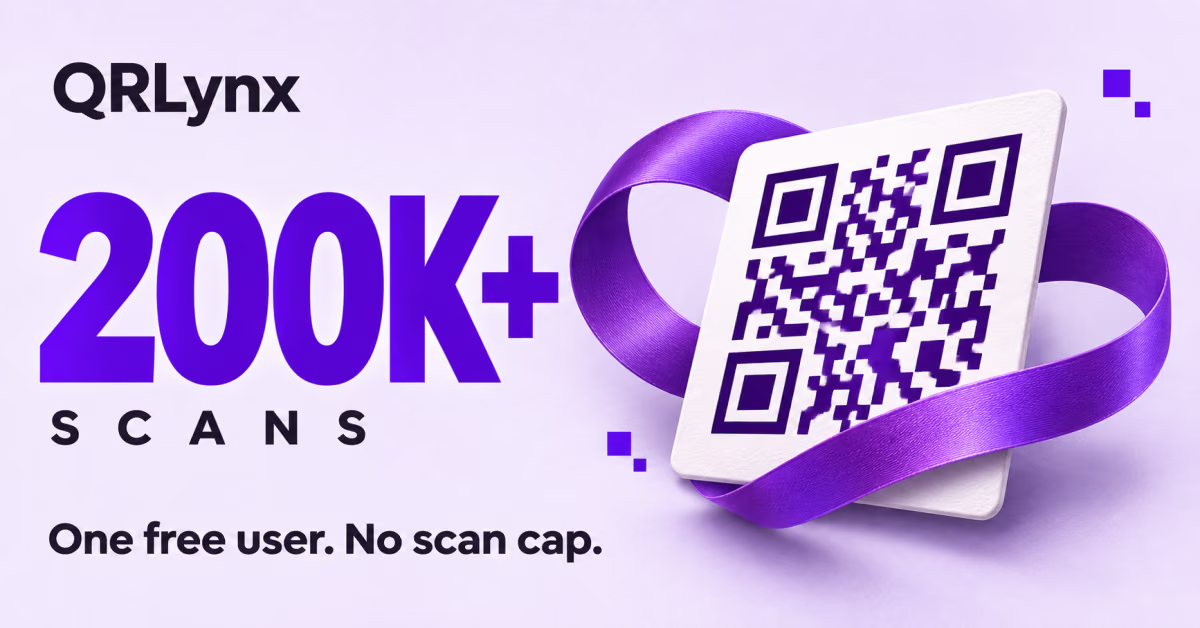
A QRLynx QR code reached 201,287 recorded scans and was active on the Free Plan. Explore unlimited scans, editable links and QR codes made to keep working.
On November 12, 2026, one QRLynx dynamic QR code had recorded 201,287 cumulative scans and was active on its owner's Free Plan account. QRLynx includes unlimited scans on the Free Plan, so scan volume does not trigger an overage charge or require an upgrade.
A QR code can become a lasting part of how you share a page. Once it is on your printed materials, you want people to keep using it. This milestone shows a code with substantial recorded activity remaining active on a free account.
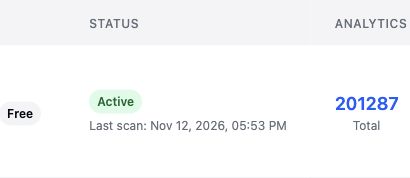
What the 201,287-scan milestone shows
The total belongs to one dynamic QR code. At the time of our check, that code was active and its owner was on QRLynx's Free Plan. Its cumulative scan count had already passed 200,000, with no plan scan ceiling to reach.
For someone choosing a QR service before printing, that is the practical point: a large recorded scan total is compatible with an active free account. You do not need to predict how many scans your QRLynx code will receive before deciding whether the Free Plan can support its scan volume.
We have kept the account, destination and QR artwork private. The dated count and plan status provide the evidence for this milestone; the examples below explain how you could use the same product features.
More scans do not use up your free code slots
New QRLynx Free Plan accounts can keep 3 dynamic QR codes active. That allowance counts saved active codes, not scans or printed copies. Printing the same code on more flyers does not consume additional dynamic-code slots.
Each active code has unlimited scans, with no monthly scan allowance to replenish. QRLynx includes that policy across every plan. You can choose a larger plan when you need more active codes or additional features, while scan volume itself remains unlimited.
Keep a well-used QR code useful
When people already have your QR code, changing the page it opens should not mean replacing all those printed copies. QRLynx's dynamic URL codes let you edit the saved destination while keeping the same QR pattern. For example, a business card can open a new booking page after your website changes.
You can add your own logo and download a QR image without a QRLynx watermark from a registered account. Before printing, test the saved dynamic code at its intended size. After a destination edit, scan the original printed sample again to check the updated link.
See how your code is being used
QRLynx's Free Plan includes scan tracking and 90 days of analytics history. You can review activity during that period and use it to inform practical decisions, such as whether to keep a printed placement or revise the page it opens.
The 90-day analytics window is separate from the cumulative counter used for this milestone. It determines the period you can analyze on the Free Plan, not how many scans your code can receive. Our guide to tracking QR code scans explains the available measurements.
Paid plans provide larger dynamic-code allowances and longer analytics history, with additional capabilities by tier. They also provide direct URL redirects; Free Plan URL codes show a brief QRLynx opening screen. You can choose those features when they suit your work, while unlimited scans remain included from the start.
Create your own dynamic QR code with QRLynx
Start with a Free Plan account
Open the QRLynx free dynamic QR code generator and use a Free Plan account to save your code.
Choose an editable destination
Choose a website URL code, enter your destination, and confirm Dynamic URL and Track Scans are enabled before saving. This keeps the destination editable and records eligible scans.
Prepare the design for print
Customize the design, keeping strong contrast and clear space around the code. Add a label to your flyer, card or sign that describes the destination.
Save, download and test
Save the dynamic code to your account, then download it. Test a printed sample at its intended size with your phone before producing the full batch.
Check the same print after an edit
After a destination update, scan the original sample again to confirm it opens the new page. Your printed QR pattern stays the same.
Your next QR code
Create your free dynamic QR code
Save an editable destination, test your printed code and keep unlimited scans.
Questions about free dynamic QR codes
Can I get a free dynamic QR code with unlimited scans?
Yes. QRLynx's Free Plan includes 3 active dynamic QR codes for new accounts, with unlimited scans and scan tracking. A dynamic URL code also lets you change its destination after printing.
Do free QRLynx QR codes expire after a certain number of scans?
QRLynx does not impose a scan-count expiry on ordinary dynamic codes. They can remain active on the Free Plan as usage grows. Keep the code active and its destination available; deletion, deactivation or safety enforcement can affect whether it opens.
Can I create unlimited QR codes for free?
Registered QRLynx accounts can create unlimited static QR codes. The current Free Plan includes 3 active dynamic codes, which support editable destinations for URL codes and scan tracking. Static codes keep their encoded content, so choose dynamic when you need to update the link later.
Can I print the same QR code on more than one flyer?
Yes. Printed copies of the same saved code do not use extra dynamic-code slots. Test the code at each intended print size before producing your materials.
Can I change the link after printing my QR code?
Yes, when you save a dynamic URL code. Edit its destination in QRLynx, then scan an original printed sample to confirm the new page opens.
Does the 90-day analytics window limit the number of scans?
No. The Free Plan analytics window determines the period you can analyze. Unlimited scans and the cumulative scan counter are separate from that window.
Does 201,287 scans mean 201,287 different people?
No. This is one code's cumulative recorded scan total. Repeat activity can be included, so it is not a unique-person count.
When was the milestone screenshot captured?
November 12, 2026 at 14:54:45 UTC. It shows 201,287 total scans, Free account status and an Active code. The article records that snapshot rather than a live counter.
Can I add my own logo to a free QR code?
Yes. Registered QRLynx accounts can add a logo and download QR images without a QRLynx watermark. Keep the code readable and test the final design before printing.
About this milestone: QRLynx first-party snapshot, November 12, 2026 at 14:54:45 UTC. We captured the live admin record and checked the code and owner records in the production database. The figure above is the cumulative total displayed in the screenshot at capture time, not a live counter. Scans can include repeat activity and are not a unique-person count. The plan status is specific to this snapshot. Customer identity, destination and QR artwork remain private. See our measurement methodology.