QRLynx V2: What Changed in the May 2026 Product Refresh

Key Takeaway
Review the dated QRLynx V2 refresh, including the free Starter plan, dynamic QR workflow, analytics, AI summaries, and the features added afterward.
A dated QRLynx product update
QRLynx V2 launched on May 24, 2026 as a product refresh centered on a genuinely useful free Starter plan and a clearer create, edit, track, and improve workflow. This article records that release and separates the original V2 launch from capabilities added afterward. For the newest release-by-release record, use the QRLynx changelog.
What QRLynx V2 changed
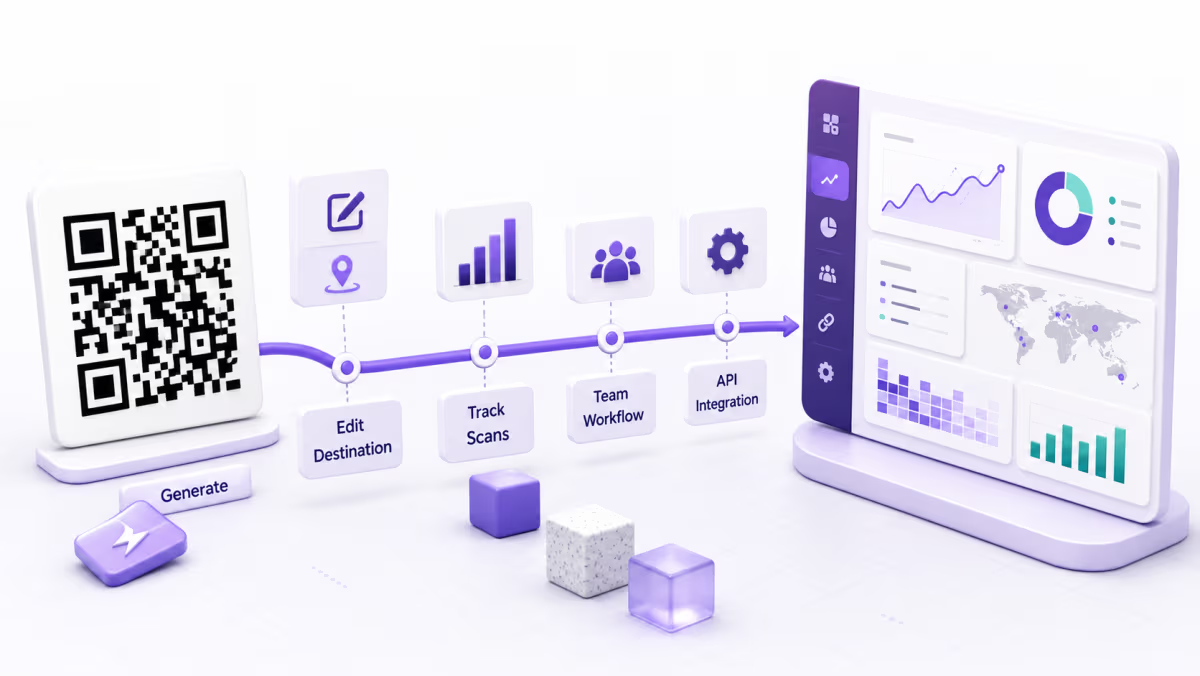
QRLynx V2 moved the product beyond generating a QR image. A registered user could create a dynamic QR, keep the printed pattern stable, change its destination later, and review scan activity from the same account. The free Starter plan made that workflow available with 3 active dynamic QR codes, unlimited static QR codes, unlimited scans, three months of analytics, Basic AI Insight Summaries, logo upload, and watermark-free registered downloads.
The distinction between registered and guest use matters. A visitor can generate and download a static QR without an account, but guest downloads can carry QRLynx branding. A registered Starter account removes that download watermark and adds saved dynamic codes, analytics, and account management.
V2 also made the product direction explicit: the generator creates the symbol, while the account workflow manages what happens after printing. That is still the foundation of QRLynx.
The V2 launch promise and the current product
The original May 2026 release remains the baseline, while later work expanded analytics, campaign controls, collaboration, and developer access.
| Area | V2 launch | Current QRLynx position |
|---|---|---|
| Free Starter plan | 3 active dynamic QR codes plus unlimited static codes | Still free, with the same active dynamic allowance and unlimited static creation |
| Scans | Unlimited scans | Unlimited scans remain included on every plan |
| Analytics | Three months on the free Starter plan | Three months on Starter, then longer plan windows up to all available history on Enterprise |
| AI assistance | Basic AI Insight Summaries on Starter | Summaries remain on Starter; Full AI Insights and manual refresh begin on Starter+ |
| Design and downloads | Logo upload and watermark-free registered downloads | Registered plans keep clean raster downloads; Starter+ adds resolution-independent SVG and A4 PDF formats |
| QR types | Broad static and dynamic type coverage | 61 registered QR types, with dynamic mode available only where the type contract supports it |
| Operational tools | A create, save, edit, and track workflow | Paid plans add longer analytics, advanced controls, dynamic bulk, teams, CSV export, lead forms, API access, and eligible white-label domains |
Why the workflow mattered more than a larger feature list
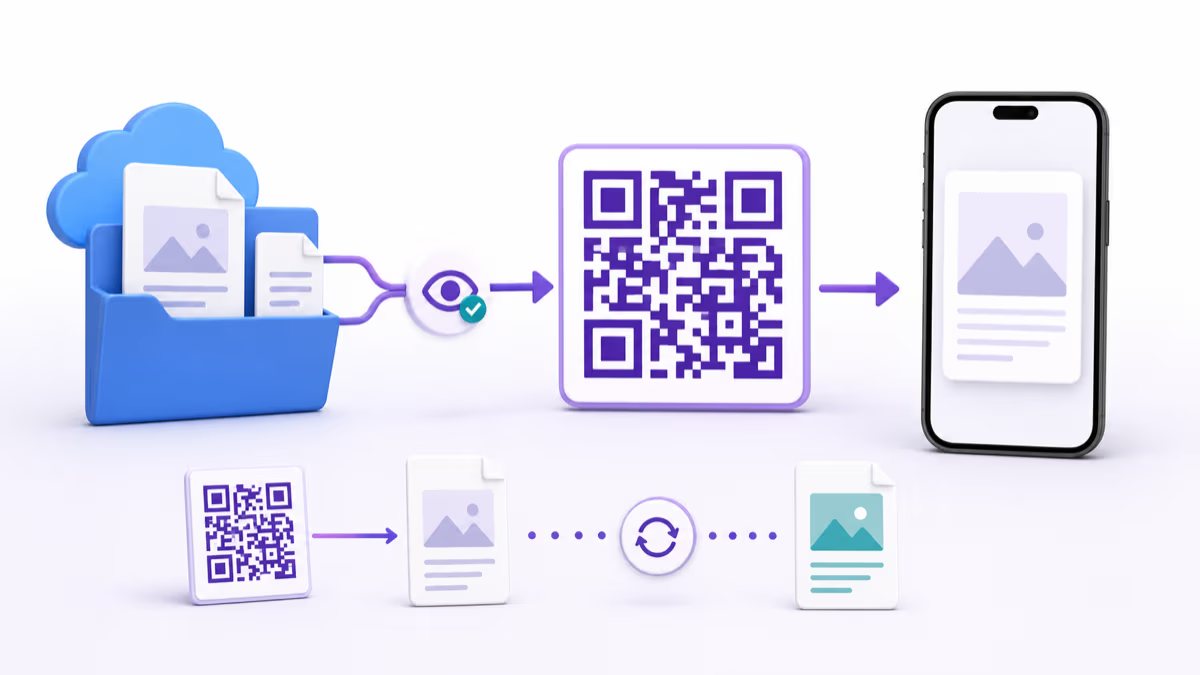
A QR campaign usually starts after the image is downloaded. A menu changes, a PDF is replaced, a campaign needs a new landing page, or a printed placement needs to be measured. A dynamic QR gives QRLynx a stable short link to manage, so the destination can change without changing the printed image.
That does not make every QR dynamic. WiFi, text, contact, payment, and other static payloads can encode their final data directly. QRLynx uses dynamic mode for supported types when destination editing and redirect-based tracking are useful. The correct choice depends on whether the printed code must remain editable.
This static-versus-dynamic boundary is one of the most important V2 decisions because it determines what can be changed after printing and whether scans pass through the QRLynx redirect service.
How to test the QRLynx V2 workflow today
Use one real destination and complete the full create, print-test, edit, and analytics loop.
Choose the real payload or destination
Decide whether the QR should open a URL, PDF, menu, Digital Business Card, social profile, contact payload, or another supported QRLynx type.
Choose static or dynamic mode in QRLynx
Use static mode when the final payload can remain fixed. Use dynamic mode on an eligible type when you need a stable managed link, destination edits, and scan analytics.
Create and label the QR
Open the QRLynx QR code generator, enter the final data, add useful colors or a logo, and use a short frame label that tells people what the scan opens.
Save the dynamic QR to the free Starter plan
Create a free account to save an eligible dynamic QR. The free Starter plan includes 3 active dynamic codes and three months of analytics.
Test the actual printed size
Scan from more than one phone, test the expected viewing distance, preserve the quiet zone, and confirm the exact destination before distributing the design.
Change the destination and scan again
For a dynamic QR, update the destination from the QRLynx dashboard and scan the same QR image again. This proves that future destination edits will not require a reprint.
Review the analytics after real scans
Use the QRLynx analytics page to review totals, timing, top QR codes, and the location or device detail available to the account plan. Treat AI output as a summary of scan analytics, not an analysis of the QR artwork.
Run the complete workflow
Create one QR you can test from start to finish
Build the QR in QRLynx, test the printed design, and use dynamic mode when the destination must stay editable.
How the plan ladder extends the V2 foundation
The free Starter plan is the entry point, not the entire product. Starter+ expands active dynamic capacity to 50, adds one year of analytics, Full AI Insights, more folders, larger PDF uploads, and resolution-independent SVG or A4 PDF downloads.
Pro adds 300 active dynamic QR codes, two years of analytics, country detail, password protection, consent screens, smart redirects, expiry rules, scheduling, and dynamic bulk creation. Business adds 1,000 active dynamic QR codes, three years of analytics, city and device detail, CSV export, team workspaces, lead forms, email summaries, and public API access. Enterprise raises capacity to 5,000 active dynamic QR codes and adds all available analytics history, eligible custom dynamic domains, retargeting, and white-label features.
Plan details can change after a product-update article is published, so the current QRLynx pricing page remains the owner for prices, limits, and the complete feature matrix.
What expanded after the May 2026 V2 release
QRLynx continued building on the same workflow after the initial V2 announcement. The current platform includes free QR frames, longer plan-based analytics windows, GS1 Digital Link in supported static and dynamic modes, dynamic bulk creation from Pro, team workspaces and public API access from Business, and eligible custom dynamic domains on Enterprise.
Those capabilities should not be read as part of the original May 24 launch bundle. They are the product evolution that followed it. The changelog is the better source for release order, while feature pages explain each current capability in depth.
The Product Hunt listing remains a place to see or discuss the launch, but QRLynx support and the changelog are the current product channels. You can visit the QRLynx Product Hunt page without treating its launch copy as the current feature contract.
QRLynx V2 questions
What was QRLynx V2?
QRLynx V2 was the May 24, 2026 product refresh that centered QRLynx on a stronger free Starter plan and a complete create, save, edit, track, and improve workflow.
Is QRLynx V2 still the current product name?
QRLynx is the current product name. V2 identifies this dated product-refresh milestone, while the changelog records later releases and additions.
Is the QRLynx Starter plan free?
Yes. Starter is QRLynx's free plan. It includes unlimited static QR creation, 3 active dynamic QR codes, unlimited scans, three months of analytics, Basic AI Insight Summaries, logo upload, and watermark-free registered downloads.
Can a QRLynx dynamic QR be edited after printing?
Yes. For a supported dynamic type, the printed pattern points to a stable managed short link, so the destination can be updated from the dashboard without reprinting. A previously printed static QR keeps its original directly encoded payload.
Does every QRLynx QR type support dynamic mode?
No. QRLynx has 61 registered QR types, but dynamic mode is limited to types whose contract supports a managed destination. WiFi, text, contact, payment, and several other payload types are static-only.
What do QRLynx AI Insight Summaries analyze?
They summarize scan analytics. They do not inspect the QR artwork. The free Starter plan gets Basic AI Insight Summaries, while Full AI Insights and manual refresh begin on Starter+.
Are QRLynx scans unlimited?
Yes. Every QRLynx plan includes unlimited scans. Plan limits control active dynamic capacity, analytics history, and feature access rather than charging per scan.
Where should I check the newest QRLynx features?
Use the QRLynx changelog for release history and the pricing page for current plan limits, prices, and feature access. This page remains a dated record of the May 2026 V2 refresh.
The lasting V2 idea
The lasting change was not a version label. It was treating a QR code as a managed campaign object rather than a one-time image. QRLynx still supports the quick static use case, but its broader value appears when a printed code needs an editable destination, scan analytics, campaign controls, team access, or an API workflow.
The fastest way to understand QRLynx today is to create one QR code you would actually use. Start with the QRLynx generator, use the pricing page for the current plan contract, and check the changelog for what shipped after this release.