Can you move a printed QR code to another provider?


Key Takeaway
Check who controls a printed QR code's exact URL before changing provider. Compare direct links, provider redirects, custom domains and reprint decisions.
Sometimes, but the deciding factor is control of the exact address already encoded in the printed QR. A direct URL to your own website gives you different options from a short URL on a provider's domain. A downloaded PNG does not grant control of the service behind that address.
Inspect the existing pattern before opening a replacement generator or cancelling the current service. The goal is to establish which route you can preserve, which route still depends on someone else, and where replacement artwork is required.
Start with the value inside the actual printed pattern
Use the QRLynx QR scanner to read a clear image of the code already in circulation. Record its complete decoded value before following the expected destination. A saved project preview or a newly downloaded image can differ from the copy on an older sign.
For a web URL, distinguish the hostname from the rest of the address. RFC 3986 describes the URI components, including authority, path, query and fragment. Your check should retain the actual address and its intended behavior, not just the recognizable brand name in the hostname.
Assess the route you already have
| Printed value | Control to establish | Practical decision |
|---|---|---|
| Direct URL on your organization's website | Control of that website address and its destination behavior | A hosting or page change may preserve the printed URL if the same address continues to work correctly |
| Short URL on the QR provider's hostname | The current provider's supported account, routing and transfer options | Keep that dependency until a supported change is established; otherwise plan replacement artwork |
| Short URL on a domain your organization controls | Domain access, HTTPS and support for every existing short path | Domain control creates an option to investigate, not proof that a different service will recognize the old routes |
Use an exact-route acceptance record
This is a planning template, not a claim that a particular provider supports a transfer. Collect evidence for each item before deciding whether an existing print can stay in use.
placement_id,printed_payload,current_route_owner,domain_control,existing_path_support,https_check,intended_destination,visitor_access,fallback_address,decision,checked_atKeep the decoded route and the observed final destination in separate fields. For example, a fictional code containing https://go.provider.example/r7 still begins at that provider hostname even when the page reached afterward belongs to your business. Creating a new code for the same final page produces replacement artwork; it does not rewrite the existing printed pattern.
How to assess a replacement QR route with QRLynx
Establish the old route first, then decide whether a new QR is needed.
Read the existing printed code
Inspect the actual old image in the QRLynx QR scanner and record the complete decoded value, placement and intended destination. Keep that observation separate from a new project's preview.
Establish who can change the route
Use authorized account and domain access to identify the responsible operator. Confirm the current provider's actual supported options. For an owned hostname, include HTTPS and recognition of the existing path and query behavior.
Choose the appropriate QRLynx replacement
When replacement artwork is needed, open QRLynx Website / Link and enter the intended public destination. Choose static for a fixed direct payload or an eligible saved dynamic QR when its managed destination control serves the job. This creates a new QR, not an arbitrary import of another provider's printed route.
Keep the artwork versions distinct
Record the new encoded value and clearly identify the new file. If using the eligible custom-domain workflow on QRLynx's paid Enterprise plan, activate and select the domain before exporting that new pattern. Do not assume an old provider path is imported by connecting a domain.
Verify the transition before closing dependencies
Test the existing printed route and any replacement from the intended visitor context. Check the final page, access, relevant parameters and separate fallback address. Retain the current service while circulating material still requires its route, subject to its actual terms.
Establish the existing route
Read the printed code before replacing it
Inspect its decoded value and use that exact address in the route-control record.
Changing DNS is only part of an owned-domain move
Cloudflare's DNS reference describes address records and CNAME hostname mappings. A hostname mapping alone does not establish the web application's handling of an old short path.
Before changing a live route, establish that the receiving service can serve the exact entry address over HTTPS and resolve the existing path to the intended destination. Test the relevant query behavior and any intended fragment navigation too. A working homepage is not evidence that every old printed short link works.
In QRLynx, a custom redirect domain is a feature of the paid Enterprise plan with its own activation and selection workflow. Follow the white-label guide for that setup. Connecting or selecting a hostname does not establish support for another provider's arbitrary existing short codes.
Separate changing a page from changing the encoded URL
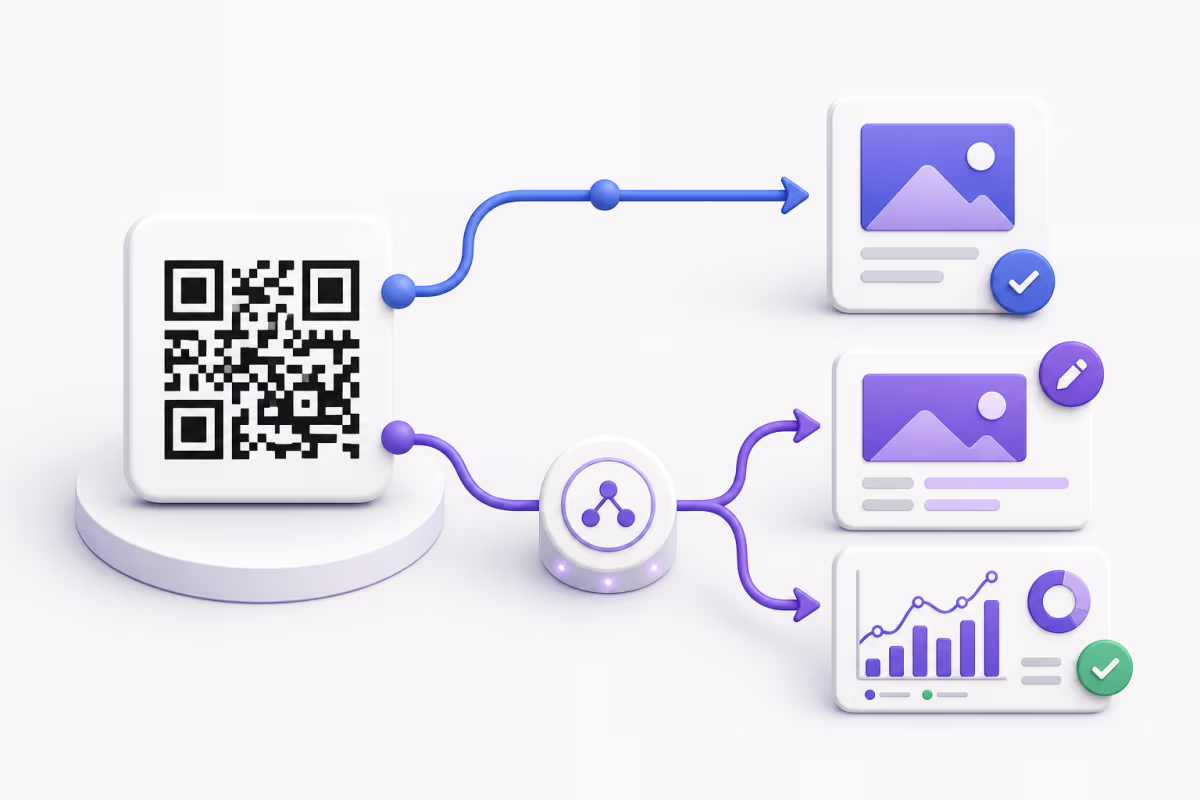
A static URL QR can keep opening an address while the owner changes the page served there. If a website moves but preserves that exact address and behavior, the printed pattern may remain useful. If the encoded address itself must change, the static pattern needs replacement.
A QRLynx dynamic URL QR uses its managed route to reach the saved destination. Editing that eligible saved destination can change where future visits go while retaining the same managed route. That is different from transferring an unrelated provider-owned route into QRLynx.
The static and dynamic lifecycle guide explains the architecture. Follow the dynamic URL workflow to edit an eligible saved destination.
Preserve the transition record and reporting context
Record the old route, proposed route, intended destination, responsible operator and change decision. Keep the old and replacement artwork clearly identified. A separately printed fallback address needs its own check because it does not update when a managed QR destination changes.
Plan historical reporting separately from routing. Retain exports you are authorized to keep and document the definitions and change date before comparing periods. A working URL does not establish that the old provider's analytics history has been imported into another service.
Printed QR provider-change questions
Can a QR code be transferred?
It depends on the value already stored in the printed pattern and the supported control over its route. A direct website URL, a provider-owned short URL and an owned custom hostname have different dependencies. Inspect the existing value and establish those controls before treating a move as possible.
Can I move a QR code from one website to another?
For an eligible dynamic QR, the owner can change the managed destination. A static QR keeps its encoded URL, although the owner of that same URL can change what is served there. If the static URL itself changes, use replacement artwork unless the old address continues to provide the intended route.
Does having the PNG file let me move the provider's short link?
No. The file contains a representation of the encoded value. Possessing the image does not grant control of the provider account, hostname or redirect mapping. Record the exact value and confirm the current provider's supported options.
Can I repoint a hostname owned by the current provider?
Only the responsible operator can make an authorized change to that hostname and its routes. Your destination website access does not establish that control. Ask the provider what is supported and plan replacement material when the existing route cannot be preserved through a supported arrangement.
If I control the domain, does changing DNS complete the move?
No. Confirm HTTPS and the receiving service's handling of every relevant existing short path and query behavior. DNS hostname mapping does not prove those application routes exist. Test the actual printed addresses rather than only the domain homepage.
Which parts of the decoded URL should I record?
Keep the complete original value, including its scheme, hostname, path and query, plus any fragment used by the destination. Preserve the intended behavior and test the exact address. A shorter hostname-only note can miss the part that selects the printed campaign's destination.
Will adding a QRLynx custom domain convert an older printed code?
Adding a domain does not rewrite the existing pattern or establish an import of another provider's short paths. The custom-domain workflow on QRLynx's paid Enterprise plan applies to its eligible managed codes. Follow that setup before exporting a new custom-domain pattern and verify any existing-route transition separately.
What should I verify before cancelling the old QR service?
Identify which circulating placements still contain that service's route, confirm its current terms, and test the actual old and replacement paths from the intended visitor context. Include destination access and the separate printed fallback. Keep a required route available until its dependent material has a supported transition.
Does a working replacement route mean the scan history moved too?
No. Routing and historical reporting are separate tasks. Confirm each provider's actual export or import support and retain authorized records before closing an account. Keep the change date and metric definitions when comparing reports; do not assume that resolving a URL imports an earlier dataset.