Apple Music playlist QR codes: listening links or invitations

Key Takeaway
Make an Apple Music playlist QR with QRLynx. Choose a listening link or collaboration invite, check access and test the final printed code.
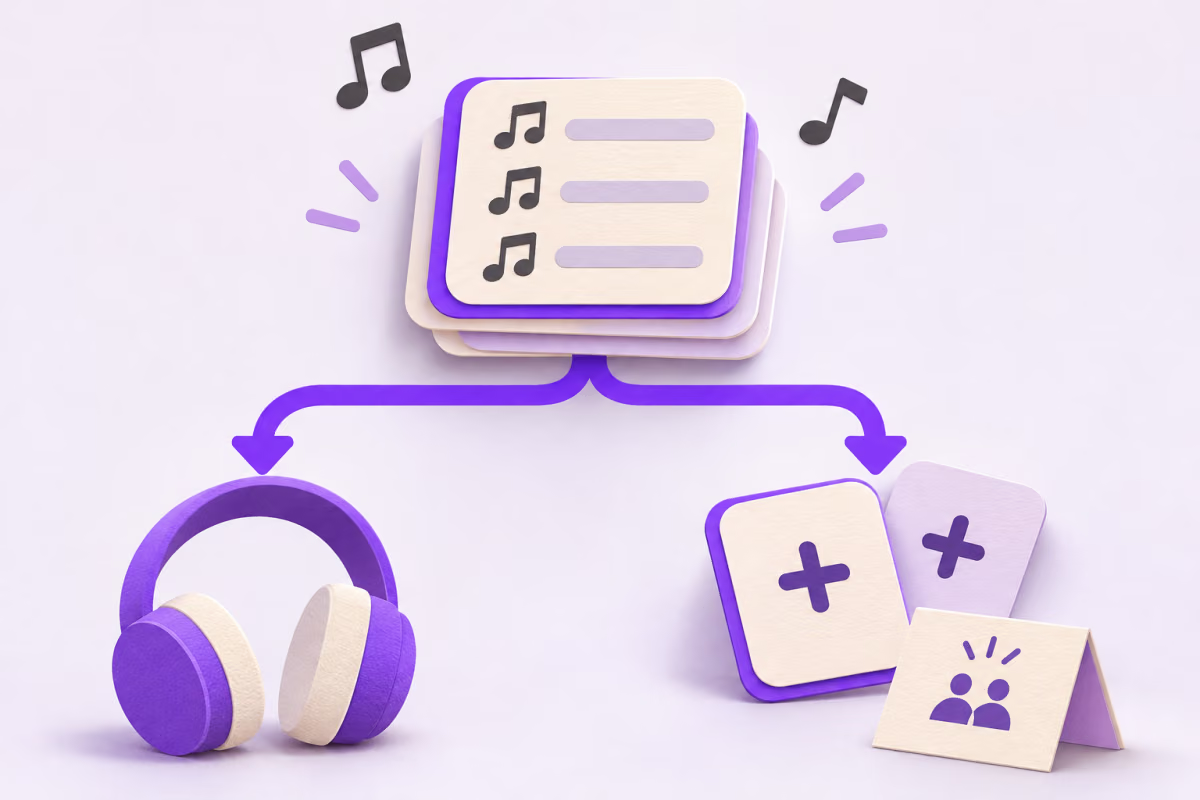
To make an Apple Music playlist QR for listeners, copy the playlist’s normal share link and enter it in QRLynx Website / Link. If you want people to add songs, Apple Music has a separate collaboration invitation, including a native QR. Choose the action before making the code.
A listening card and an invitation to edit a playlist should not carry the same promise. QRLynx can encode or redirect to the URL you choose; Apple controls subscription access, collaboration and playback.
Start with the action on the card
Open the reception playlist asks someone to listen. Use the ordinary playlist URL. On Apple Music on the web, Apple documents the item’s More menu and Copy Link. The web sharing guide says the copied link opens Apple Music on the web.
Add a song to our shared playlist asks someone to participate. Apple’s collaboration instructions use the Collaboration button and Start Collaborating. To invite more people, the owner can share an invite link or generate a QR. That code is an invitation to join, not merely another design for a listening link.
Apple also advertises QR assets in its Music Marketing Tools. That is a separate content-marketing surface. Verify that your intended item is available there; do not assume every personal playlist is supported by that tool.
Match the music-sharing route to the task
| Task | Use this route | Check before distributing |
|---|---|---|
| Let guests open a playlist | The normal shared Apple Music URL in a standard QRLynx URL QR | The correct playlist, phone/browser handoff and available playback |
| Let invited people contribute | Apple Music’s collaboration invite link or native invitation QR | Approve Collaborators, subscription eligibility and who can join |
| Promote an item available in Apple’s tools | The applicable Apple Music Marketing Tools asset | Supported item, destination and Apple’s asset-use requirements |
How to create an Apple Music listening QR in QRLynx
Use the playlist URL when the printed promise is to open music.
Copy the listening destination
Open the intended playlist on Apple Music on the web. Use its More menu and Copy Link. Keep collaboration invitations separate unless inviting contributors is the actual task.
Verify the playlist and listener journey
Open the copied link on the phones your audience uses. Confirm the title, correct item and expected sign-in, subscription or playback prompts. Do not approve a different playlist just because the URL loads.
Select Website / Link in QRLynx
Open the QRLynx URL generator and paste the complete HTTPS Apple Music link into Website URL. This uses the general URL workflow; it is not the Spotify preset.
Choose static or dynamic mode
Use static for a fixed direct link. Save a dynamic URL QR when you need eligible QRLynx scan activity or may replace the playlist destination after printing. QRLynx does not edit Apple Music’s playlist content or permissions.
Design a listening card
Use a clear label such as Open the reception playlist, strong contrast and a clear QR margin. Use artwork you are authorized to display. Do not present the custom code as Apple’s collaboration invitation.
Test the exported file and final proof
Download the QR, decode the exact file and check its destination. Scan the final-size printed card on representative iPhone and Android devices. Check the actual browser or app handoff and playback available to that listener.
Choose and test the destination first
Create a QR for the playlist you want people to open
Paste the checked listening URL into QRLynx and keep contribution invitations separate.
If the goal is collaboration, check permission first
Apple says collaboration requires an Apple Music subscription and a current iPhone, iPad or Android app. Children below the documented eligibility age cannot collaborate, and availability can vary by region. Use Apple’s current instructions for the audience rather than promising universal access.
Approve Collaborators lets the playlist owner review people joining. Turning it off allows anyone with the invitation link to join. A public sign carrying that invite can travel beyond the people standing in front of it. Check this setting before using an invitation QR at an event.
For a reception, keep the public listening card on the tables and distribute a contribution invitation only to the intended collaborators. This keeps the editing invitation with the people who should contribute.
Measure the opening separately from listening
Eligible scans reaching a saved QRLynx dynamic redirect can appear as QRLynx scan activity when tracking is enabled. That does not prove playback, a playlist save, a song contribution or an Apple Music subscription. A direct static QR does not send its scans through QRLynx analytics.
If you switch a dynamic destination to a replacement playlist, verify the same listening promise again. A redirect cannot bypass regional availability, subscription requirements or an unavailable destination. Avoid printing “free music” unless the exact access you promise is independently justified.
For Spotify-specific links and its distinct Codes format, use the Spotify playlist QR guide. For one fixed or changeable web destination, the QRLynx URL generator remains the relevant tool.
Apple Music playlist QR questions
Can I make an Apple Music playlist into a QR code?
Yes. Copy the normal share URL for the intended playlist and create a QRLynx Website / Link QR. Use a listening label, choose static or saved dynamic delivery, then test the exported file and final printed card on the audience’s phones.
Where do I copy a normal Apple Music playlist link?
On Apple Music on the web, navigate to the playlist and use its More menu and Copy Link. Apple also documents sharing from the iPhone share sheet. Check that you copied the intended listening destination rather than a separate collaboration invite.
Is Apple Music’s collaboration QR a listening-only code?
No. Apple documents the QR under the Collaboration button as a way to invite additional people to join a collaborative playlist. If the goal is simply to open music, use the normal playlist share link in a standard URL QR instead.
Can I approve people before they join the playlist?
Yes. Apple Music’s Approve Collaborators setting lets the owner approve people joining the collaborative playlist. Turning it off allows anyone with the invitation link to join. Review that setting before putting an invitation on a public sign.
Do collaborators need an Apple Music subscription?
Apple lists an Apple Music subscription and a current compatible iPhone, iPad or Android app as collaboration requirements. Age and regional conditions also apply. A QRLynx link does not provide a subscription or bypass those eligibility checks.
Will the QR work on Android?
Apple documents collaboration on Android with a current Apple Music app. A normal playlist share URL also has a web destination. Test your actual Android journey, including app availability, account state and playback; the QR alone does not guarantee the same handoff on every phone.
Can the QR give everyone free playback?
No. A URL QR opens the chosen destination; it does not grant music rights or a subscription. Check the listening experience available to the recipient and avoid promising free full playback or automatic playback from a scan.
Can I change the linked playlist after printing?
A saved QRLynx dynamic URL QR lets its authorized owner replace the saved destination while keeping the printed redirect. Retest the replacement playlist and the card’s promise. A static QR directly encoding the original playlist address requires new artwork for another URL.
Can QRLynx tell whether someone listened or added a song?
No. Eligible dynamic redirect activity is a QR-opening measurement. QRLynx does not receive Apple Music playback, playlist-save or song-contribution outcomes from that link. Check collaboration inside Apple Music and keep those actions separate from scan counts.
Sources and review scope
Apple’s sources distinguish playlist sharing, copied web links and collaborative invitations. This guide checks those documented boundaries against QRLynx URL behavior. The illustration shows the two actions conceptually; it is not an Apple Music screenshot or a playback test.