Free QR Code Generator Without Signup: What You Can Create

Key Takeaway
Create a static QR code without signup, understand guest download limits, and see when a free QRLynx account fits clean exports, editing, and analytics.
The direct answer
You can create a fixed static QR code in QRLynx without signing up. Choose a static-capable QR type, enter the content, customize the visible design, and download the standard PNG. Guest downloads include QRLynx branding and repeated guest downloads are limited. A free account removes the watermark, unlocks HD PNG, saves the project, and gives you 3 active dynamic QR codes with unlimited scans.
QRLynx guest creation and free account compared
| Capability | Without signup | Free QRLynx account |
|---|---|---|
| Create a static QR | Yes, for static-capable types | Yes |
| Standard PNG download | Yes, with QRLynx branding | Yes, watermark-free |
| HD PNG download | Sign-up required | Included |
| Logo upload | Sign-up required | Included |
| Save and manage the QR | No | Included |
| Edit the destination after printing | No | Up to 3 active dynamic QRs |
| QRLynx scan analytics | No for a guest static QR | Included for eligible dynamic scans |
| Scans | A static QR has no QRLynx scan cap | Unlimited on every plan |
| resolution-independent SVG or A4 PDF export | Upgrade required | Upgrade required |
How to create a QR code in QRLynx without signing up
Use the guest path for a fixed QR, then test the exact downloaded image before sharing or printing it.
Open the QRLynx QR code generator
Go to the public generator. QRLynx lists 61 QR types, but only static-capable types work through the guest path. Begin with Website / Link or choose another eligible fixed-payload type.
Choose static mode
Keep the QR static when its encoded content is final. Some hosted types, including PDF-backed and profile-page experiences, must be saved and therefore require an account.
Enter the exact content
Paste the final URL or complete the fields for the selected type. Open links directly and check phone numbers, email addresses, WiFi details, payment identifiers, and other values before generating.
Customize within the guest controls
Choose readable colors, module styles, corner styles, a frame, and error correction where available. Logo upload requires sign-in because the image is stored with the account.
Download the standard PNG
Use the guest download option for the current static QR. The guest file includes QRLynx branding. Sign up for a free account if you need a watermark-free or HD PNG.
Test the downloaded file
Scan the downloaded PNG from another device, confirm the decoded value, and test it again at the final printed size and on the intended material.
What the alternative product pages confirm
QRCode Monkey's official generator page describes static QR creation with logo and PNG, SVG, PDF, or EPS options, while noting that the resulting static destination cannot be edited later. GoQR.me's official page offers high-resolution PNG plus SVG and EPS without registration and says it does not analyze generated QR codes or provide scan analytics. Adobe Express describes a customizable static URL QR with PNG, JPEG, and PDF downloads.
These are narrow product-page observations checked on August 1, 2026. They are not endorsements, permanence guarantees, or complete pricing reviews. Recheck the chosen tool's live export and terms before relying on it for a production print run.
A no-signup QR is static, fixed, and self-contained
A static QR stores its content directly in the symbol. A URL QR contains the final URL. A WiFi QR contains the network configuration. A phone, email, SMS, or text QR contains the corresponding payload. The camera decodes that content without asking QRLynx to look up a saved destination.
This makes a guest static QR useful when the content is final and you do not need QRLynx to manage the code later. The symbol itself does not have a QRLynx expiration timer or scan allowance. Its real usefulness still depends on the destination remaining available, the printed image remaining readable, and the encoded information staying correct.
A static QR cannot be repointed after printing. QRLynx also cannot count its camera scans because they do not pass through a managed QRLynx redirect. Website analytics may count visits that reach a tagged destination, but those visits are not the same as every camera decode.
When the free account is the stronger choice
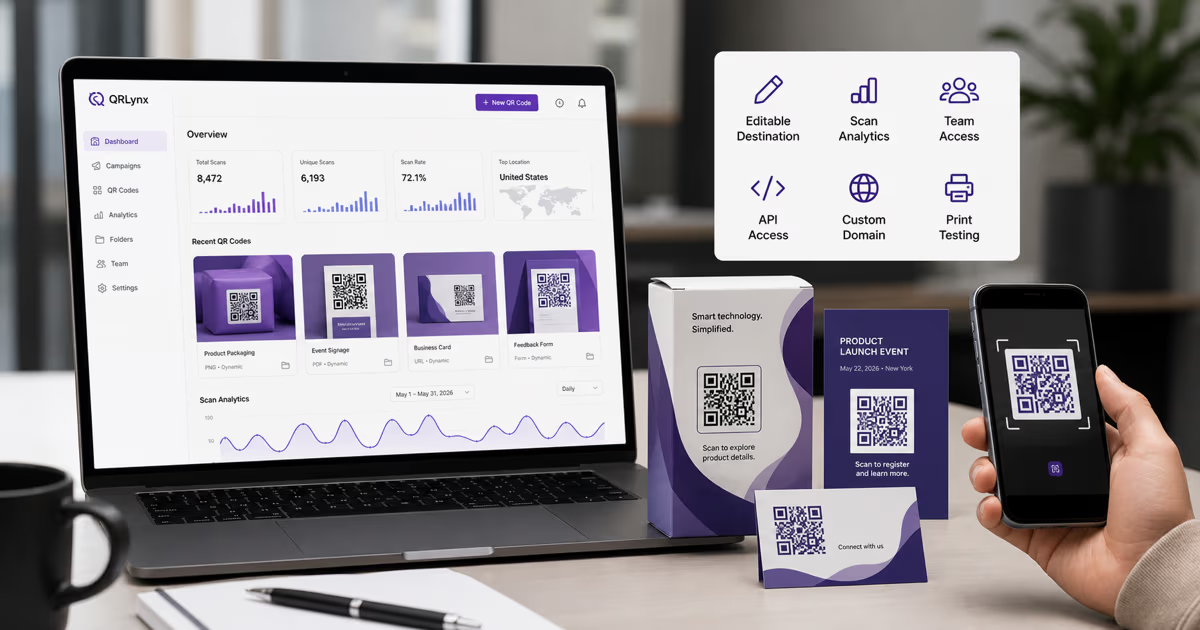
Create the free account before printing when the destination may change, the placement will be costly to replace, or the project needs a clean saved asset. The account gives the QR an owner, a dashboard record, a watermark-free export path, and access to dynamic management where the selected type supports it.
The free plan includes 3 active dynamic QR codes and unlimited scans. Eligible dynamic scans can appear in QRLynx analytics for the plan's available history. If a printed dynamic URL QR needs a different destination later, the account owner can update the saved destination while preserving the printed managed link.
An account is also required for features that depend on stored data or server-side behavior, including uploaded logos, hosted PDFs, saved profile pages, password protection, lead forms, and other gated controls. Some of these features require a paid plan after signup. The pricing page is the current source for each entitlement.
Current no-signup static options from official product pages
| Tool | What its official page supports | Main boundary |
|---|---|---|
| QRLynx | Guest static creation and a standard PNG download across static-capable QR types | Guest file carries QRLynx branding; saving, logos, HD PNG, and dynamic management require an account |
| QRCode Monkey | Static QR creation with logo and PNG, SVG, PDF, or EPS options | The official page says the created codes are static and cannot be edited later |
| goQR.me | High-resolution PNG plus SVG and EPS without registration | The official page says it does not provide QR tracking or analytics |
| Adobe Express | Static URL QR creation with color and style controls plus PNG, JPEG, or PDF download | Its official FAQ describes the QR output as static and URL-focused |
Choose based on the job, not the signup field
Use the QRLynx guest path when
- the payload is final and can remain fixed;
- you need one immediate standard PNG;
- you do not need a saved project, logo upload, destination editing, or QRLynx analytics;
- the guest branding fits the placement;
- you will test the exact file before distribution.
Create the free QRLynx account when
- you want a watermark-free or HD PNG;
- the QR will be printed on a menu, card, sign, package, or other placement that may outlive the destination;
- you want to save, name, organize, or revisit the QR;
- the project needs an uploaded logo or an account-backed hosted QR type;
- you want eligible dynamic scan analytics;
- the destination may need to change after printing.
No signup is a useful speed preference. It is not a substitute for checking the payload, export, ownership, update path, and print requirements.
Start before signup
Create the static QR first
Build and test a fixed QR in the public QRLynx generator. Create a free account when you want a clean saved export, editable destination, or scan analytics.
Check these details before you print
- Decode the downloaded file. Confirm the value shown by an independent scanner before opening it.
- Open the destination. Test redirects, HTTPS, sign-in requirements, mobile layout, and the final action.
- Use the actual export. A preview on the generator is not the same artifact as the downloaded PNG.
- Proof the final size. Test on the intended material, at the intended distance, under realistic lighting, with representative iPhone and Android devices.
- Protect the quiet zone. Keep clear space around the symbol and avoid stretching, cropping, or placing it over a busy background.
- Keep the source details. Save the encoded value, creation date, placement, and final image even when you do not create an account.
- Decide the update path before distribution. If replacing the print would be expensive, use an account-backed dynamic QR instead of relying on a fixed static destination.
QRLynx no-signup QR code questions
Can I create a QRLynx QR code without signing up?
Yes. You can create a fixed static QR with a static-capable type and use the guest path to download the standard PNG. Guest downloads include QRLynx branding, and repeated guest downloads are limited.
Can I download a watermark-free QRLynx QR without an account?
No. The guest PNG includes QRLynx branding. A free account removes the watermark and unlocks the saved watermark-free download path.
Does QRLynx offer SVG without signup?
No. resolution-independent SVG and A4 PDF exports are gated QRLynx features. The free account includes standard and HD PNG, while vector export requires an eligible paid plan.
Can I add a logo without signing in?
No. Logo upload requires authentication because QRLynx stores the uploaded asset with the account. Registered users can add a logo and save the design.
Does a guest static QR expire?
The static symbol has no QRLynx expiration timer because it directly contains its payload. It remains useful while the printed symbol is readable, the encoded data is correct, and any linked destination remains available.
Can I edit a no-signup QR code after printing it?
No. A guest static QR stores fixed content in the symbol. Create and save an eligible dynamic QR if the destination may need to change after printing.
Can QRLynx track scans of a guest static QR?
No. The scan does not pass through a managed QRLynx redirect, so QRLynx cannot count the camera decode. Destination analytics may record visits that reach a tagged page, but those visits are a separate measurement.
What does the free QRLynx account include?
The free plan includes 3 active dynamic QR codes, unlimited scans, watermark-free standard and HD PNG downloads, saved projects, and the free plan's available analytics for eligible dynamic scans.
Do hosted PDF or profile QR codes work without signup?
No. Hosted QR types need an account because QRLynx must save the uploaded file, profile, or page and create the managed public route before the QR can work.
Should I use static or dynamic for printed material?
Use static when the exact payload is final and replacing the print is acceptable. Use a saved dynamic QR when the destination may change or the placement would be costly to replace. Test the final file in either case.