How to Create a Mailchimp Signup Form QR Code That Converts Offline Interest


Key Takeaway
Create a Mailchimp signup form QR code, choose the right form, set consent and opt-in, prevent bot signups, track placements, and test every step.
A Mailchimp signup QR is a small offline acquisition funnel. The printed message earns the scan, the mobile form earns the submission, and the opt-in process determines when the person becomes a subscribed contact. Build and test all three stages before distributing the code.
QRLynx creates the QR path for a Mailchimp hosted signup form or landing-page URL. Mailchimp controls the audience, fields, consent, bot protection, opt-in method, confirmation messages, and contact record.
Choose the Mailchimp destination
| Destination | Use it when | What to watch |
|---|---|---|
| Regular hosted signup form | You need a direct Mailchimp-generated form URL | Audience fields, branding, required reCAPTCHA, and the form response pages |
| Mailchimp landing page | The offer needs explanation, imagery, or a lead magnet before the form | Mobile load time, a focused message, consent, and the signup form block |
| Your website signup page | You need full site context, analytics, or a custom form integration | The Mailchimp connection, validation, privacy notice, bot protection, and mobile performance |
| QRLynx dynamic Website URL QR | The signup destination or campaign may change after printing | The managed QR remains active and the full signup journey is retested after updates |
Choose the audience before copying the link
Mailchimp generates hosted signup forms for an audience. Confirm that the form points to the correct audience and asks only for information that the campaign needs. Every extra required field creates another place for a person standing at a counter or event booth to stop.
Existing subscribers may not create a new source record when they submit another form. Mailchimp notes that a subscribed contact keeps the original signup source and contact profile in that situation. Do not use contact growth alone to judge a placement that may attract existing subscribers.
Set the opt-in and consent journey
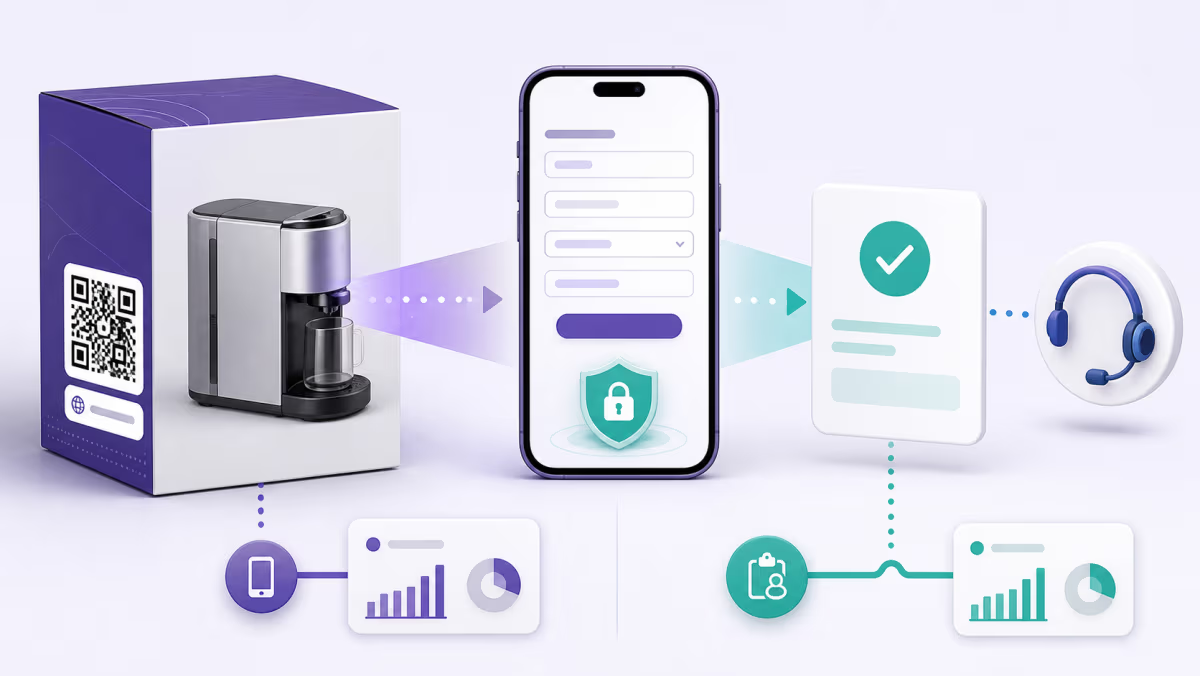
Mailchimp audiences can use single or double opt-in. With double opt-in, a form submission is followed by a confirmation email, and the person must complete that step before becoming subscribed. The printed call to action and the form response page should tell people to check their inbox when confirmation is required.
Configure consent language for the audience and markets involved. Explain what people will receive and how often when that information is important to informed signup. Keep privacy and incentive terms reachable without turning the form into a wall of text.
Account for reCAPTCHA and mobile friction
Mailchimp requires reCAPTCHA on hosted signup forms and recommends enabling protection for embedded and landing-page forms. Test the real mobile experience because a form that looks short in the editor can still require a challenge, an inbox visit, and a confirmation click.
Use the same device journey your customer will use: scan from the camera, open the page, complete the form, pass any challenge, receive the email, confirm the subscription, and reach the final thank-you page. A successful form submission is not the same as a completed double opt-in.
Create a Mailchimp signup form QR code in QRLynx
Connect the printed promise to the correct audience and complete the opt-in journey yourself.
Choose the Mailchimp audience
Verify the audience, default sender details, signup settings, consent fields, tags or automations, and ownership.
Choose and simplify the form
Use a hosted form, landing page, or tested website form. Keep required fields limited to what the campaign genuinely needs.
Configure opt-in and bot protection
Decide on single or double opt-in, review confirmation messages, and verify the relevant reCAPTCHA behavior.
Complete a clean mobile signup
Test with a new email address, including the confirmation email and final page when double opt-in is enabled.
Choose Website URL in QRLynx
Paste the tested signup destination into the Website URL QR type. QRLynx manages the route, while Mailchimp processes the signup.
Choose static or dynamic delivery
Use static for a permanent final URL. Use dynamic when the form, offer, or campaign destination may change or eligible scan analytics matter.
Design and label the printed QR
State the benefit and action clearly, such as Scan for monthly workshop dates. Avoid promising an instant reward if confirmation is required first.
Test the production placement
Scan the final printed proof on two phones, complete the full signup, and confirm that the contact reaches the intended audience and automation state.
Signup journey verified?
Create the QR for your Mailchimp form
Save the tested signup URL in QRLynx, keep important placements separate, and measure interest before the Mailchimp conversion.
Give each physical campaign an identity
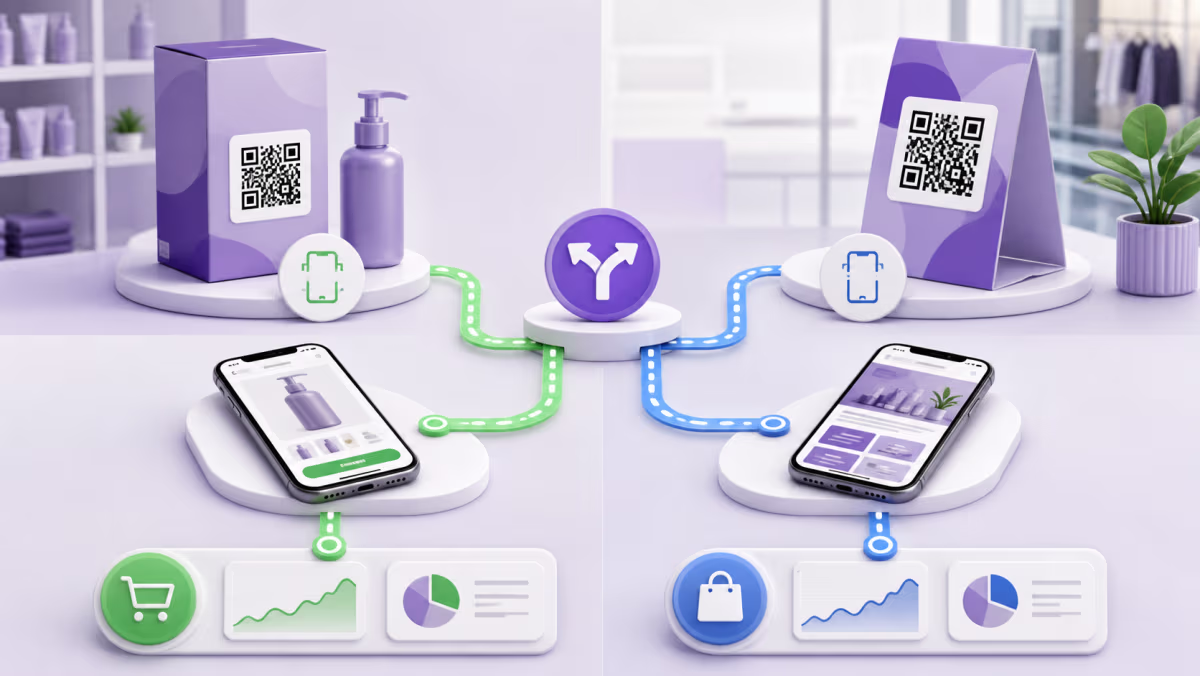
Create separate QRLynx dynamic QRs for the register, event banner, product insert, and direct mail when you need placement-level scan comparison. Where the destination and analytics setup support it, use non-sensitive campaign parameters that remain consistent with the placement name.
Compare eligible QR scans with form submissions, confirmed opt-ins, new subscribed contacts, and the next meaningful action. Existing contacts and double opt-in timing can make these numbers differ for valid reasons.
Diagnose where signups stop
- Few scans: improve placement, scan distance, contrast, and the value promised beside the QR.
- Scans but few form views: check the saved URL, mobile loading, redirects, and browser warnings.
- Views but few submissions: shorten the form, clarify consent, improve the offer, and test reCAPTCHA friction.
- Submissions but few subscribers: review double opt-in email delivery, the form response message, and the confirmation step.
- Subscribers but no welcome action: verify the intended audience, tag, customer journey, automation trigger, and suppression rules in Mailchimp.
Mailchimp signup QR code questions
Can I make a QR code for a Mailchimp signup form?
Yes. Copy the public URL for the hosted form, landing page, or tested website signup page and place it in a QRLynx Website URL QR.
Should the QR open a hosted form or a landing page?
Use a hosted form for the shortest direct signup. Use a landing page when the offer needs context, proof, imagery, or a lead-magnet explanation before the form.
Does Mailchimp require reCAPTCHA?
Mailchimp requires reCAPTCHA on its hosted signup forms and recommends protection for embedded and landing-page forms. Test the actual mobile challenge behavior.
What is the difference between single and double opt-in?
Single opt-in can subscribe the contact after form submission. Double opt-in requires a confirmation email step before the contact becomes subscribed.
Does every QR scan become a Mailchimp subscriber?
No. A scan reaches the QR route. The person must still load the form, submit it, pass any checks, and complete double opt-in when enabled.
How do I track different stores or events?
Use a separate QRLynx QR and a clearly named destination or campaign value for each important placement. Compare scans with Mailchimp signup and contact data as separate funnel stages.
Why did an existing subscriber not appear as a new source?
Mailchimp states that a subscribed contact who signs up again keeps the original signup source and contact profile. Review campaign results with that behavior in mind.
Can I change the signup form after printing?
A dynamic QRLynx QR lets its owner change the saved destination without replacing the printed managed link. Retest the audience, form, consent, confirmation, and automation after the update.
What should the printed call to action say?
Describe the specific benefit and action in plain language. If double opt-in is enabled, make the next confirmation step clear on the form response page.
Sources and related QRLynx guides
- Mailchimp: Signup form options
- Mailchimp: Single opt-in and double opt-in
- Mailchimp: reCAPTCHA for signup forms
- QRLynx dynamic URL QR code
- QRLynx QR analytics
QRLynx is built and operated by Jorbox LLC. This guide was checked against current Mailchimp form, opt-in, and reCAPTCHA documentation and the QRLynx Website URL workflow.