QR Codes for Direct Mail: Postcards, Tracking, and Attribution

Key Takeaway
Create a direct-mail QR code in QRLynx, separate postcard creatives, add consistent campaign parameters, proof the print, and measure each response stage.
Disclosure: QRLynx is built and operated by Jorbox LLC. This guide explains QRLynx's current Website URL workflow and uses Google Analytics and postal guidance for campaign measurement.
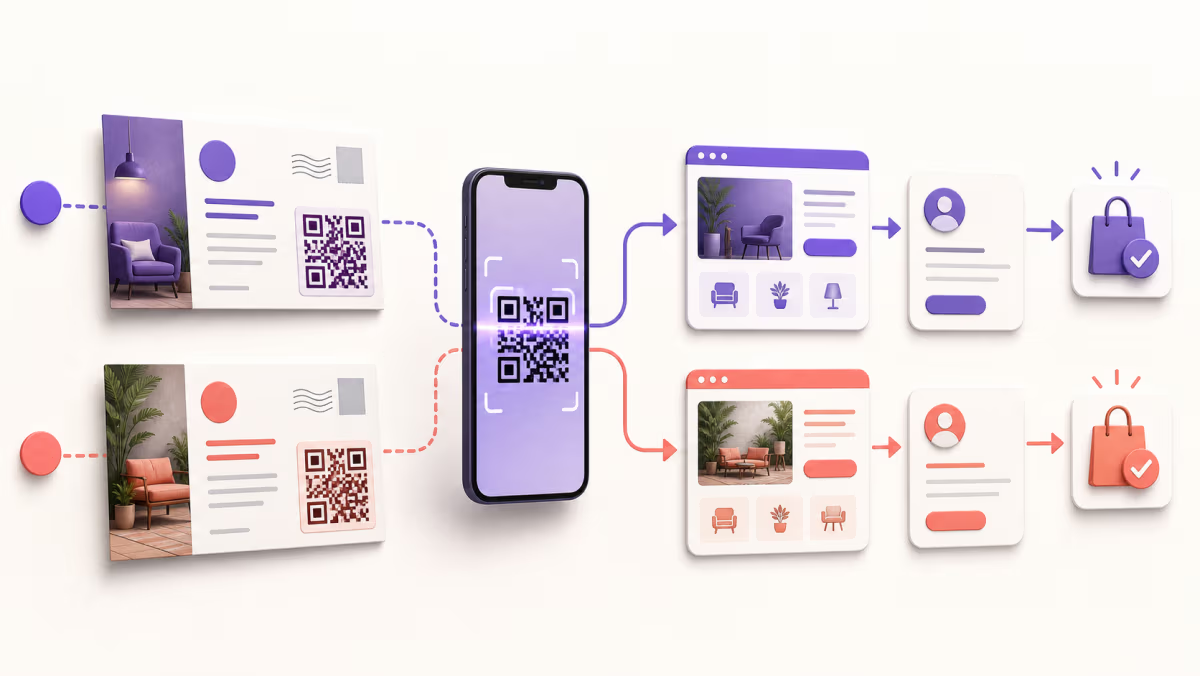
A direct-mail QR code should connect one clearly labeled mail piece to one mobile destination and one defined next action. Plan the measurement chain before printing: mail piece, QR scan, landing-page session, lead or order, then the business outcome.
QRLynx can create a static Website QR or a saved dynamic QR with an editable destination and eligible scan analytics. It does not confirm postal delivery, identify a household, or prove that a scan became a lead or sale.
Plan the mail-to-mobile measurement chain
Give every stage its own owner and evidence instead of treating a scan as a conversion.
| Stage | What it proves | Useful record | Does not prove |
|---|---|---|---|
| Mail distribution | A piece entered or completed the mailing workflow | Printer, mail provider, or postal campaign record | That a recipient saw or read it |
| QR request | An eligible request reached the QRLynx managed redirect | QRLynx scan analytics for that QR | Successful landing-page load or a known recipient |
| Landing session | The tagged destination recorded a web session | Web analytics with consistent campaign parameters | A lead, order, donation, or appointment |
| Lead or order | The destination recorded its chosen action | Form, CRM, ecommerce, booking, or donation system | Incremental revenue caused only by the mail piece |
| Business outcome | The organization recorded the final result it defined | CRM, commerce, finance, or operations record | That every earlier scan produced the same result |
Decide when mail pieces need separate QR codes
Split only the variable you intend to compare, then keep the rest of the naming structure consistent.
| Campaign difference | Recommended setup | What the comparison can answer |
|---|---|---|
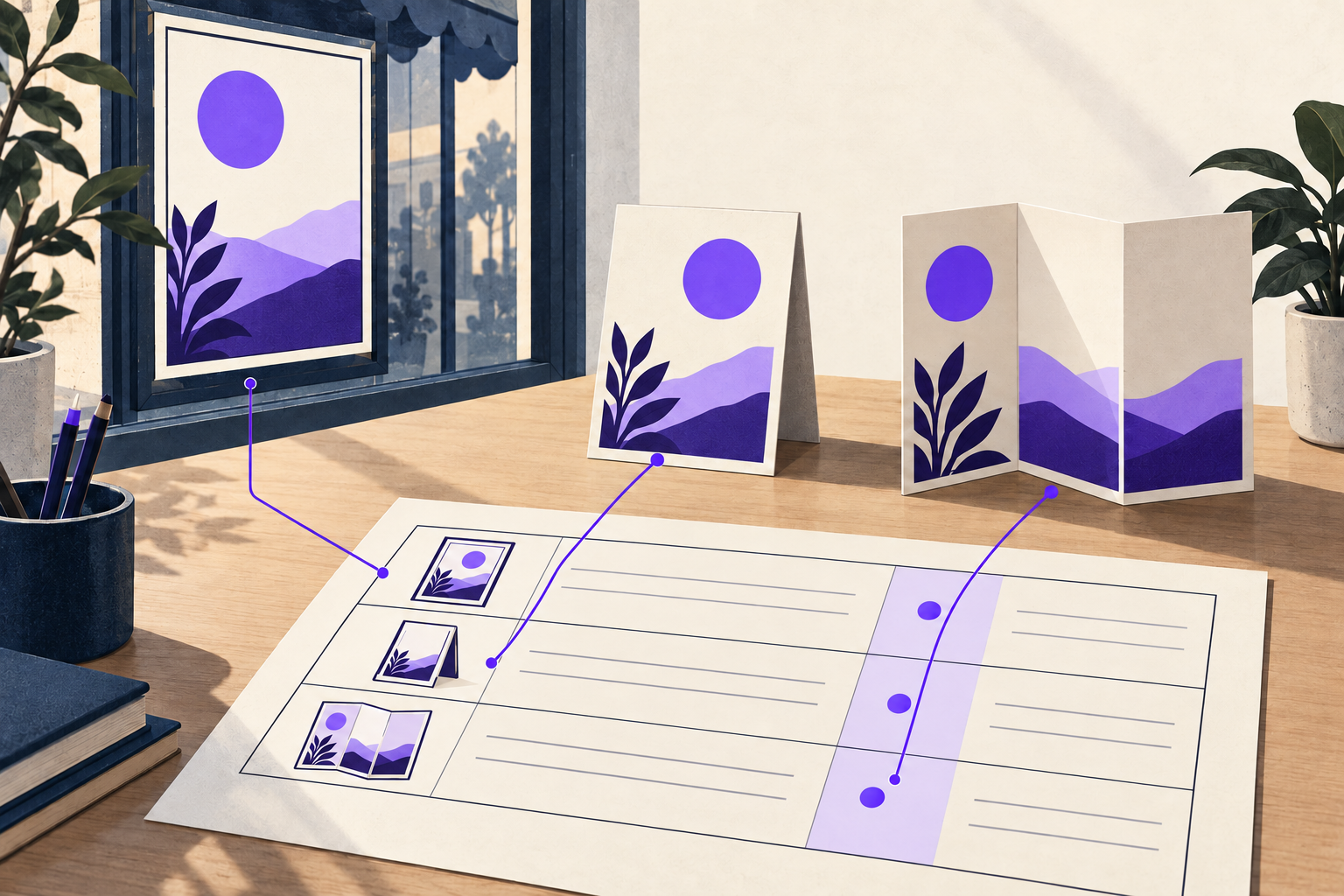
| Two postcard creatives | One QR per creative, with matching utm_content values | Which creative generated more eligible scans and tagged sessions |
| Different offers | One destination or campaign value per offer | Which offer path produced more of the defined actions |
| Different regions or drops | Separate QR or campaign identifier per region or drop | Which group produced more recorded activity, without identifying individual recipients |
| Same piece, same audience, same offer | Reuse one campaign QR when no useful variable changes | The total response path for that shared execution |
| One QR per recipient | Use only with a lawful, documented personalization system and privacy review | Recipient-level measurement is outside this general QRLynx workflow |
Create a trackable direct-mail QR with QRLynx
Build the campaign destination first, then create and proof the QR that will be printed.
Choose one destination and conversion event
Select the mobile page and define the action that matters, such as a booking, donation, quote request, purchase, or form submission.
Create a consistent campaign URL
Use QRLynx's UTM builder or your analytics process. Keep source, medium, and campaign names consistent, and use content or a campaign ID to distinguish approved creatives.
Keep personal information out of the URL
Use campaign-level labels rather than names, email addresses, street addresses, phone numbers, or other recipient identifiers in paths or parameters.
Choose Website URL in QRLynx
Paste the complete tested campaign URL into the QRLynx Website URL generator. QRLynx carries the destination while the landing site records its own sessions and outcomes.
Choose static or dynamic delivery
Use static delivery for a fixed final URL. Use a saved dynamic QR when the printed piece may need another approved destination or eligible QRLynx scan reporting.
Name and label the mail piece
Name the QR by campaign and creative, then print an action label that tells the recipient what opens and why it is useful.
Export for the production workflow
Use a format accepted by the printer. Registered users can use raster formats, while the paid Starter+ plan and higher include SVG and PDF QR-image exports.
Proof the real mail piece
Scan a physical proof at actual size, in normal light, from the expected distance. Confirm the QR decodes, the campaign parameters survive, and the final action works on a phone.
Choose static or dynamic delivery before printing
The decision concerns the printed destination and measurement needs, not a claim that one mode always wins.
| Decision | Static QRLynx QR | Dynamic QRLynx QR |
|---|---|---|
| Printed value | The final campaign URL | A QRLynx managed short link that resolves to the campaign URL |
| Destination change | Requires a new QR image and new print execution | The account owner can replace the saved destination after testing it |
| QRLynx scan analytics | Direct static URL scans do not pass through QRLynx | Eligible managed redirect requests can appear in QRLynx analytics |
| Landing analytics | Campaign parameters can identify the web session | Campaign parameters can identify the web session after the redirect |
| Useful fit | Short-lived or fixed mail destinations | Reusable creative, longer campaigns, destination management, or scan comparisons |
Campaign URL ready?
Create a managed QR for your mail piece
Use the tested campaign URL, keep each creative distinguishable, and proof the finished postcard before the mailing begins.
Worked example: compare two postcard creatives
A local service business prepares two postcards for the same seasonal offer. Both open the same mobile booking page and use the same utm_source=direct_mail, utm_medium=postcard, and utm_campaign=seasonal_service values. Creative A uses utm_content=photo_a; Creative B uses utm_content=illustration_b. Each creative receives its own named QRLynx dynamic QR.
After the drop, QRLynx can compare eligible scan activity for the two codes. Web analytics can compare tagged sessions. The booking system records appointments, and the business records completed jobs. Those layers can be joined at the campaign level without putting a recipient's name or address in the URL.
The comparison shows how the two creative paths performed in the recorded stages. It does not prove postal delivery to every address or establish a universal direct-mail response benchmark.
Design and proof the QR on the actual mail piece
The exported file is only ready after the physical proof works in its real context.
| Check | What to verify | Practical response |
|---|---|---|
| Action label | The reader knows what opens and why to scan | Use specific copy such as Scan to book your estimate |
| Quiet zone | The clear margin around the symbol is not crowded by text or artwork | Preserve the QR's generated clear area in the print layout |
| Contrast | Modules remain distinct from the background | Avoid low-contrast artwork, transparency, or a busy image behind the code |
| Size and material | The physical proof scans at the final dimensions and finish | Test the printer's proof rather than relying on the design canvas |
| Fallback | A recipient has another route when scanning is inconvenient | Add a short readable URL or appropriate contact path |
| Destination | The final mobile page loads and completes the promised action | Test the whole journey, including parameters, forms, checkout, or booking |
Diagnose the stage that is underperforming
Low scans: review the offer, action label, placement, contrast, physical proof, and whether the audience has a reason to move from mail to phone.
Scans but few landing sessions: test redirect and page speed, confirm campaign parameters survive, and compare QRLynx requests with the web analytics definition.
Sessions but few actions: review message continuity, mobile usability, form length, trust signals, and whether the landing page delivers what the postcard promised.
Actions but weak business outcomes: inspect qualification, follow-up, fulfillment, and the business process after the form or order. Changing the QR artwork alone will not solve a downstream issue.
Direct-mail QR code questions
Can you track a QR code on direct mail?
A saved QRLynx dynamic URL QR can report eligible managed-redirect requests. Add consistent campaign parameters so the landing site's analytics can identify sessions, then use the destination system for leads, orders, donations, or bookings. Keep these stages separate.
Should every postcard have a different QR code?
Use separate codes for variables you genuinely need to compare, such as two creatives, offers, regions, or drops. A unique code for every recipient introduces privacy and operational requirements outside this general campaign workflow.
What UTM parameters should a postcard QR use?
Google recommends consistent source, medium, and campaign parameters. A practical campaign might use source direct_mail, medium postcard, and one stable campaign name, with content or campaign ID distinguishing approved creative versions.
Can I include a customer's name or address in the QR URL?
Keep personal information out of URL paths and campaign parameters. Google Analytics prohibits sending personally identifiable information in URLs and campaign dimensions. Use campaign-level identifiers unless a separately reviewed lawful personalization system owns that requirement.
Is a static or dynamic QR better for direct mail?
Static works for a fixed final URL and does not depend on a QRLynx redirect. Dynamic is useful when the printed destination may need an approved change or when eligible QRLynx scan analytics matter. Choose before printing based on the campaign's maintenance and measurement plan.
Does a QR scan count as a conversion?
No. A scan is one recorded step. A landing-page session, form submission, order, appointment, donation, and completed business outcome are separate events owned by their respective systems.
What file format should I send to the printer?
Use a format accepted by the printer and test the resulting proof. QRLynx supports raster QR-image downloads for registered users, while the paid Starter+ plan and higher include SVG and PDF QR-image exports for print workflows.
How do I test a postcard QR code before mailing?
Print or obtain an actual-size proof, then scan it with representative phones under ordinary lighting. Confirm decoding, redirect behavior, campaign parameters, mobile page load, and the final promised action.
Can I change a direct-mail QR destination after printing?
The owner of a saved QRLynx dynamic URL QR can update its destination while the printed managed short link stays the same. Test the replacement URL and campaign parameters before making the change.
Sources and product boundary
Campaign-parameter guidance comes from Google Analytics URL builder guidance. Privacy guidance comes from Google's guidance on avoiding personally identifiable information. The campaign-planning context also uses USPS Delivers direct-mail tracking guidance.
QRLynx creates the Website URL QR, manages eligible dynamic destinations, and reports eligible redirect activity described here. It does not print or deliver mail, identify recipients, host the destination's conversion process, or replace web analytics, CRM, commerce, postal, or finance records.