QR Code Payload Formats: Exact QRLynx Syntax by Type

Key Takeaway
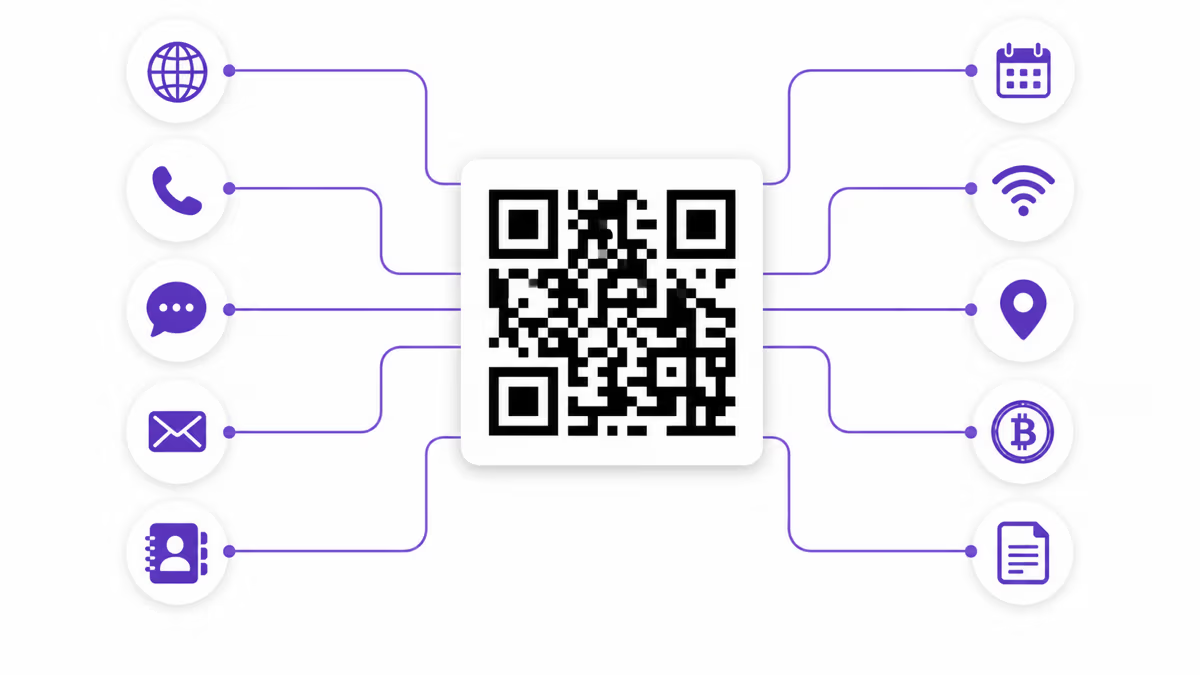
See the exact payload QRLynx creates for URL, phone, SMS, email, contact, calendar, WiFi, location, Bitcoin, Ethereum, UPI, and Pix QR codes.
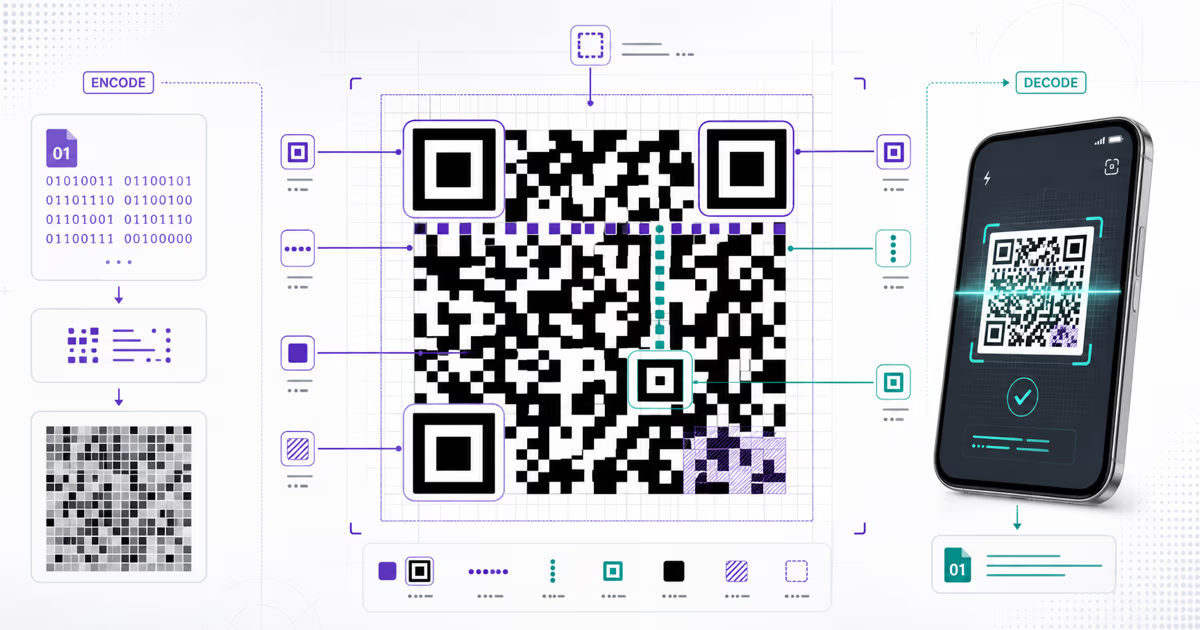
A QR code stores data, and the receiving app decides what action to offer from the payload syntax. QRLynx builds the exact string for the selected QR type, from a simple tel: URI to a multi-line vCard or a checksum-protected Pix BR Code.
This reference documents what the current QRLynx encoders produce. It separates the product output from the broader standard, which matters when a standard supports optional fields that the current generator does not request. Use it to verify an encoded result, choose the right QRLynx type, or diagnose why a receiving app treats a payload as plain text.
Exact QRLynx payloads at a glance
The examples show the current output shape. Values are shortened for readability.
| QRLynx type | Encoded payload | Current behavior |
|---|---|---|
| Website / Link | https://example.com | Adds https:// when the submitted address has no protocol |
| Dynamic Website / Link | A QRLynx short redirect URL | The saved destination can be updated while the printed pattern remains the same |
| Text | The supplied text | Stores the text directly |
| Phone | tel:+14155550123 | Opens a compatible dialer |
| SMS | sms:+14155550123?body=Hello%20there | Percent-encodes the message body |
mailto:hi@example.com?subject=Quote&body=Hello | Percent-encodes subject and body | |
https://wa.me/14155550123 | Uses the WhatsApp link entered in the QRLynx form | |
| Contact | BEGIN:VCARD ... END:VCARD | Creates a vCard 3.0 block |
| Calendar | BEGIN:VCALENDAR ... END:VCALENDAR | Creates a VCALENDAR 2.0 event with UID and DTSTAMP |
| WiFi | WIFI:T:WPA;S:Cafe;P:secret;H:false;; | Includes security, SSID, password, and hidden-network flag |
| Location | geo:37.7749,-122.4194 | Can include a label in a q parameter |
| Bitcoin | bitcoin:address | Current QRLynx type encodes the address |
| Ethereum | ethereum:address | Current QRLynx type encodes the address |
| UPI | upi://pay?pa=...&pn=...&cu=INR | Adds optional amount and note when supplied |
| Pix | 000201...6304<CRC> | Builds an EMV BR Code and calculates CRC16 |
A public or protected QRLynx document URL | The QR opens the uploaded document route |
URLs, text, and dynamic destinations
Website and Link
A static Website / Link QR stores the normalized destination itself. QRLynx adds https:// when the submitted value has no protocol. The URI structure follows RFC 3986.
A dynamic Website / Link QR stores a QRLynx short redirect URL instead of the final destination. The account owner can update the saved destination later and review scan analytics. The printed QR pattern stays stable because its short route stays the same.
Plain text
The Text type stores the supplied string directly. A scanner can display or copy it, but action-aware behavior depends on a recognized URI or structured format. Choose a dedicated QRLynx type when you want a call, message, contact, calendar, network, map, or payment action.
Phone, SMS, email, and WhatsApp
Phone
QRLynx produces tel:<number>, such as tel:+14155550123. The tel URI is defined by RFC 3966. Use a complete international number so the destination remains clear across regions.
SMS
QRLynx produces sms:<number>?body=<encoded message>. For example, sms:+14155550123?body=Hello%20there. The form follows RFC 5724, and QRLynx percent-encodes the message body.
QRLynx builds a mailto: URI from the address and optional subject and body. The subject and body are percent-encoded according to the URI rules used by RFC 6068.
The QRLynx WhatsApp type accepts a WhatsApp link, commonly in the https://wa.me/<number> form. It is encoded as a normal web URL. Test the final link while signed out or on another phone to confirm it opens the intended chat.
Contact and calendar blocks
Contact vCard
QRLynx creates a vCard 3.0 block with BEGIN:VCARD, VERSION:3.0, structured N and display FN fields, then the supplied organization, title, phone, email, URL, and address fields. It closes with END:VCARD. RFC 6350 defines vCard 4.0, while QRLynx intentionally emits the widely recognized 3.0 form.
Calendar event
QRLynx creates a VCALENDAR 2.0 block containing one VEVENT. It includes a deterministic UID, a DTSTAMP, the event SUMMARY, and the supplied description, location, start, and end values. The surrounding format follows RFC 5545. QRLynx currently writes the submitted date-time values without a named time-zone field, so verify the event on the calendar apps your audience uses.
WiFi and location payloads
WiFi
QRLynx produces WIFI:T:<security>;S:<ssid>;P:<password>;H:<true or false>;;. For example, WIFI:T:WPA;S:Cafe;P:latte2026;H:false;;. This is the de-facto format documented by the ZXing Barcode Contents reference.
The ZXing convention uses backslash escaping for reserved characters such as semicolons, commas, colons, quotation marks, and backslashes. The current QRLynx encoder passes the entered SSID and password into the payload directly. For the most predictable result, use credentials without those delimiters or test every target device before distributing the code.
Location
QRLynx produces geo:<latitude>,<longitude>. When a label is supplied, it adds a query such as ?q=37.7749,-122.4194(Union%20Square). The core URI is defined by RFC 5870.
Bitcoin, Ethereum, UPI, Pix, and SEPA
Bitcoin and Ethereum
The current QRLynx Bitcoin type produces bitcoin:<address>, and the Ethereum type produces ethereum:<address>. BIP 21 and EIP-681 define broader payment-request fields, but the current QRLynx forms intentionally encode the submitted address only. Confirm the address and network in the receiving wallet before transferring value.
UPI
QRLynx builds upi://pay with the payee address (pa), payee name (pn), fixed currency INR, and optional amount (am) and note (tn). The field names follow NPCI UPI QR guidance.
Pix
QRLynx builds the complete merchant-presented BR Code rather than storing a bare key. It inserts the Pix GUI BR.GOV.BCB.PIX, key, optional description and amount, merchant name and city, country code BR, transaction ID ***, and a CRC16/CCITT-FALSE checksum. The structure follows Banco Central do Brasil BR Code guidance.
SEPA reference
European Payments Council guidance defines an EPC QR payload for initiating SEPA credit transfers. It is a line-based payment format with service, version, character set, transfer type, beneficiary, IBAN, amount, and remittance data. Use a current EPC-compliant banking tool when this specific format is required.
How to create and verify a QR payload in QRLynx
Choose the action first, let the matching encoder build the syntax, then verify the decoded result and final experience.
Define the intended action and final data
Write down exactly what the scanner should do and the final value it needs, such as open a tested URL, call an international number, join a network, save a contact, add an event, or open a payment app.
Choose the exact QRLynx type or tool
Open the QRLynx generator and select the dedicated type that matches the action. Use Text only for raw text, and use the QRLynx scanner when the goal is to inspect an existing payload.
Choose static or dynamic where supported
Use a static payload when the encoded value is final. Choose dynamic mode for a supported destination-based type when you need post-print destination editing or QRLynx scan analytics.
Enter and verify the final values
Enter the destination, number, message, contact fields, event details, network credentials, coordinates, address, or payment fields. Check spelling, country codes, dates, networks, recipient identity, and every value before generating.
Review the preview and label the action
Use a high-contrast design with a clear quiet zone. Add a specific nearby label such as Join guest WiFi, Save our contact, Add the event, or Open the menu so the reader knows what the scan will do.
Save or download the QRLynx QR
Save the dynamic code to the account when management and analytics are needed, or download the appropriate static asset. Use a file format and size suitable for its final screen or print placement.
Decode and compare the raw payload
Scan the finished QR with the QRLynx scanner or another trusted decoder. Compare the decoded string with the intended value character by character, including the scheme, separators, query fields, line breaks, and checksum where applicable.
Test the final action in context
Test the final screen or printed proof on representative iPhone and Android devices. Complete the real action, including joining the network, saving the contact, adding the event, opening the wallet, or reaching the destination.
Payload and action confirmed
Create and verify the QR in QRLynx
Choose the matching QR type, build the payload with the current QRLynx encoder, then inspect the finished code before distribution.
How to diagnose a payload that opens as text
Start with the decoded string rather than the appearance of the QR. Confirm the expected scheme or opening marker, then compare punctuation and field boundaries. A phone action needs tel:. An SMS action needs sms:. A contact block needs matching BEGIN:VCARD and END:VCARD lines. WiFi fields need semicolons and the final double semicolon. Pix needs a valid length map and CRC.
Next, separate payload recognition from destination behavior. A correctly decoded URL can still lead to a page that redirects, requires a login, or is unavailable to the test device. A correctly decoded payment request still depends on a compatible wallet, network, recipient, region, and current provider rules. Test both the raw payload and the complete action.
QR symbol capacity
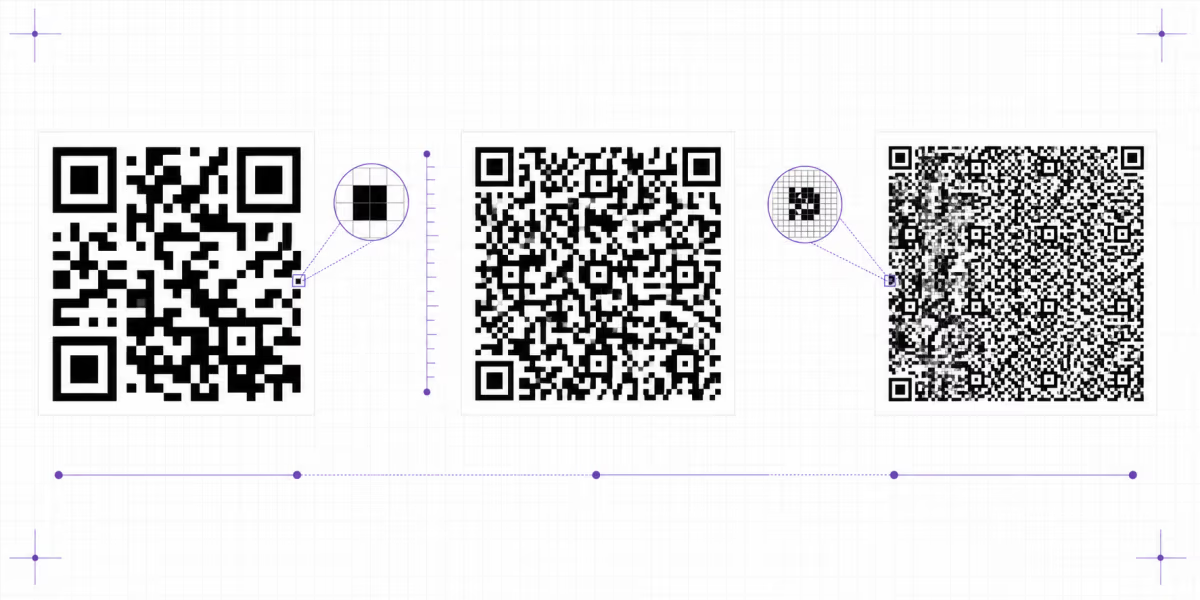
The payload syntax and the QR symbol capacity are separate concerns. DENSO WAVE documents maximum capacities of 7,089 numeric characters, 4,296 alphanumeric characters, 2,953 bytes, or 1,817 Kanji characters at the largest QR version and lowest error-correction level. QR versions run from 1 to 40, from 21 by 21 modules to 177 by 177 modules.
Practical capacity is lower when the payload uses byte mode, a higher error-correction level, or a smaller symbol. Dense codes also need more physical space for reliable scanning. Keep payloads focused and test the final size rather than treating the theoretical maximum as a print target.
QR payload format questions
What does a QR code store?
A QR code stores encoded data such as text or bytes. A phone or app interprets recognizable syntax, including https, tel, sms, mailto, geo, vCard, iCalendar, WiFi, and payment formats, to offer an action.
Does QRLynx add https to a website QR code?
Yes. The current QRLynx URL encoder adds https:// when the submitted address has no protocol, then encodes the normalized URL.
What is the difference between a static and dynamic URL payload in QRLynx?
A static URL QR stores the final address. A dynamic QRLynx URL QR stores a managed short redirect route, allowing the saved destination to be updated and scans to be measured while the printed pattern stays the same.
What phone QR payload does QRLynx create?
QRLynx creates tel: followed by the supplied number, such as tel:+14155550123. A compatible phone offers to open the dialer.
What SMS QR payload does QRLynx create?
QRLynx creates sms:number?body=message and percent-encodes the message body. This follows the sms URI structure in RFC 5724.
Which vCard version does QRLynx use?
The current QRLynx Contact encoder creates vCard 3.0 with structured and display names plus the contact fields supplied in the form.
Does a QRLynx calendar QR include UID and DTSTAMP?
Yes. The current encoder adds a deterministic UID and a DTSTAMP inside the VCALENDAR 2.0 event, along with the supplied title, dates, description, and location.
What is the QRLynx WiFi QR format?
QRLynx creates WIFI:T:security;S:ssid;P:password;H:true-or-false;;. The current encoder inserts the entered SSID and password directly, so test credentials containing reserved delimiters on the target devices.
Does QRLynx add an amount to Bitcoin or Ethereum QR codes?
The current QRLynx Bitcoin and Ethereum types encode the submitted address only. BIP 21 and EIP-681 support broader request fields, but those fields are outside the current QRLynx forms.
What fields does the QRLynx UPI QR include?
QRLynx includes payee address, payee name, and INR currency, with amount and note when supplied. The result uses the upi://pay deep-link format.
Does QRLynx calculate the Pix checksum?
Yes. QRLynx assembles the EMV BR Code fields and calculates the final CRC16/CCITT-FALSE checksum used by the Pix payload.
How can I verify the exact payload inside a QR code?
Decode the finished image with the QRLynx QR scanner, compare the returned string with the intended payload, and then complete the final action on representative devices.
Primary format references
- RFC 3986: URI generic syntax
- RFC 3966: tel URI
- RFC 5724: sms URI
- RFC 6068: mailto URI
- RFC 5545: iCalendar
- RFC 5870: geo URI
- ZXing Barcode Contents: WiFi convention
- BIP 21: Bitcoin URI scheme
- EIP-681: Ethereum payment request URI
- European Payments Council QR guidance
- DENSO WAVE QR version and capacity reference
For related QRLynx guidance, see why a QR code may not scan, static versus dynamic QR codes, and the browser QR scanner.