ISO/IEC 18004:2024 Explained, and How QRLynx Uses It

Key Takeaway
Understand ISO/IEC 18004:2024, QR structure, versions, masking, error correction, decoding, and the complete QRLynx creation and testing workflow.
Reviewed July 2026 against ISO, DENSO WAVE, and the current QRLynx generator. ISO lists ISO/IEC 18004:2024 as the current published edition and marks it for revision while a replacement work item is under development.
The standard defines the QR symbol layer
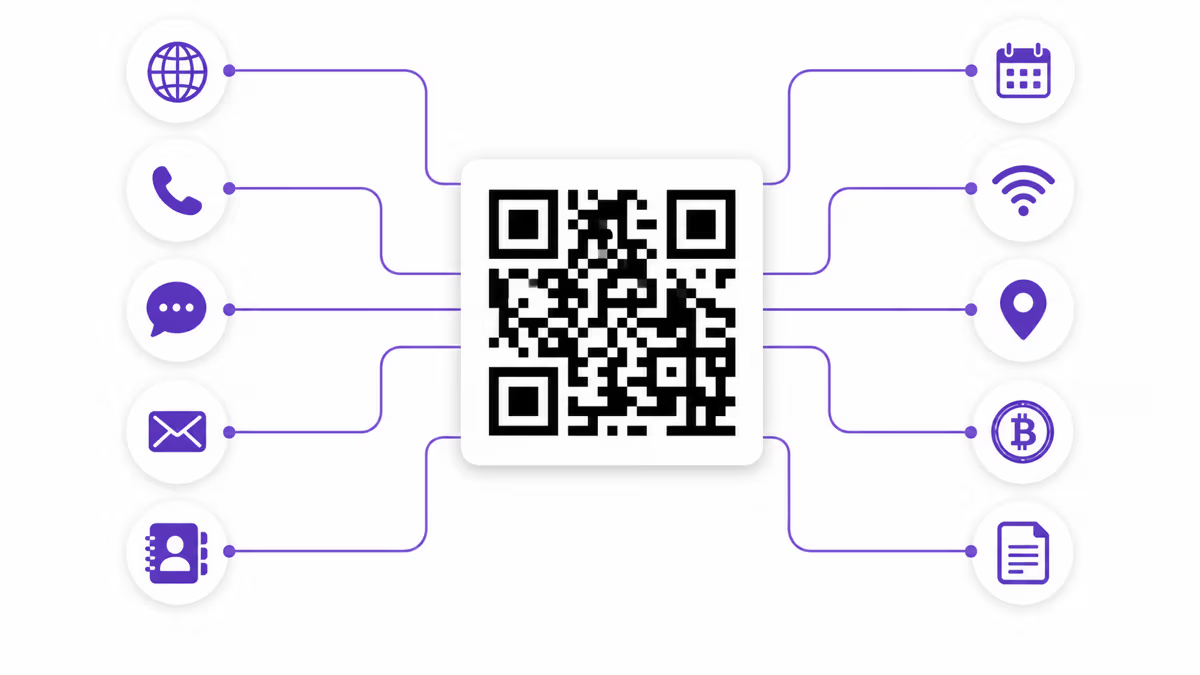
ISO/IEC 18004:2024 specifies how a QR Code is encoded, structured, sized, error-corrected, produced, and decoded. QRLynx uses that interoperable symbol layer to encode direct static content or a managed QRLynx URL. QRLynx then provides the destination workflow, design controls, downloads, and eligible dynamic-code analytics around the symbol.
What ISO/IEC 18004 defines, and what QRLynx adds
| Layer | Owner | What it covers |
|---|---|---|
| QR symbology | ISO/IEC 18004 | Encoding methods, symbol formats, dimensions, error correction, masking, reference decoding, and production quality |
| Encoded content | Creator and application | The URL, text, contact data, network details, payment payload, or other supported content placed in the symbol |
| Static QR behavior | QRLynx generator | Encodes the chosen payload directly in the QR symbol |
| Dynamic QR behavior | QRLynx service | Encodes a managed short URL so an authorized owner can update its destination and use eligible redirect analytics |
| Final readability | Complete production workflow | Depends on the payload, symbol settings, artwork, size, material, lighting, distance, camera, reader, and final test |
How to create and validate a standards-based QR code in QRLynx
Choose the payload first, use the matching QRLynx type, then test the completed digital or physical artifact.
Define the destination or payload
Decide exactly what the scanner should receive, such as a verified URL, contact card, WiFi details, document, form, payment payload, or plain text. Keep only the data needed for that action.
Choose the exact QRLynx QR type
Open the QRLynx generator and select the type that matches the payload. Use Website / Link for a web destination and a dedicated type such as WiFi, Contact, Email, Event, or a supported payment type when its structured fields fit the task.
Choose static or dynamic behavior
Use static when the final payload should be encoded directly. Use a QRLynx dynamic URL when an editable web destination or eligible redirect analytics are useful. Dynamic behavior belongs to the managed URL service, while the printed QR remains a standard symbol.
Enter and verify the final content
Paste or enter the exact data, check spelling and destination ownership, and remove unnecessary URL parameters or text. The encoder selects a symbol size that can hold the resulting data and correction setting.
Set error correction deliberately
Use QRLynx automatic behavior for ordinary work or select L, M, Q, or H in the advanced controls when the production workflow requires it. Higher correction adds recovery codewords and can increase symbol density. It is a design trade-off rather than permission to cover a fixed percentage of the image.
Design and label the action
Use strong foreground and background contrast, preserve a clear quiet zone, keep finder patterns recognizable, and add a short label that tells people what the scan opens. Keep any logo restrained and validate the exact result after every design change.
Download for the final medium
Choose an export format and dimensions that suit the intended screen or print process. For print, use the QRLynx size calculator as a planning aid and confirm the printer can reproduce each module cleanly.
Test the finished artifact
Scan the exported file and the final printed or displayed placement with representative devices at the real size, distance, angle, material, and lighting. Use the QRLynx readability checker as an additional review, then confirm the decoded content and destination.
Payload ready
Create and test the QR in QRLynx
Choose the matching QR type, design the symbol, and validate the finished file before distribution.
What ISO/IEC 18004:2024 covers
The current published edition is ISO/IEC 18004:2024, Edition 4, published in August 2024. ISO describes its scope as the QR Code symbology characteristics, data encoding methods, symbol formats, dimensional characteristics, error-correction rules, reference decoding, production quality, and user-selectable application parameters.
As of the July 2026 review, ISO marks the published edition as International Standard to be revised and lists a replacement work item under development. That status means the 2024 edition remains the current published standard while revision work continues.
The standard owns the machine-readable symbol. Application systems own what the data means after decoding. A standard QR can carry a direct URL, text, structured contact or network data, or a managed URL. Redirect editing, account permissions, analytics, payment authorization, and website behavior come from the application around the symbol.
The parts of a Model 2 QR Code
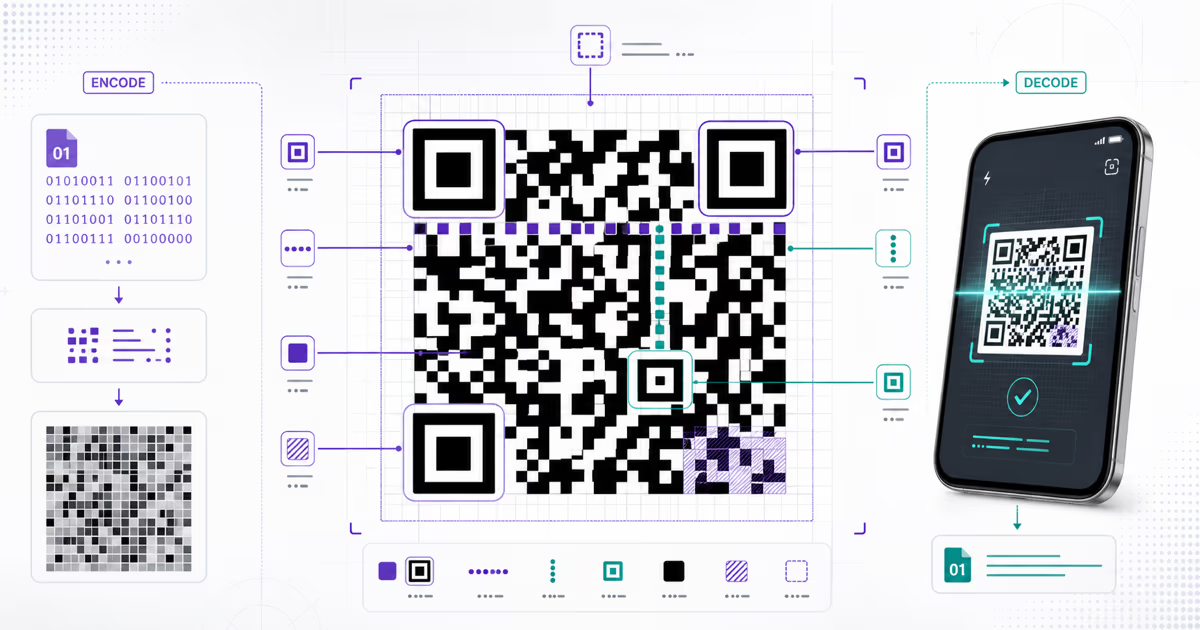
The familiar Model 2 QR Code combines several functional regions:
- Finder patterns are the three large corner squares used to locate and orient the symbol.
- Separators provide light modules around the finder patterns.
- Timing patterns alternate dark and light modules so the reader can establish the grid.
- Alignment patterns help compensate for perspective and distortion in larger versions.
- Format information carries the error-correction level and mask pattern.
- Version information appears in Version 7 and above.
- Data and error-correction codewords fill the remaining placement path.
- The quiet zone is the clear margin surrounding the symbol. DENSO WAVE specifies four modules on every side for standard QR Code.
These areas work as one decoding system. Preserving the visible corner patterns alone cannot compensate for weak contrast, a cropped quiet zone, severe distortion, or unreadable data modules.
Versions 1 to 40 control the grid dimensions
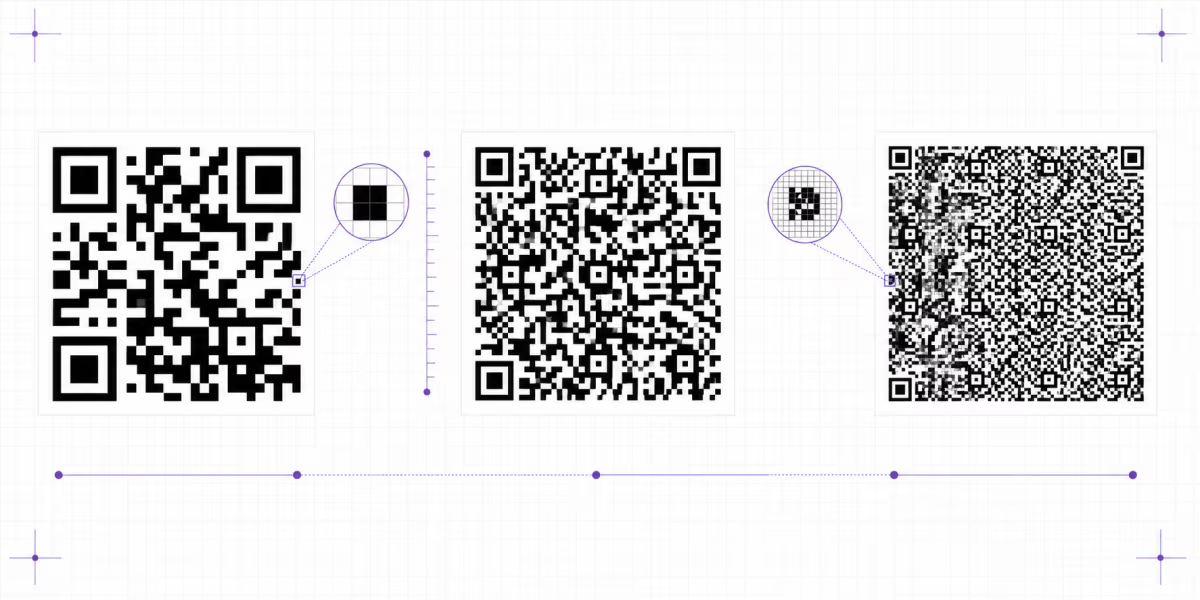
Standard Model 2 QR Codes use Versions 1 through 40. Version 1 is 21 by 21 modules. Each new version adds four modules per side, reaching 177 by 177 modules at Version 40.
A version is a grid size, not a quality score. The required version depends on the exact data, mode decisions, and error-correction level. At the same printed width, a denser symbol gives each module less physical space, so shortening unnecessary payload can improve the production margin.
For the full dimensions, capacities, selection rules, and Micro QR distinction, use the QR Code versions guide. QRLynx selects a fitting symbol through its encoder rather than promising a fixed version for every URL or dynamic code.
Error correction protects codewords, not a guaranteed image area
QR Code uses Reed-Solomon error correction at four selectable levels. DENSO WAVE summarizes the approximate restoration capacity as 7% for L, 15% for M, 25% for Q, and 30% for H, measured against total codewords. These figures are not a promise that the same percentage of visible modules can be hidden anywhere.
Damage location, finder and timing patterns, quiet zone, symbol density, print quality, distortion, and reader capability all affect the outcome. Higher correction uses more of the symbol for recovery data and may require a larger version for the same payload. For design decisions, see the error-correction guide and test the exact artwork.
Why the encoder evaluates eight mask patterns
A mask changes the arrangement of dark and light data modules without changing the decoded message. The encoder evaluates eight candidates and selects the one with the best penalty score. The scoring discourages visual patterns that make the grid harder to interpret, including long runs, large same-color regions, finder-like sequences, and an unbalanced dark-to-light ratio.
The mask identifier is stored in the format information, so the decoder knows how to reverse it. Mask selection is part of encoding, not a decorative filter.
How a scanner decodes the symbol
- Find the corner patterns and estimate the symbol orientation.
- Establish the module grid from the finder, timing, and alignment information.
- Read format and, where present, version information.
- Reverse the selected mask.
- Collect the data and error-correction codewords in their defined order.
- Use Reed-Solomon processing to recover eligible errors.
- Interpret the segments and return the decoded payload to the application.
The application then decides what to do with the result. A browser may offer to open a URL, a phone may prepare contact or WiFi details, and a payment app may interpret a supported payment payload.
Model 2 and related QR-family symbols
DENSO WAVE describes Model 2 as the QR Code generally used today, with Versions 1 through 40. It also documents related symbols for different constraints, including the original Model 1, Micro QR, rectangular rMQR, SQRC, and FrameQR.
These formats have distinct capacities, geometry, security or design purposes, and reader-support profiles. Treating every QR-family symbol as interchangeable can create a deployment mismatch. QRLynx articles use standard Model 2 as the default unless a page explicitly identifies another format.
Standard access, patent statement, and trademark
ISO sells the complete ISO/IEC 18004 publication through its standards catalogue. DENSO WAVE publishes public summaries of versions, error correction, standards history, and QR-family formats. DENSO WAVE states that it waived enforcement of the patent rights it holds for standardized QR Codes. It also states that QR Code is a registered trademark of DENSO WAVE INCORPORATED.
For the invention and standardization chronology, use the history of QR Codes. This page owns the current standard's functional scope and the practical QRLynx workflow.
ISO/IEC 18004 and QRLynx questions
What is the current ISO QR Code standard?
ISO/IEC 18004:2024 is the current published edition. ISO marks it for revision while a replacement work item is under development, so the 2024 edition remains the published reference during that work.
Does ISO/IEC 18004 define dynamic QR codes?
The standard defines the QR symbol and decoding rules. A QRLynx dynamic QR places a managed URL inside that standard symbol. QRLynx provides destination editing and eligible redirect analytics around the encoded URL.
Does a higher QR version mean better quality?
A version sets the grid dimensions from 21 by 21 modules at Version 1 to 177 by 177 at Version 40. The encoder chooses a fitting version from the payload and error correction. Final quality depends on the complete design and production workflow.
Can error correction guarantee that a logo-covered QR will scan?
Error correction restores eligible codeword errors under the decoding conditions. Logo size and placement, damage location, quiet zone, contrast, density, print quality, and reader capability still matter. Test the exact exported and printed design.
Which error-correction level should I use in QRLynx?
QRLynx provides automatic behavior and advanced L, M, Q, and H choices. Start with automatic for ordinary work. Choose a manual level when the production requirement is understood, then test the final artifact because higher correction also increases recovery data and can increase density.
What quiet zone should a standard QR Code have?
DENSO WAVE specifies a clear margin four modules wide on every side for standard QR Code. Keep nearby text, borders, and artwork outside that area and test the final placement.
Can any standards-compatible scanner read every QR?
Standards compatibility provides a shared encoding and decoding contract. A successful scan still depends on supported features, image quality, module size, contrast, focus, distortion, quiet zone, and the reader implementation. Verify the actual deployment with representative devices.
How does QRLynx use ISO/IEC 18004?
QRLynx encodes supported payloads or managed URLs into standard QR symbols, provides design and download controls, and offers planning and readability tools. Static content is encoded directly. Eligible dynamic codes use a managed QRLynx URL for destination editing and redirect analytics.