How to Print a Cash App QR Code for Payments

Key Takeaway
Create and print a Cash App QR code from a reusable payment link. Add it to a sign, flyer, or tip jar, then test it before display.
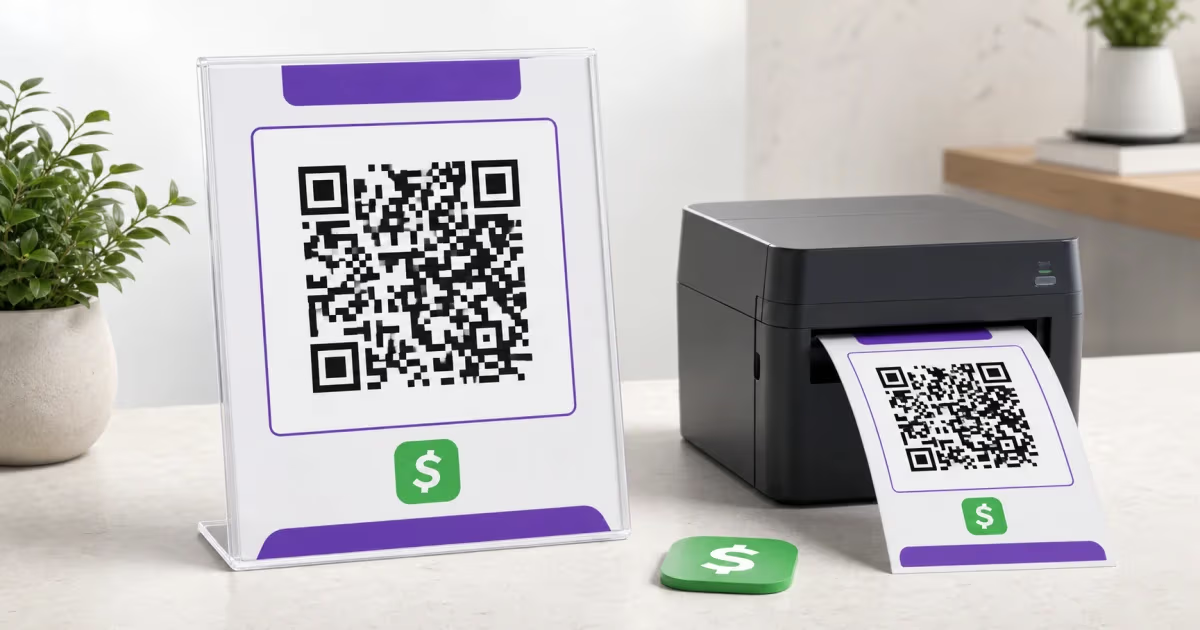
To print a Cash App QR code, create or copy a Cash App payment link, paste that exact link into the QRLynx Cash App QR code generator, then download and print the finished code. Cash App introduced reusable payment links in 2026, so the printed QR can open a payment request with the recipient, amount, and note already set by Cash App.
Scan the finished print before displaying it. Confirm that Cash App shows the intended recipient and amount, then keep the visible $cashtag or business name beside the code so the person paying can verify where the money goes.
Choose the Cash App payment flow you need
| Flow | What the QR opens | Use it for | Important detail |
|---|---|---|---|
| Reusable Cash App payment link | A payment request created in Cash App | Printed signs, flyers, tip jars, and repeated requests | Cash App says eligible links can be reused and can include an amount and note |
| Cash App Pay checkout QR | A merchant checkout authorization | Supported Square sellers and selected online checkouts | The checkout creates the QR as part of that transaction flow |
| QRLynx dynamic Cash App QR | The Cash App link stored as its destination | A printed code whose destination or campaign placement may change | QRLynx tracks scans of the link; payment confirmation remains in Cash App |
Create the payment link in Cash App first
Cash App controls the payment request. QRLynx turns the link Cash App provides into a printable QR code.
In Cash App, open the payment tab and follow the normal request flow. Enter the amount and note when they are part of the request, choose Request, then use the option to share a link. Cash App describes these links as reusable for eligible customers, including Cash App Business accounts.
Copy the generated link directly. This avoids guessing a URL format or typing a $cashtag incorrectly. Open the copied link once in a browser and confirm that it shows the correct recipient and payment details before making the QR.
Cash App also states that an eligible recipient can accept payment-link funds from someone using Apple Pay or Google Pay without requiring that sender to maintain a Cash App account. Availability and terms are controlled by Cash App, so the generated payment page is the source to check for each request.
How to print a Cash App QR code with QRLynx
Create and copy the Cash App payment link
Open Cash App, start a payment request, add the amount and note when needed, choose the share-link option, and copy the exact link Cash App generates.
Verify the recipient and payment details
Open the copied link in a browser. Confirm the displayed recipient, $cashtag, amount, and note before converting it into a QR code.
Paste the link into QRLynx
Open the Cash App QR code generator, paste the verified link, and choose static or dynamic mode. Dynamic mode lets you update the stored destination later and records QR scans.
Add a clear payment label
Use strong contrast and a short frame label such as Scan to Pay. Place the recipient name, business name, or $cashtag in readable text beside the code.
Download for the final print size
Use PNG HD for ordinary signs and flyers. The paid Starter+ plan and higher plans also provide resolution-independent SVG or an A4 PDF when a printer or designer needs a print handoff.
Test the actual printed piece
Scan the final print with more than one phone, check the payment page, and confirm the recipient before placing the sign, flyer, or tip jar card in public.
Ready to print
Create a QR from your verified Cash App link
Paste the payment link Cash App generated, choose static or dynamic, customize the design, and test the final file before printing.
Print a code that is easy to verify
A payment QR should make both scanning and recipient confirmation simple. Keep a light quiet zone around all four sides of the symbol, use a dark QR pattern on a light background, and leave the three large finder squares unobstructed. A logo can sit in the center when the design still scans reliably.
Choose the size from the actual viewing distance and print surface. A countertop card can be smaller than a window sign. Test the final material because glare, curvature, paper texture, and print quality affect camera detection. The QR code print-size guide covers the sizing decision in detail.
Place a readable recipient label beside the code, such as the business name and $cashtag. This gives the payer a second way to confirm the destination shown by Cash App.
Use the right Cash App account for business payments
Cash App says its Business Account is for a business entity or sole proprietor selling goods and services. Payment links are available to eligible Cash App Business accounts.
Cash App's current business terms say applicable fees are disclosed when the account is created or used and may change with notice. Check the fee shown in your account instead of relying on an old percentage copied into a printed sign or article.
Cash App Pay is a separate merchant-checkout product. Its QR appears during supported Square or selected third-party checkout flows. A reusable payment-link QR is the simpler route when your goal is a printed request sign, while Cash App Pay belongs to an integrated checkout.
Measure QR engagement without confusing it with payment data
A QRLynx dynamic Cash App QR records when the QR link is scanned. Cash App remains the source for completed payments, amounts, refunds, and transaction status.
Use a separate dynamic QR for each placement when you want a clean comparison. A tip jar, front counter, event banner, and flyer can each point to the same verified Cash App payment link while keeping their scan totals separate.
The free Starter plan includes 3 active dynamic QR codes, unlimited scans, and three months of analytics. This is enough to test several placements before deciding whether a larger campaign needs more capacity or longer history.
Keep a public payment QR easy to trust
- Show the recipient: print the business name or $cashtag beside the QR and ask customers to verify it on the Cash App payment page.
- Inspect the display: check public signs regularly so an added sticker or damaged print is noticed quickly.
- Use a controlled source file: keep the approved artwork and payment link with the person responsible for reprints.
- Confirm each replacement: scan a newly printed batch before it reaches a counter, window, event, or mailing.
- Review payment status in Cash App: QR analytics show engagement, while Cash App provides the financial record.
For a wider physical-safety checklist, see the QR code scam and quishing guide.
Cash App QR code questions
How do I print my Cash App QR code?
Create or copy a Cash App payment link, verify the recipient and amount, paste the link into the QRLynx Cash App QR code generator, then download and print the QR. Scan the finished print before displaying it.
Where do I find a printable Cash App QR code?
For a reusable printed payment request, start in the Cash App payment tab and create a shareable payment link. Convert that exact link into a QR code. A Cash App Pay checkout QR is a separate code generated during a supported merchant checkout.
Can I put a Cash App QR code on a flyer?
Yes. Add the verified payment-link QR to the flyer, keep a clear margin around it, and print the recipient name or $cashtag nearby. Test the physical flyer with more than one phone before distributing it.
Can I save a Cash App QR code to my computer?
Yes. Copy the Cash App payment link, create its QR with QRLynx, and download PNG HD for ordinary use. Starter+ and higher plans also provide resolution-independent SVG or an A4 PDF for print handoff.
Can a Cash App payment link include a fixed amount?
Cash App payment links can be created from a request that includes an amount and note. Use the link Cash App generates, then verify the displayed details before printing its QR.
Does the payer need a Cash App account?
Cash App says eligible payment links can accept Apple Pay or Google Pay from a sender who does not maintain a Cash App account. The generated Cash App page shows the options available for that payment.
Is a Cash App QR code free to make?
QRLynx can generate the QR without a charge. The free Starter plan also includes 3 active dynamic QR codes with unlimited scans. Cash App controls any account or transaction fees shown in its service.
Can I change a printed Cash App QR code later?
A QRLynx dynamic QR lets you replace its stored Cash App destination without changing the printed QR pattern. Verify the new payment link before saving it. A static QR continues to encode the original link.
Can I track payments from a Cash App QR code?
QRLynx tracks scans of a dynamic QR. Cash App records completed payments, amounts, and transaction status. Use both views together: QRLynx for placement engagement and Cash App for the financial result.
What is the difference between a Cash App QR and Cash App Pay?
A printed payment-link QR opens a Cash App payment request. Cash App Pay is a merchant-checkout method used by supported Square sellers and selected online merchants, where the checkout presents a QR or mobile redirect for authorization.
Create the printable code from the verified link
Start with the payment link generated by Cash App, verify the recipient and request details, then use the QRLynx Cash App QR code generator to make the print-ready code. Keep the recipient label visible and test the final printed piece before it reaches customers.
Official references: Cash App payment links, sending and receiving money, Cash App Pay, and Cash App Business terms.