Facebook Messenger QR Code: In-App and Custom Options

Key Takeaway
Use Messenger’s in-app QR for personal sharing, or create a custom QR for a tested m.me or Messenger link on signs, cards, packaging, and campaigns.
Reviewed: July 2026
Messenger QR availability, usernames, m.me profile links, group and community invite boundaries, and QRLynx dynamic URL behavior were checked against current Meta help and product sources in July 2026.
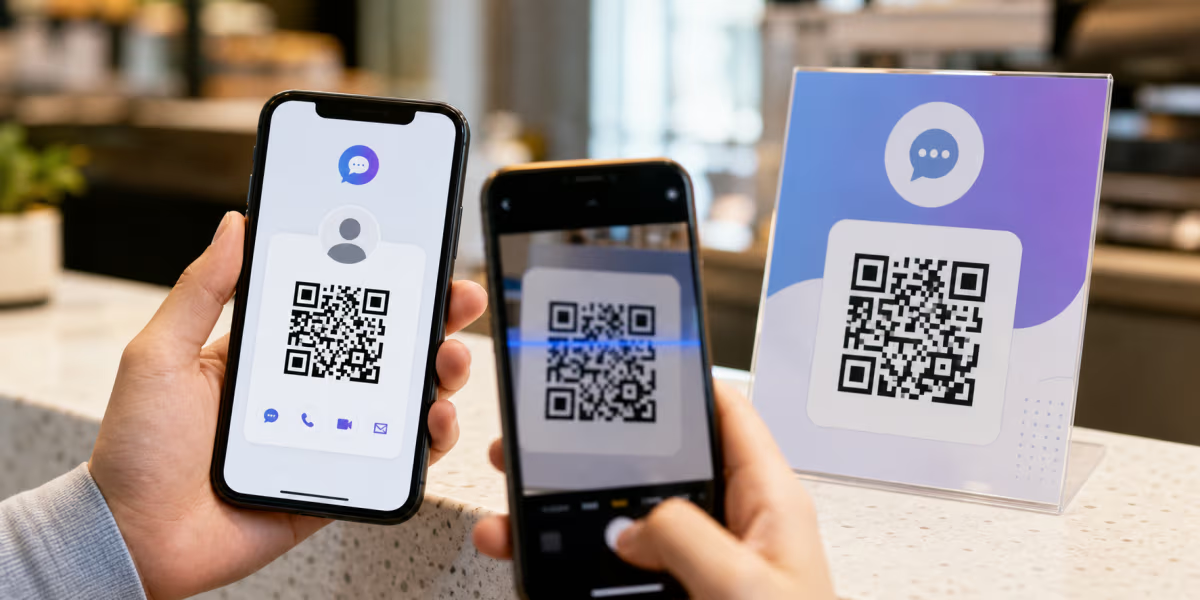
There are two current ways to share a Messenger destination with a QR code. Messenger provides an in-app QR feature on supported iPhone, iPad, and Android versions for connecting with people. For business print, signage, packaging, or campaign measurement, create a standard QR from a tested Messenger destination, such as the m.me/username URL Meta documents for a Messenger profile.
The choice is practical: use the in-app QR for quick person-to-person sharing. Use a custom static or dynamic URL QR when you need your own design, printed placement, a fallback link, or eligible redirect analytics. Meta previously used a different circular product called Messenger Codes, but their retirement does not mean Messenger has no QR feature today.
Messenger in-app QR and custom Messenger QR compared
| Decision | Messenger in-app QR | Custom QR to a tested Messenger destination |
|---|---|---|
| Current role | Connect with people from supported Messenger mobile apps | Open a chosen Messenger or web destination from a standard QR |
| Best fit | Quick personal sharing | Signs, cards, packaging, receipts, presentations, and campaigns |
| Scan method | Use the supported Messenger QR flow | Use a compatible phone camera or QR scanner |
| Design control | Messenger controls the presentation | You control color, logo, frame, and surrounding prompt |
| Destination editing | Controlled by Messenger | Available when the custom QR uses a managed dynamic redirect |
| Redirect analytics | Not a QRLynx redirect | Eligible scans are measured when a QRLynx dynamic URL is used |
Option 1: use Messenger's in-app QR
Meta's current Messenger Help Center includes Use QR codes to connect with new people on Messenger and marks the feature as available on supported iPhone, iPad, and Android apps, not computers. Open the current Messenger app and use its QR sharing or scanning control. The exact placement can change by app version, so use Meta's device-specific help when the control is not visible.
This option is appropriate when two people are together and want to connect through Messenger. It does not require you to construct or maintain a separate destination URL.
Option 2: create a custom QR from a Messenger destination
A custom QR is better suited to a storefront, business card, product insert, receipt, flyer, badge, slide, or other material that must work outside Messenger's own interface. First copy and test the exact destination. Meta states that a Facebook username is used across Facebook and Messenger, and changing it also changes the Messenger profile URL at m.me/username.
Page and group experiences can differ by Page settings, permissions, account state, app version, and the type of community or chat. Do not guess a URL from a visible name. Copy the supported share or contact destination from the account, Page, chat, group, or community you manage, open it in a signed-out or representative test session, and only then encode it.
How to create a Facebook Messenger QR code in QRLynx
Build the QR only after the destination has been copied and tested.
Choose the Messenger action
Decide whether scans should open a personal Messenger profile, a Page contact route, or an eligible chat or community invitation.
Copy the supported destination
For a personal profile, Meta documents m.me/username. For other destinations, copy the current share or contact link from the surface you manage rather than constructing one from its display name.
Test the link before encoding it
Open the destination on representative mobile devices and in the account state your audience will use. Confirm it reaches the intended conversation or invitation and shows any login or approval step accurately.
Create and design the QR
Paste the tested URL into the QRLynx URL generator. Add a restrained logo, strong contrast, a quiet zone, and a short prompt that tells people what the scan opens.
Choose static or dynamic behavior
Use a static QR for a final stable link. Use a dynamic QR when destination editing or eligible redirect analytics matter, then keep the plain destination nearby as a fallback.
Test the final artifact
Scan the exported file and final print from several intended devices at the real size, distance, material, and lighting before distribution.
Which Messenger destination should the QR open?
| Goal | Destination to copy and test | What the person may need | Key check before printing |
|---|---|---|---|
| Connect with a person | Messenger's in-app QR or the documented m.me/username profile URL | A supported Messenger or Facebook account state | Confirm the profile and privacy settings are correct |
| Message a business or Page | The Page's current supported message or contact destination | Messenger access and any Page messaging availability | Test while signed out and from a non-admin account |
| Join a group chat or community | The current invitation link exposed by that chat or community | Eligibility, login, approval, or invitation access | Confirm the link is shareable, current, and appropriate for a public QR |
| Offer several contact channels | A maintained link page containing Messenger and other chosen channels | A browser, then the selected messaging service | Keep every listed channel current and clearly labeled |
Personal profiles, Pages, groups, and communities are not interchangeable
Meta documents m.me/username as the Messenger profile URL connected to a Facebook username. A Page also has a username and web address, but Page messaging availability and the destination a visitor sees can depend on the Page's current settings. Test the Page route instead of assuming that every Page username produces the same chat flow.
Messenger group chats, Facebook groups, community chats, and Messenger communities are separate products with different invitation and approval behavior. Meta notes, for example, that some Facebook group invite links are limited to private hidden groups and can expire. It also says community chats associated with Facebook groups are being retired while Messenger communities have separate availability. A public printed QR should therefore use a link whose audience, expiry, permissions, and moderation path you understand.
What a QRLynx dynamic Messenger QR measures
A QRLynx dynamic URL QR records eligible scans of the managed redirect. It does not prove that the scanner sent a message, completed a conversation, became a lead, or received support. The free Starter plan includes 3 active dynamic QR codes, unlimited scans, three months of analytics, and Basic AI Insight Summaries.
Country detail starts on Pro. City, device, operating system, browser, CSV export, and team analytics start on Business. Use separate dynamic QRs for separate placements when you need to compare a counter card, receipt, packaging insert, or event badge.
Design the prompt around the expected action
A QR without context asks the scanner to trust an unknown destination. Add a short prompt such as Message our Page, Connect on Messenger, or Join the event chat, matching the action the tested link actually supports. Include the destination in readable text when space allows.
Keep a dark QR pattern on a light background, preserve clear space around all four sides, and avoid placing a large logo over the data modules. Test the exported file after design changes. For print, choose an output format and size appropriate to the material and viewing distance.
Privacy and invitation boundaries
A Messenger QR can expose the same destination as its underlying link. Before placing a personal profile, private invitation, or community link on public material, review what a signed-out visitor can see and whether the link should be available to anyone who scans it.
Dynamic redirect analytics describe scan activity. Messenger and Meta control the conversation, account, privacy, message delivery, and invitation experience after the redirect.
From tested link to printed prompt
Create a custom Messenger QR code
Turn a verified Messenger destination into a branded static or dynamic QR, then test the complete scan path before printing.
Facebook Messenger QR code questions
Current answers about in-app QR sharing, m.me links, Pages, invitations, custom design, and scan analytics.
Does Messenger currently have an in-app QR code?
Yes. Meta's current Messenger Help Center lists QR codes for connecting with new people on supported iPhone, iPad, and Android apps. The feature is not available on computers, and its location can vary by app version.
Are the old circular Messenger Codes still used?
Meta retired the older circular Messenger Codes. That does not mean Messenger has no QR feature today. The current app has a QR connection feature, and standard QR codes can also open tested Messenger destinations.
How do I make a custom Facebook Messenger QR code?
Copy and test the supported Messenger destination, paste it into QRLynx's URL generator, choose static or dynamic behavior, add a clear prompt, export the code, and test the final digital or printed artifact on representative devices.
How do I find my m.me link?
Meta states that changing a Facebook username also changes the Messenger profile URL at m.me/username. Find the username on the profile or in Accounts Center, then test the complete m.me URL before encoding it.
Can I create a Messenger QR code for a Facebook Page?
Yes, by encoding a Page message or contact destination that you have copied and tested. Page usernames and web addresses are current Meta features, but messaging availability and the visitor flow can depend on Page settings and account state.
Can I create a QR for a Messenger group chat or community?
Use only the invitation link currently exposed by that chat or community. Invitation eligibility, approval, expiry, privacy, and feature availability can differ, so verify the link and what a public scanner can see before printing it.
Do people need Messenger to scan the QR code?
A compatible camera or scanner can read a standard QR. What happens next depends on the underlying destination, device, browser, app installation, login state, and Meta's current routing. Test the actual audience path instead of promising one universal result.
Can I track Messenger QR scans?
A QRLynx dynamic URL QR can record eligible redirect scans. That measures scan activity, not sent messages, completed conversations, leads, or support outcomes inside Messenger.
Can I change the Messenger destination after printing?
Yes, when the printed code is a QRLynx dynamic URL QR. Update the managed destination while the printed short-link pattern stays the same. A static QR keeps its directly encoded destination.
Should I use a static or dynamic Messenger QR?
Use a static QR when the tested destination is final and analytics are unnecessary. Use a dynamic QR when you need destination editing, separate placement measurement, or redirect analytics and expect scanners to have internet access.
What should the text beside a Messenger QR say?
Name the actual action, such as Message our Page, Connect on Messenger, or Join the event chat. Avoid a generic Scan me label when the destination or privacy context matters.
Can a Messenger QR code be used online and in print?
Yes. Display it on suitable print or digital material, but use the direct link as the primary control on a mobile webpage or email because tapping is easier than scanning the same screen.