Memorial QR Code: Create and Place One Respectfully

Key Takeaway
Create a memorial QR code in QRLynx for a headstone, plaque, bench, card, or keepsake, with family consent, durable placement, privacy, and testing steps.
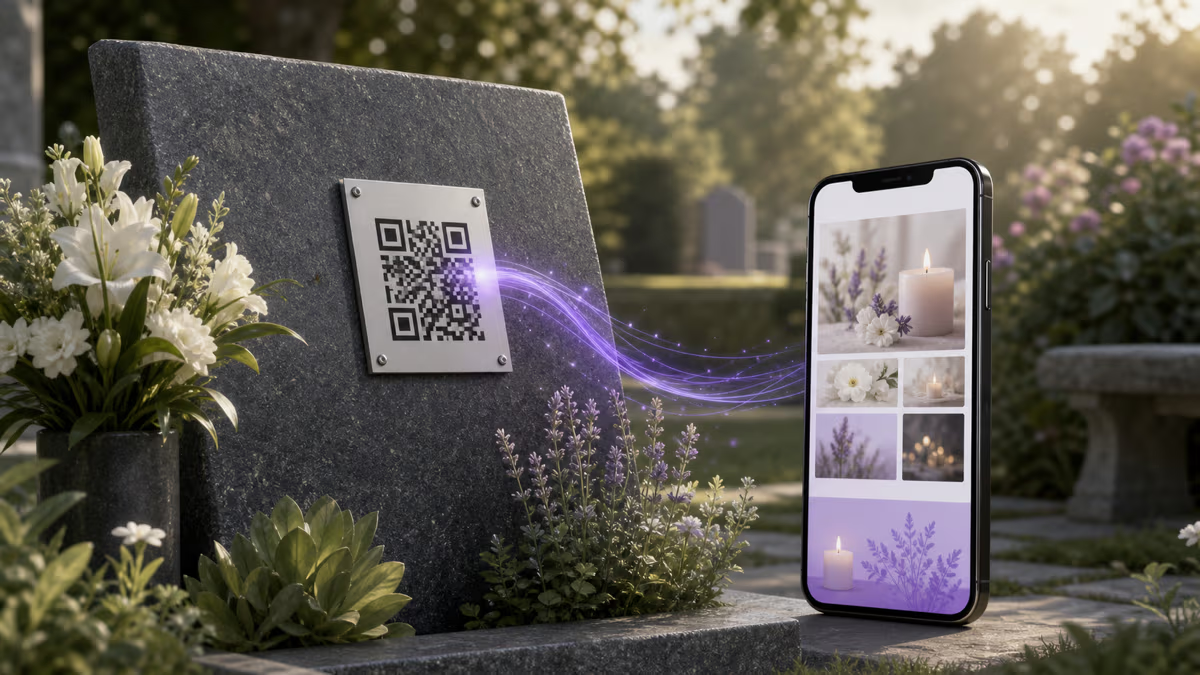
A memorial QR code connects a headstone, plaque, bench, funeral card, urn, or keepsake to a family-approved tribute page. In QRLynx, use a Website / Link QR for the tribute URL. Choose dynamic when the family wants to update or replace that destination later while keeping the printed QR route stable. Choose static when the final URL is intended to remain fixed and direct.
The lasting result depends on three separate things: permission for the physical placement, durability and readability of the plaque or engraving, and continued availability of the linked page and QR route. Plan all three before anything is permanently attached or engraved.
Start with family agreement and cemetery approval
A memorial page can make private family material visible in a public place. Agree who will select the story, photos, recordings, and visitor features, and decide whether the destination will be public, unlisted, or access-controlled. Name a primary administrator and a trusted backup who can maintain the page and QRLynx account.
Ask the cemetery, churchyard, memorial park, or property owner for written approval before ordering a plaque or altering a monument. Rules can differ by section, monument type, material, dimensions, finish, adhesive, installer, and location. A monument professional can also advise whether a mounting method is suitable for the stone.
Choose the memorial destination
| Destination | Useful content | Maintenance question |
|---|---|---|
| Family-owned tribute page | Biography, photos, recordings, milestones | Who controls the domain, hosting, and backups? |
| Memorial service page | Hosted story, gallery, guestbook, moderation | What happens to the page if the plan or provider changes? |
| Online obituary | Published obituary and service information | Will the funeral home or publisher keep the URL available? |
| Shared gallery | Photos and approved video | Do visitors need an account or permission? |
| Charity or memorial fund | Current donation instructions | Who will close or replace the campaign later? |
| Pet memorial page | Photos, stories, recordings, and remembrance notes | Who will preserve the page and login details? |
Static or dynamic for a memorial QR code?
| Choice | How it works | Use it when |
|---|---|---|
| Static Website / Link | Encodes the final tribute URL directly | The family owns a stable URL and wants a server-independent QR route |
| Dynamic Website / Link | Encodes a managed QRLynx route whose destination can be updated | The tribute host or page may change, or the family wants QRLynx scan analytics |
Plan for digital continuity as well as stone durability
Keep a small continuity record with the tribute URL, QRLynx account, page host, renewal details, administrator names, backup files, and instructions for future family members. Store it somewhere the family already uses for important records. Test the link on an agreed schedule and after any change to the page, domain, account, or plaque.
For a dynamic QRLynx code, the printed route stays the same when its destination is edited. The free Starter plan includes 3 active dynamic QR codes and unlimited scans. This supports destination changes without claiming that any online provider, domain, physical plaque, or device standard can be guaranteed for a particular number of decades.
How to create a memorial QR code in QRLynx
Complete the permission, destination, QR, fabrication, and on-site checks before permanent installation.
Agree on the memorial and its administrator
Choose the family-approved story, photos, recordings, visitor features, privacy level, primary administrator, and trusted backup. Record who may update or moderate the destination.
Get placement approval
Ask the cemetery, churchyard, memorial park, monument owner, or property manager what is allowed for this exact marker and section. Confirm material, dimensions, finish, mounting method, installer, and placement before ordering.
Create and test the tribute destination
Build the memorial page, obituary, gallery, charity page, or other payload. Open it while signed out and on a representative phone. Confirm access, mobile layout, media permissions, and the family's intended privacy level.
Choose Website / Link in QRLynx
Open the QRLynx generator and select Website / Link. Paste the complete tested tribute URL. Use a descriptive saved name that identifies the memorial and physical placement without exposing unnecessary private information.
Choose static or dynamic behavior
Choose static for a final family-owned URL encoded directly. Choose dynamic when the destination may move or when QRLynx scan analytics are useful. Confirm the selected behavior before fabrication because the two QR patterns are different.
Design and label for the setting
Use strong contrast, preserve the quiet zone, avoid dense decoration, and add a short respectful label such as Scan to remember. Ask the fabricator for the final dimensions and material before approving the artwork.
Download the appropriate file
Use the highest-quality format available to the account and accepted by the monument or plaque professional. Registered Starter supports high-quality raster downloads; resolution-independent SVG and A4 PDF downloads begin with Starter+. Keep the approved source file with the family records.
Test the physical proof and installed marker
Scan the proof and final installation with representative iPhone and Android devices in the actual lighting, angle, distance, and weather conditions. Verify the tribute page, privacy, label, mounting, and any expected QRLynx analytics before completing the project.
Destination and approval ready
Create the memorial QR in QRLynx
Build a clear Website / Link QR, keep the approved source file, and test the physical proof before installation.
Choose a physical method with the monument professional
The suitable method depends on the marker, surface, climate, rules, and expected maintenance. Common approaches include professional engraving, a metal or ceramic plaque designed for exterior use, or a removable printed plaque for a temporary display. Ask for material specifications, mounting instructions, warranties, and a proof at the final dimensions.
Placement affects both preservation and scanning. A smooth, reachable face away from mower or trimmer contact is easier to maintain and scan than a low, shaded, highly textured, or frequently obstructed surface. Do not attach a product to stone until the cemetery and monument professional approve the exact method.
Test the actual material, size, and environment
There is no universal memorial QR size that works for every payload and surface. A longer static URL creates a denser symbol than a short managed route. Readability also depends on module size, contrast, finish, glare, weathering, camera distance, angle, and surrounding light.
- Keep the complete quiet zone free of borders, bolts, engraving, and artwork.
- Use clear contrast between modules and background.
- Keep finder, timing, and alignment patterns unobstructed.
- Test a physical proof at the final dimensions.
- Repeat the test after installation and during routine memorial maintenance.
Use multiple representative phones and scan from the position a visitor can comfortably reach without touching or leaning on the marker.
Build a tribute page that the family can maintain
A memorial page can include a short biography, family-approved portrait and candid photos, recordings, milestones, service or community history, favorite music, a moderated guestbook, or a current charity link. Quality matters more than volume. Organize the page for a visitor standing outdoors on a phone connection.
Keep original photos, text, and recordings in a separate family backup. Avoid publishing information that living relatives want kept private. Review captions, image permissions, comments, donation links, and contact details before the page becomes accessible from a public marker.
Assign ownership and a maintenance routine
The family should know who controls the QRLynx login, tribute-page account, domain, billing, moderation, backups, and physical plaque. Add a trusted second administrator or documented recovery path where the services allow it. When responsibility changes, transfer access deliberately rather than sharing one permanent password.
A simple annual review can confirm that the marker is clean, the QR still scans from the intended position, the destination opens, media loads, privacy choices remain appropriate, and the contact person is current. A dynamic destination can be corrected in QRLynx without changing the physical QR, while a damaged physical marker still requires repair or replacement.
Memorial QR code questions
How do I create a memorial QR code in QRLynx?
Create and test the family-approved tribute page, get permission for the physical placement, choose Website / Link in QRLynx, paste the complete URL, select static or dynamic behavior, design a high-contrast code with a respectful label, download the fabricator's preferred format, and test the physical proof and final installation.
Should a memorial QR code be static or dynamic?
Use static when the family controls a final stable URL and wants the destination encoded directly. Use dynamic when the destination may move or when QRLynx scan analytics are useful. A dynamic route can be updated without changing the installed QR pattern.
Do QRLynx memorial QR codes expire?
A QRLynx dynamic QR does not expire merely because time passes and scans are unlimited. Continued operation still depends on the saved QRLynx route, the QRLynx service, and the destination page remaining available. Keep administrators, backups, and a maintenance record.
Can a memorial QR code be guaranteed to work for decades?
No online service, domain, plaque, adhesive, device standard, or physical surface can honestly guarantee a specific lifespan. Improve continuity by using an approved exterior material, keeping source files and page backups, naming backup administrators, testing regularly, and using a dynamic destination when future changes are likely.
Do cemeteries allow QR codes on headstones?
Policies vary by cemetery, section, grave type, monument, material, dimensions, finish, mounting method, and installer. Get written approval for the exact placement before ordering, engraving, drilling, or attaching anything.
What should a memorial QR code link to?
It can open a family-owned tribute page, hosted memorial, obituary, approved gallery, moderated guestbook, charity page, or pet memorial. Choose a destination the family can maintain and back up.
What privacy choices should a family make?
Decide whether the page is public, unlisted, or access-controlled, who can contribute, who moderates comments, and which photos or details living relatives approve. Test the page while signed out before placing the QR publicly.
What file format should I give a monument or plaque maker?
Ask the fabricator which format its production process accepts. QRLynx registered Starter accounts support high-quality raster downloads, while resolution-independent SVG and A4 PDF downloads begin with Starter+. Always approve a proof at the final dimensions.
How large should a memorial QR code be?
There is no universal size. The payload density, material, finish, contrast, distance, angle, light, and camera all matter. Let the fabricator recommend final dimensions, then test a physical proof with several representative phones before installation.
Where should a QR plaque be placed on a marker?
Use an approved, reachable position with a smooth suitable surface, good contrast, and lower risk from tools, standing water, obstruction, or repeated contact. The cemetery and monument professional should approve the exact position and mounting method.
Can I add a QR code to an existing headstone?
Potentially, when the cemetery and monument owner approve it and a monument professional confirms a safe method. A professionally mounted exterior plaque may avoid altering the original engraving, but the material and adhesive still need approval.
Who should manage the memorial QR and tribute page?
Name one primary family administrator and a trusted backup. Record the QRLynx account, tribute host, domain, renewals, source files, recovery path, and maintenance instructions in a place future family members can find.
Can QRLynx track memorial QR scans?
A dynamic QRLynx Website / Link QR can record eligible scan analytics. Use the data respectfully as an approximate measure of visits. Ordinary scan analytics do not identify a visitor by name.
Can I create a pet memorial QR code?
Yes. Use the same permission, destination, privacy, design, backup, and physical-testing process for a garden stone, urn, plaque, frame, or keepsake dedicated to a pet.
Sources and practical references
This guide uses current QRLynx type, plan, and download contracts, published cemetery and churchyard guidance showing that memorial controls are local, a U.S. National Cemetery QR biography example, memorial-plaque placement guidance, and research on the privacy boundary created by public digital memorials.
Continue with the QRLynx dynamic URL QR guide, QR expiration guide, outdoor QR materials guide, and QR readability checker.