How to Print QR Code Stickers: Materials, Sizes & Best Practices (2026 Guide)

AT
· 24 min read
How to Print QR Code Stickers: Materials, Sizes & Best Practices (2026 Guide)

Key Takeaway

Complete guide to printing QR code stickers — vinyl, paper, polyester, and clear materials compared. Covers sticker sizes by use case, home vs professional printing methods, weatherproofing for outdoor use, design tips for scannability, and 12 FAQs. Learn how to create durable, scannable QR stickers for products, storefronts, vehicles, events, and packaging.

QR code stickers are one of the most versatile tools in modern marketing. Unlike flyers or posters that stay in one location, a sticker travels with the surface it is applied to — a laptop lid, a product box, a delivery van, a storefront window, a water bottle, or a trade show badge. According to the Sticker Giants 2025 industry report, the global sticker and label market is valued at over $55 billion and growing at 4-5% annually. Custom stickers are no longer just for decoration — they are a bridge between physical surfaces and digital experiences.

A QR code sticker takes this further. One scan connects the person to a website, a product page, a review form, a WiFi network, a menu, a contact card, or any digital destination you choose. Grand View Research reports that the QR code label segment alone is projected to grow at a 9.2% CAGR through 2030, driven by retail, food traceability, and smart packaging adoption.

But printing a QR code on a sticker is not the same as printing it on paper. Stickers face unique challenges: adhesive surfaces that wrinkle, outdoor exposure that fades ink, curved surfaces that distort the code, and small sizes that push the limits of scannability. A poorly printed QR sticker is worse than no sticker at all — it frustrates customers and wastes your budget.

This guide covers everything you need to know about QR code stickers: which material to choose for your use case, exact size specifications, home printing vs professional printing, where to apply stickers for maximum scans, design rules that ensure scannability, weatherproofing for outdoor durability, and twelve frequently asked questions. Whether you are printing 50 stickers for a local pop-up or 50,000 for a national product launch, this is your complete reference.

Sticker Material Types: Which One Is Right for You?

The material you choose determines how long your QR code sticker lasts, where it can be applied, and how well it scans under different conditions. There are four primary sticker materials, each with distinct advantages and trade-offs.

MaterialDurabilityWater ResistantUV ResistantBest ForCost
Vinyl3-5 years outdoorExcellentExcellentVehicles, outdoor signage, equipment, storefronts$$
Paper3-6 months indoorPoorPoorIndoor events, short-term promotions, packaging inserts$
Polyester (PET)2-4 years outdoorExcellentGoodIndustrial labels, asset tracking, electronics$$$
Clear (Transparent)1-3 yearsGoodModerateGlass surfaces, premium packaging, wine bottles$$

Vinyl Stickers

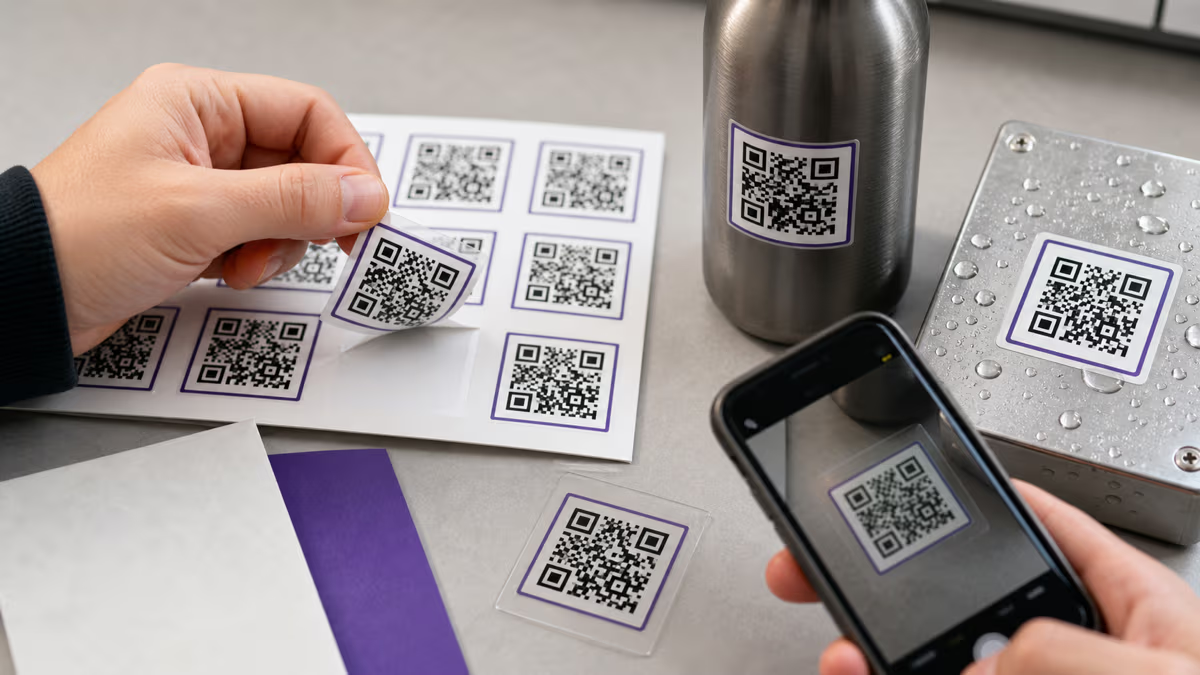
Vinyl is the gold standard for outdoor QR code stickers. Made from polyvinyl chloride (PVC), vinyl stickers are flexible, waterproof, and resistant to UV fading. A high-quality vinyl sticker with UV-resistant lamination will last 3 to 5 years outdoors without significant color degradation. Vinyl conforms well to slightly curved surfaces like car bumpers, helmets, and water bottles, though it will wrinkle on compound curves (surfaces that curve in two directions at once, like a sphere).

Vinyl comes in two finishes: matte and glossy. For QR code stickers, matte finish is generally better because it reduces glare that can interfere with phone camera scanning, especially under direct sunlight or fluorescent lighting. Glossy vinyl produces sharper colors but creates reflections that force users to tilt their phone to avoid glare.

Paper Stickers

Paper stickers are the most affordable option and work well for indoor, short-term applications. They print beautifully with sharp, high-contrast QR codes on any inkjet or laser printer. However, paper stickers have no water resistance — a single splash destroys them. They also curl and peel in humid environments. Use paper stickers for indoor events, temporary retail promotions, packaging inserts, and any application where the sticker will be protected from moisture and will not need to last more than a few months.

Polyester (PET) Stickers

Polyester stickers (sometimes called PET or Mylar) are the industrial choice. They resist chemicals, solvents, abrasion, and extreme temperatures (-40F to 300F). This makes them ideal for asset tracking labels on equipment, electronics, and industrial machinery where the sticker must survive harsh environments. Polyester is more rigid than vinyl, which means it does not conform as well to curved surfaces, but it is virtually indestructible on flat surfaces. The trade-off is cost — polyester stickers are typically 2-3x more expensive than vinyl.

Clear (Transparent) Stickers

Clear stickers use a transparent vinyl or polypropylene base that lets the underlying surface show through. They create a "no-label" look that is popular for premium packaging, wine bottles, glass storefronts, and any application where a white sticker background would clash with the product design. The challenge with clear QR stickers is contrast: the QR code modules must be printed in a dark, opaque ink (black is best) so they stand out against whatever surface the sticker is applied to. If the underlying surface is dark, a clear sticker will not work — the dark QR modules will be invisible against a dark background. Always test clear stickers on the actual target surface before ordering a large batch.

Sticker Size Guide: How Big Should Your QR Code Sticker Be?

Sticker size is determined by two factors: the scanning distance (how far away the person will be when they scan) and the physical context (how much space is available on the surface). The universal sizing rule for QR codes is the 10:1 ratio: divide the expected scanning distance by 10 to get the minimum QR code width. For stickers, this ratio determines the minimum size of the QR code itself — the sticker may be larger to include branding, a CTA, or decorative elements around the code. For a comprehensive deep-dive on QR code sizing for all print formats, see our complete QR code size guide for print.

Use CaseTypical Scan DistanceMin QR Code SizeRecommended Sticker Size
Product label / packaging6-12 inches (15-30 cm)0.6 x 0.6 in (1.5 cm)1 x 1 in (2.5 cm)
Business card / name badge8-15 inches (20-38 cm)0.8 x 0.8 in (2 cm)1.2 x 1.2 in (3 cm)
Storefront window / door2-4 feet (60-120 cm)2.4 x 2.4 in (6 cm)3 x 3 in (7.5 cm)
Vehicle decal3-8 feet (1-2.5 m)3.6 x 3.6 in (9 cm)5 x 5 in (12.5 cm)
Trade show / event banner5-10 feet (1.5-3 m)6 x 6 in (15 cm)8 x 8 in (20 cm)
Floor sticker / ground decal4-6 feet (1.2-1.8 m)4.8 x 4.8 in (12 cm)8 x 8 in (20 cm)

Important: These are minimum sizes. Whenever space allows, go larger. A bigger QR code scans faster, scans from farther away, and tolerates more surface imperfections (scratches, dirt, partial peeling). For product stickers where space is extremely tight, you can push the QR code down to 0.6 inches (1.5 cm) — but only if you use a short URL, high error correction (Level H), and test on at least three different phones before printing.

Quiet Zone on Stickers

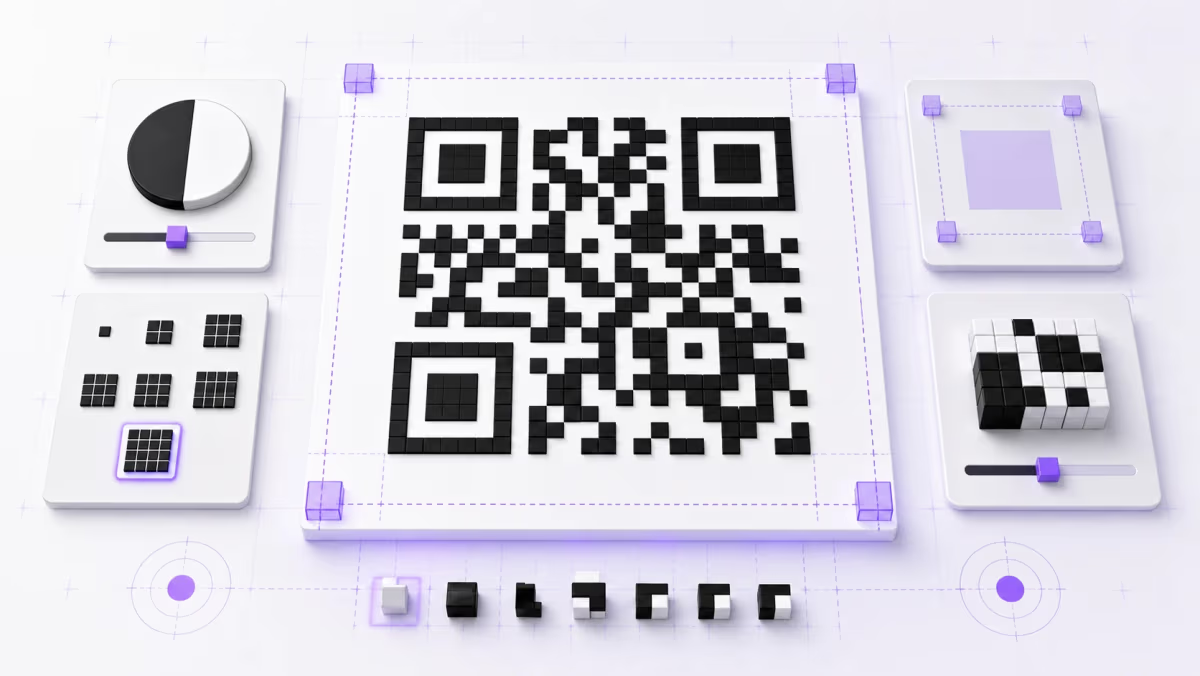
The quiet zone — the mandatory blank border around the QR code — is just as critical on stickers as on any other print medium. Maintain at least 4 modules of white space on all four sides of the code. On small stickers, this is roughly 2-3 mm. Do not let the sticker's border, logo, or decorative elements encroach into this zone. Many die-cut sticker shapes (circles, stars, custom shapes) accidentally clip the quiet zone because the designer does not account for it. Always check that the full quiet zone is preserved after die-cutting.

Printing Methods: Home Printer vs Professional Print Shop

How you print your QR code stickers depends on volume, budget, and quality requirements. Both home and professional printing can produce scannable stickers, but the trade-offs are significant.

FactorHome Inkjet PrinterHome Laser PrinterProfessional Print Shop
Cost per sticker (100 qty)$0.15-0.40$0.10-0.25$0.50-1.50
Cost per sticker (1,000 qty)$0.15-0.40$0.10-0.25$0.08-0.30
Print qualityGood (600-1200 DPI)Excellent (1200+ DPI)Excellent (1200-2400 DPI)
Water resistancePoor (ink smears when wet)Good (toner is waterproof)Excellent (with lamination)
Die-cut shapesManual cutting onlyManual cutting onlyCustom die-cut included
Material optionsPaper, some vinyl sheetsPaper, polyesterAll materials, finishes, laminates
TurnaroundImmediateImmediate3-7 business days
Best forPrototyping, small indoor batchesSmall-medium indoor batchesLarge runs, outdoor use, premium quality

Home Printing Tips

If you are printing QR code stickers at home, follow these rules to ensure scannability:

  • Use sticker label sheets designed for your printer type. Inkjet sticker sheets have a porous coating that absorbs liquid ink. Laser sticker sheets have a heat-resistant coating that bonds with toner. Using the wrong sheet type causes smearing (inkjet sheets in a laser printer) or poor adhesion (laser sheets in an inkjet printer).
  • Print at maximum DPI. Set your printer to its highest quality mode — typically 1200 DPI for laser or "Best Quality" for inkjet. Low-resolution printing produces fuzzy module edges that reduce scan reliability, especially on small stickers.
  • Use the correct file format. Export your QR code as PNG at 300+ DPI or SVG. Never use JPEG — lossy compression blurs module edges. QRLynx exports in SVG and high-resolution PNG by default.
  • Apply a clear laminate overlay for moisture protection. Home-printed inkjet stickers are not waterproof. A self-adhesive clear laminate sheet ($5-10 for a pack of 10 sheets) adds a protective layer that prevents ink smearing from moisture, fingerprints, and light abrasion. This is essential for any sticker that will be handled frequently.

Professional Printing Tips

For runs of 500+ stickers or any outdoor application, professional printing is worth the investment:

  • Request UV lamination for outdoor stickers. This adds a thin protective layer that blocks ultraviolet light, preventing color fading for 3-5 years.
  • Specify matte lamination to reduce glare. Glossy lamination looks premium but creates reflections that interfere with phone cameras under bright lighting.
  • Provide vector files (SVG or PDF). Professional printers work at very high resolutions — vector files ensure your QR code scales perfectly at any size with zero quality loss.
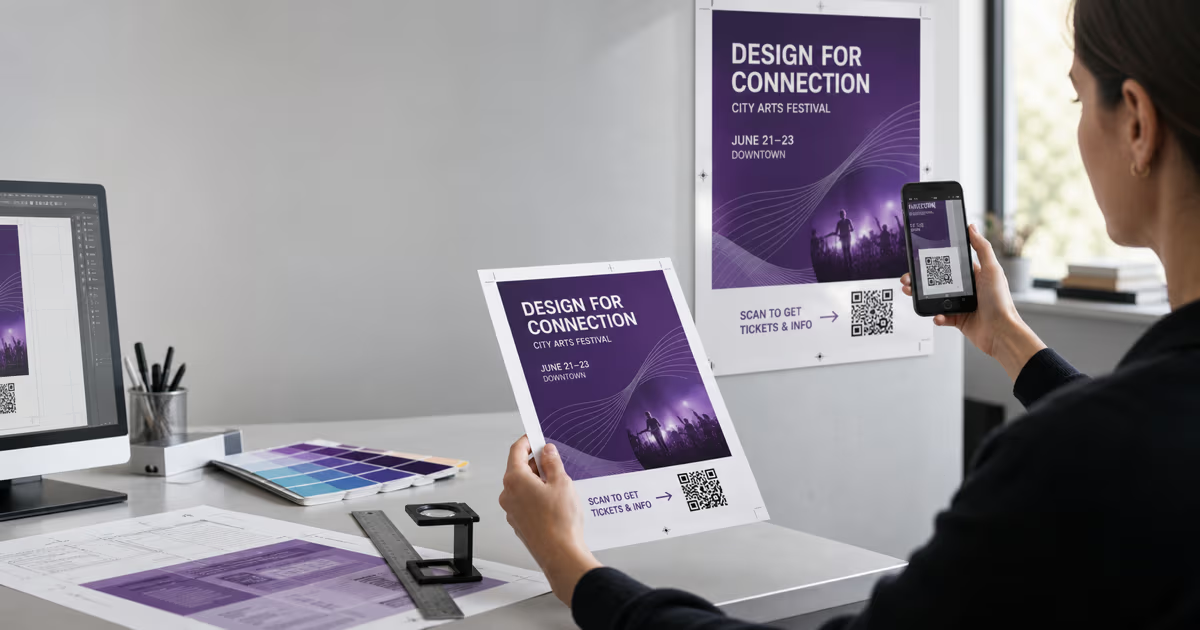
  • Request a proof. Before committing to a full print run, ask for a physical proof. Scan the proof QR code with multiple phones to verify it works before authorizing the full batch.
  • Discuss adhesive strength. Permanent adhesive is standard, but you may want removable adhesive for temporary promotions or repositionable adhesive for surfaces where you might need to adjust placement.

How to Create and Print QR Code Stickers

Follow these 5 steps to go from QR code generation to finished stickers ready for application

1

Generate Your QR Code on QRLynx

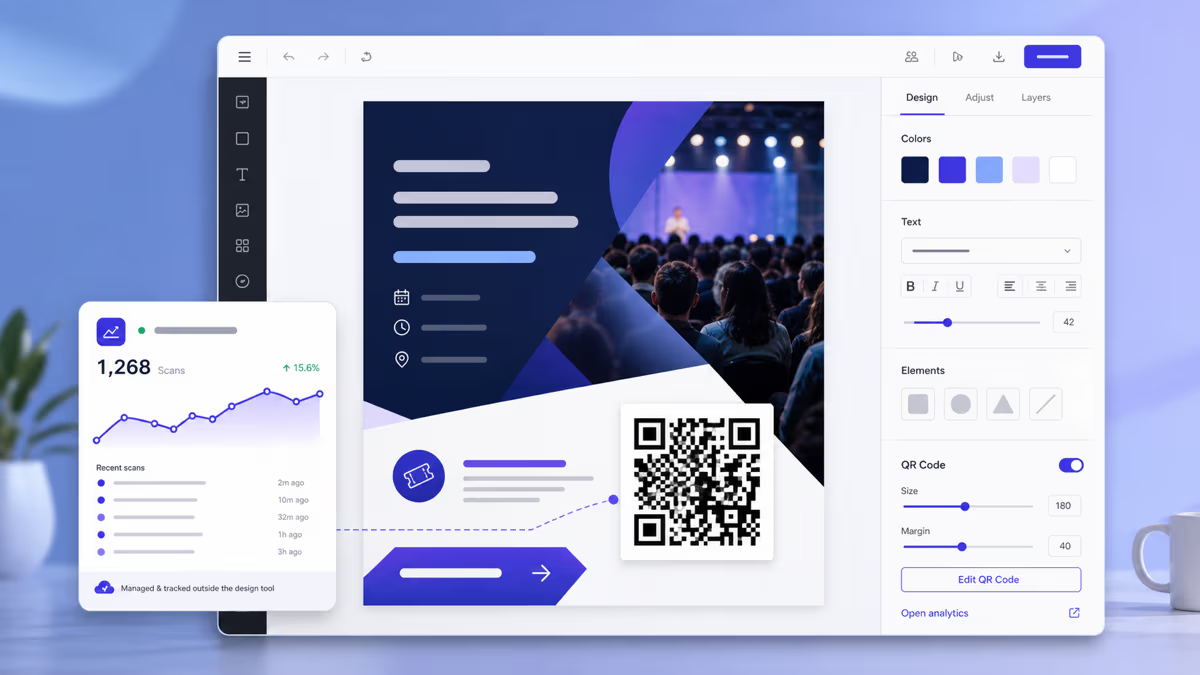
Go to qrlynx.com and select the QR code type that matches your sticker's purpose. For most sticker applications, choose URL — it links to any web page and gives you the flexibility to change the destination later. Toggle on Dynamic URL so you can update where the sticker points without reprinting. Toggle on Track Scans to see how many people scan each sticker. Customize the colors to match your brand, add your logo in the center, and set error correction to High (Level H, 30%) — this is essential for stickers because they face physical wear, partial peeling, and surface damage. For step-by-step QR creation instructions, see our <a href="/blog/how-to-create-a-qr-code-guide">complete QR code creation guide</a>.

2

Download in the Right Format

Click Download and select SVG for the best print quality — SVG is a vector format that scales to any sticker size without losing sharpness. If your home printer or sticker printing service cannot accept SVG, download PNG at 300 DPI minimum (600 DPI for small stickers under 1 inch). Never use JPEG — the lossy compression algorithm creates blurry edges around QR modules that degrade scannability. Save the file in a clearly labeled folder so you can easily send it to your printer or sticker service.

3

Choose Your Sticker Material and Size

Select the material based on where the sticker will live. Use vinyl for outdoor applications (vehicles, storefronts, equipment) — it lasts 3-5 years in weather. Use paper for indoor events and short-term promotions. Use polyester for industrial environments with chemical or heat exposure. Use clear material for glass surfaces and premium packaging where you want a no-label look. Size the sticker so the QR code portion is at least 0.8 inches (2 cm) for handheld scanning or larger based on the 10:1 scanning distance rule.

4

Print a Test Batch First

Before committing to a full print run, print 5-10 test stickers. Apply them to the actual target surfaces (the product box, the vehicle panel, the storefront glass). Scan each test sticker with at least 3 different phones — a recent iPhone, a recent Android, and an older model. Test under different lighting: bright sunlight, indoor fluorescent, and dim conditions. If any phone struggles to scan, increase the sticker size, improve the contrast, or switch to a higher-resolution print setting. Fixing issues at this stage costs almost nothing compared to reprinting thousands of stickers.

5

Print the Full Run and Apply

Once your test stickers pass scanning verification, proceed with the full print run. For home printing, use the highest quality setting on your printer and apply clear laminate if the stickers will be handled or exposed to moisture. For professional printing, provide SVG files, request matte UV lamination for outdoor use, and ask for a physical proof before authorizing the full batch. When applying stickers, clean the target surface first with isopropyl alcohol to remove oils and dust — this ensures maximum adhesive bond strength and prevents bubbles that could distort the QR code.

Where to Use QR Code Stickers: Top Applications

QR code stickers work on almost any surface, but some applications deliver dramatically higher scan rates than others. Here are the most effective use cases, ranked by typical engagement.

Product Packaging and Labels

Every physical product is a potential QR code carrier. A sticker on the product box, bottle, or container links customers to setup instructions, warranty registration, ingredient details, user manuals, review pages, or reorder links. For food and beverage products, QR stickers provide traceability data that the EU Digital Product Passport will soon require. Use a 1-inch (2.5 cm) sticker minimum for handheld product scanning. For detailed guidance on packaging-specific placement and compliance, see our product packaging QR code guide.

Storefronts and Windows

A QR sticker on your storefront window or front door captures foot traffic even when you are closed. Link to your Google Business profile, your menu, your hours, your online store, or a current promotion. Storefront stickers need to be at least 3 inches (7.5 cm) because pedestrians scan from 2-4 feet away. Use clear vinyl for glass so it does not block the view, or white vinyl on a solid door. Position the sticker at eye level (approximately 5 feet / 150 cm from the ground) for maximum visibility.

Vehicles and Fleet

Company vehicles are mobile billboards. A QR sticker on the rear window, bumper, or side panel turns every traffic stop, parking lot, and delivery into a marketing opportunity. Vehicle QR stickers must be large — at least 4-5 inches (10-12 cm) — because people scan from adjacent vehicles or sidewalks at 5-10 feet distance. Use vinyl with UV lamination — vehicles endure direct sun, rain, car washes, and temperature extremes. A well-applied vinyl QR sticker on a vehicle lasts 3-5 years.

Events and Trade Shows

QR stickers at events serve multiple purposes: badge stickers for networking (scan to exchange contact info), table stickers for session feedback, floor stickers for wayfinding, and booth stickers for lead capture. Event stickers are typically short-lived (1-3 days) so paper is acceptable for indoor venues. For outdoor festivals, use vinyl. Badge-sized stickers (1-1.5 inches) work for handheld scanning between attendees, while booth stickers should be 3-4 inches for scanning from a few feet away.

Shipping and Delivery

Adding a QR sticker to shipping boxes, mailers, and delivery bags creates a post-purchase touchpoint. Link to a delivery tracking page, a setup tutorial, a feedback survey, or a reorder page. Customers are highly engaged at the moment they receive a package — scan rates on delivery QR codes are among the highest of any placement. Use paper stickers for cost efficiency since shipping boxes are typically recycled after unboxing.

Equipment and Asset Tracking

In industrial and enterprise settings, QR stickers on equipment, tools, and IT assets link to maintenance logs, operating manuals, calibration records, and check-out systems. Use polyester stickers for harsh environments (factories, outdoor equipment, vehicles) and vinyl for moderate indoor conditions (office IT equipment, furniture). The sticker's destination URL can link to an internal management system or a simple Google Sheet — the key is connecting the physical asset to its digital record instantly.

Design Tips for Scannable QR Code Stickers

A QR code sticker must be both visually appealing and technically functional. These design rules ensure your stickers scan reliably on every phone.

Color and Contrast

The most critical design rule for QR code stickers is contrast. The QR code modules (dark squares) must contrast sharply against the background. Dark modules on a light background is the standard — black on white is the most reliable combination. You can use brand colors for the modules (dark navy, dark green, dark red, charcoal) as long as the foreground remains sufficiently dark. The background should be white, cream, or a very light shade. Never invert the code — light modules on a dark background scan unreliably on many phones, especially older Android devices.

For stickers specifically, be careful with metallic or holographic materials. The reflective surface can confuse phone cameras by creating inconsistent contrast as the viewing angle changes. If you must use metallic stickers, print the QR code area on a solid matte white section of the sticker.

Error Correction Level

Always set error correction to High (Level H, 30%) for stickers. This is even more important for stickers than for other print media because stickers face unique physical stresses:

  • Partial peeling from edges over time
  • Scratches from handling, shipping, and stacking
  • Dirt, grease, and fingerprint accumulation
  • Surface bubbles from imperfect application
  • Fading from sun exposure on outdoor stickers

At Level H, up to 30% of the QR code can be damaged or obscured and the code will still scan. This provides a significant safety margin for the real-world conditions stickers face.

Logo Placement on Stickers

Adding your brand logo to the center of the QR code is a popular design choice that works well on stickers. Keep the logo under 30% of the QR code area, give it a small white background padding, and ensure error correction is set to High. On small stickers (under 1.5 inches), consider placing the logo outside the QR code rather than overlaid on it — at small sizes, a logo overlay leaves very little room for data modules.

Shape and Die-Cut Considerations

Custom die-cut shapes (circles, rounded squares, hexagons) make stickers more visually distinctive, but they create a risk for QR codes. The die-cut must not intrude into the QR code's quiet zone — the mandatory blank border around the code. For circular stickers, the QR code must fit entirely within the inner circle with quiet zone intact, which means the usable QR code area is significantly smaller than the sticker diameter. A 2-inch circular sticker can only hold a QR code of about 1.2-1.4 inches after accounting for quiet zone and border padding. Square or rounded-rectangle shapes are more space-efficient for QR code stickers.

CTA Text on Stickers

A QR code without a call-to-action is a mystery — and people do not scan mysteries. Include a short, benefit-driven CTA near the QR code on the sticker. Effective sticker CTAs include: "Scan for 20% off", "Scan for menu", "Scan to register", "Scan for warranty", "Scan to reorder", or "Scan for details". Keep the text concise — stickers have limited space. The CTA should be in a readable font size (at least 8pt on small stickers, 12pt+ on larger ones).

Weatherproofing QR Code Stickers for Outdoor Use

Outdoor stickers face a relentless combination of environmental stresses: UV radiation, rain, humidity, temperature swings, wind abrasion, dirt accumulation, and physical contact. Without proper weatherproofing, a QR code sticker can become unscannable in weeks. Here is how to ensure your outdoor QR stickers last years.

UV Protection

Ultraviolet radiation from sunlight is the primary enemy of outdoor stickers. UV light breaks down the chemical bonds in printing inks, causing colors to fade and contrast to diminish. A black QR code module that fades to gray may drop below the contrast threshold required for phone cameras to decode it. Two layers of UV protection are recommended for outdoor QR stickers:

  • UV-resistant ink: Ask your printer to use UV-resistant or UV-cured inks. These inks are formulated with pigments that resist UV degradation and maintain color density for 3-5 years of direct sun exposure.
  • UV lamination: A clear laminate overlay with UV inhibitors provides the most effective protection. Matte UV laminate is preferred for QR stickers because it blocks UV light while also reducing glare that can interfere with scanning. According to Sticker Mule, UV-laminated vinyl stickers maintain print quality for 3-5 years of continuous outdoor exposure.

Water and Humidity Resistance

Water damages stickers in two ways: it degrades the ink (causing smearing or bleeding) and it weakens the adhesive (causing peeling). Vinyl and polyester stickers with lamination are inherently waterproof — water beads on the surface and runs off. Paper stickers, even with lamination, will eventually absorb moisture through the edges and degrade. For any sticker that will be exposed to rain, condensation, or high humidity, use vinyl or polyester exclusively.

Temperature Resistance

Extreme temperatures affect both the sticker material and the adhesive. Standard adhesives begin to soften and lose grip above 150F (65C) — a surface in direct summer sun can easily reach this temperature. Cold temperatures below 40F (4C) make adhesives brittle and reduce initial tack. For extreme environments:

  • High heat: Use polyester stickers with high-temperature adhesive (rated to 300F/150C) for equipment, machinery, and surfaces near heat sources.
  • Freezing cold: Use vinyl stickers with cold-temperature adhesive (rated to -40F/-40C) for refrigerated products, outdoor signage in winter climates, and vehicles.
  • Application temperature: Apply stickers when the surface temperature is between 50-100F (10-38C) for optimal adhesive bond. Applying a sticker to a freezing or extremely hot surface prevents proper adhesion.

Surface Preparation

The most common cause of outdoor sticker failure is poor surface preparation. Before applying any QR sticker to an outdoor surface:

  1. Clean the surface with isopropyl alcohol (70% or higher) to remove oils, dust, and residue.
  2. Dry the surface completely — moisture trapped under the sticker causes bubbles and adhesive failure.
  3. For rough surfaces (textured walls, unpainted wood), sand lightly to create a smoother bonding surface.
  4. Apply the sticker firmly from center outward, using a squeegee or credit card to eliminate air bubbles.
  5. Allow 24-72 hours for the adhesive to reach full bond strength before exposing to rain or car washes.

For more guidance on printing QR codes on various physical media including flyers and posters, see our flyer and poster QR code guide.

Conclusion: Start Printing QR Code Stickers That Last

QR code stickers combine the permanence of physical media with the flexibility of digital connections. The key takeaways from this guide:

  • Material choice matters most. Vinyl with UV lamination is the default for outdoor stickers (3-5 year lifespan). Paper works for indoor, short-term applications. Polyester handles extreme industrial conditions. Clear vinyl suits glass and premium packaging.
  • Size follows the 10:1 rule. Divide the expected scanning distance by 10 for the minimum QR code width. For handheld product stickers, 1 inch minimum. For storefront stickers, 3 inches. For vehicle decals, 5 inches.
  • Always use dynamic QR codes. A sticker cannot be reprinted once applied. Dynamic QR codes from QRLynx let you change the destination URL anytime, track every scan with real-time analytics, and never waste a single sticker because a URL changed. Create your first dynamic QR code free on the Starter plan.
  • Error correction at Level H (30%) is non-negotiable for stickers. Stickers face scratches, peeling, dirt, and UV fading — High error correction ensures scannability despite damage.
  • Test before you commit. Print a small test batch, apply to the actual target surfaces, and scan with multiple phones under different lighting before authorizing a full print run.

The difference between a QR sticker that drives thousands of scans and one that gets ignored comes down to these fundamentals: the right material for the environment, the right size for the distance, a clear CTA that tells people why they should scan, and a dynamic code that gives you flexibility and data long after the sticker is applied.

Frequently Asked Questions About QR Code Stickers

What is the best material for outdoor QR code stickers?

Vinyl with UV-resistant lamination is the best material for outdoor QR code stickers. High-quality vinyl withstands rain, direct sunlight, humidity, and temperature fluctuations for 3-5 years without significant fading. The UV laminate layer protects the printed ink from ultraviolet degradation, and matte lamination is preferred over glossy because it reduces glare that can interfere with phone camera scanning.

How small can a QR code sticker be and still scan?

The absolute minimum for a scannable QR code on a sticker is approximately 0.6 inches (1.5 cm) — but only under ideal conditions with a short URL, High error correction, and handheld scanning at 6-8 inches distance. For reliable real-world scanning, we recommend a minimum of 1 inch (2.5 cm) for product labels and handheld applications. Larger stickers of 2-3 inches are needed for storefront windows and surfaces scanned from a few feet away.

Can I print QR code stickers on a home inkjet printer?

Yes, you can print QR code stickers on a home inkjet printer using inkjet-compatible sticker label sheets. Set your printer to its highest quality mode (typically 1200 DPI or Best Quality). The main limitation of inkjet printing is water resistance — inkjet inks smear when wet. Apply a clear self-adhesive laminate sheet over the printed stickers if they will be handled frequently or exposed to any moisture. For outdoor stickers, professional printing with UV lamination is strongly recommended.

Should I use a static or dynamic QR code on stickers?

Always use a dynamic QR code for stickers. Once a sticker is applied to a surface, you cannot reprint it if the destination URL changes. A dynamic QR code lets you update the linked URL anytime from your QRLynx dashboard without reprinting. Dynamic codes also provide scan tracking — total scans, unique visitors, geographic data, device types, and scan timeline. QRLynx Starter plan includes one free dynamic QR code, and the Pro plan supports up to 50.

What file format should I use when printing QR code stickers?

SVG (Scalable Vector Graphics) is the ideal format for sticker printing because it scales to any size with zero quality loss. Every module edge stays mathematically precise whether the sticker is 0.5 inches or 12 inches. If SVG is not supported by your printer or sticker service, use PNG exported at 300 DPI minimum (600 DPI for stickers under 1 inch). Never use JPEG — lossy compression creates visible artifacts around module edges that degrade scannability.

How do I weatherproof QR code stickers for outdoor use?

Weatherproofing outdoor QR stickers requires three layers of protection. First, use vinyl or polyester as the base material — both are inherently waterproof. Second, print with UV-resistant inks that resist fading from sunlight exposure. Third, apply a matte UV laminate overlay that blocks ultraviolet radiation and reduces scanning glare. With all three layers, outdoor QR stickers maintain scannability for 3-5 years in direct weather exposure including rain, sun, and temperature swings.

Can QR code stickers work on curved surfaces like bottles?

Yes, QR code stickers can work on curved surfaces, but the curve introduces scanning challenges. Mild curves (water bottles, cans, large jars) work fine with flexible vinyl stickers — the sticker conforms to the surface and phone cameras can still decode the pattern. Tight curves (small vials, pen barrels, lipstick tubes) distort the QR modules enough to cause scan failures. For curved surfaces, use a slightly larger QR code, keep the design simple with fewer modules (short URL + low data density), and test scannability on the actual surface before printing in bulk.

What is the quiet zone and why does it matter for stickers?

The quiet zone is the mandatory blank border around a QR code that allows phone cameras to distinguish the code from surrounding visual elements. The standard is 4 modules of white space on all four sides — roughly 2-3 mm on small stickers and 4-6 mm on larger ones. On stickers, the quiet zone is frequently violated by die-cut shapes, decorative borders, or logos placed too close to the code. Always verify that the complete quiet zone is preserved after die-cutting and decoration.

How many QR code stickers can I create at once for different products?

QRLynx Business plan ($49/month) includes a bulk QR code generator that creates up to 100 unique QR codes per batch — each with a different destination URL for different products or SKUs. Upload a CSV with your URLs, customize the design once, and download all codes as individual SVG files ready for your sticker printer. Enterprise plan supports up to 500 codes per batch. Each code gets its own scan tracking dashboard for per-product analytics.

Do QR code stickers work when applied behind glass?

Yes, QR code stickers applied to the inside of a glass window or door scan perfectly well through the glass. The glass adds minimal optical interference for phone cameras. Use a clear vinyl sticker applied to the inside surface for weather protection — the glass shields the sticker from rain, UV, and physical damage. Ensure the sticker faces outward so people on the other side of the glass can scan it. The only issue is double reflection — if both the glass and sticker are glossy, glare can be problematic. Use matte stickers behind glass for best results.

How long do QR code stickers last?

Sticker lifespan depends entirely on the material and environment. Indoor paper stickers last 3-6 months before curling or peeling. Indoor vinyl stickers last 5-7 years in climate-controlled environments. Outdoor vinyl stickers with UV lamination last 3-5 years in direct weather exposure. Polyester stickers in industrial settings last 2-4 years even under chemical and heat exposure. The QR code itself does not expire — if the sticker is physically intact and scannable, the code works indefinitely as long as the destination URL remains active.

Can I track how many people scan my QR code stickers?

Yes, if you use dynamic QR codes from QRLynx. Each dynamic QR code comes with a real-time analytics dashboard showing total scans, unique visitors, scan timeline (by hour, day, week, or month), geographic location (city and country), device type (iOS, Android), and referral source. This lets you measure exactly which sticker placements perform best — you might discover that your vehicle stickers get 5x more scans than your packaging stickers, allowing you to focus budget on the highest-performing placements. For detailed analytics setup, see our <a href="/blog/track-qr-code-scans">QR scan tracking guide</a>.

Enjoyed this article? Share it!

Ready to Create Your Own QR Codes?

Start for free and upgrade as you grow. All plans include dynamic QR codes, analytics, and custom branding.

Start Your 14-Day Free Trial

Experience the full power of QRLynx Pro. No credit card required.

Start Free Trial

Starter

$0 /Month
  • Unlimited Static QR Codes
  • 1 Dynamic QR Code
  • 1,000 Scans/Month
  • No Watermark
  • 30+ QR Code Types
  • JPG, PNG, WEBP Downloads
  • Analytics (14 Days)

Pro

$14 /Month
  • Unlimited Static QR Codes
  • 50 Dynamic QR Codes
  • 25,000 Scans/Month
  • Unbranded QR Codes
  • 5 Folders Organization
  • 40+ QR Code Types
  • Custom Logo Upload
  • SVG / PDF Downloads
  • Analytics (30 Days)
  • Country Location Data
  • Advanced Expiry Rules
  • Password Protected Codes
  • PDF Upload (5MB)
Most Popular

Business

$29 /Month
  • Unlimited Static QR Codes
  • 250 Dynamic QR Codes
  • 250,000 Scans/Month
  • Unbranded QR Codes
  • 25 Folders Organization
  • 40+ QR Code Types
  • Custom Logo Upload
  • SVG / PDF Downloads
  • Advanced Analytics (60 Days)
  • Country / State / City Data
  • Device Type / OS / Browser Data
  • CSV Report Export
  • Advanced Expiry Rules
  • Redirect Rules (Device/Country/Time)
  • Lead Forms
  • Password Protected Codes
  • PDF Upload (20MB)

Enterprise

$99 /Month
  • Unlimited Static QR Codes
  • 1000 Dynamic QR Codes
  • Unlimited Scans
  • Unbranded QR Codes
  • White Label Domains
  • 100 Folders Organization
  • 40+ QR Code Types
  • Custom Logo Upload
  • SVG / PDF Downloads
  • Advanced Analytics (90 Days)
  • Country / State / City Data
  • Device Type / OS / Browser Data
  • Retargeting Pixels
  • CSV Report Export
  • Advanced Expiry Rules
  • Redirect Rules (Device/Country/Time)
  • Lead Forms
  • Password Protected Codes
  • PDF Upload (50MB)
  • Dedicated Success Manager

Need higher volume or custom features?

Custom scan volumes, SLAs, dedicated infrastructure, and white-label solutions for large teams.

Contact Sales

Ready to Transform Your QR Code Experience?

Join thousands of businesses already using QRLynx to create, customize, and track their QR codes with ease.

No credit card required
14-day free trial
Cancel anytime