How to Make a Pet QR Code Tag for Free

Key Takeaway
Make a pet QR code tag for a dog or cat. Choose safe contact details, pair it with a microchip and visible ID, then test the finished collar tag.
Reviewed: July 2026
Pet identification guidance was checked against current AAHA and ASPCA recommendations, and QRLynx behavior was checked against current QR and plan contracts in July 2026.
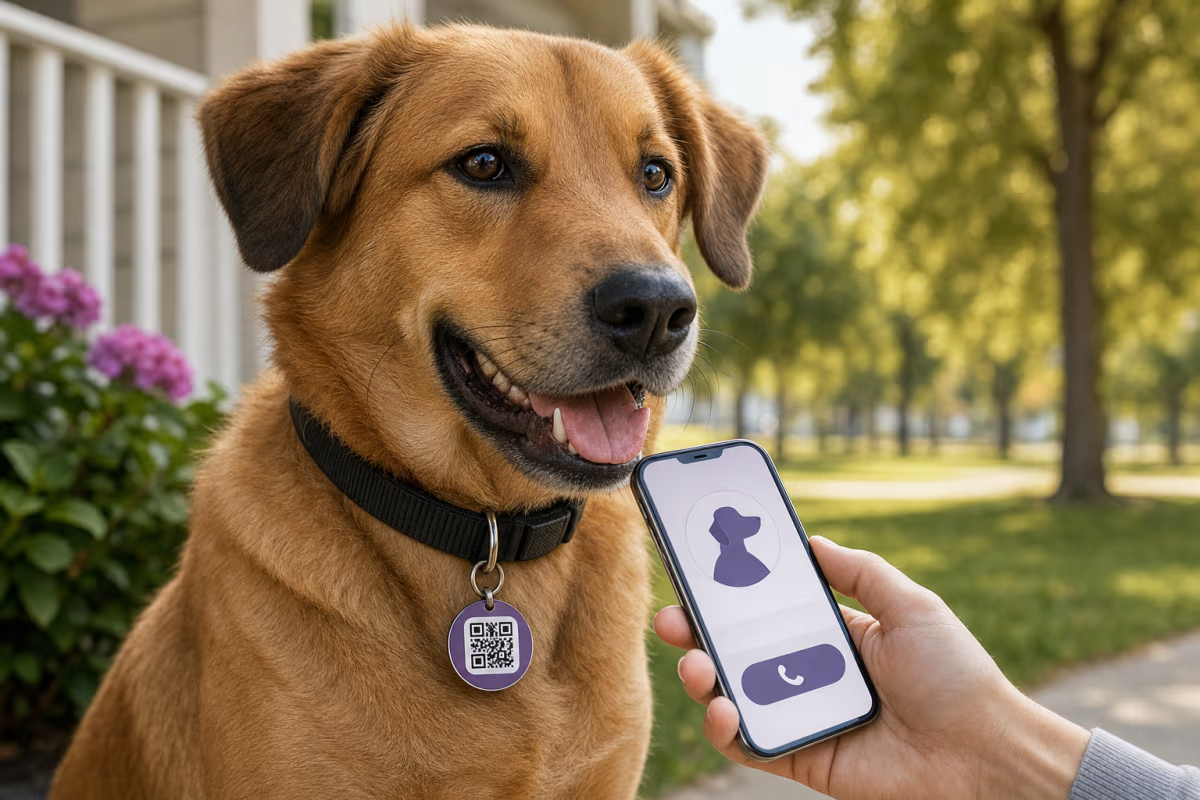
A pet QR code tag is a collar tag that opens a mobile page with contact and pet information when someone scans it. It can give a finder more context than a small engraved tag, and a dynamic URL QR lets you change the destination later without replacing the printed pattern.
Use the QR tag as one identification layer, not the only one. The American Animal Hospital Association recommends current collar identification for dogs and cats and keeping registered microchip contact information up to date. The ASPCA supports a microchip paired with a collar and personalized ID tag.
A QR tag is not GPS. It cannot continuously locate a pet, and a scan does not prove who has the pet or exactly where the animal is. Its job is to make the contact path easy when a finder notices and scans the tag.
How the identification layers work together
| Layer | What a finder needs | Useful strength | Important limit |
|---|---|---|---|
| Visible engraved ID | Readable tag and no phone | Immediate name or phone number | Space is limited and details require a new tag when they change |
| Pet QR code tag | A phone that can scan the code and open the page | More contact and pet context, with an editable web destination when dynamic | The tag must remain attached, readable, and connected to a working page |
| Registered microchip | A compatible scanner at a veterinary clinic, shelter, or animal-control service | Permanent identification if the collar is missing | It is not GPS and the registry contact information must stay current |
What to put on the pet profile
Show the information a finder needs to make safe contact, then stop. A practical profile can include:
- A recent, clear photo and a short physical description.
- Your preferred phone number and one backup contact.
- A brief handling note, such as Shy, please do not chase.
- An urgent medical need that affects immediate handling.
- Your veterinarian or local emergency contact when that is genuinely useful.
- A visible date showing when the contact details were last checked.
Do not publish your home address, passwords, account details, private documents, or a detailed routine. A microchip number is not required for a public QR profile. Keep the microchip registered with a participating registry and verify its contact information directly.
Put a readable phone number on the physical tag or its reverse side when space allows. That gives a finder a fallback when the QR is scratched, the phone has no connection, or the profile page is unavailable.
How to make a pet QR code tag with QRLynx
Create the public contact page first, then build and physically test the tag.
Create a pet contact page
Use a mobile-friendly page you can maintain. Add a recent photo, preferred contact number, backup contact, short handling note, and only the urgent information a finder needs.
Choose static or dynamic URL
Use a static URL QR if the page address will stay the same. Use a dynamic URL QR if you may need to repoint the printed tag to a different page later or want scan analytics. Editing content on the same web page does not require changing either QR type.
Create the QR in QRLynx
Paste the public page URL into the QRLynx URL generator. Keep the design simple, use strong contrast, preserve the quiet zone, and avoid a logo on a very small tag.
Choose a suitable physical tag
Use a tag and attachment method appropriate for your pet, collar, environment, and activity. The QR surface should resist water and abrasion without adding unsafe weight or sharp edges.
Test the finished tag
Scan the actual tag with more than one phone in indoor and outdoor light. Confirm the page opens, contact actions work, and the code remains readable while the tag hangs in its normal position. Recheck it regularly for wear and stale details.
Pet profile ready
Create the QR for your pet tag
Connect the public pet profile to a clear URL QR, then test the finished physical tag before attaching it to the collar.
Static or dynamic QR for a pet tag?
Both can open a pet profile. A static QR stores the page URL directly in the pattern. If you edit the content at that same URL, the tag keeps opening it. Use a dynamic QR when you want to change the destination URL itself after printing or review QRLynx scan activity.
The free Starter plan includes 3 active dynamic QR codes, unlimited scans, and three months of analytics. Ordinary dynamic codes do not expire because of time or scan volume, but deletion, manual deactivation, account state, invalid destinations, abuse action, explicit expiry, or downgrade overage can affect resolution. Do not print a promise that any hosted page or dynamic link will work forever under every condition.
QRLynx scan analytics record an interaction with the dynamic tag. A scan can tell you that the code was used at a particular time and provide the analytics available to the account's plan. It does not prove that the scanner has secured the pet, identify the finder, or provide live GPS tracking. Keep the contact action prominent so the finder can call or message you directly.
Make the tag readable in real conditions
- Use dark modules on a light background with a clear quiet zone.
- Keep the destination short enough to avoid an unnecessarily dense QR.
- Avoid placing a large logo inside a small tag code.
- Use a protected printed or engraved surface suitable for water, dirt, and abrasion.
- Test the exact tag, not only the image on a screen.
- Replace the tag when scratches, glare, bending, or wear make scanning unreliable.
Error correction can help recover some obscured data, but it does not make a damaged or poorly printed tag guaranteed to scan. Use the QR code readability checker before ordering, then scan the physical sample after production.
What a finder should see
The first screen should make the next action obvious: identify the pet, show one primary contact button, provide a backup contact, and display any short safety note. Avoid a long biography before the phone number.
Give the page a normal link as well as a phone action when possible. Some finders will not want to call immediately, and some devices or situations may make messaging easier. A finder may also take the pet to a veterinary clinic, shelter, or animal-control service for a microchip scan.
Dogs, cats, and multi-pet households
Create a separate profile and QR for each pet so the photo, handling note, and contact route match the animal wearing the tag. The free Starter plan's configured dynamic allowance can cover several pets, but each active dynamic URL uses one slot.
Choose a collar and tag setup appropriate for the animal. For cats or small pets, discuss collar fit, release design, tag weight, and individual health or behavior needs with a veterinarian. A QR tag adds contact information; it does not make an unsuitable collar safe.
Keep every identification layer current
Set a recurring reminder to scan the tag, inspect its attachment, open the profile while signed out, and verify both contact numbers. Separately check that the microchip is registered, the registry participates in a useful lookup service, and the stored owner details are current. AAHA also recommends having a pet's microchip scanned periodically to confirm function and location.
Pet QR code tag questions
What is a pet QR code tag?
A pet QR code tag is a collar tag that opens a public pet contact page when scanned. The page can show a photo, owner and backup contact options, and a short handling or urgent medical note.
How do I make a pet QR code tag for free?
Create a mobile-friendly pet contact page, generate a URL QR in QRLynx, put the QR on a suitable physical tag, and test the finished item. Static QR creation is free. The free Starter plan also includes 3 active dynamic QR codes when post-print destination changes or analytics are useful.
Should a QR tag replace a microchip?
No. Use them as complementary identification layers. A finder can read a visible tag immediately, while a registered microchip provides identification if the collar is missing and a clinic or shelter scans the pet.
Is a pet QR code a GPS tracker?
No. A QR tag has no GPS radio, battery, or continuous location feed. A dynamic QR can record a scan interaction, but that is different from tracking the pet's live location.
Can I update the pet profile without replacing the tag?
Yes, if you edit content at the same page URL. A dynamic URL QR also lets you change the destination URL without changing the printed pattern. Keep the page and the dynamic link active and test them regularly.
What information should I avoid publishing?
Avoid a full home address, passwords, account information, identity documents, and detailed routines. A public microchip number is not necessary for the QR profile. Share the minimum information that helps a finder contact you and handle the pet safely.
Will I know when someone scans the tag?
A QRLynx dynamic QR records scan activity available in your analytics. A scan does not identify the finder, prove that the pet is secure, or provide live GPS. The finder still needs to contact you or a local pet service.
How do I make a small pet tag easier to scan?
Keep the QR simple, use strong contrast and a clear quiet zone, avoid a central logo, protect the surface from abrasion, and test the physical tag with several phones. Replace it when wear or glare interferes with scanning.
Can I use one QR code for several pets?
A shared household page is possible, but a separate profile and QR for each pet gives the finder the correct photo and handling notes immediately. Each active dynamic QR uses one dynamic slot.
Does a DIY pet QR tag require a subscription?
The QRLynx QR can be created on the free Starter plan, but the physical tag, profile-page hosting, domain, and any third-party service can have their own costs or terms. Verify the complete setup instead of assuming every part is permanently free.
Build a contact path, then test the tag
A useful pet QR tag does one job well: it helps a finder reach the right person. Keep the public profile focused, pair the tag with visible contact information and a registered microchip, and test the physical tag throughout its life.
Create the URL QR with the QRLynx generator. Review static and dynamic QR codes before choosing editability and analytics, and use the QR sticker guide when selecting a protected label or adhesive.