How to Create a Video QR Code with QRLynx
Host the video first, create the matching QR in QRLynx, and test the complete scan and playback path before printing.

Key Takeaway
Choose a video host, create the matching QRLynx QR code, test access and playback, and measure QR scans separately from video views.
What is a video QR code?
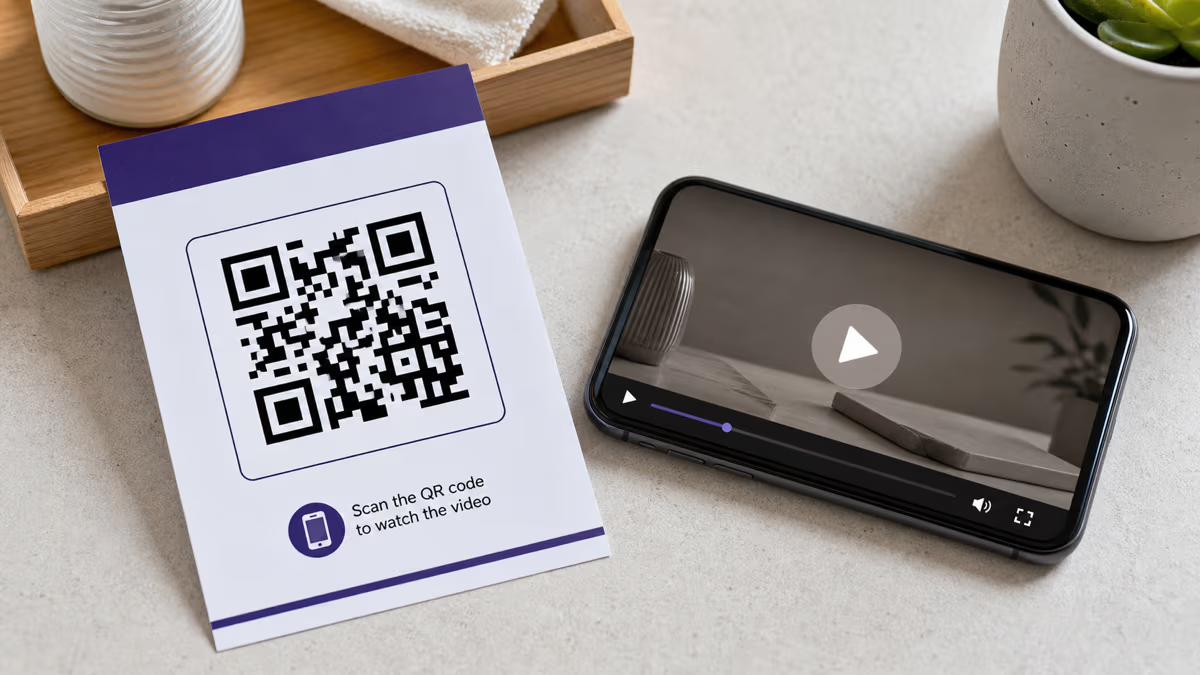
A video QR code is a QR symbol that contains a link to a video destination, such as a YouTube watch page, Vimeo video, shared Google Drive file, hosted MP4, or web page with an embedded player. Scanning opens that destination. The video host and the phone then control access, loading, playback, captions, and viewing metrics.
QRLynx does not place the video file inside the QR code or host an MP4 through the Website / Link workflow. Prepare an accessible video URL first. Then use Website / Link for any supported HTTPS destination, or choose the dedicated YouTube, Vimeo, or Google Drive type to keep the saved code clearly identified in your dashboard.
A dynamic QRLynx QR can keep the printed short link stable while you change the destination and can record eligible QR scans. It does not turn a scan into a confirmed video view. Use the video host's own analytics for views, watch time, and completion.
Choose the video destination before creating the QR
The QR opens a link. The destination determines who can watch and what happens next.
| Destination | Useful fit | Access boundary | QRLynx type |
|---|---|---|---|
| YouTube public video | Tutorials, demonstrations, talks, and content intended for discovery | Anyone who can open the watch page can view, subject to YouTube availability and restrictions | YouTube or Website / Link |
| YouTube unlisted video | A video omitted from normal search and channel listings | Anyone with the link can watch and reshare it; unlisted is not access control | YouTube or Website / Link |
| Vimeo video | Portfolio, client, training, or embedded video workflows | Public, unlisted, password, embed-only, private, and organization options have different requirements and plan availability | Vimeo or Website / Link |
| Google Drive video file | A shared file or organization-controlled training resource | Anyone with the link can open without signing in only when that general-access setting is allowed; restricted files still require permission | Google Drive or Website / Link |
| Hosted MP4 URL | Teams that already operate a reliable web or media delivery service | The server must allow the intended audience to load the file on mobile and must remain available | Website / Link |
| Video landing page | A product demonstration, course preview, campaign, or support page with context and another action | The page owner controls the player, accessibility, analytics, consent, and downstream action | Website / Link |
How to create and test a video QR code in QRLynx
Start with the video destination and finish with the physical scan and playback test.
Choose the viewer's task
Decide whether the person should watch one public video, open an unlisted video, authenticate for internal training, enter a password, download an MP4, or continue on a landing page. This decision controls the host and permission settings.
Prepare the video destination
Upload or publish the video in the system that will serve it. Set the intended public, unlisted, password, organization, or restricted access. Add accurate captions and a useful thumbnail in the host when those options are available.
Copy and verify the exact link
Copy the link to the specific video or landing page, not a channel or file-management screen. YouTube's Share panel can create a link for a selected timestamp when the viewer should start at one moment. Open the final link in a signed-out private browser on a phone. Confirm that the intended audience can reach the video and that restricted viewers are correctly stopped or asked to authenticate.
Choose the QRLynx QR type
Use YouTube for a YouTube link, Vimeo for a Vimeo video, Google Drive for a Drive share link, or Website / Link for another hosted video, direct MP4 URL, social post, or landing page. These are URL-based QRLynx types, so the selected destination remains the source of playback.
Choose static or dynamic behavior
Choose static when the exact URL will remain stable and QRLynx scan analytics are unnecessary. Choose dynamic when the destination may change after printing or eligible QR scans should be recorded. The free Starter plan includes 3 active dynamic QR codes and unlimited scans.
Design and label the action
Use strong contrast, preserve a clear quiet zone, and add a specific label such as Watch the setup video or Scan for the training clip. A registered Starter account can add a logo and use raster downloads. resolution-independent SVG and A4 PDF downloads begin with Starter+.
Test the complete journey
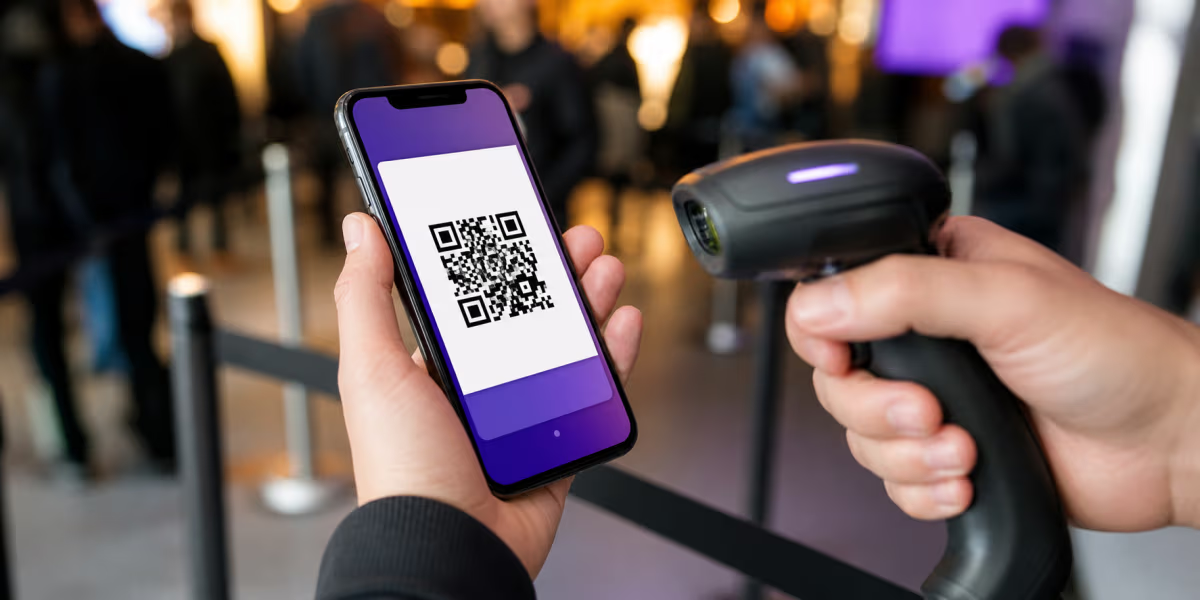
Scan the final image and one physical proof on representative iPhone and Android devices. Test WiFi and cellular data, portrait and landscape playback, captions, sound controls, authentication, password entry, and the fallback URL. Confirm QRLynx scan recording separately from the host's video metrics when both are expected.
Video link and permissions ready
Create the video QR code in QRLynx
Paste the verified video or landing-page URL, choose static or dynamic behavior, label the scan action, and test one physical proof.
Static or dynamic video QR code?
| Decision | Static QR | Dynamic QRLynx QR |
|---|---|---|
| What is encoded | The final video or page URL | A QRLynx short link that resolves to the current destination |
| Change destination after printing | No | Yes, while the saved dynamic code remains active |
| Change video content at the same URL | Yes, when the host preserves that URL | Yes, when the host preserves that URL |
| QRLynx scan analytics | No | Yes |
| Video views and watch time | Measured by the video host when supported | Measured by the video host when supported |
| Does the QR itself expire | The encoded pattern does not expire, but the destination can move, become restricted, or disappear | The printed pattern can remain usable while the QRLynx route, account, and chosen destination remain active |
A QR link does not grant video access
Anyone with a broadly shared link may be able to open it, so do not call that setup private merely because the URL is hard to guess. YouTube says an unlisted video can be watched by anyone with the link and does not require a Google Account. Google Drive's Anyone with the link setting also allows access without sign-in, when the account or organization permits that sharing mode.
For controlled training or client material, use the host's real access controls. A restricted Drive file can require an approved Google account. Vimeo can require a password, team membership, organization authentication, or an allowed embed location depending on the selected privacy setting and plan. QRLynx opens the link and does not bypass those controls.
Test with the same identity state as the audience. A successful test while signed in as the owner proves very little about what an employee, customer, guest, or client can see.
Measure the QR scan and video viewing separately
A dynamic QRLynx video QR can record the scan that opens the destination. The free Starter plan includes 3 months of scan analytics. Country detail begins on Pro. City, device, operating-system, browser, and CSV export begin on Business.
A scan is not a confirmed play. The person can close the page, fail authentication, lose connectivity, or decide not to press play. YouTube Analytics, for example, reports legitimate views, watch time, and average view duration. Other hosts expose their own metrics and definitions.
Use distinct QRLynx codes when comparing placements will support a real decision, such as packaging versus a shelf card or a training label on two machines. Use the host's viewing analytics to understand what happened after the destination opened. If the video sits on a landing page, use that page's analytics for the next action, subject to the site's privacy and consent requirements.
Match the video and label to the placement
| Placement | Useful destination | What to test |
|---|---|---|
| Product packaging | Short setup, assembly, care, or troubleshooting video | Viewing distance, glare, cellular load, product-version accuracy, and a written fallback |
| Equipment or workplace label | Current operating or training page with the required access controls | Authentication, gloves or working position, safety context, version owner, and an offline procedure |
| Event sign or booth | Demonstration, speaker clip, recap, or campaign page | Crowd distance, lighting, sound-off captions, network congestion, and a clear next action |
| Real-estate flyer or sign | Current property walkthrough or listing page | Listing status, outdoor readability, mobile playback, and who removes or updates the route |
| Business card or portfolio | Short introduction, reel, case study, or portfolio page | Professional context, length expectation, captions, and whether a platform account is required |
| Classroom, exhibit, or printed guide | Focused explanation or demonstration for that item | Accessibility, volume, captions, audience permissions, connectivity, and an equivalent text route |
Playback and accessibility checklist
- Open the exact link: point to the video, timestamp, or landing page the label promises.
- Verify permissions: test signed out and with a representative restricted account when access is controlled.
- Plan for a connection: a normal hosted video QR requires internet access to reach and stream the destination.
- Use captions: captions help in quiet, noisy, shared, and accessibility contexts.
- Do not promise autoplay: the host, browser, device, sound state, and user settings control playback behavior.
- Make the label specific: say what the person will see and, when useful, how long or what language it uses.
- Provide a fallback: print a readable short URL or another route when the video carries important instructions.
- Assign an owner: record who maintains the video, permissions, QRLynx destination, printed placements, and review date.
Troubleshoot the complete path
The QR scans but the video is unavailable: open the stored destination from the QRLynx dashboard, then check whether the host removed the file, changed the link, restricted the viewer, blocked external sharing, or requires authentication.
The owner can watch but other people cannot: test in a signed-out private window. Review YouTube visibility, Vimeo privacy, Drive general access, organization policy, password delivery, and allowed embed domains.
The video buffers: compare WiFi and cellular data, test the host's mobile player, review the file-delivery setup, and provide a lighter or adaptive-streaming destination when the current host cannot serve the audience reliably.
The wrong video opens: verify the exact destination in the saved QRLynx record. Update a dynamic destination when appropriate, then scan the same physical code again. A static code requires the original encoded URL to remain correct.
QRLynx shows more scans than the host shows views: that can be a valid difference. QRLynx records eligible QR opens, while the host applies its own view definition and the viewer may leave before a view is counted.
Video QR code questions
How do I create a video QR code in QRLynx?
Host the video first and verify its exact sharing link. In QRLynx, choose YouTube, Vimeo, Google Drive, or Website / Link for another hosted video or landing page. Choose static or dynamic behavior, add a clear label, download the artwork, and test the final scan, access, and playback path on representative phones.
Can QRLynx upload and host my MP4 video?
The Video QR workflow links to a video destination; it does not upload and host the MP4 through QRLynx. Put the file on a suitable video, cloud, media-delivery, or web service, confirm that the intended audience can open it, then create a Website / Link QR for that HTTPS URL.
Does scanning a video QR code play the video automatically?
Scanning opens the linked destination. Whether playback starts automatically depends on the video host, browser, device, sound state, and user settings. Design for a clear tap-to-play path and test the actual destination rather than promising autoplay.
Can a video QR code work without internet?
A phone can recognize the QR pattern without internet, but a normal YouTube, Vimeo, Drive, hosted MP4, or web-page destination needs a connection to open and stream. Provide another route when the video carries essential instructions in a place with unreliable connectivity.
Can I change the video without reprinting the QR?
Yes with an active dynamic QRLynx QR. Update its destination to the new verified video link while the printed short link stays the same. A static QR also keeps working when the host replaces the video at exactly the same URL, but QRLynx cannot change the URL encoded in a static code.
Does QRLynx track video plays?
QRLynx tracks eligible scans of a dynamic QR, not confirmed video plays, watch time, or completion. Use the video host's analytics for viewing behavior and QRLynx analytics for the printed scan route.
Is an unlisted YouTube video private?
No. YouTube says an unlisted video is omitted from normal search results and channel listings, but anyone with the link can watch it and can reshare the link. Use a platform and access setting that matches the real privacy requirement.
Can I use a password-protected Vimeo video?
Yes when the Vimeo account and selected privacy setting support it. The viewer opens the Vimeo destination and enters the video password. QRLynx does not store or bypass that password, so provide it through an appropriate separate channel and test the complete route.
Why does my Google Drive video ask viewers to sign in?
The file may be restricted, organization policy may block public link sharing, or the viewer may not have permission. Set the intended access in Drive and test from a signed-out phone. Do not use Anyone with the link for material that requires identity-based access.
Should I use a static or dynamic video QR code?
Use static when the exact video URL will remain stable and QRLynx scan analytics are unnecessary. Use dynamic when the destination may change after printing or scan measurement will guide a real decision. The QR type does not change the host's video permissions or viewing analytics.
Which QRLynx download format should I use for print?
Use the format accepted by your printer and test a physical proof. Registered Starter accounts include PNG, JPG, WebP, and PNG HD. resolution-independent SVG and A4 PDF QR downloads begin with Starter+. Preserve contrast and the quiet zone at the final printed size.
Can a YouTube QR link to a specific time?
Yes. YouTube's Share panel can create a link that starts at a selected timestamp. Copy that exact link into QRLynx, then test it on a phone because the final playback behavior still belongs to YouTube and the viewer's device.
Sources and verification
QRLynx product statements were checked against the current URL-based QR type registry, QR create and update workflow, plan entitlements, analytics-history contract, and download-format gates. Video sharing and measurement boundaries were checked against YouTube's video sharing guidance, YouTube's privacy settings, YouTube Analytics definitions, Vimeo's privacy settings, Vimeo's sharing behavior, and Google Drive sharing guidance. Host plans, permissions, and product behavior can change, so verify the selected destination before each print run.