How to Create a YouTube QR Code for Your Channel or Video (2026 Guide)

Ahmad Tayyem
· 25 min read
How to Create a YouTube QR Code for Your Channel or Video (2026 Guide)

Key Takeaway

Learn how to create a QR code for your YouTube channel, video, playlist, or Shorts. Covers subscriber link QR codes, analytics tracking, design tips, use cases for print and events, and step-by-step instructions using QRLynx.

Why Every Creator and Business Needs a YouTube QR Code

YouTube is the world's second-largest search engine and the dominant video platform with 2.7 billion monthly active users as of 2025. Whether you are a content creator building an audience, a business running video ad campaigns, or a musician promoting a new release, there is one persistent challenge: getting people from the physical world to your YouTube content. Typing a long YouTube URL on a phone is friction that kills conversions. A YouTube QR code eliminates that friction entirely — one scan, and the viewer is watching your video in under two seconds.

The numbers tell the story. According to Statista, an estimated 102.6 million people in the United States alone will scan a QR code in 2026, up from 89 million in 2022. Meanwhile, QR Tiger reports that website and URL QR codes account for roughly 50 percent of all business QR code usage. And QR Code KIT data shows global QR code scans increased 57 percent year-over-year in 2025. A Bitly survey found that 94 percent of marketers increased their QR code usage over the past 12 months. The infrastructure is in place, the user behavior is established, and video content is where the attention is. A YouTube QR code sits at the intersection of all three trends.

This guide covers every type of YouTube QR code you can create — channel, video, playlist, Shorts, and subscriber links — plus analytics tracking, design tips, use cases across industries, and step-by-step instructions for building one with QRLynx. If you are new to QR codes altogether, start with our complete QR code creation guide and then come back here for YouTube-specific strategies.

Types of YouTube QR Codes: Channel vs Video vs Playlist vs Shorts

Not all YouTube QR codes serve the same purpose. The type of link you encode determines the viewer experience after they scan. Choosing the right one depends on your goal — subscriber growth, video views, playlist engagement, or Shorts discovery. Here is a detailed comparison.

QR TypeURL FormatOpens ToBest For
Channel QRyoutube.com/@YourHandleChannel homepage with Subscribe buttonBusiness cards, merch, long-term brand promotion
Video QRyoutube.com/watch?v=VIDEO_IDSpecific video playback pageProduct demos, tutorials, event recaps, ads
Playlist QRyoutube.com/playlist?list=PLAYLIST_IDPlaylist page with auto-play queueCourse content, recipe series, training modules
Shorts QRyoutube.com/shorts/VIDEO_IDVertical Shorts player with swipe feedSocial media cross-promo, event teasers, quick tips
Subscriber Link QRyoutube.com/@Handle?sub_confirmation=1Channel page with subscribe confirmation popupMerch inserts, event handouts, subscriber drives

Channel QR Code

A channel QR code links to your YouTube channel homepage. When someone scans it, they see your channel art, description, recent uploads, and the Subscribe button. This is the best option for long-term brand promotion — on business cards, product packaging, or storefront signage — because it does not expire when a specific video ages out of relevance. Use your channel handle URL (youtube.com/@YourHandle) for the cleanest link.

Video QR Code

A video QR code links directly to a specific YouTube video. The viewer lands on the playback page and the video begins playing (or shows the thumbnail with a play button, depending on their settings). This is ideal for time-sensitive campaigns: product launches, event recap videos, tutorial walkthroughs, or ads in print magazines. The risk is that the video may eventually become outdated — which is why using a dynamic QR code is essential so you can swap the destination to a newer video without reprinting.

Playlist QR Code

A playlist QR code opens a curated sequence of videos. The viewer sees the playlist page and videos play in order. This is powerful for educational content, onboarding sequences, recipe collections, or training programs where the order of viewing matters. Fitness trainers can create a "30-Day Workout" playlist QR for gym posters. Cooking channels can create a "Holiday Recipes" playlist QR for seasonal packaging inserts.

Shorts QR Code

YouTube Shorts are vertical videos under 60 seconds. A Shorts QR code opens the video in the dedicated Shorts player, which includes the vertical swipe-to-next interface. This format works well for quick tips, behind-the-scenes clips, event teasers, and social media cross-promotion. The immersive Shorts experience keeps viewers engaged and encourages them to swipe through more of your content after watching the initial Short.

One of the most underused YouTube growth tactics is the subscriber confirmation link. By appending ?sub_confirmation=1 to your channel URL, you create a link that triggers a subscribe confirmation popup the moment someone visits your channel. Combined with a QR code, this turns a physical scan into a one-tap subscribe action — no searching, no browsing, no forgotten intentions.

The format is simple:

https://www.youtube.com/@YourHandle?sub_confirmation=1

When a viewer scans this QR code, they land on your channel page and immediately see a popup asking them to confirm the subscription. On mobile (where most QR scans happen), this popup is prominent and frictionless. The viewer taps "Subscribe" and they are done — your channel is added to their feed.

  • Merch and product inserts: Print the QR code inside product packaging with a call-to-action like "Scan to subscribe for tutorials and behind-the-scenes content." Viewers who just bought your product are your warmest audience.
  • Event handouts: Conference speakers, workshop leaders, and panel participants can include a subscriber QR on their handout or slide deck. The audience is already engaged with your content — make subscribing effortless.
  • Physical signage: Retail stores, restaurants, and gyms can display a subscriber QR code near the register or entrance. "Scan to subscribe for weekly deals and tips on our YouTube channel."
  • Print ads and flyers: Magazine ads, flyers, and brochures benefit from a clear subscribe CTA. The reader does not need to remember your channel name or search for it later.

Subscriber link QR codes work best when paired with a compelling reason to subscribe. Do not just say "Subscribe to our channel." Say "Subscribe for weekly 5-minute cooking tutorials" or "Subscribe for exclusive behind-the-scenes content you will not find anywhere else." Give the viewer a specific value proposition that justifies the action.

Tracking YouTube QR Code Campaigns with Analytics

Creating a QR code is step one. Understanding how it performs is what separates casual usage from strategic marketing. With a dynamic QR code from QRLynx, every scan is logged with detailed metadata that helps you optimize your campaigns over time.

What QRLynx Tracks

Each scan of a dynamic YouTube QR code records:

  • Total scans and unique visitors: Know how many times your code was scanned and how many individual people scanned it.
  • Geographic location: Country and city-level data showing where your scanners are located. Essential for regional campaigns.
  • Device type: iPhone vs Android vs tablet vs desktop. Helps you understand your audience's technology profile.
  • Time and date: See when scans peak — during an event, after a social media post, or on specific days of the week.
  • Referral context: If the QR code is placed in different locations (business card vs poster vs packaging), create separate QR codes for each placement to compare performance.

For a deeper dive into scan analytics, see our complete guide on how to track QR code scans.

UTM Parameters for YouTube Analytics Integration

To connect your QR code scan data with YouTube Studio analytics, add UTM parameters to the destination URL before creating your QR code. For example:

https://www.youtube.com/watch?v=VIDEO_ID&utm_source=qr_code&utm_medium=print&utm_campaign=product_launch_2026

YouTube does not display UTM data directly in YouTube Studio, but if you use Google Analytics on a landing page that redirects to YouTube, or if you route scans through a link-in-bio page with Google Analytics installed, you can see exactly which physical placements drive the most video views. This is especially powerful for businesses running multi-channel campaigns across flyers, packaging, business cards, and in-store displays.

A/B Testing YouTube QR Code Placements

Create separate dynamic QR codes for each physical placement. For example: one code for product packaging, one for business cards, one for event signage, and one for print ads. Each code points to the same YouTube URL but has its own scan analytics in QRLynx. After a month, compare which placement generated the most scans. This data-driven approach tells you exactly where to invest your QR code real estate for maximum YouTube views.

Use Cases: Where to Put Your YouTube QR Code

A YouTube QR code is only valuable if people see it and scan it. Placement is everything. Here are the highest-impact use cases across industries and contexts.

Business Cards

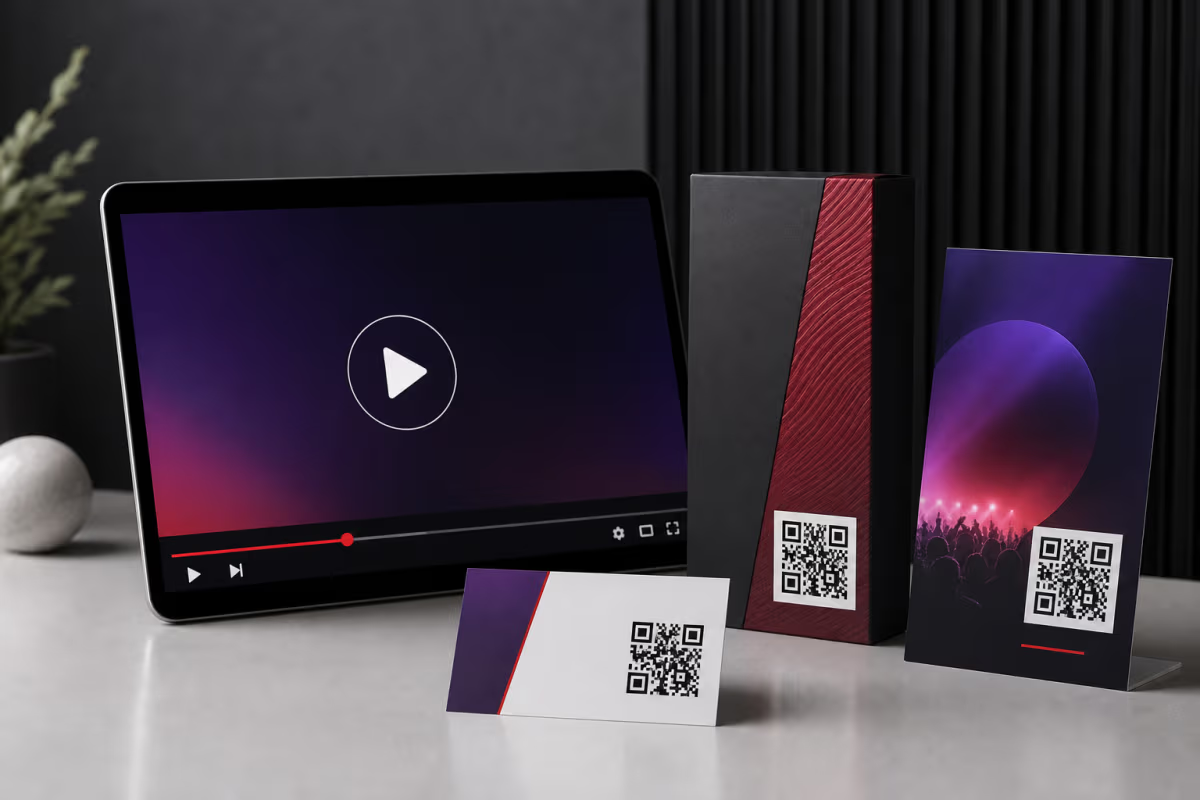
Add a small YouTube QR code to the back of your business card linking to your channel or a highlight reel video. This works exceptionally well for real estate agents (property tour videos), personal trainers (workout demos), consultants (thought leadership content), and musicians (latest music video or live performance clip). The card lives in a wallet or on a desk — every time the recipient sees it, your content is one scan away.

Event Screens and Conference Talks

Display your YouTube QR code on presentation slides during conferences, workshops, and webinars. The audience can scan while you are still on stage and subscribe or watch a related video immediately. Place the code on the first slide, the last slide, and any slide where you reference a video. Speakers at tech conferences have reported subscriber spikes of 200 to 500 new subscribers from a single 45-minute talk when they display a subscriber link QR code throughout the presentation.

Print advertisements in magazines, newspapers, and trade publications reach audiences who cannot click a link. A QR code is the bridge. Place it next to the ad's call-to-action: "Watch the full demo" or "See our customer stories." Fashion brands, automotive companies, and consumer electronics manufacturers are leading adopters of YouTube QR codes in print advertising because their products are best demonstrated through video.

Product Packaging

Print a YouTube QR code on product boxes, inserts, labels, or hang tags. Link to setup tutorials, recipe ideas, styling guides, or assembly instructions. The customer has your product in hand — this is the moment they are most motivated to engage with your video content. Food brands link to cooking tutorials. Tech companies link to unboxing and setup videos. Beauty brands link to application technique demos. For more on packaging QR codes, see our QR code creation guide.

Conference and Trade Show Booths

Large-format QR codes on banners, table displays, and booth walls let attendees scan and watch product demos or company overview videos without waiting for a sales representative. At a busy trade show, your booth staff may be occupied — the QR code works 24/7. Create separate codes for different videos (product demo, customer testimonial, company story) and compare which one gets the most scans.

Musician Merch and Album Art

Musicians and bands can print YouTube QR codes on t-shirts, hoodies, album covers, vinyl sleeves, stickers, and concert posters. Link to the latest music video, a live performance, or a playlist of your discography. Fans wearing your merch become walking billboards — and anyone curious enough to scan the code becomes a potential subscriber. This is one of the most organic growth channels for independent artists.

Restaurant and Retail Signage

Restaurants can display a YouTube QR code at the register or on table tents linking to cooking process videos, chef interviews, or behind-the-scenes content. Retail stores can link to product review videos or styling guides. The in-store environment is high-intent: customers are already interested in your brand, and video content deepens that relationship.

Design Tips for YouTube QR Codes

A well-designed YouTube QR code does not just work — it converts. The visual design signals professionalism, builds trust, and encourages scans. Here are the essential design principles for YouTube-specific QR codes.

Use YouTube's Brand Colors (Carefully)

YouTube's signature red (#FF0000) is instantly recognizable. Using it as your QR code's foreground color immediately signals that the code leads to video content. However, pure red on white can have lower contrast than black on white, so test scannability before printing. A darker red (#CC0000 or #B20000) maintains the YouTube association while improving contrast. Alternatively, use dark charcoal or black for the modules and add a red border or red CTA text around the code.

QRLynx lets you embed a logo in the center of your QR code. Adding the YouTube play button icon (the red rectangle with white triangle) instantly communicates what the code does. Keep the logo under 30 percent of the QR code's area to maintain scannability, and use at least Medium (M) error correction to compensate for the data covered by the logo. The play button is one of the most universally recognized icons in the world — leveraging it increases scan rates because people know exactly what to expect.

Include a Clear Call-to-Action

Never place a QR code without context. Add a label near the code that tells people what happens when they scan:

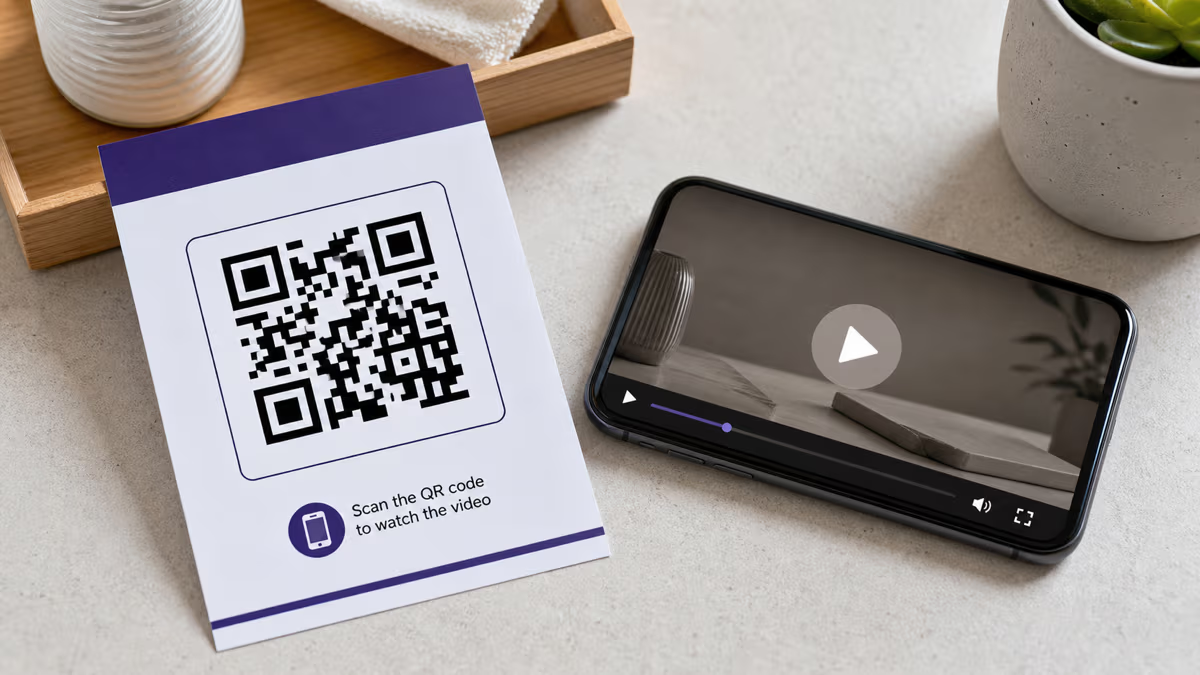
  • "Scan to watch the full video"
  • "Scan to subscribe to our channel"
  • "Watch the tutorial — scan here"
  • "See it in action — scan the code"

Research consistently shows that QR codes with a call-to-action label get 30 to 50 percent more scans than unlabeled codes. The label removes uncertainty and gives the viewer a reason to act.

Size for the Placement

Follow the minimum size rules for reliable scanning. On a business card, 0.8 to 1 inch (2 to 2.5 cm) is the minimum. On a poster or banner, scale up proportionally — the scanning distance increases with display size. A poster viewed from 6 feet away needs a QR code at least 3 to 4 inches across. For detailed print sizing specifications, see our QR code size guide for print.

Maintain Quiet Zone

Every QR code needs a white (or light) margin around it called the quiet zone. This margin should be at least 4 modules wide (the width of 4 of the smallest squares in the code). Without adequate quiet zone, nearby text, images, or page edges can confuse the scanner. When placing a QR code on a busy poster or packaging design, ensure the quiet zone is preserved even if the surrounding design is dense.

QR codes are not the only way to bridge physical media and digital video content. NFC tags and short links are common alternatives. Here is how they compare for YouTube promotion specifically.

FeatureYouTube QR CodeNFC TagShort Link (e.g., youtu.be)
Works on print mediaYes — posters, cards, packaging, adsNo — requires physical NFC chipPartially — must be typed manually
Scan distanceUp to 20+ feet with large codes1-2 inches (must tap phone to tag)N/A — requires typing
Cost per unitFree to create (print cost only)$0.30-$2.00 per NFC tagFree to create
Scan trackingYes (dynamic codes) — location, device, timeLimited — depends on NFC platformBasic click tracking only
Works at scaleYes — print 10,000 flyers, each one worksExpensive at scale ($0.30+ per tag)Yes — but conversion drops with typing friction
Editable after creationYes (dynamic) — change YouTube URL anytimeSome tags are rewritableOnly if using a redirect service
Best for YouTubePrint ads, packaging, events, signageSmart product labels, interactive displaysEmail, social media, digital-only campaigns

For YouTube promotion in the physical world — print advertising, product packaging, event materials, business cards, and signage — QR codes are the clear winner. They cost nothing to generate, work at any distance, scale infinitely with printing, and provide detailed scan analytics when using dynamic codes. NFC tags are better suited to smart product labels and interactive retail displays where the user is already holding the product. Short links work best in digital contexts like email signatures and social media bios where the user can click rather than type.

The ideal strategy for serious YouTube promotion is to use all three in their optimal contexts: QR codes for print and physical media, short links for digital communications, and NFC tags for premium interactive experiences.

Static vs Dynamic YouTube QR Codes

This distinction is critical for YouTube QR codes because video content changes frequently. A static QR code permanently encodes the YouTube URL into the QR pattern itself — once printed, the destination cannot be changed. A dynamic QR code routes through QRLynx's redirect server, allowing you to change the destination URL anytime without reprinting the code.

FeatureStatic YouTube QRDynamic YouTube QR
Destination URLPermanently fixed at creationChangeable anytime from dashboard
Scan analyticsNone — no tracking possibleFull: scans, location, device, time
Swap video without reprintingNo — must create and print new codeYes — update destination in seconds
QR pattern complexityHigher (full YouTube URL encoded)Lower (short redirect URL encoded)
Cost on QRLynxFree forever (unlimited static codes)Free plan: 3 dynamic codes; Lite $7/mo: 15; Pro $14/mo: 50
Best use casePermanent channel link that will never changeVideo campaigns, seasonal content, A/B testing

For nearly every YouTube use case, we recommend a dynamic QR code. The ability to swap videos without reprinting is invaluable — you can point the same QR code on your product packaging to a new product demo every quarter, or switch your event poster's QR from a teaser trailer to the full keynote recording after the event ends. The scan analytics alone justify the dynamic approach: knowing how many people scanned, where, and when lets you measure ROI on every physical placement.

The only scenario where a static YouTube QR code makes sense is when you are linking to a channel URL (youtube.com/@YourHandle) that will never change and you do not need to track scans. For everything else — individual videos, playlists, Shorts, campaigns, and subscriber links — go dynamic. Learn more in our static vs dynamic QR codes guide.

How to Create a YouTube QR Code with QRLynx

Where you physically place a YouTube QR code determines whether it gets scanned or ignored. Different print formats have different optimal placements based on viewing distance, user context, and available space.

Business Cards

Place the QR code on the back of the card, centered or in the lower-right quadrant. Size: 0.8 to 1 inch (2 to 2.5 cm). Include a one-line CTA: "Watch my reel" or "Subscribe to my channel." The back of a business card is prime real estate that most people leave blank — use it.

Flyers and Posters

For flyers (letter size or A4), place the QR code in the lower-right or lower-center area, sized at 1.5 to 2 inches (4 to 5 cm). For large posters (A2 and above), scale up to 3 to 5 inches. The QR code should be the clear next step after the reader absorbs the headline and key message. Position it near the call-to-action text. For comprehensive flyer design advice, see our flyer and poster QR code guide.

Product Packaging

On boxes, place the QR code on the top or front panel — not hidden on the bottom or inside a flap. On bottles and jars, place it on the back label where ingredients and instructions live. Size depends on the package, but ensure the code is at least 0.6 inches (1.5 cm) on the smallest axis. Link to assembly instructions, recipe ideas, or tutorial videos that enhance the product experience.

Event Banners and Stage Screens

For banners and pull-up displays at events, size the QR code proportionally to the viewing distance. A general rule: the code should be 1 inch wide for every 10 inches of scanning distance. A banner viewed from 5 feet (60 inches) away needs a code at least 6 inches wide. On presentation slides projected on a screen, make the QR code at least one-quarter of the slide height and display it for at least 15 seconds so the audience has time to pull out their phones and scan.

Merch and Apparel

T-shirts, hoodies, and hats require high-contrast QR codes that scan reliably on fabric. Use screen printing or DTG (direct-to-garment) printing for crisp module edges. Place the code on the back of the shirt (upper center) or on the front pocket area. Size: at least 3 inches for a shirt. Fabric textures and folds can interfere with scanning, so keep error correction at Medium (M) or Quartile (Q) and test the printed garment before mass production.

Wrapping Up: Your YouTube QR Code Strategy

A YouTube QR code is the fastest bridge between the physical world and your video content. Whether you are a creator building a subscriber base, a business driving product demo views, a musician promoting a new release, or a conference speaker capturing audience attention, the mechanics are the same: give people a frictionless, one-scan path from wherever they are to your YouTube content.

The key decisions are straightforward. Use a channel QR for long-term brand promotion on business cards and signage. Use a video QR for specific campaigns and product demos. Use a playlist QR for educational series and curated content. Use a subscriber link QR (?sub_confirmation=1) when subscriber growth is the primary goal. Choose dynamic over static so you can swap videos, track scans, and measure ROI without reprinting.

Design the code with YouTube branding — the play button logo, a red accent, and a clear call-to-action label. Size it appropriately for the print format. Test it before printing. Monitor your analytics. Iterate.

Ready to create your first YouTube QR code? Get started free on QRLynx — static codes are free forever, and the free plan includes 3 dynamic QR codes with 1,000 tracked scans per month. For serious campaigns, the Lite plan at $7 per month gives you 15 dynamic codes with unlimited scans, and the Pro plan at $14 per month adds smart redirects and 50 dynamic codes.

For more QR code strategies, explore these related guides:

Frequently Asked Questions About YouTube QR Codes

Can I create a QR code that links directly to my YouTube channel?

Yes. Copy your channel URL (e.g., youtube.com/@YourHandle) and paste it into QRLynx's URL QR code generator. When someone scans the code, they land on your channel homepage where they can browse your videos and subscribe. For best results, use a dynamic QR code so you can track how many people scan the code and where they are scanning from. Channel QR codes are ideal for business cards, merch, and storefront signage because they remain relevant regardless of which individual video is newest.

How do I make a QR code that auto-subscribes someone to my YouTube channel?

Append the parameter ?sub_confirmation=1 to your channel URL. For example: youtube.com/@YourHandle?sub_confirmation=1. When a viewer scans a QR code with this URL, they land on your channel page and immediately see a subscription confirmation popup. They tap Subscribe and it is done. This works on both mobile and desktop. Note that the viewer must be logged into their YouTube or Google account for the subscribe prompt to appear — otherwise they will see the channel page normally without the popup.

Should I use a static or dynamic QR code for YouTube?

Use a dynamic QR code for nearly every YouTube use case. Dynamic codes let you change the destination video without reprinting the code — essential for campaigns where you rotate content seasonally or want to A/B test different videos. Dynamic codes also provide scan analytics (total scans, location, device, time) so you can measure the ROI of each physical placement. The only exception is a permanent channel link that will never change and where you do not need tracking — for that, a static code is fine. QRLynx offers 3 free dynamic codes on the Starter plan.

What is the best YouTube URL format for a QR code?

It depends on your goal. For channel promotion, use youtube.com/@YourHandle. For a specific video, use youtube.com/watch?v=VIDEO_ID. For a playlist, use youtube.com/playlist?list=PLAYLIST_ID. For Shorts, use youtube.com/shorts/VIDEO_ID. For subscriber growth, use youtube.com/@YourHandle?sub_confirmation=1. Always use the full URL with https:// to avoid redirect chains. If you are using UTM parameters for tracking, append them after the video or channel parameter.

Can I track how many people scan my YouTube QR code?

Yes, if you use a dynamic QR code. QRLynx logs every scan of a dynamic code with the timestamp, geographic location (country and city), device type (iPhone, Android, tablet), and browser. You can view this data in real time from your QRLynx analytics dashboard. Static QR codes cannot be tracked because the YouTube URL is encoded directly in the pattern with no redirect server involved. For campaign tracking, create separate dynamic QR codes for each placement (business card, poster, packaging) so you can compare performance across channels.

How big should a YouTube QR code be on a poster?

The general rule is 1 inch of QR code width for every 10 inches of expected scanning distance. A poster viewed from 3 feet (36 inches) away needs a QR code at least 3.6 inches wide. For a standard A2 poster, 3 to 4 inches is a good starting size. For large banners at events viewed from 6 or more feet away, go to 6 inches or larger. Always test the printed code at the expected viewing distance before mass printing. For detailed sizing guidance across all print formats, see our QR code size guide for print.

Can I put a YouTube logo inside my QR code?

Yes. QRLynx lets you embed a custom logo in the center of your QR code. The YouTube play button icon (red rectangle with white triangle) is a popular choice because it immediately signals that the code leads to video content. Keep the logo under 30 percent of the QR code area to maintain reliable scanning. QRLynx automatically increases the error correction level when you add a logo to compensate for the data modules the logo covers. Test the code after adding the logo to confirm it scans correctly.

Will a YouTube QR code open the YouTube app or the browser?

On most modern smartphones, scanning a YouTube QR code will open the YouTube app if it is installed. Both iOS and Android recognize YouTube URLs and route them to the native app through deep linking. If the YouTube app is not installed, the link opens in the default browser. This app-opening behavior is ideal because the YouTube app provides a better viewing experience — full-screen playback, autoplay, and access to the user's subscription feed and watch later queue.

Can I create a QR code for a YouTube playlist?

Yes. Open the playlist on YouTube, copy the URL from the address bar (it will look like youtube.com/playlist?list=PLAYLIST_ID), and paste it into QRLynx. When someone scans the code, they see the full playlist with all videos listed and can play them in sequence. Playlist QR codes are perfect for educational content, training series, recipe collections, workout programs, and any curated content where viewing order matters. Use a dynamic code so you can add or rearrange videos in the playlist without changing the QR code.

How do I use a YouTube QR code on a business card?

Place a small QR code (0.8 to 1 inch) on the back of your business card. Link it to your YouTube channel, a highlight reel video, or a subscriber confirmation URL. Add a brief CTA like Watch my reel or Subscribe to my channel beneath the code. Use your brand colors for the QR code foreground and consider adding a small YouTube play button logo in the center. The back of a business card is often wasted space — a YouTube QR code transforms it into a direct connection to your video content.

Is it free to create a YouTube QR code?

Yes. QRLynx offers unlimited free static QR codes and 3 free dynamic QR codes on the Starter plan. A static YouTube QR code is completely free with no expiration or scan limits — it will work forever. Dynamic codes on the free plan include up to 1,000 tracked scans per month. For higher limits, the Lite plan at $7 per month provides 15 dynamic codes with unlimited scans, and the Pro plan at $14 per month offers 50 dynamic codes with smart redirect rules and advanced customization.

Can I change the YouTube video my QR code points to after printing?

Yes, but only if you created a dynamic QR code. With a dynamic code, you can log into your QRLynx dashboard and change the destination URL at any time — the printed QR code pattern stays the same but redirects to the new video. This is extremely useful for seasonal campaigns, product launches, event promotions, and any scenario where your featured video changes over time. If you used a static code, the URL is permanently encoded in the pattern and cannot be changed without creating and printing a new code.

Enjoyed this article? Share it!

Ready to Create Your Own QR Codes?

Start for free and upgrade as you grow. All plans include dynamic QR codes, analytics, and custom branding.

All plans include Unlimited Static QR Codes 39 QR Code Types Unbranded QR Codes Email Support
Starter
For personal projects
Free
No card required
  • 3 Dynamic QR Codes Editable QR codes — change the destination URL anytime
  • 1,000 Scans / Month Soft limit — QR codes keep working
  • 30-Day Analytics View scan data from the last 30 days
  • JPG, PNG, WEBP Downloads
  • Pause & Activate QR Codes Pause QR codes to stop scans, reactivate anytime within your plan limit
Starter+
For more personal projects
$5.83 /mo
$70 billed yearly
  • 15 Dynamic QR Codes
  • Unlimited Scans
  • 30-Day Analytics
  • Custom Logo Upload
  • SVG / PDF Downloads
  • 3 Folders
  • 5 MB PDF Upload
  • JPG, PNG, WEBP Downloads
Most Popular
Pro
Best for marketers
Everything you need for QR campaigns
$11.67 /mo
$140 billed yearly
  • 50 Dynamic QR Codes
  • Unlimited Scans
  • 60-Day Analytics Upgraded from 30 days
  • Password Protected QRs Require a password before showing QR content
  • Smart Redirect Rules Redirect by device, country, or time
  • Access Consent Screens Age verification, terms, disclaimers
  • Expiry Rules Auto-expire by date or scan count
  • QR Scheduling Set start/end times for QR activity
  • 5 Folders
  • 10 MB PDF Upload
Business
For teams & agencies
$24.17 /mo
$290 billed yearly
  • 250 Dynamic QR Codes
  • Unlimited Scans
  • 90-Day Analytics Upgraded from 60 days
  • Bulk QR (100/batch)
  • Team Management (3 Members) Invite team members to collaborate on QR codes, analytics, and folders
  • Lead Capture Forms Collect leads directly from QR code scans
  • 25 Folders
  • 20 MB PDF Upload
  • CSV Report Export
Enterprise
For large organizations
$82.50 /mo
$990 billed yearly
  • 1,000 Dynamic QR Codes
  • Unlimited Scans
  • Bulk QR (500/batch)
  • Retargeting Pixels Add Facebook, Google, GTM tracking pixels to QR landing pages
  • Team Management (10 Members) Invite up to 10 team members with role-based access control
  • White Label Domains Use your own domain for QR redirects (e.g. qr.yourbrand.com)
  • 100 Folders
  • 50 MB PDF Upload
  • Dedicated Success Manager

Why businesses choose QRLynx

Features most competitors charge extra for — included in every plan

39
QR Code Types
URL, WiFi, vCard, PDF & more
Bio Pages
Built-in Landing Pages
No Linktree needed
Unbranded
No Watermark on Free
Even on the Starter plan
Unlimited
Scans on All Paid Plans
No scan caps, no surprises
275+
Edge Locations
Sub-50ms redirects globally
Lead Forms
Capture Contacts
Built-in lead gen from scans
Smart Rules
Conditional Redirects
By device, location, or time
PDF QR
Upload & Share PDFs
Menus, flyers, documents

Ready to Transform Your QR Code Experience?

Join thousands of businesses already using QRLynx to create, customize, and track their QR codes with ease.

No credit card required
Free forever Starter plan
Cancel anytime