QR Code Table Tents: A Practical Restaurant Guide

Key Takeaway
Create a restaurant QR code table tent in QRLynx for menus, ordering, specials, reviews, loyalty, WiFi, or social, with tracking and print-testing steps.
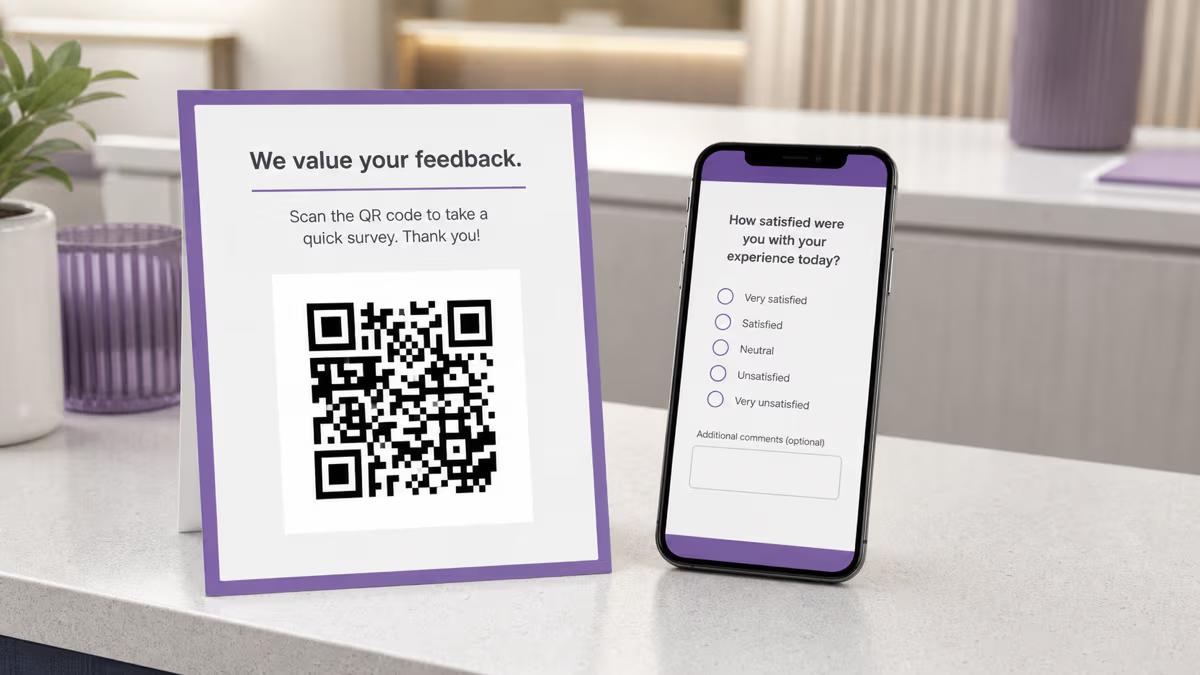
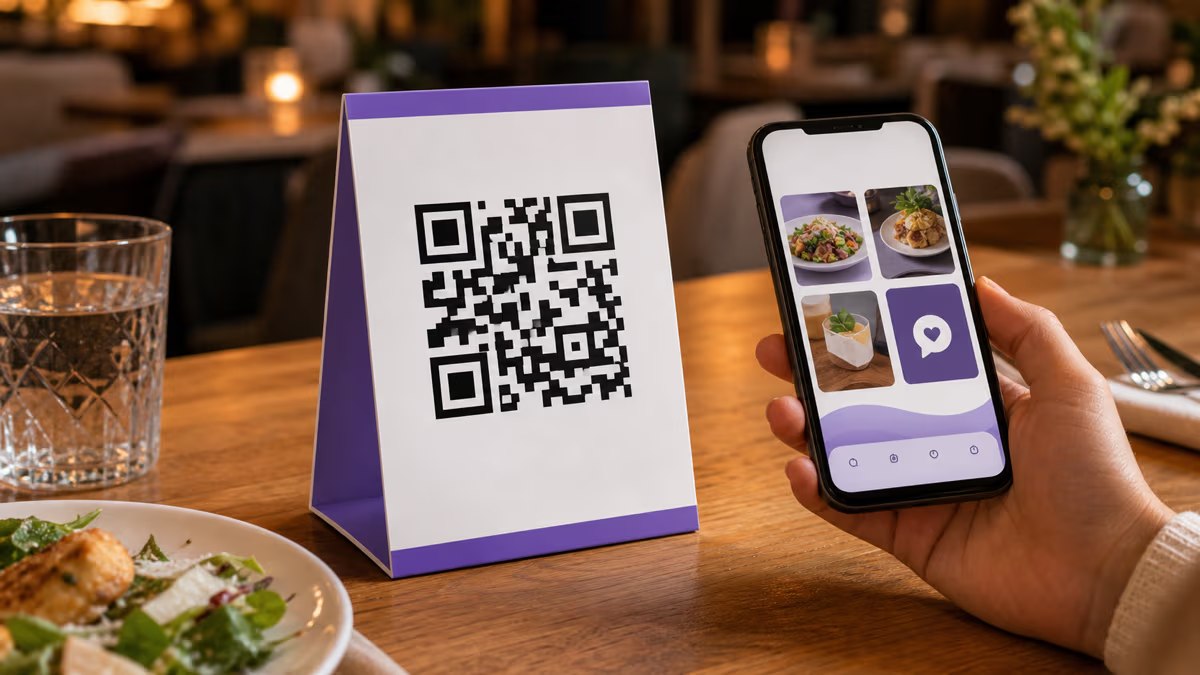
A restaurant QR code table tent should give guests one clear reason to scan, such as viewing a menu, ordering, checking a special, joining loyalty, opening WiFi details, following a social profile, or leaving an honest review. QRLynx supports each of these paths through Restaurant Menu, Website / Link, Google Review, WiFi, social, and Link-in-Bio QR types. Use a dynamic-capable type when the destination may change or the restaurant needs scan analytics. Use a static type when the payload is intended to be encoded directly, such as WiFi credentials.
The useful question is not whether table tents should promote a menu or something else. It is what action fits this table, moment, and guest. A menu can be the right destination. A special, order page, review request, or loyalty sign-up can also be right. This guide helps you choose the job, build it in QRLynx, and test the printed tent in the venue.
Match the table tent goal to a QRLynx QR type
| Guest action | QRLynx type | Behavior | What to measure |
|---|---|---|---|
| View a PDF menu | Restaurant Menu | Managed PDF route | Scans, then menu use separately |
| Open a web menu or order page | Website / Link | Static or dynamic | Scans, sessions, orders |
| See a current special | Website / Link | Dynamic recommended | Scans, offer claims or sales |
| Leave an honest Google review | Google Review | Managed review link | Scans and published reviews separately |
| Join loyalty or a mailing list | Website / Link | Dynamic recommended | Scans and completed sign-ups |
| Connect to guest WiFi | WiFi Access | Static | Successful connection testing |
| Choose among several links | Link-in-Bio | Managed hosted page | Scans and downstream actions |
| Follow one social account | Matching social type | Managed link | Scans and follows separately |
Menus are a valid table tent use
Guests do not all want the same dining experience. The National Restaurant Association reported that comfort with QR menu access varies substantially by age group, while many guests are comfortable using phones for ordering and payment. That supports choice rather than a universal paper-only or QR-only rule.
A table tent can open a web menu, a QRLynx Restaurant Menu QR backed by a PDF, an ordering page, or an accessible menu page. Keep a practical alternative available, such as a printed menu or staff assistance. The digital destination should load quickly, work on a phone without forcing an account, and keep prices, allergens, availability, and ordering boundaries clear.
Give each tent one primary action
A clear headline tells the guest what happens after the scan: View the menu, Order from your table, See today's special, Join rewards, Connect to WiFi, or Share your experience. The destination may still contain useful secondary options, but the printed message should not ask the guest to interpret five competing offers.
Use a QRLynx Link-in-Bio page when several links genuinely belong together, such as menu, ordering, reservations, and social accounts. Use a dedicated Website / Link or purpose-built QR type when one action matters most. This keeps the scan promise understandable and makes reporting easier to interpret.
Static or dynamic for a restaurant table tent?
| Question | Static | Dynamic or managed |
|---|---|---|
| Can the destination change after printing? | No | Yes |
| Can QRLynx record route scans? | No | Yes, when tracking is enabled |
| Good fit for direct WiFi credentials? | Yes | Not needed |
| Good fit for changing menus or offers? | Only if the final URL stays fixed | Yes |
| Can time, country, or device redirect rules be used? | No | Yes on eligible Pro-managed URL codes |
| Can an active start or end window be set? | No | Yes on eligible Pro-managed codes |
Measure scans and business outcomes separately
Create a separate dynamic QRLynx code for each location, room, table zone, or creative only when that distinction will change a decision. Name codes consistently, for example Amman-Downtown-Patio-SummerMenu. Separate codes let QRLynx compare scan activity without pretending that a scan proves an order or sale.
For web destinations, add distinct UTM parameters before saving when GA4 or another analytics system should attribute sessions and completed actions. QRLynx records eligible scans. The restaurant website, ordering platform, loyalty system, or review platform records what happened afterward. Compare both before declaring one placement or message the winner.
Ask for reviews without manipulating them
A table tent can invite every guest to share an honest experience through QRLynx's Google Review QR type. Use neutral language such as Share your experience. Do not offer a discount, free item, contest entry, or other benefit in exchange for a review. Do not show the review link only to guests who first report a positive experience.
Google allows businesses to encourage genuine reviews without incentives, but prohibits incentivized reviews and selective solicitation of positive reviews. Treat the review QR as an open invitation, keep staff pressure out of the process, and use a separate private feedback route when the restaurant also wants direct service comments.
How to create a restaurant QR code table tent in QRLynx
Choose the guest action first, then build and test the exact physical experience.
Choose the guest action and destination
Decide whether the tent should open a menu, ordering page, special, review form, loyalty sign-up, WiFi network, social account, or small set of links. Prepare and test that URL, file, account, profile, or WiFi payload before creating the QR.
Select the exact QRLynx QR type
Open the QRLynx generator. Choose Restaurant Menu for a menu PDF, Website / Link for a web menu, ordering page, special, or sign-up, Google Review for a review link, WiFi Access for direct network details, a social type for one profile, or Link-in-Bio for several intentional links.
Choose static or dynamic behavior
Use static when the final payload should be encoded directly, such as WiFi credentials, or when a Website / Link URL will remain fixed and analytics are unnecessary. Choose dynamic or a managed type when the destination may change or QRLynx scan analytics are useful.
Separate only the placements you need to compare
Create distinct dynamic codes for locations, zones, or messages only when separate reporting will guide a decision. Give each saved code a consistent name. Add UTM parameters to web destinations when downstream sessions and conversions also need attribution.
Design and label the scan action
Use strong foreground and background contrast, preserve the four-module quiet zone, and add a short label that names the benefit. Keep the QR free of nearby borders or artwork that could interfere with detection.
Lay out both main faces of the tent
Place the same QR and action label on the two large outward-facing panels so guests on either side can use it. Include a readable short URL or clear staff-assisted alternative when the destination can be reached another way.
Download and print a physical proof
Download a format accepted by the printer. Registered Free accounts can use high-quality raster downloads with no watermark, while resolution-independent SVG and A4 PDF downloads begin with Starter+. Print one proof at the intended dimensions on the intended material and place it on a real table.
Run the final scan and journey test
Test the proof with representative iPhone and Android devices from normal seated positions, under the venue's daytime and evening lighting. Verify the destination, access, menu or form behavior, any expected QRLynx analytics, the fallback route, and cleaning durability before ordering the full run.
Table tent goal selected
Create the restaurant QR in QRLynx
Choose the matching QR type, label the guest action, and test one physical table tent before the full print run.
Design for the real table, not only the screen
Use a dark QR on a light background or another combination with strong contrast. DENSO WAVE specifies a clear quiet zone four modules wide around every side of a QR symbol. Keep text, borders, folds, and illustrations outside that space.
There is no universal table-tent QR size that works for every payload, printer, camera, angle, and viewing distance. A denser code needs larger readable modules. Test the final payload at the final size. Put the QR on both large faces when guests sit on opposite sides, and keep it away from folds, curved holders, glare, and areas likely to be covered by plates or glasses.
The action label should describe the result, not simply say Scan me. Use wording such as View the menu, Order from this table, See today's special, Connect to guest WiFi, or Share your experience.
Choose a cleanable material and an accessible fallback
Restaurant table tents encounter spills, grease, disinfectants, sunlight, and repeated handling. Ask the printer or display supplier for a substrate and finish compatible with the venue's cleaning routine. Test glare under the actual lights and replace pieces when scratches, stains, fading, or curling reduce readability.
Do not make the QR the only way to obtain essential information or service. Keep a printed menu, readable short URL, staff-assisted route, or another equivalent option appropriate to the destination. Make the label large enough for the physical context, keep the mobile destination keyboard-accessible and screen-reader friendly, and avoid forcing an app download for a basic menu or information request.
Scale by location without losing clarity
A single venue may need only a few purpose-specific codes. The QRLynx Free plan includes 3 active dynamic QR codes, unlimited scans, 3 months of analytics, no watermark, and one folder. Starter+ includes ten folders. A multi-location group can create separate codes for venues or campaign segments, use folders to organize them, and use bulk creation when the plan supports it. Bulk QR creation begins with Pro, at up to 100 codes per batch and five batches per month. Business increases that to 250 per batch and ten batches per month.
Start with the smallest segmentation that answers a real question. A unique code for every table creates operational work and noisy reports unless table-level behavior matters. Venue, room, patio, daypart, or campaign may be the more useful unit.
QR code table tent questions
How do I create a QR code table tent in QRLynx?
Choose the guest action and destination, select the matching QRLynx type, decide whether it should be static or dynamic, design a high-contrast QR with a clear action label, place it on both main faces, print one proof, and test the complete journey from normal seated positions before ordering the full run.
Can a table tent QR open a restaurant menu?
Yes. Use QRLynx Restaurant Menu for a managed menu PDF or Website / Link for a web menu or ordering page. Keep the destination mobile-friendly and provide a printed or staff-assisted alternative for guests who cannot or prefer not to scan.
What else can a restaurant table tent QR do?
It can open an ordering page, current special, honest review request, loyalty sign-up, guest WiFi, social profile, reservation page, or a small Link-in-Bio page. Choose one primary action for the printed message.
Should a table tent QR be static or dynamic?
Use dynamic or a managed type when the destination may change or QRLynx scan analytics matter. Use static when the payload should be encoded directly, such as WiFi credentials, or when a final URL will remain fixed and route analytics are unnecessary.
Can I change a table tent destination without reprinting?
Yes, when the tent uses a dynamic or managed QRLynx QR. Edit the saved destination while keeping the printed QRLynx route. Test the new destination after every change.
Does a QRLynx scan prove that a guest ordered or signed up?
No. QRLynx measures eligible scans to the managed route. The ordering, loyalty, website, or review platform measures the downstream outcome. Use distinct URLs or UTM parameters when those systems should attribute the action.
How can I compare two table tent messages?
Create separate dynamic QRLynx codes for the two messages, keep the placement and test period comparable, and compare both scan activity and downstream results. A higher scan count alone does not prove higher sales or sign-ups.
Can QRLynx show a different offer by time?
Eligible Pro Website / Link codes can use Redirect Rules with a UTC time window and another destination. Scheduling is a separate Pro control that sets when a code is active. Test rule order, time zone conversion, default destination, and the outside-window experience before printing the promise.
Can I offer a discount for leaving a Google review?
No. Google prohibits incentives such as discounts, free goods, or services in exchange for reviews. Invite every guest to share a genuine experience without influencing the rating or selectively asking only satisfied guests.
How much blank space should surround the QR?
DENSO WAVE specifies a quiet zone four modules wide on every side. Keep text, artwork, borders, and folds outside that clear area.
What size should a table tent QR be?
There is no single safe size for every code and table. Size depends on payload density, module size, print quality, scan distance, angle, lighting, and camera. Print the exact payload at the intended size and test it from real seated positions.
Should the QR appear on both sides of the table tent?
Usually yes when guests sit on opposite sides. Put the same QR and label on both large outward-facing panels so nobody has to rotate the tent. Test that folds and holders do not distort or cover either symbol.
What material works for restaurant table tents?
Choose a material and finish compatible with the venue's spills, cleaning products, heat, sunlight, and handling. Ask the supplier for guidance, test glare in the venue, and replace damaged or faded tents.
How should multiple restaurant locations organize their codes?
Use a consistent naming convention and separate dynamic codes only for locations or segments that need independent reporting. QRLynx folders can organize the set, and bulk creation begins with Pro when a rollout requires many codes.
Sources and verification
This guide was checked against the current QRLynx QR type, plan, scheduling, redirect-rule, and analytics contracts. Physical quiet-zone guidance comes from DENSO WAVE. Review-request guidance comes from Google Business Profile policy. Restaurant technology context comes from the National Restaurant Association, and the fallback principle follows established accessibility guidance to provide an equivalent route.
Continue with the QRLynx restaurant menu QR guide, Google Review QR guide, Link-in-Bio QR guide, scan tracking guide, and QR readability checker.