How to Create a QR Code Menu for Restaurants (Free)

Key Takeaway
Create a free QR code menu for your restaurant. Covers design tips, printing sizes, PDF menus, and the top generators for cafes and restaurants.
Why Restaurants Are Switching to QR Code Menus
The restaurant industry has undergone a dramatic digital transformation in recent years. According to the National Restaurant Association's 2025 State of the Restaurant Industry report, over 60% of full-service restaurants now offer some form of digital menu access. QR code menus sit at the heart of this shift, giving diners instant access to your menu from their own smartphones.
A Statista analysis of restaurant technology adoption found that contactless ordering and digital menus rank among the top three technology investments for restaurant operators worldwide. The reason is straightforward: QR code menus reduce printing costs, allow real-time updates, and create a faster, more hygienic dining experience.
But the benefits go beyond convenience. A well-implemented QR code menu can increase average order value by showcasing high-margin items with photos, reduce wait times by letting guests browse before a server arrives, and even capture valuable customer data for future marketing. Whether you run a single-location cafe or a multi-unit chain, digital menus powered by QR codes are one of the highest-ROI technology upgrades you can make.
In this guide, we will walk you through the entire process — from choosing the right QR code type for your restaurant to designing, printing, and placing your QR codes for maximum scans. Every step is free to start with QRLynx's free menu QR code generator.
Static vs. Dynamic QR Codes: Which One Should Your Restaurant Use?
Before you create your first menu QR code, you need to understand the difference between static and dynamic QR codes — because this decision will save you time and money down the road.
Static QR codes encode a fixed URL directly into the pattern. Once printed, the destination cannot be changed. If you update your menu PDF or change hosting providers, every printed QR code becomes useless and you will need to reprint them all.
Dynamic QR codes use a short redirect URL that you control. The QR pattern always points to the same short link, but you can change where that link redirects at any time. This means you can update your menu — swap in seasonal specials, adjust prices, add new dishes — without reprinting a single QR code.
For restaurants, dynamic QR codes are almost always the better choice. Here is why:
- Menu changes are frequent. Seasonal rotations, price adjustments, daily specials, and supply-driven substitutions happen constantly. A dynamic QR code lets you push changes live in seconds.
- No reprinting costs. Table tents, placemats, and window decals are expensive to reprint. Dynamic codes protect that investment.
- Scan analytics. Dynamic QR codes track how many guests scan, what time of day gets the most scans, and which tables are busiest. This data is gold for optimizing your floor plan and staffing.
- A/B testing. You can test two different menu layouts by splitting traffic and measuring which version drives higher average order values.
With QRLynx, you can create dynamic menu QR codes on the free Starter plan — no credit card required. If your needs grow, paid plans unlock unlimited scans, advanced analytics, and bulk QR code creation for multi-location restaurants.
How to Create a QR Code Menu in 4 Easy Steps
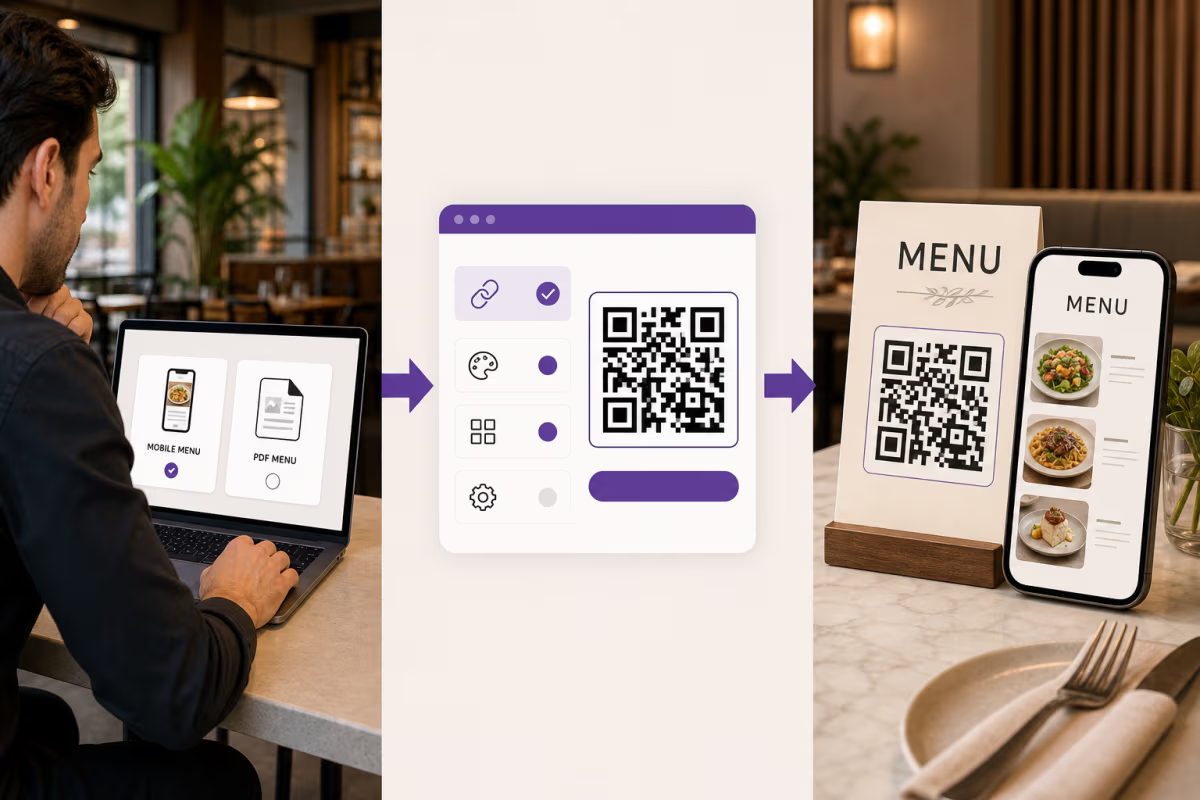
Upload or Link Your Menu
Start by preparing your menu as a PDF file or a hosted webpage. If you have a PDF, you can upload it directly to QRLynx and we will host it for you. If your menu lives on your website (e.g., yourrestaurant.com/menu), simply copy that URL. Tip: make sure your PDF is optimized for mobile screens — use a single-column layout with legible font sizes (14px minimum). Most guests will be viewing on a phone screen, not a desktop monitor.
Generate Your Dynamic QR Code
Go to QRLynx's free menu QR code generator and select the Menu QR type. Paste your menu URL or upload your PDF. Choose 'Dynamic' so you can update your menu later without reprinting. Click Generate and your QR code is ready in seconds. You can also add a short custom slug (e.g., r.qrlynx.com/joes-bistro-menu) for a branded touch.
Customize the Design to Match Your Brand
A plain black-and-white QR code works, but a branded one gets more scans. Use QRLynx's design editor to change the colors to match your restaurant's brand palette, add your logo to the center of the QR code, choose from dot styles (rounded, square, dots) and corner shapes, and add a call-to-action frame like 'Scan for Menu' or 'View Our Specials.' Keep contrast high — dark foreground on a light background ensures every phone camera can read it reliably.
Download, Print, and Place
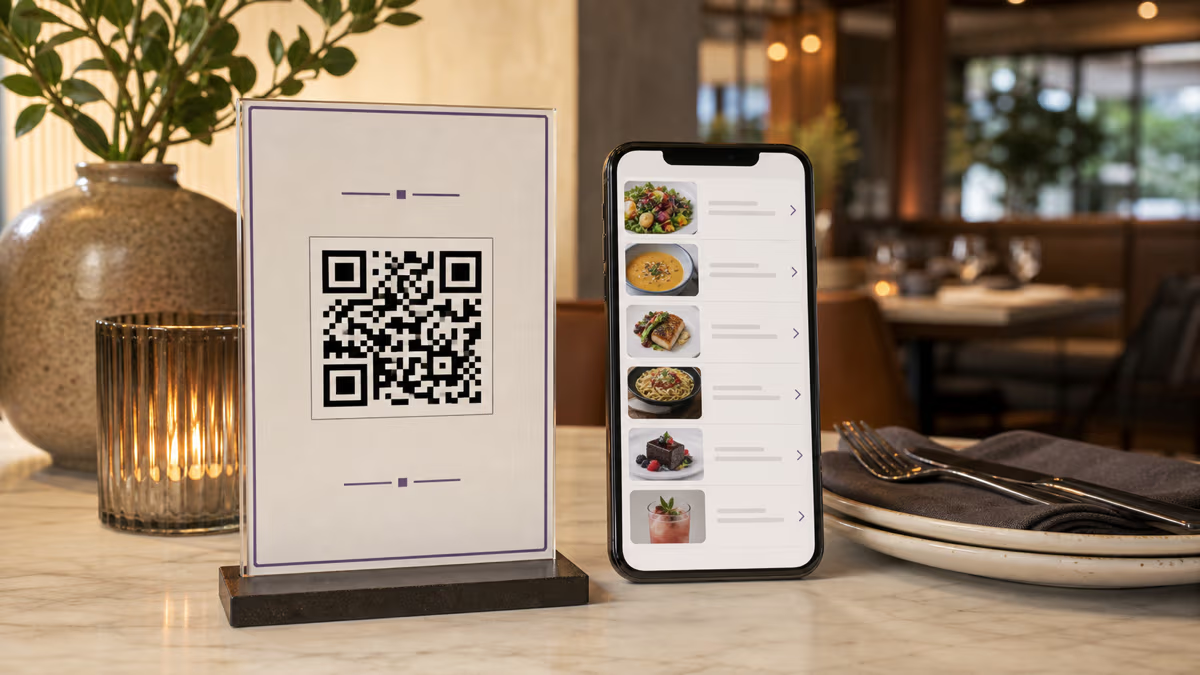
Download your QR code as a high-resolution PNG or SVG file. SVG is best for print because it scales to any size without losing quality. Print your QR codes on table tents, laminated cards, placemats, window decals, or even directly on the table surface. Place them where guests naturally look when they sit down — center of the table, on the menu stand, or next to the napkin holder. Test every printed code with at least three different phones before going live.
What Size Should Your Restaurant QR Code Be?
QR code size matters more than most restaurant owners realize. Too small and older phones struggle to scan it. Too large and it looks awkward on a table tent. Here are the recommended sizes based on scanning distance:
| Placement | Typical Scanning Distance | Minimum QR Code Size |
|---|---|---|
| Table tent or table card | 6–12 inches (15–30 cm) | 1 x 1 inch (2.5 x 2.5 cm) |
| Menu stand or counter display | 12–24 inches (30–60 cm) | 1.5 x 1.5 inches (4 x 4 cm) |
| Wall poster or window decal | 3–6 feet (1–2 meters) | 4 x 4 inches (10 x 10 cm) |
| Outdoor signage or banner | 6–15 feet (2–5 meters) | 8 x 8 inches (20 x 20 cm) |
The general rule of thumb is that a QR code should be at least 1/10th of the scanning distance. So if guests will be scanning from 20 inches away, the QR code should be at least 2 inches wide.
Always include a brief call-to-action near the code — something like "Scan to view our menu" or "Point your camera here for today's specials." Research from Square's contactless dining report shows that QR codes with a clear CTA get up to 30% more scans than codes displayed without any context.
How to Create a QR Code for a PDF Menu
Many restaurants already have their menu as a PDF — it is the same file you send to your printer or attach to emails. Turning that PDF into a scannable QR code is one of the easiest wins in restaurant tech.
Option 1: Upload the PDF to QRLynx (recommended). When you create a menu QR code on QRLynx, you can upload your PDF directly. We host the file on our CDN, serve it over HTTPS, and optimize loading speed for mobile devices. When you need to update your menu, just upload the new PDF — the same QR code now points to the updated file. No reprinting needed.
Option 2: Host the PDF yourself. Upload the PDF to your website (e.g., yourrestaurant.com/menu.pdf) and use that URL when generating your QR code. The downside is that you are responsible for hosting reliability, HTTPS, and mobile optimization. If your website goes down during the dinner rush, your menu goes down with it.
Option 3: Use Google Drive or Dropbox. You can upload your PDF to a cloud storage service and generate a shareable link. Then use that link as your QR code destination. This is a quick-and-dirty solution, but the viewing experience is often poor on mobile — Google Drive's PDF viewer is not optimized for restaurant menus and often requires zooming and scrolling.
Whichever option you choose, keep these PDF best practices in mind:
- Single-column layout. Guests are viewing on a 6-inch phone screen, not a tabloid-sized printed menu.
- Minimum 14px font size. Anything smaller is unreadable without zooming.
- Compress images. A 20MB PDF with uncompressed photos will take forever to load on a cellular connection. Aim for under 3MB.
- Include prices. Menus without prices frustrate diners and increase bounce rates.
- Add allergen information. More diners expect to see allergen callouts on digital menus. It also reduces liability.
If you do not have a PDF and want to build a mobile-optimized menu page, QRLynx's menu QR code generator lets you create a simple landing page with menu items, descriptions, prices, and photos — no web design skills required.
Design Tips for Restaurant QR Codes That Actually Get Scanned
Creating the QR code is only half the battle. Getting guests to actually scan it requires thoughtful placement and design. Here are proven strategies from restaurants that have successfully transitioned to digital menus:
1. Use your brand colors, but maintain high contrast. A QR code in your restaurant's signature burgundy on a cream background looks elegant and on-brand. But avoid light-on-light or dark-on-dark combinations — they confuse phone cameras. The general rule: your foreground (the dots) should be at least 40% darker than the background.
2. Add your logo to the center. QR codes have built-in error correction, which means up to 30% of the pattern can be obscured and the code still scans. Use this to embed a small version of your restaurant logo. It builds trust — guests are more likely to scan a branded code than a mysterious black-and-white grid.
3. Include a call-to-action (CTA). Never assume guests know what a QR code does. Add text like "Scan for our full menu," "View today's specials," or "Scan me for dessert options." A study cited in Square's contactless dining research found that labeled QR codes increased scan rates by nearly a third compared to unlabeled ones.
4. Laminate or use durable materials. Restaurant tables see spills, condensation, and constant wiping. Print your QR codes on waterproof, laminated card stock or use adhesive vinyl decals. A smudged or damaged QR code is worse than no QR code at all — it frustrates guests.
5. Test on multiple devices before deployment. Scan your QR code with at least three different phones (iPhone, Android, older model) in the actual lighting conditions of your restaurant. Dim mood lighting, reflective table surfaces, and glare from overhead lights can all affect scannability.
6. Place codes where eyes naturally land. The center of the table, a small stand next to the salt and pepper, or printed directly on a placemat. Avoid placing QR codes on walls behind the guest — nobody wants to turn around to scan a menu.
Tracking QR Code Menu Performance
One of the biggest advantages of a dynamic QR code menu over a printed menu is the data. With QRLynx's built-in analytics, you can track every scan and use that information to make smarter decisions about your restaurant operations.
Metrics you can track:
- Total scans per day/week/month. See how many guests are engaging with your digital menu. A sudden drop might indicate a damaged QR code or a placement issue.
- Peak scan times. Know exactly when your dining room is busiest. This data helps you optimize staffing schedules and prep timing.
- Device breakdown. See the split between iPhone and Android users, which can inform decisions about menu page design and testing priorities.
- Location data. If you have multiple locations, track which restaurants get the most scans and which might need better QR code placement.
- Scan-to-order conversion. If your menu links to an online ordering system, track how many scanners actually place an order.
For a deeper dive into QR analytics, check out our guide on how to track QR code scans. You can also read our earlier article on restaurant menu QR codes for additional best practices specific to the hospitality industry.
Data from the National Restaurant Association shows that restaurants using digital menus with analytics report a 15–20% improvement in operational efficiency compared to those relying solely on printed menus.
Common Mistakes to Avoid with Restaurant QR Code Menus
After helping thousands of restaurants set up QR code menus, we have seen the same mistakes come up again and again. Avoid these pitfalls to ensure a smooth experience for your guests:
Mistake 1: Using a static QR code. We mentioned this earlier, but it bears repeating. If you use a static QR code and later change your menu URL, every printed code becomes a dead end. Always use dynamic QR codes for restaurant menus.
Mistake 2: Linking to a non-mobile-friendly page. If your menu PDF is designed for letter-sized paper with two columns and 10pt font, it will be nearly unreadable on a phone. Design your digital menu with mobile-first principles.
Mistake 3: Forgetting to test in real conditions. Your QR code scans perfectly on your desk under fluorescent lights. But your restaurant has dim candlelight, dark wooden tables, and guests holding phones at odd angles. Always test in the actual environment.
Mistake 4: No fallback for tech-averse guests. Not every diner wants to use their phone. Keep a few printed menus available for guests who prefer the traditional experience. Forcing a QR-only menu can alienate older diners or those with low phone battery.
Mistake 5: Making the QR code too small. A 0.5-inch QR code crammed into the corner of a table tent is almost impossible to scan. Follow the size guidelines in the section above.
Mistake 6: Not updating the menu. The whole point of a dynamic QR code is that you can update instantly. If your digital menu still shows last season's specials or incorrect prices, guests lose trust. Set a weekly reminder to review and update your digital menu.
Mistake 7: Ignoring accessibility. Make sure your digital menu page meets basic accessibility standards — sufficient text contrast, alt text on food images, and a logical reading order. Guests with visual impairments rely on screen readers, and an accessible menu is both good practice and legally prudent.
Frequently Asked Questions About Restaurant QR Code Menus
How do I create a QR code for my restaurant menu?
Go to QRLynx's free menu QR code generator, upload your menu PDF or paste your menu page URL, select Dynamic QR, customize the design with your brand colors and logo, then download and print. The entire process takes less than five minutes and is completely free to start.
Is there a free QR code generator for restaurant menus?
Yes. QRLynx offers a free Starter plan that includes up to 3 dynamic QR codes with scan tracking. This is enough for most single-location restaurants. You can create your menu QR code, customize it with your brand colors, and track scans — all without a credit card.
How do I make a QR code for a PDF menu?
Upload your PDF menu file to QRLynx when creating a new Menu QR code. We host the file for you and generate a dynamic QR code that links to it. When you update your menu, just upload the new PDF — the same QR code automatically points to the latest version.
What size should a QR code be for a restaurant table?
For table tents or cards scanned from 6 to 12 inches away, a 1 x 1 inch (2.5 x 2.5 cm) QR code is the minimum. For counter displays scanned from 1 to 2 feet, go with at least 1.5 x 1.5 inches. The general rule is the QR code width should be at least one-tenth of the expected scanning distance.
Can I update my menu without changing the QR code?
Yes — this is the key advantage of dynamic QR codes. With QRLynx, you can change the destination URL or upload a new PDF at any time. The printed QR code pattern stays the same, so there is no need to reprint anything. Your guests will always see the latest menu.
Do QR code menus work without internet?
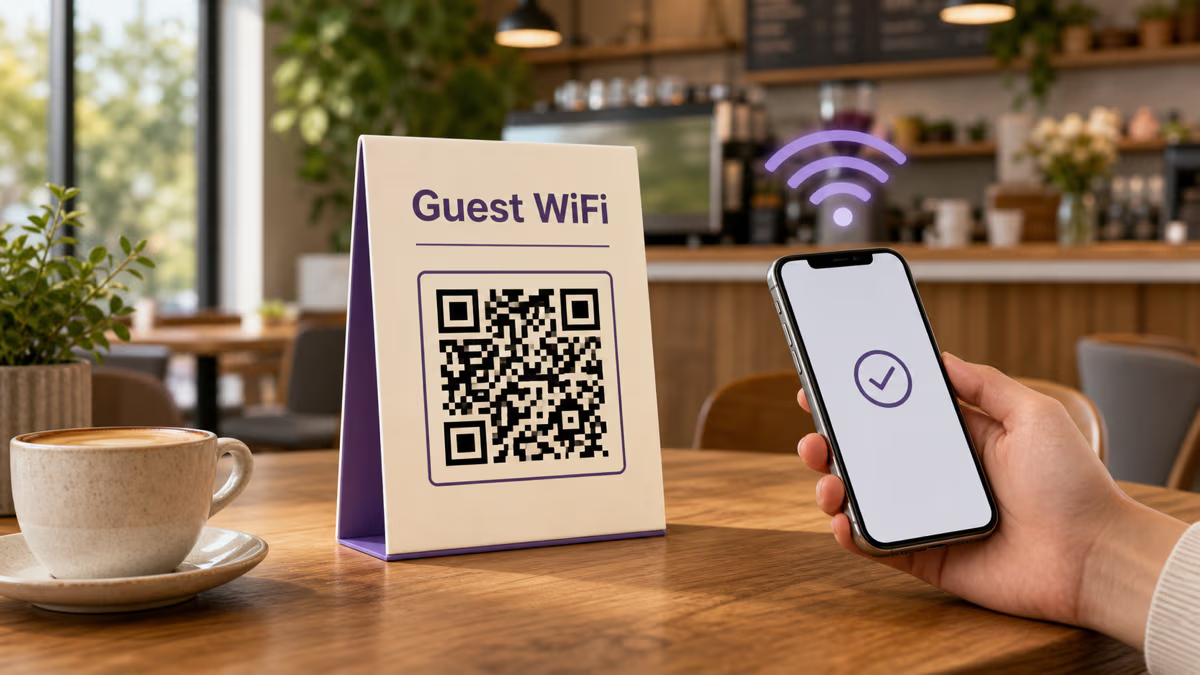
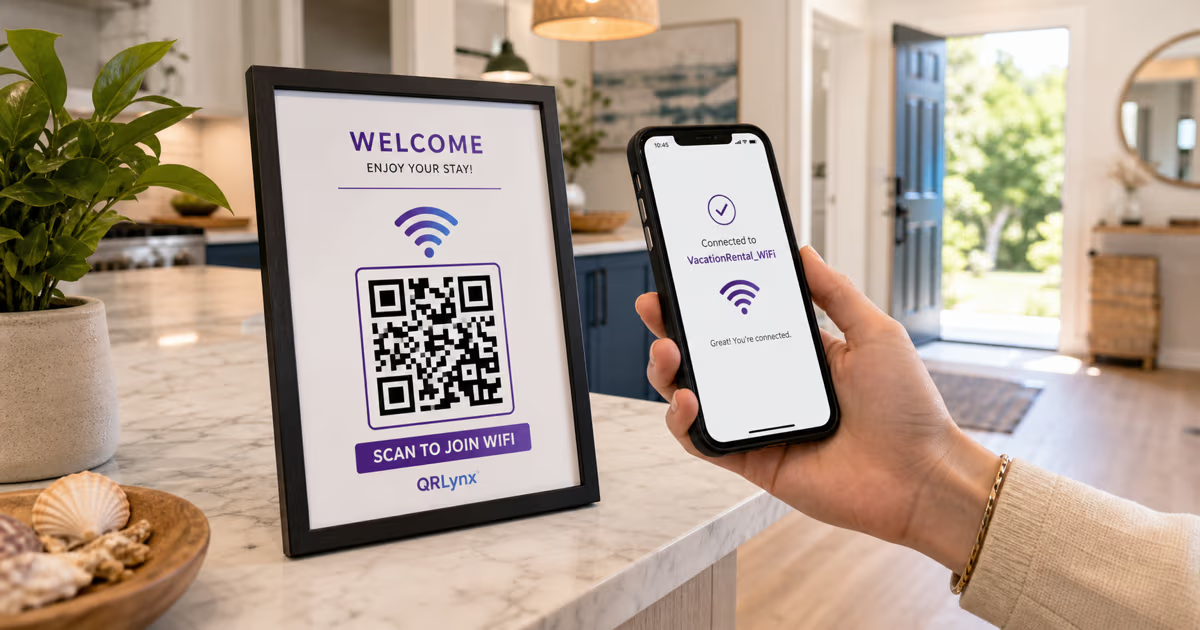
The QR code itself is scanned by the phone's camera app, which works offline. However, loading the menu page or PDF requires an internet connection. In practice, this is rarely an issue since most diners have cellular data. For locations with poor signal, consider offering Wi-Fi to your guests.
Are QR code menus good for restaurants?
Absolutely. QR code menus reduce printing costs, allow instant updates, provide scan analytics for operational insights, and create a more hygienic dining experience. Industry data from the National Restaurant Association shows that over 60% of full-service restaurants have adopted some form of digital menu. Guests increasingly expect the option, especially younger demographics.
How do I print QR codes for tables?
Download your QR code as an SVG file from QRLynx for the highest print quality. Use a professional printing service or a high-quality office printer to produce table tents, laminated cards, or adhesive decals. Always print on durable, water-resistant material since restaurant tables encounter spills and frequent cleaning.
What is the best QR code for a restaurant menu?
The best QR code for a restaurant menu is a dynamic QR code that links to your hosted PDF or menu page. QRLynx is built specifically for this use case — it offers free dynamic QR codes with scan analytics, custom branding, and instant menu updates. It is the most cost-effective option for restaurants of any size.
How much does a QR code menu cost?
A basic QR code menu can be completely free. QRLynx's Starter plan gives you 3 dynamic QR codes at no cost. Paid plans start at a few dollars per month and unlock features like unlimited scans, advanced analytics, bulk QR code creation for multi-location chains, and password-protected menus. Compare this to reprinting physical menus, which can cost $200 to over $1,000 per run.
Can customers order from a QR code menu?
A standard QR code menu displays your menu for browsing. If you want to enable ordering, you can link your QR code to an online ordering platform or a menu page with an integrated ordering system. QRLynx works with any URL destination, so you can point your QR code to any ordering platform you already use.
Do QR code menus hurt tips?
Research and restaurant operator surveys suggest that QR code menus do not negatively impact tips. In fact, some restaurants report higher average tips when using digital menus because guests spend more time browsing, order more items, and have a smoother dining experience. The key is to maintain personal service alongside the digital menu — the QR code replaces the physical menu, not the server.