How to Inspect a WeChat QR Code Without WeChat (2026)

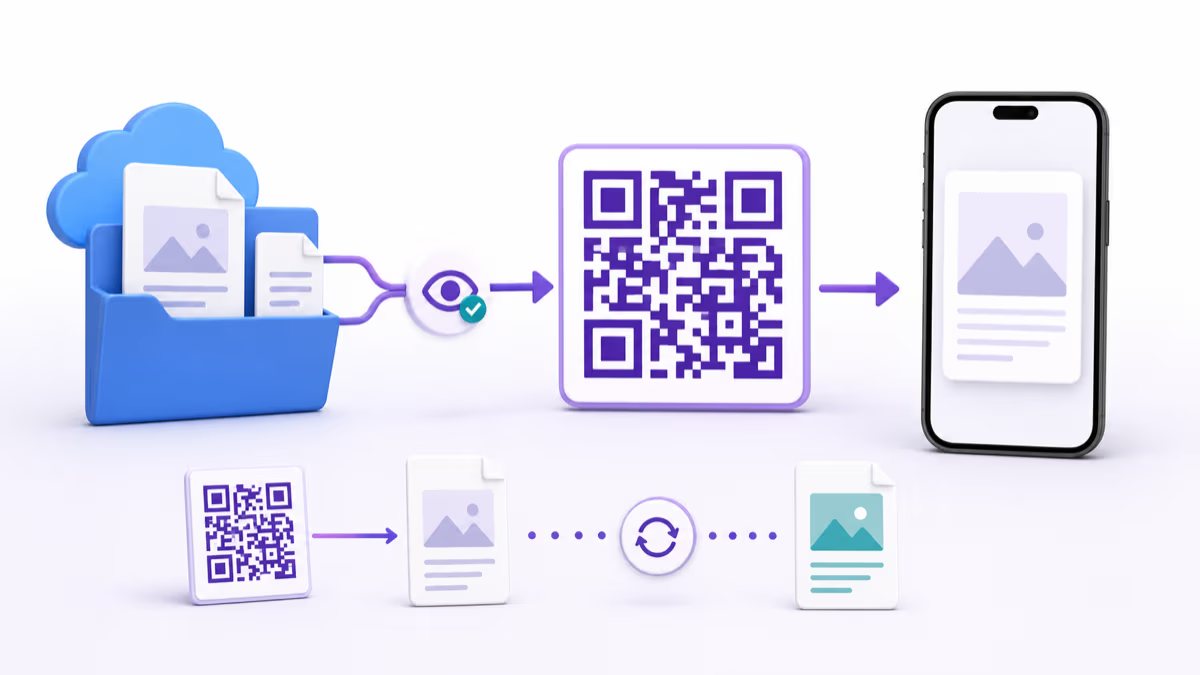
Key Takeaway
Use the QRLynx browser scanner to inspect a standard WeChat-related QR before opening it. Learn which results work online and which actions need WeChat.
Reviewed July 2026
This guide was checked against the current QRLynx in-browser scanner, QRLynx WeChat-link generator, Tencent Mini Program documentation, and official WeChat Pay documentation in July 2026.
How to inspect a WeChat QR code with QRLynx
Decode the image locally, read the result, and use the destination only when it matches the action you expected.
Save or display the QR image clearly
If the code is in a message, email, PDF, or website, save the image or take a clear screenshot. For a printed code, use the device camera. Keep the full symbol and its clear border visible without glare, cropping, or blur.
Open the QRLynx QR Code Scanner
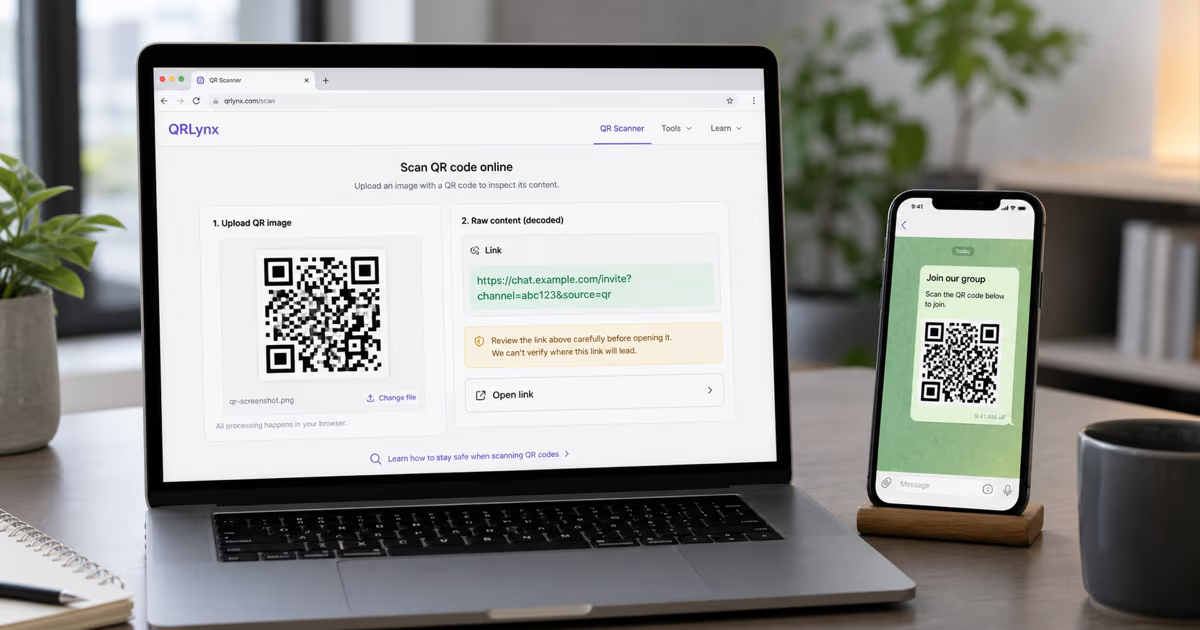
Visit the QRLynx browser scanner. Use Camera for a printed code, or upload, drag, paste, or select the saved image. The current scanner uses browser decoding APIs plus html5-qrcode and jsQR fallbacks.
Read the raw decoded result
QRLynx shows the text, URL, or app-scheme result without requiring you to open it. Copy it when you need to compare the hostname or share it with the sender. If the scanner cannot detect the symbol, use a sharper image and remember that some WeChat Mini Program codes use a platform-specific visual format that a standard QR decoder may not support.
Classify the next action cautiously
A normal HTTPS destination may be usable in a browser, although the page can still require WeChat login, regional access, or app handoff. A weixin or other app-specific scheme needs a compatible installed app. Contact, group, Mini Program, and payment actions remain WeChat platform operations even when another scanner reveals part of the payload.
Verify the source and destination
Confirm that the sender, printed context, decoded hostname, and requested action agree. Pause when an expected public article or business page decodes to an unrelated domain, unexpected payment request, shortened link, or app-install prompt. Ask the sender for the direct official URL when available.
Open, copy, or stop
Open a verified web destination in the browser, copy a verified app link to the device that has WeChat, or stop after inspection when the result is unnecessary or unexpected. QRLynx decodes the standard symbol; it does not bypass WeChat access controls or perform the WeChat action.
QR image ready
Inspect the QR with QRLynx
Upload the screenshot or use your camera to reveal the raw result before deciding whether to open it.
How to create a WeChat link QR code in QRLynx
Turn an existing shareable WeChat account or profile link into a clearly labeled QR and test the complete handoff.
Get the complete WeChat destination
Copy the official shareable profile, account, article, or other WeChat link that people should open. QRLynx needs the complete destination link and does not create a WeChat account link from a bare username or ID. Use WeChat's own merchant tools for WeChat Pay or Mini Program codes.
Test the link before creating the QR
Open the copied link on a representative phone and confirm that it reaches the intended WeChat destination. Check whether it opens in a browser, hands off to WeChat, or asks the visitor to sign in, because WeChat controls that destination behavior.
Select WeChat in QRLynx
Open the QRLynx generator, choose the WeChat QR type, and paste the complete link into the WeChat Profile/Account Link field. This type is for an existing link, not for generating a personal contact token, payment credential, or Mini Program code.
Choose static or dynamic behavior
Use static when the destination is final and direct encoding is enough. Use dynamic when you want eligible QRLynx scan analytics or may replace the destination after printing. A dynamic redirect can change where the printed QRLynx code leads, while WeChat still controls access and the final action.
Design and label the action
Keep strong contrast and a clear quiet zone, then add a specific label such as Scan to open our WeChat account. Use only branding and artwork you have permission to display, and make the promised action match the tested destination.
Download and test the finished placement
Download the QR, place it at its final size, and scan the finished print or screen with representative phones. Confirm the intended WeChat destination opens through the available browser or app handoff, then test again after any destination or access change.
Decode, open, and complete are three separate stages
Decode means reading the data represented by the symbol. The QRLynx scanner can do this locally for supported standard QR images and show the raw result.
Open means handing a web URL to a browser or an app-specific scheme to an installed application. A successful decode does not guarantee that the browser or operating system has a handler for the result.
Complete means performing the WeChat action, such as adding a contact, joining a group, launching a Mini Program, or approving payment. WeChat controls account state, expiry, permissions, region, platform support, and transaction authorization at this stage.
This distinction answers the practical question. You can often inspect what a standard code contains without WeChat. You still need the supported WeChat journey when the intended result belongs inside WeChat.
Why some images do not decode in a universal QR scanner
The label WeChat QR covers more than one visual and platform format. Many shared links and account links are carried in standard QR symbols with the familiar three square finder patterns. QRLynx's browser scanner is designed for standard QR Codes and common barcodes.
WeChat Mini Programs can use Mini Program codes generated by Tencent's platform. Their visual design and launch behavior are platform-specific. A standard decoder may return no result even when WeChat recognizes the image. That does not show that the image is damaged, and a successful result on one example does not prove universal support for every WeChat code.
When the standard decoder returns nothing, try the original uncropped image with better contrast. If the sender says it is a Mini Program, group, contact, login, or payment code, use the official WeChat route or ask for a direct public web link that serves the same purpose.
Public web page or WeChat platform action
A decoded HTTPS URL can be opened by a browser, but the destination controls what happens next. Some published pages remain readable on the public web. Others hand off to WeChat, request sign-in, apply regional restrictions, or depend on a current invitation or account state.
WeChat Pay documentation describes several payment modes. Native payment uses a merchant-generated QR that a user scans with WeChat. JSAPI and Mini Program payments are initiated inside WeChat environments, while H5 payment uses a mobile browser to invoke the payment product under its supported conditions. Inspecting a payment payload is not payment authorization.
Use the visible hostname and page identity to decide whether a public page is expected. For social, Mini Program, login, and payment actions, rely on the official platform workflow rather than trying to reconstruct the action from the raw payload.
What QRLynx processes during a scan
The current QRLynx scanner decodes camera frames and uploaded images in the browser through supported browser APIs and JavaScript decoder libraries. Uploaded image bytes and camera video are not sent to QRLynx servers for decoding. The optional recent-scan history is stored in that browser's localStorage and can be cleared by the user.
The decode step and destination visit remain separate. When you choose to open a decoded web URL, the browser contacts that destination and the site can receive normal request data. When you hand an app-specific link to WeChat, the platform handles that action under its own account and privacy rules.
Local decoding reduces unnecessary sharing of the image during inspection. It does not verify that the decoded destination is trustworthy, guarantee anonymity after opening it, or change the destination's own logging and access behavior.
Create a QRLynx QR only from a link you already control or trust
QRLynx includes a WeChat generator for an existing WeChat profile, account, article, or other shareable link. Paste the complete link supplied by WeChat or the account owner, design the standard QR, label its action, and test it in the intended WeChat journey.
Entering a display name or WeChat ID alone does not let QRLynx discover the account, create a WeChat friendship token, reproduce a personal in-app QR, mint a group invitation, create a Mini Program code, or issue a WeChat Pay merchant payload. Those identifiers and tokens are generated and controlled by WeChat or the authorized merchant and developer systems.
For a public business page that also works outside WeChat, consider linking to the official HTTPS page and explaining the available action beside the QR. For a WeChat-only action, make that requirement visible before the scan.
WeChat QR inspection questions
Answers about QRLynx decoding, browser links, contacts, Mini Programs, payments, privacy, and creating a shareable link QR.
Can I scan a WeChat QR code without installing WeChat?
You can use the QRLynx browser scanner to decode many standard QR images and inspect their raw text, web URL, or app link. Completing a WeChat contact, group, Mini Program, login, or payment action can still require WeChat and its current access rules.
How do I inspect a saved WeChat QR screenshot in QRLynx?
Open the QRLynx QR Code Scanner, upload or paste the screenshot, and read the decoded result before opening it. Use a clear image that includes the full symbol and its border. The image is processed locally in the browser.
Why does the decoded link not open without WeChat?
The QR may contain an app-specific scheme or a web link that hands the action to WeChat. The scanner can reveal the encoded value, while the operating system still needs a compatible app and the action still follows WeChat account, region, expiry, and permission rules.
Can I add a WeChat contact without WeChat after decoding the QR?
Decoding may reveal a link or token, but adding the contact changes the WeChat social account and remains a WeChat operation. Use the official WeChat contact flow when you intend to add the person.
Can QRLynx decode every WeChat Mini Program code?
No universal result should be assumed. QRLynx decodes supported standard QR Codes and common barcodes. WeChat Mini Program codes can use a platform-specific visual format and launch flow that a standard browser decoder may not recognize.
Can a normal browser open a WeChat article link?
Some decoded HTTPS article or business-page links open in a normal browser. The destination can still request sign-in, hand off to WeChat, apply regional access rules, or change its public availability. Inspect the hostname and test the exact current link.
Can I complete a WeChat Pay payment without WeChat after decoding the QR?
The available payment path depends on the merchant's WeChat Pay integration and supported mode. Merchant-presented Native QR payments are scanned with WeChat, and other modes may use WeChat, Mini Programs, apps, or supported mobile-browser handoff. Decoding alone does not authorize payment.
Does QRLynx upload my WeChat QR screenshot to a server?
The current QRLynx scanner processes camera frames and uploaded images in the browser. Optional recent-scan history stays in that browser's localStorage. Opening the decoded destination is a separate action that contacts the destination.
Can QRLynx create my personal WeChat QR from my WeChat ID?
QRLynx can create a standard QR from a complete existing WeChat profile, account, article, or other shareable link. It cannot discover an account or recreate WeChat's personal, group, Mini Program, login, or payment tokens from a display name or ID alone.
What should I check before opening a decoded WeChat-related link?
Confirm the sender, context, hostname, requested action, and any payment or sign-in prompt. Ask for the direct official URL when the result is shortened, unrelated to the sender, or different from the action printed beside the QR.