Wedding QR Code for Money: How to Accept Cash Gifts with a Simple Scan (2026 Guide)

Key Takeaway
Create a wedding QR code for cash gifts using PayPal, Venmo, or Cash App. Learn etiquette for asking politely, compare payment platforms, and set up a dynamic QR code that works on signs and invitations.
The era of blenders and gravy boats is fading fast. 70% of couples now prefer cash gifts over physical items, according to The Knot 2024 Guest Study. And they are putting that money to work: 37% of couples use cash wedding gifts to purchase a new home, per CNBC. The trend is only accelerating — Zola reports that 87% of couples getting married in 2025 include cash funds in their registries.
The numbers make sense. The average wedding gift in 2024 was $150 (The Knot), and couples would rather put that toward a house down payment, honeymoon, or student loan payoff than receive their fourth set of bath towels.
But the how of giving cash has always been awkward. The old method: stuff bills into a greeting card, drop it in a card box at the reception, hope it doesn't get lost or stolen, and leave the couple counting envelopes at midnight. No record of who gave what. No way to send a thank-you note that acknowledges the specific amount. No security.
The new method takes 10 seconds. A QR code on a sign at the reception — or on a details card in the invitation suite — opens the guest's preferred payment app. They tap in an amount, hit send, and it's done. The couple gets an instant notification. The money lands in their account. There's a digital record for every gift. No envelopes, no counting, no risk of loss.
This isn't a fringe idea. Nearly 70% of US adults used mobile payments in 2025, according to Business of Apps. The global QR code payment market reached $12.54 billion in 2024 and is projected to hit $61.73 billion by 2033 (Grand View Research). Your guests already scan QR codes to order food, check in at airports, and pay at farmers markets. Scanning one at a wedding reception is second nature.
This guide covers everything you need to set up a wedding money QR code: the etiquette of asking for cash politely, a comparison of every major payment platform, step-by-step creation of your QR code, where to display it, security considerations, and the multi-platform strategy that eliminates the problem of guests not having the right app. Whether your wedding is next month or next year, you will have a working cash gift system in under 15 minutes.
New to QR codes at weddings? Start with our complete wedding QR code guide for RSVPs, photo sharing, WiFi, and more.
The Etiquette of Asking for Money — How to Do It Without Being Tacky
This is the number one question couples search for: Is it rude to ask for money as a wedding gift? The short answer: 86% of couples agree that asking for cash is totally acceptable, according to Zola's wedding trends research. The social stigma that existed a generation ago has largely evaporated, especially among millennials and Gen Z. But how you ask still matters enormously.
The One Rule Everyone Agrees On
Never put a money request directly on the wedding invitation itself. This is the single point of etiquette that traditional and modern wedding planners agree on. The invitation is a formal request for someone's presence at your celebration — it is not a billing statement. Mixing the two feels transactional and can offend guests who value tradition.
Where to Mention It Instead
Use a separate details card tucked inside the invitation suite. This small card — sometimes labeled "Details," "Gift Information," or "A Note on Gifts" — sits alongside the accommodation card and directions card. It feels natural because guests expect supplementary information cards in the envelope.
Here are three wording examples that strike the right tone:
- "Your presence is our present. If you wish to honor us with a gift, a contribution to our honeymoon fund would be deeply appreciated."
- "In lieu of traditional gifts, we invite you to contribute to our new home fund. Scan the code below or visit [payment link]."
- "A Note on Gifts: We have been blessed with everything we need. If you would like to give a gift, a contribution toward our next adventure would mean the world to us."
Notice the pattern: acknowledge their presence first, make the request optional ("if you wish"), and give the money a purpose (honeymoon, home, adventure). This framing transforms "give us cash" into "help us build a memory."
The Reception Sign
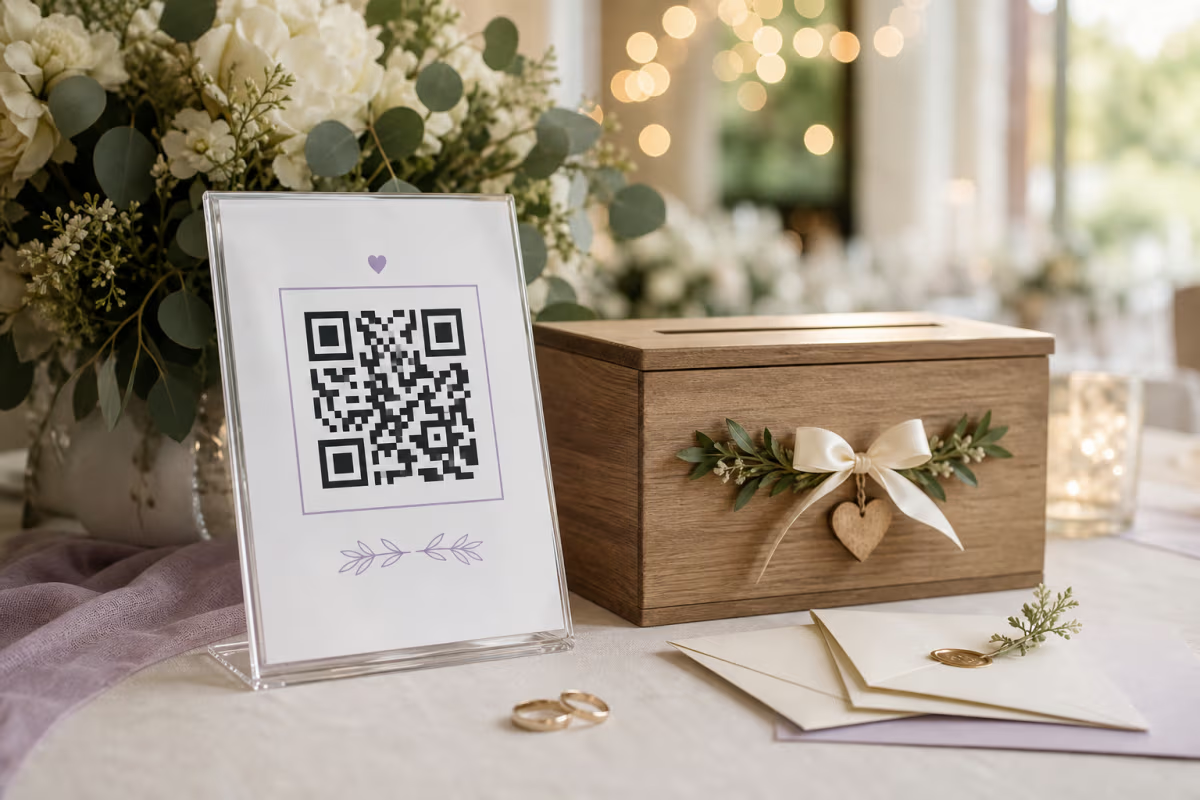
A sign at the gift table or bar area is the most casual and widely accepted placement. Guests at the reception are already in celebration mode and expect to see gift-related information. A sign reading "Contribute to Our Honeymoon" with a QR code below feels festive, not pushy. Frame it in something that matches your decor — an acrylic stand, a wooden easel, or a floral-bordered print.
Your Wedding Website
The wedding website is the most socially acceptable place to discuss money gifts in detail. You can explain the fund ("We are saving for a trip to Italy"), show a progress bar, offer multiple payment options, and include the QR code — all without worrying about etiquette boundaries. Guests who visit your website are actively seeking this information.
A Note on Cultural Context
In many cultures — Chinese, Indian, Italian, Greek, Filipino, and many others — cash gifts at weddings are the traditional default and have been for centuries. The envelope of money is the expected gift. A QR code simply modernizes the envelope. If your guest list includes people from these cultural backgrounds, you are not breaking any norms — you are making an existing tradition more convenient. In Chinese weddings, the red envelope (hongbao) has gone digital, with apps like WeChat Pay handling the tradition seamlessly. A QR code at a Western wedding does the same thing.
Which Payment Platform Should You Use?
Choosing the right payment platform depends on three factors: where your guests live, which apps they already use, and how quickly you want the money. Here is a detailed comparison of every major option.
| Platform | Transaction Fee | International | Guest Needs Account? | QR Code Built-In? | Settlement Speed |
|---|---|---|---|---|---|
| PayPal | Free (personal) | 200+ countries | No (guest checkout) | Yes | 1-3 business days |
| Venmo | Free (personal) | US only | Yes | Yes | 1-3 days (instant with fee) |
| Cash App | Free (personal) | US + UK | Yes | Yes | Instant to Cash App card |
| Zelle | Free | US banks only | Yes (US bank) | No | Minutes |
| Bank Transfer | Free | Varies | Yes (bank details) | No | 1-5 business days |
| Honeyfund | Free (with ads), 2.5% ad-free | International | No | No (need external QR) | 5-7 business days |
PayPal Wins for International Guest Lists
If your guest list includes anyone outside the United States, PayPal is the clear winner. It operates in 200+ countries, supports 25 currencies, and — critically — guests can pay without a PayPal account via guest checkout using just a credit or debit card. No signup, no app download. This eliminates the single biggest friction point in digital payments. For a step-by-step guide on setting up your PayPal payment QR code, see our complete PayPal QR code tutorial. You can also create a PayPal QR code directly on QRLynx.
Venmo Wins for US-Only Weddings with Young Guests
If all your guests are in the United States and most are under 45, Venmo is the cultural default. With 62 million active users (Electroiq), Venmo has become synonymous with peer-to-peer payments for millennials and Gen Z. The social feed and emoji support make it feel fun rather than transactional — guests can add notes like "For the honeymoon fund" with champagne emojis. The drawback: Venmo is US-only, and senders must have a Venmo account.
Cash App — Instant Deposits
Cash App serves 57 million monthly active users and its killer feature is instant deposits to a Cash App card at no cost. If you want same-day access to your wedding gifts, Cash App delivers. The $cashtag system also makes sharing your payment link simple. Like Venmo, it is primarily a US platform (with limited UK support), and senders need an account.
Zelle — Fastest Bank-to-Bank
Zelle transfers settle in minutes, not days, because the money moves directly between bank accounts. There are no intermediary wallets or pending balances. The catch: both parties need US bank accounts with Zelle integration, and there is no shareable payment link or built-in QR code. You would need to create a QR code that opens your payment page or instructions separately.
Our Recommendation
If you have international guests, use PayPal. If your guest list is US-only and young, use Venmo. If your guest list is mixed (some Venmo users, some PayPal users, some who prefer bank transfers), use QRLynx's Link-in-Bio QR code to create a single landing page with all payment options — one QR code, every guest picks their preferred method. We cover this strategy in detail below.
Step-by-Step: Create Your Wedding Money QR Code
Set up a cash gift QR code in under 10 minutes. Works with PayPal, Venmo, Cash App, or a multi-platform landing page.
Choose Your Payment Platform
Decide between PayPal, Venmo, Cash App, or Zelle based on your guest demographics. For maximum compatibility with diverse guest lists, consider creating a Link-in-Bio page with multiple payment options — one QR code, every platform. PayPal is best for international guests since it works in 200+ countries and does not require a PayPal account. Venmo is ideal for US-only weddings with younger guests. If you are unsure, ask 5 close friends which payment app they use most — that gives you a quick sample of your guest list.
Get Your Payment Link
For PayPal: go to paypal.me and copy your personal link (e.g., paypal.me/yourname). For Venmo: open the Venmo app, go to Settings, and copy your Venmo profile link. For Cash App: your payment link is cash.app/$yourcashtag. For Zelle: there is no shareable link — Zelle works through email or phone number within banking apps, so you would need to create an instructions page instead. If using a honeymoon fund service like Honeyfund, copy the direct link to your fund page.
Create a Dynamic QR Code on QRLynx
Go to qrlynx.com and select the URL QR code type. Paste your payment link into the URL field. This is the critical step: toggle on Dynamic URL. A dynamic QR code lets you change the destination after printing — so if you need to switch from Venmo to PayPal, update the payment link, or redirect to a thank-you page after the wedding, every printed sign and card still works. Also toggle on Track Scans to monitor how many guests are using the code.
Customize for Your Wedding Theme
Match the QR code colors to your invitation palette. Use your wedding colors for the foreground — sage green, dusty rose, navy blue, burgundy, or gold all work as long as the foreground is significantly darker than the background. Add your wedding monogram or initials as a center logo. Choose a dot or rounded pattern style for a softer, more elegant look that complements stationery. Check the readability score on QRLynx and aim for 80% or higher to ensure reliable scanning on printed materials.
Download and Place
Download as SVG for large reception signs (vector format stays sharp at any size) or PNG at 1024px for digital use on your wedding website. Print the QR code on a details card for your invitation suite, a reception sign for the gift table or bar area, or table tent cards at each setting. Always add polite context text above the code: Contribute to Our Honeymoon, Help Us Build Our First Home, or Gift Fund. A bare QR code with no explanation gets ignored — the text tells guests what happens when they scan.
Why Dynamic QR Codes Are Essential for Wedding Payments
If there is one piece of advice to take from this entire guide, it is this: use a dynamic QR code, not a static one. The difference is simple but critical. A static QR code permanently encodes a fixed URL — once you print it, the destination can never change. A dynamic QR code encodes a short redirect URL that you control from your QRLynx dashboard. You can update where it points at any time, without reprinting anything.
Here is why this matters for weddings specifically:
Scenario 1: You Need to Switch Payment Platforms
You printed 200 invitation inserts and reception signs with a Venmo QR code. Then you realize half your guest list is international — aunts, uncles, and college friends in Europe and Asia who cannot use Venmo because it is US-only. With a dynamic QR code, you log into QRLynx, change the destination URL from your Venmo link to your PayPal link, and save. Every printed piece still works. With a static code, you would need to reprint everything.
Scenario 2: Post-Wedding Security
You set up a PayPal link for the wedding. The honeymoon is over, the gifts have arrived, and you want to deactivate the payment link for security — you do not want a stranger finding an old sign and sending you money (or testing your account). With a dynamic QR code, simply redirect it to a thank-you page: "Thank you for celebrating with us! Our gift fund is now closed." The payment link stays deactivated, and anyone who scans the old code sees a gracious message instead of a broken link.
Scenario 3: Upgrading to a Multi-Platform Page
You started with a single PayPal link because it was quick to set up. A week before the wedding, your partner mentions that most of the bridal party uses Cash App and the groomsmen all prefer Venmo. Instead of picking one and alienating the rest, you create a Link-in-Bio landing page on QRLynx with PayPal, Venmo, and Cash App buttons. Update the dynamic QR destination to point to this new landing page. Every printed sign, every invitation insert, every table card — they all now open the multi-platform page. Zero reprinting.
The bottom line: wedding plans change constantly. Venues get updated, timelines shift, and payment preferences evolve as you learn more about your guest list. A dynamic QR code absorbs all of these changes gracefully. A static code locks you in the moment you print. For more on the difference, read our static vs. dynamic QR codes comparison.
Where to Display Your Wedding Money QR Code
Placement determines whether guests actually scan. A well-placed QR code with clear context gets 40-60% engagement at events. A hidden or unexplained code gets ignored. Here are the seven best placements, ranked by effectiveness.
1. Reception Entrance Sign
A framed sign at the entrance to the reception venue is the highest-visibility placement. Guests see it the moment they walk in, before they settle at their tables. Use warm, inviting language: "Help Us Start Our Next Chapter" or "Contribute to Our Adventure Fund" with the QR code below. Print the QR code at least 3x3 inches — guests will be scanning from 3-5 feet away. Use an acrylic stand, wooden easel, or floral-bordered frame that matches your decor.
2. Gift Table Sign
If your reception has a traditional gift or card table, place a QR code sign alongside or instead of the card box. "Prefer to Give Digitally? Scan Here" is straightforward and gives guests a clear choice. This placement catches guests who specifically came to the gift table to leave something — they are already in gift-giving mode, so the conversion rate is high.
3. Table Cards at Each Setting
Small cards at each place setting (business card size or slightly larger) with the QR code and a one-line message. This is the most discrete placement — it does not feel pushy because it is mixed in with the menu card, place card, and other table stationery. Guests can scan privately at their own pace. The downside: some guests may not notice it among the other cards.
4. Details Card in the Invitation Suite
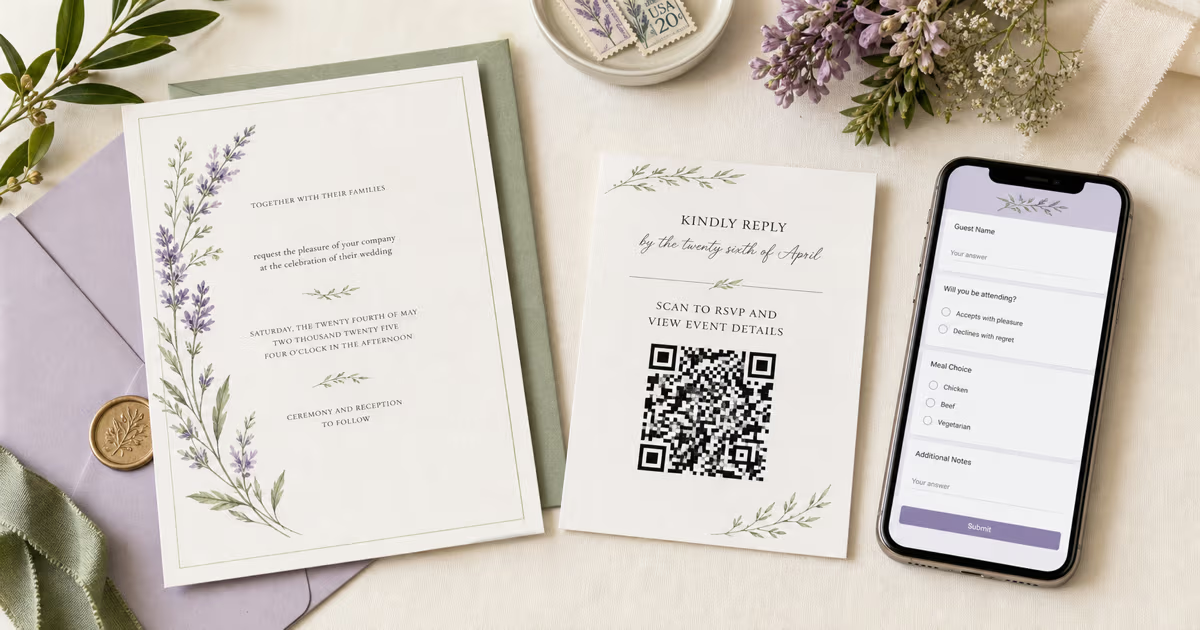
Tucked inside the invitation envelope alongside the accommodation card and directions card. This is the most socially acceptable pre-wedding placement. The details card might read: "A Note on Gifts: Your presence is our greatest gift. If you wish to honor us, a contribution to our honeymoon fund would be deeply appreciated. Scan the code below or visit [payment link]." Guests receive this weeks before the wedding and can contribute at their convenience.
5. Wedding Website
Display the QR code image on your registry or gifts page. This might seem circular — why would someone on your website need a QR code? Two reasons: guests browsing on a laptop can scan the code with their phone to open the payment app directly, and guests can screenshot the QR code and share it with family members who could not attend.
6. Bar Area
A fun, casual placement that works particularly well at cocktail hour. "Buy Us a Round on Our Honeymoon" or "Fund Our First Sunset Cocktail" with a QR code. The bar area has a relaxed, social atmosphere where this kind of playful request feels natural rather than formal. Guests are standing around, phones are already out, and the vibe is celebratory.
7. Thank-You Card After the Wedding
For guests who did not give at the event — whether they forgot, were not sure how, or simply preferred to wait — include a QR code on your thank-you card. "If you would still like to contribute to our honeymoon fund, scan here" gives a gentle second chance without pressure. This captures gifts you would otherwise miss entirely.
Where NOT to Place It
Do not put the money request on the invitation itself. This is the one universally agreed-upon rule. The invitation is a request for the guest's presence. The details card, reception sign, and wedding website are the right places for gift information. Breaking this rule risks offending traditional guests and framing your wedding as a transaction rather than a celebration.
Security — Reassuring Your Guests
Older guests especially may worry: "Is this safe? Could it be a scam?" Even tech-comfortable guests appreciate knowing their money is protected. Here is how to address security concerns proactively — both for your guests and for yourself.
Reassuring Your Guests
All major payment platforms — PayPal, Venmo, Cash App, and Zelle — use bank-level encryption (256-bit TLS) to protect transactions. The data traveling between your guest's phone and the payment server is encrypted to the same standard used by major banks for online banking. Scanning a QR code is not inherently risky — the code simply opens a URL in the phone's browser or payment app. It does not access the guest's bank account, does not install anything, and does not share any information until the guest explicitly chooses to send money.
One key reassurance: guests can verify the recipient name before sending. When they scan the QR code and the payment app opens, it displays your name (or your PayPal.me username, Venmo handle, or Cash App $cashtag). The guest confirms they are sending to the right person before tapping Send. There is no way to trick them into sending to a stranger — the recipient identity is always visible.
Here is a comparison that resonates with skeptical guests: scanning a QR code to send money is actually safer than writing a check. A paper check exposes the sender's full name, home address, bank name, bank routing number, and checking account number — all printed in plain text. A QR payment exposes none of that. The sender's bank details are never shared with the recipient.
For guests who are still uncomfortable with digital payments, include a text URL as a fallback: "Or visit: paypal.me/yourname." Some people prefer typing a URL they can read and verify rather than scanning a code. Respect that preference.
Protecting Yourself After the Wedding
Once the wedding and honeymoon are over, deactivate or redirect the payment link. You do not want your paypal.me link floating around indefinitely — even though the risk is low, there is no reason to leave it active once the gift-giving period is over.
This is another reason dynamic QR codes are essential. After the honeymoon period ends, log into your QRLynx dashboard and redirect the QR code to a simple thank-you page. Anyone who scans the code later — whether it is a guest who forgot or a stranger who found a discarded sign — sees a graceful message instead of an active payment portal. You maintain control indefinitely.
The Multi-Platform Landing Page Strategy
Here is the smartest approach to wedding money QR codes, and the one we recommend for most couples: do not force a single payment platform. Instead, create one QR code that opens a landing page with every option.
The problem with picking one platform is obvious. You choose Venmo — but your partner's uncle does not have Venmo. You choose PayPal — but your college friends all use Cash App. You choose Zelle — but it only works with US bank accounts and your cousin is flying in from London. No matter which single platform you pick, some percentage of your guests will not have it.
The solution: use QRLynx's Link-in-Bio QR code to create a single landing page with all your payment options:
- PayPal button — for international guests and those without other apps (guest checkout, no account required)
- Venmo button — for US friends and family who use it daily
- Cash App button — for the younger crowd who prefer $cashtags
- Zelle instructions — for guests who prefer direct bank transfers (include your registered email or phone number)
One QR code. One landing page. Every guest picks their preferred method. This eliminates the "I don't have that app" problem entirely.
The landing page is fully customizable on QRLynx. Add your wedding photo as a header image, write a short thank-you message ("Thank you for celebrating with us! Your generosity means the world."), and arrange the payment buttons in any order. The page is mobile-optimized by default since 100% of QR scans happen on phones.
Because this uses a dynamic QR code, you can add or remove payment options at any time. Start with just PayPal and Venmo, then add Cash App a week before the wedding if you realize more guests prefer it. Update the thank-you message after the ceremony. Redirect the entire page to a photo gallery after the honeymoon. The printed QR code never changes — only the destination does.
This multi-platform approach also solves a subtle social problem: it shifts the choice to the guest. Instead of you dictating how people should give money (which can feel controlling), you are offering options and letting each guest use what is most comfortable for them. It is the digital equivalent of having both a card box and a cash envelope basket — except it works worldwide and leaves a digital record.
Tax Considerations for Cash Wedding Gifts
A quick note on taxes — not because QR codes change anything, but because couples frequently ask. This is general information, not legal or tax advice. Consult a tax professional for your specific situation.
In the United States, the annual gift tax exclusion for 2024 is $18,000 per person ($36,000 for a married couple giving jointly). This means a single guest can give you up to $18,000 without any gift tax implications for either party. A married couple attending your wedding together can give up to $36,000 combined. The vast majority of wedding gifts — with the average being $150 — fall far below this threshold.
Cash gifts received via QR code are treated identically to cash gifts received in envelopes, checks, or bank transfers for tax purposes. The payment method does not change the tax treatment. The IRS does not distinguish between a $150 Venmo transfer and a $150 check — both are gifts, and both fall under the same gift tax rules.
One practical advantage of QR code payments over cash envelopes: better documentation. Every digital payment creates a timestamped record with the sender's name and the exact amount. This makes it easy to write personalized thank-you notes ("Thank you, Aunt Sarah, for your generous $200 gift") and provides clear records if questions arise later. Cash envelopes, by contrast, are often anonymous or poorly tracked — especially when counted at midnight after a long celebration.
If you expect to receive large total amounts (for example, a lavish wedding with wealthy guests where the combined total could reach five or six figures), speak with a CPA or tax advisor before the wedding. They can advise on any reporting obligations and help you plan how to allocate the funds — whether toward a home purchase, investments, or debt payoff.
Common Mistakes to Avoid
These are the errors that trip up the most couples. Avoid them and your wedding money QR code will work smoothly for every guest.
1. Putting the Money Request on the Invitation
We have said it throughout this guide, but it bears repeating because it is the most common etiquette mistake. The formal wedding invitation is a request for someone's presence — not a request for their wallet. Use a separate details card, the reception sign, or your wedding website. The invitation itself should remain about the celebration.
2. Using Only Venmo When International Guests Are Invited
Venmo is US-only. If your guest list includes anyone from outside the United States — family abroad, destination wedding guests, international college friends — Venmo is not an option for them. Use PayPal (which works in 200+ countries and allows guest checkout without an account) or a multi-platform landing page that includes both Venmo and PayPal.
3. Not Using a Dynamic QR Code
A static QR code permanently encodes one URL. Once printed, you can never change where it points. If you need to switch payment platforms, update the payment amount, or redirect to a thank-you page after the wedding, you are stuck. A dynamic QR code on QRLynx lets you update the destination anytime — critical for something you are printing on invitations months before the event.
4. Making the QR Code Too Small on Signs
A QR code on a reception sign should be at least 3x3 inches (7.5x7.5 cm) for scanning from 3 or more feet away. The 10:1 rule applies: divide the expected scanning distance by 10 to get the minimum QR code width. A sign at a venue entrance where guests scan from 5 feet away needs a code at least 6 inches wide. Too small, and guests fumble with their cameras, get frustrated, and walk away.
5. No Call-to-Action Text
A bare QR code with no explanation is a mystery box. Guests do not know what it does, so they ignore it. Always include context: "Contribute to Our Honeymoon," "Gift Fund — Scan to Send," or "Help Us Build Our First Home." The CTA tells guests what happens when they scan and gives them a reason to do it. Three to seven words is enough.
6. Forgetting to Test Before the Wedding
Print a test copy of every sign and card with a QR code and scan it from the expected distance with at least two phones (one iPhone, one Android). Scan from 3-4 feet away to simulate realistic conditions. Check that the payment app opens correctly, that your name appears as the recipient, and that the entire flow — scan, open, enter amount, send — works without friction. Five minutes of testing prevents embarrassment on the day.
7. Not Deactivating After the Wedding
Once the gift-giving period is over — typically 2-3 months after the wedding — redirect your dynamic QR code to a thank-you page. This prevents anyone from accidentally sending money to your old payment link months or years later, and it closes a potential security vector. It takes 30 seconds on your QRLynx dashboard.
8. Choosing a Platform None of Your Guests Use
Before committing to a single platform, ask 5 close friends and family members which payment app they use most. If three say Venmo, one says PayPal, and one says Cash App, you know your guest list skews Venmo — but you also know you need at least PayPal as an alternative. Better yet, use a multi-platform landing page and remove the guesswork entirely.
Wedding Money QR Code FAQ
Everything couples and guests ask about using QR codes for cash wedding gifts.
Is it rude to have a QR code for money at a wedding?
No, it is not considered rude in 2026. According to Zola, 86% of couples agree that asking for cash gifts is totally acceptable, and 87% of couples include cash funds in their registries. The key is placement and wording. Never put the request on the formal invitation itself — use a separate details card, a sign at the reception, or your wedding website. Frame the request warmly by giving the fund a purpose, such as a honeymoon fund or home down payment fund, and always make it optional with phrasing like if you wish to honor us with a gift.
Which payment app is best for wedding gift QR codes?
It depends on your guest list. PayPal is the best choice for international guest lists because it works in 200+ countries and guests can pay without a PayPal account through guest checkout. Venmo is ideal for US-only weddings with younger guests — it has 62 million active users and a social, fun interface. Cash App offers instant deposits to a Cash App card. For mixed guest lists, the best approach is a QRLynx Link-in-Bio QR code that opens a landing page with buttons for PayPal, Venmo, Cash App, and Zelle instructions — one code, every option.
Can international guests use a wedding money QR code?
Yes, if you choose the right platform. PayPal operates in 200+ countries and supports 25 currencies, making it the best option for international guests. Critically, PayPal allows guest checkout — your international guests can pay with a credit or debit card without creating a PayPal account. Venmo and Cash App are limited to the US (Cash App also works in the UK). Zelle requires a US bank account. If your guest list includes people from multiple countries, use PayPal or a multi-platform landing page that includes PayPal as one of the options.
Do guests need a PayPal or Venmo account to send a gift?
For PayPal, no — guests can use guest checkout to pay with a credit or debit card without signing up for an account. This is one of PayPal's biggest advantages for weddings. For Venmo, yes — both the sender and recipient must have Venmo accounts. The same is true for Cash App (both parties need accounts) and Zelle (both parties need US bank accounts with Zelle integration). If minimizing friction for guests is your priority, PayPal's guest checkout is the most accessible option.
How do I display a money QR code without it looking tacky?
Presentation is everything. Print the QR code on quality cardstock that matches your invitation suite or wedding decor. Use a frame, acrylic stand, or wooden easel that fits your reception aesthetic. Customize the QR code colors to match your wedding palette — sage green, navy, burgundy, or gold instead of stark black. Add your wedding monogram as the center logo. Most importantly, pair it with warm, purposeful language like Contribute to Our Honeymoon Fund rather than a generic Scan to Pay. When the QR code looks intentionally designed and the messaging is gracious, it feels like part of the celebration.
Can I offer multiple payment options with one QR code?
Yes, this is exactly what QRLynx Link-in-Bio QR codes are designed for. You create a single QR code that opens a mobile-friendly landing page with buttons for each payment platform — PayPal, Venmo, Cash App, Zelle instructions, or any other link. Each guest taps the button for their preferred app. You can customize the landing page with your wedding photo, a thank-you message, and your wedding colors. This eliminates the problem of guests not having a specific payment app.
What happens if I need to change the payment link after printing?
If you used a dynamic QR code on QRLynx, you can change the destination URL anytime from your dashboard — no reprinting needed. This is one of the most important reasons to use a dynamic code for wedding payments. Common scenarios include switching from Venmo to PayPal when you realize international guests cannot use Venmo, upgrading from a single payment link to a multi-platform landing page, or redirecting to a thank-you page after the honeymoon. If you used a static QR code, the link is permanently encoded and cannot be changed — you would need to reprint everything.
How much does it cost to set up a wedding money QR code?
A static URL QR code on QRLynx is completely free — no account needed and no expiration. However, we strongly recommend a dynamic QR code for wedding payments so you can update the link and track scans. Dynamic QR codes require a QRLynx account and the Pro plan at $14 per month. Most couples only need the plan for 2-3 months around the wedding, making the total cost $28-$42. A Link-in-Bio QR code for a multi-platform payment landing page is also included in the Pro plan. Compared to the cost of reprinting invitations if something changes, this is a minimal investment.
Is scanning a QR code to send money safe?
Yes. Scanning a QR code simply opens a URL — it does not access your bank account, install software, or share any personal information. All major payment platforms (PayPal, Venmo, Cash App, Zelle) use 256-bit TLS encryption, the same standard used by banks for online banking. When the payment app opens, guests see the recipient name and confirm the amount before tapping Send. They are in full control at every step. Scanning a QR code is actually safer than writing a check, which exposes the sender's name, address, bank routing number, and account number in plain text.
Should I set a suggested gift amount?
This is a personal choice, but most etiquette experts say no — do not suggest a specific amount. It can make guests feel pressured or judged if they give less. Instead, let the payment app's default interface handle it — guests enter whatever amount they are comfortable with. If you are using a honeymoon fund service like Honeyfund, you can list specific experiences with prices (such as a sunset dinner for two at $150 or a snorkeling excursion at $80), which gives guests guidance without explicitly dictating an amount. This approach lets guests pick something meaningful within their budget.
Can I track who sent money through the QR code?
The QR code itself tracks scan counts and scan times through your QRLynx dashboard if you use a dynamic code with scan tracking enabled. However, the actual payment details — who sent how much — are tracked by your payment platform (PayPal, Venmo, Cash App), not by the QR code. Your payment app's transaction history shows every sender's name, amount, and timestamp. This is far better documentation than cash envelopes, where you are relying on memory and handwriting to match gifts to guests for thank-you notes.
What should I do with the QR code after the wedding?
After the gift-giving period ends — typically 2-3 months post-wedding — redirect your dynamic QR code to a thank-you page. Log into your QRLynx dashboard, change the destination URL to a simple page with a message like Thank you for celebrating with us and our gift fund is now closed. This gracefully handles anyone who scans an old sign or card, and it closes the active payment link for security. You can also redirect to your wedding photo gallery so late-scanning guests see your favorite wedding moments instead of a dead link.
Make Cash Gifts Effortless for Your Guests
Cash gifts are the norm — 70% of couples prefer them and 87% include cash funds in their registries. The only friction left is the delivery method, and a QR code removes that friction entirely. Instead of fumbling with envelopes, counting bills, or worrying about lost cards, your guests scan a code and send a gift in 10 seconds. You get an instant notification, a digital record for every contribution, and a clear list for writing thank-you notes.
The setup takes 10-15 minutes. Choose your payment platform (or create a multi-platform landing page for maximum compatibility). Generate a dynamic QR code on QRLynx so you can update the destination anytime — switch platforms, add options, or redirect to a thank-you page after the honeymoon. Customize the colors and add your monogram so the code matches your wedding stationery. Print it on a details card, a reception sign, or table cards. Done.
The dynamic QR code is the single most important detail. Wedding plans change. Guest lists evolve. Payment preferences shift. A dynamic code absorbs all of these changes without reprinting a single piece of stationery. It is the difference between a system that works perfectly and one that breaks the moment something changes.
For the complete picture on all wedding QR code use cases — RSVPs, photo sharing, WiFi, calendar events, and the details hub — see our complete wedding QR code guide. For PayPal-specific setup, follow our step-by-step PayPal QR code tutorial. And to understand why dynamic QR codes are worth the small investment, read our static vs. dynamic QR codes comparison.
Ready to set up your wedding money QR code? Create your free QR code on QRLynx — dynamic codes with scan tracking start at just $14/month, and most couples only need 2-3 months of coverage.