How to Create a WhatsApp QR Code with Tracking (2026 Guide)

Ahmad Tayyem
· 28 min read
How to Create a WhatsApp QR Code with Tracking (2026 Guide)

Key Takeaway

Learn how to create a WhatsApp QR code with built-in scan tracking and analytics. Covers pre-filled messages, WhatsApp Business setup, placement tips, and real-world use cases for customer support, restaurants, and real estate.

Why WhatsApp QR Codes with Tracking Are a Game-Changer for Businesses

WhatsApp is the world's most popular messaging platform, with 2.93 billion monthly active users as of early 2026 (YCloud). That is not a niche channel — it is the primary communication tool for billions of people across Europe, Latin America, Africa, the Middle East, and large parts of Asia. If your business is not reachable on WhatsApp, you are invisible to a significant portion of your potential customers.

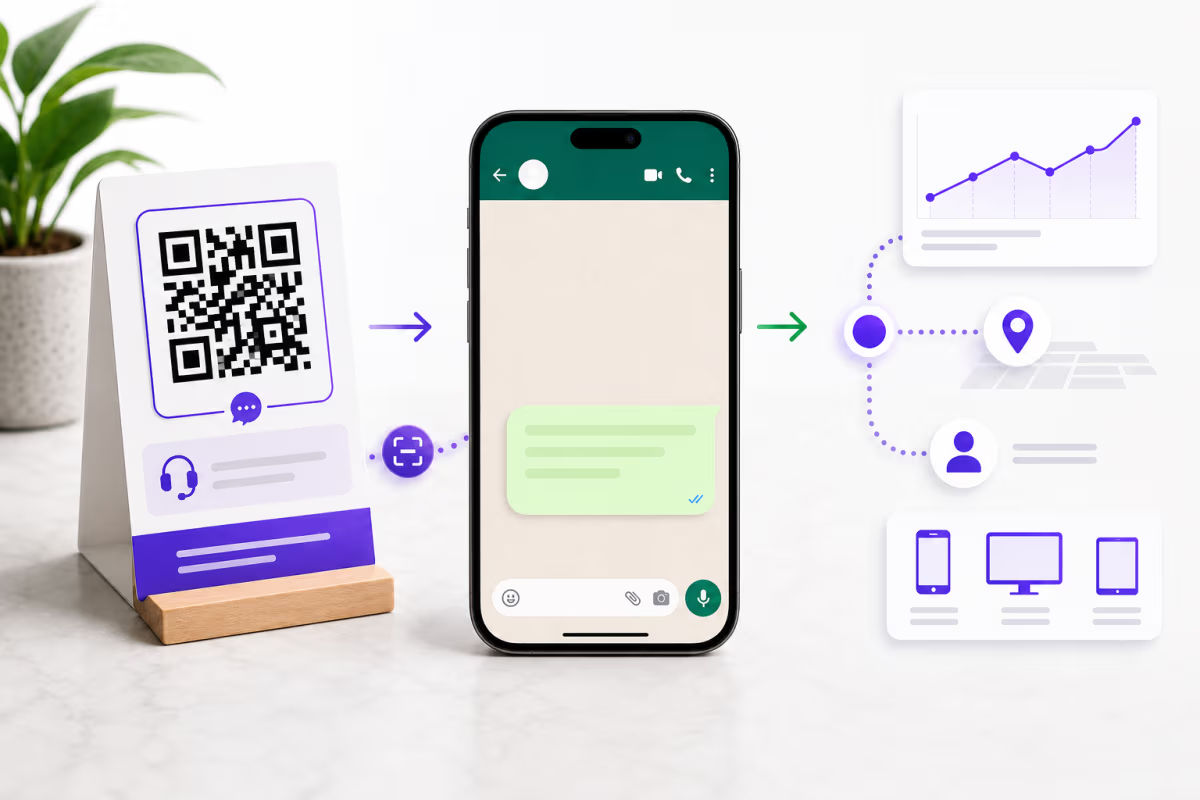
But there is a problem: getting customers to actually start a WhatsApp conversation with your business requires friction. They need to save your phone number, open WhatsApp, find the contact, and type a message. That is four steps too many. A WhatsApp QR code collapses all of that into a single scan. The customer points their phone camera at the code, taps the notification, and lands directly in a WhatsApp chat with your business — often with a pre-filled message ready to send.

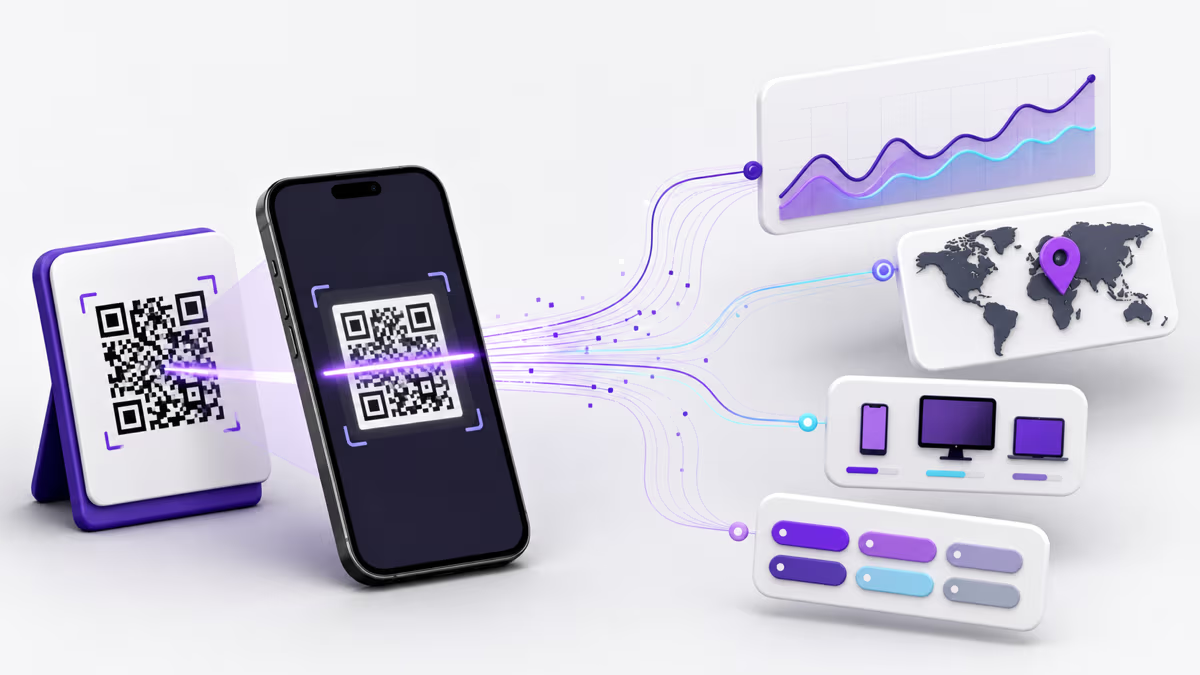
Now add scan tracking to that QR code and you unlock an entirely new dimension of insight. You can see exactly how many people scanned the code, which physical locations drive the most conversations, what devices your customers use, and which time of day generates peak engagement. This data turns a simple contact shortcut into a measurable marketing channel.

In this guide, we will cover everything you need to know about creating WhatsApp QR codes with full tracking capabilities. Whether you run a local restaurant, a real estate agency, an e-commerce store, or a multinational customer support operation, you will find actionable strategies backed by real statistics. We will walk through the technical setup, compare static versus dynamic approaches, explore six high-impact use cases, and show you how to read your analytics dashboard to optimize placement over time.

According to Chatarmin, there are now 400 million+ WhatsApp Business monthly active users globally, and Gallabox reports that over 50 million businesses use WhatsApp Business to communicate with customers. The opportunity is enormous — and a tracked QR code is the fastest way to capture it.

WhatsApp Personal vs. WhatsApp Business: Which QR Code Should You Create?

Before generating your QR code, you need to understand the difference between WhatsApp Personal and WhatsApp Business, because the type of account you use affects both the customer experience and the features available to you.

WhatsApp Personal is the standard app that most people use for everyday messaging. When you create a QR code that links to a personal WhatsApp number, the customer opens a direct chat with that number. There is no business profile, no automated greeting, no catalog, and no analytics built into WhatsApp itself. This approach works fine for freelancers, solo consultants, or anyone who wants a simple way to receive messages. The QR code simply encodes a https://wa.me/[phonenumber] link.

WhatsApp Business (the free app or the paid WhatsApp Business API) provides a verified business profile with your logo, address, business hours, website link, and a product catalog. When a customer scans your QR code and opens the chat, they see your complete business identity rather than just a phone number. The Business app also supports automated greeting messages, away messages, quick replies, labels for organizing chats, and basic analytics like messages sent, delivered, and read.

The WhatsApp Business API (used through providers like Twilio, MessageBird, or 360dialog) goes further with chatbot integration, CRM connectivity, broadcast messaging, and detailed delivery analytics. If you are a medium to large business handling hundreds of conversations per day, the API is the right choice.

Here is a comparison to help you decide:

FeatureWhatsApp PersonalWhatsApp Business AppWhatsApp Business API
Business profileNoYes (logo, hours, address)Yes (verified badge)
Auto-greetingNoYesYes + chatbots
Product catalogNoYesYes
Labels and sortingNoYesYes + CRM integration
QR code link formatwa.me/numberwa.me/numberwa.me/number or custom
Scan tracking (built-in)NoneBasic (messages only)Delivery analytics
Scan tracking (via QRLynx)Full (location, device, time)Full (location, device, time)Full (location, device, time)
Best forFreelancers, solo useSmall businessesMedium-large businesses

Regardless of which WhatsApp version you use, a dynamic QR code from QRLynx wraps your wa.me link in a trackable redirect. This means you get full scan analytics — location, device, browser, time of scan — even though WhatsApp itself provides no scan-level data. If you ever change your business phone number, you simply update the destination URL in QRLynx without reprinting a single QR code.

Pre-Filled Messages: The Secret Weapon for WhatsApp QR Codes

One of the most powerful — and underused — features of WhatsApp QR codes is the ability to pre-fill a message that appears in the chat input field when the customer opens the conversation. Instead of the customer staring at a blank chat window wondering what to type, they see a ready-made message like "Hi, I'm interested in your weekend catering menu" or "I'd like to schedule a property viewing for this listing."

The technical mechanism is simple. WhatsApp supports a text parameter in their deep links:

https://wa.me/15551234567?text=Hi%2C%20I%27d%20like%20to%20book%20an%20appointment

When you create a WhatsApp QR code in QRLynx, you paste this full URL (with the pre-filled text) as your destination. The QR code resolves through QRLynx's tracking redirect, then forwards the customer to WhatsApp with the message already composed. All they need to do is tap Send.

Why does this matter? Because pre-filled messages dramatically increase conversion rates. Consider the psychology: a customer who scans a QR code on a restaurant table tent is already interested. But if they open WhatsApp and see a blank chat, they might hesitate — what should they say? A pre-filled message like "Hi, I'd like to see today's specials" removes that hesitation entirely. The customer taps Send, and your staff responds within seconds.

Here are proven pre-filled message templates for common use cases:

  • Restaurant ordering: "Hi, I'd like to place an order from Table [X]. Can I see today's specials?"
  • Customer support: "Hi, I need help with order #[number]. Can you check the status?"
  • Appointment booking: "Hi, I'd like to book an appointment. My preferred date is [date]. Please let me know availability."
  • Real estate inquiry: "Hi, I saw the listing at [address]. I'd like to schedule a viewing."
  • Product inquiry: "Hi, I'm interested in [product name]. Is it currently in stock?"
  • Event RSVP: "Hi, I'd like to RSVP for [event name] on [date]. Party of [number]."

The key is specificity. Generic messages like "Hi, I have a question" convert poorly because they still require the customer to explain their intent. Messages that reference a specific context — a table number, a product, a listing address — convert at much higher rates because the staff member receiving the message immediately understands the context.

Pro tip: create separate QR codes with different pre-filled messages for different locations or products. A QR code on your storefront window might pre-fill "Hi, what are your store hours today?" while a QR code on a product packaging might pre-fill "Hi, I just purchased [product] and have a question." Because each QR code has its own tracking in QRLynx, you can compare which placement drives the most conversations.

How WhatsApp QR Code Tracking Works: Static vs. Dynamic

Not all QR codes are created equal, and the distinction between static and dynamic QR codes is critical when it comes to tracking WhatsApp conversations. Understanding this difference will save you from a common and costly mistake: printing thousands of QR codes that give you zero data about who scanned them.

A static WhatsApp QR code encodes the wa.me link directly into the QR pattern. When someone scans it, their phone opens WhatsApp immediately — no intermediate step, no redirect, no tracking. The QR code is essentially a visual representation of a URL, and once printed, it can never be changed. If you switch phone numbers, every printed code becomes useless. If you want to know how many people scanned it, you have no way to find out.

A dynamic WhatsApp QR code (created through a platform like QRLynx) works differently. The QR code points to a short tracking URL — for example, r.qrlynx.com/abc123 — which redirects to your wa.me link. That redirect step is where the magic happens. Every scan passes through QRLynx's tracking infrastructure, which logs the timestamp, geographic location (country, city), device type (iPhone, Android, tablet), operating system, browser, and referrer before forwarding the user to WhatsApp in under 50 milliseconds.

Here is a side-by-side comparison:

CapabilityStatic WhatsApp QRDynamic WhatsApp QR (QRLynx)
Scan trackingNoneFull (location, device, time, OS)
Change destination URLImpossible (must reprint)Anytime, without reprinting
Change pre-filled messageImpossible (must reprint)Anytime via dashboard
A/B test messagesNoYes (update destination, compare periods)
Password protectionNoYes (Pro plan and above)
Expiration dateNever expires (but cannot update)Configurable (Pro plan and above)
Smart redirect rulesNoYes — route by location, device, time
CostFree (any generator)Free tier: 3 dynamic codes, 1K scans/mo

The tracking gap between static and dynamic is not a minor difference — it is the difference between guessing and knowing. According to Krofile, WhatsApp QR codes now account for approximately 7% of all QR codes created globally, making them one of the fastest-growing QR code categories. Yet the majority of those codes are static, meaning businesses are leaving valuable engagement data on the table.

For a deeper dive into QR code tracking fundamentals, see our comprehensive guide on how to track QR code scans — it covers UTM parameters, Google Analytics integration, and advanced attribution techniques that complement the WhatsApp-specific strategies in this article.

Your WhatsApp QR Code Analytics Dashboard: What to Track and Why

Once your dynamic WhatsApp QR code is live and people are scanning it, the real value emerges from your analytics dashboard. QRLynx provides a detailed breakdown of every scan, organized into actionable categories that help you optimize placement, timing, and messaging.

Geographic data (country, region, city) tells you where your scans originate. For a business with multiple physical locations — say, a restaurant chain with five branches — this data reveals which locations drive the most WhatsApp conversations. If your downtown branch generates three times more scans than your suburban location, that information should influence where you invest in table tents, window stickers, and counter displays. For e-commerce businesses shipping internationally, geographic data shows which markets respond best to WhatsApp as a support channel versus email or live chat.

Device and operating system data matters more than you might think. WhatsApp behaves slightly differently on iOS and Android — the pre-filled message experience, the transition from browser to app, and the notification handling all vary by platform. If 80% of your scans come from Android devices, you know to test your wa.me links primarily on Android. If you see a spike in iOS scans, you might consider adding Apple Business Chat as an alternative channel.

Time-of-day and day-of-week patterns reveal when customers are most likely to reach out. A restaurant might discover that 70% of WhatsApp scans happen between 11:00 AM and 1:30 PM (lunch ordering) and another peak at 5:30 PM to 7:00 PM (dinner reservations). This data directly informs staffing: you need someone monitoring WhatsApp during those windows, not at 3:00 AM. A real estate agency might find that property listing QR codes get scanned heavily on Saturday mornings when people are house-hunting, which means agents should be available for immediate response during those hours.

Scan volume trends over time show the lifecycle of your printed materials. A QR code on a flyer distributed at a trade show will spike in scans during the event and taper off over the following two weeks. A QR code on permanent restaurant signage should show steady daily volume. If the volume suddenly drops, something changed — maybe the sign was moved, maybe a competing restaurant opened nearby, or maybe the pre-filled message is no longer relevant. Trend data helps you diagnose and react.

Unique vs. total scans distinguish between new contacts and repeat engagements. If a QR code gets 200 total scans but only 40 unique scans, that means a small group of customers is scanning repeatedly — likely returning customers who use the QR code as a shortcut to your WhatsApp rather than saving your number. That is valuable loyalty data.

WhatsApp messages have a 98% open rate according to SQ Magazine, compared to roughly 20% for email. When you combine that open rate with the attribution data from your QR code tracking, you can calculate the true ROI of each physical placement. For example: if a QR code on your checkout counter generates 150 scans per month, and 30% of those scans lead to a completed conversation, and your average conversation leads to a $45 upsell, that single QR code placement is worth $2,025 per month in attributable revenue.

How to Create a Tracked WhatsApp QR Code with QRLynx

Six High-Impact Use Cases for WhatsApp QR Codes

WhatsApp QR codes are versatile enough to work across virtually every industry, but some use cases deliver outsized results. Here are six proven applications with specific implementation strategies.

1. Customer Support and Helpdesk

Replace your 1-800 number with a WhatsApp QR code on product packaging, user manuals, and warranty cards. Customers strongly prefer messaging over phone calls — Infobip reports a 91% customer satisfaction rate for WhatsApp-based customer service, compared to 73% for traditional phone support. Pre-fill the message with "Hi, I need help with [product name] — order #" so customers only need to add their order number. With a dynamic QR code from QRLynx, you can track which products generate the most support requests by creating a separate QR code for each product line.

2. Restaurant Ordering and Reservations

Place WhatsApp QR codes on table tents, menus, and window displays. A pre-filled message like "Hi, I'd like to place an order from Table 5" lets customers order directly through WhatsApp without waiting for a server. For takeaway, a QR code on the storefront window with "Hi, I'd like to see today's takeaway menu" drives walk-by traffic into conversations. Track which tables and locations generate the most scans to optimize placement. For more on restaurant QR code strategy, read our complete restaurant QR code menu guide.

3. Appointment Booking and Scheduling

Healthcare clinics, salons, law firms, and consultancies can replace clunky online booking forms with WhatsApp QR codes. Place codes on business cards, appointment reminder cards, and clinic waiting room signage. A pre-filled message like "Hi, I'd like to schedule an appointment. My preferred date is [date] and time is [time]" gives your receptionist the information they need to book immediately. The conversational nature of WhatsApp also allows for back-and-forth scheduling that rigid online forms cannot handle — "That slot is taken, but we have 3:00 PM available. Would that work?"

4. Real Estate Property Inquiries

Real estate agents can place WhatsApp QR codes on property listing signs, open house flyers, and brochures. When a potential buyer scans the code on a for-sale sign, the pre-filled message includes the property address: "Hi, I'm interested in the property at 123 Oak Street. Is it still available?" This captures the lead instantly — before they drive away and forget. Dynamic QR codes let you track which properties generate the most inquiries, and if a property sells, you can update the QR code destination to redirect to a similar listing without reprinting the sign.

5. E-Commerce Order Tracking and Post-Purchase Support

Include a WhatsApp QR code in your shipping confirmation email, packing slip, or on the product packaging itself. Pre-fill the message with the order number: "Hi, I have a question about order #12345." Customers can inquire about delivery status, request returns, or ask product questions through a channel they already use dozens of times per day. The tracking data reveals which touchpoint drives the most post-purchase conversations — is it the packing slip or the email? That insight helps you optimize your post-purchase communication flow.

6. Event Registration and Check-In

Conference organizers, wedding planners, and community event hosts can use WhatsApp QR codes for registration, RSVP confirmation, and day-of communication. Place QR codes on event invitations, social media posts, and venue signage. A pre-filled message like "Hi, I'd like to register for [Event Name] on [Date]. My name is" turns a static invitation into an interactive registration channel. On the day of the event, a QR code at the entrance with "Hi, I'm here for [Event Name] — checking in" streamlines the arrival process. You can track registration QR scans over time to gauge interest and predict attendance.

WhatsApp QR Codes vs. Other Contact Methods: A Comparison

Businesses often wonder whether a WhatsApp QR code is worth the effort when they already have email, phone numbers, and contact forms on their website. The answer depends on your audience and use case, but the data strongly favors WhatsApp for customer-initiated conversations.

Contact MethodOpen / Response RateAvg. Response TimeQR Code CompatibleBest For
WhatsApp QR98% open rateMinutesYes (wa.me link)Customer support, orders, inquiries
Email20-25% open rateHours to daysYes (mailto link)Formal communication, documentation
Phone callAnswer rate variesImmediate (if answered)Yes (tel link)Urgent issues, complex discussions
SMS / Text90-95% open rateMinutesYes (sms link)Notifications, short messages
Website contact form2-5% submission rateHours to daysYes (URL to form)Lead generation, detailed inquiries
QR to business card (vCard)N/A (saves contact)N/AYes (vCard format)Networking, contact exchange

The standout metric is the 98% open rate for WhatsApp versus roughly 20% for email. This means that for every 100 customers who scan your WhatsApp QR code and send a message, 98 of them will see your reply. With email, only 20 of those customers would open your response. For time-sensitive communications like order confirmations, appointment reminders, and support responses, this difference is enormous.

That said, WhatsApp QR codes are not a replacement for all contact methods — they are an addition. Email remains essential for formal communication and record-keeping. Phone calls are necessary for urgent or complex issues. A QR code on your business card that saves your vCard is ideal for networking. The smartest approach is to offer WhatsApp as the primary conversational channel while maintaining email and phone as alternatives.

Printing and Placement Tips for Maximum Scans

The best WhatsApp QR code in the world is worthless if nobody scans it. Placement, sizing, and visual context are the three factors that determine whether your QR code gets hundreds of scans or collects dust. Here are evidence-based strategies for maximizing engagement.

Size matters more than you think. A QR code must be at least 2 cm x 2 cm (0.8 x 0.8 inches) to scan reliably from a typical phone distance of 15-30 cm. For signage that people scan from further away — a storefront window, a trade show banner, a real estate yard sign — scale up proportionally. The rule of thumb is that the QR code should be 1/10th of the scanning distance. If people will scan from 1 meter away, the code should be at least 10 cm x 10 cm. For detailed sizing guidance, check our complete QR code creation guide.

Always include a call-to-action (CTA) label. Never place a naked QR code with no context. People need to know what happens when they scan. Effective labels for WhatsApp QR codes include: "Scan to Chat on WhatsApp," "Message Us Instantly," "WhatsApp Us for Support," or "Scan to Order via WhatsApp." The label should be positioned directly below or beside the QR code in a font size that is readable from the same distance as the code itself.

Use WhatsApp's brand colors strategically. Color your QR code with WhatsApp green (#25D366) or place it on a green-tinted background to create an instant visual association with the platform. Research from QR code analytics platforms consistently shows that branded, colored QR codes receive 30-40% more scans than plain black-and-white codes. Adding your business logo in the center of the QR code further reinforces trust and brand recognition.

Place QR codes where intent meets attention. The highest-converting placements are locations where the customer is already thinking about contacting you:

  • Product packaging: next to the "Need help?" section
  • Restaurant tables: on the table tent or menu back cover
  • Business cards: on the back, with a "Chat with me" label (see our business card QR code guide)
  • Retail checkout: on the receipt or next to the payment terminal
  • Storefront windows: at eye level with business hours
  • Flyers and posters: in the bottom-right quadrant (eye tracking research shows this is the last area scanned, where CTAs convert best)
  • Real estate signs: below the property photo with "Scan for Details"
  • Vehicle wraps: on the rear or side panel (ensure large enough for scanning from 2+ meters)

Test before you mass-print. Print a single copy and test it with at least three different phones: one iPhone, one Android, and one older model. Scan from the distance and angle that customers will use in the real environment. If the code does not scan on the first attempt, check the size, contrast, and quiet zone (the white border around the code). A QR code that requires multiple attempts to scan will be abandoned — customers will not try a third time.

Track placement performance with separate QR codes. Create one QR code per placement location in QRLynx — one for the storefront, one for the checkout counter, one for the packaging. This gives you per-location scan data so you can identify which placements justify continued investment and which need to be moved or redesigned. This is impossible with static QR codes, but trivially easy with dynamic codes.

Advanced Strategies: Smart Redirects, A/B Testing, and Lead Capture

Once you have mastered the basics of WhatsApp QR codes with tracking, there are several advanced strategies that can significantly amplify your results.

Smart redirect rules (available on QRLynx Pro and above) allow a single QR code to route users to different WhatsApp numbers based on their location, device type, or the time of day. For example, a multinational company could configure a single QR code on their global product packaging to route users in the United States to their US support number, users in Germany to their German support number, and users in Brazil to their Brazilian support number — all automatically based on the scanner's geographic location. This eliminates the need to print region-specific packaging while still providing localized support.

A/B testing pre-filled messages is straightforward with dynamic QR codes. Print your QR codes as usual, then change the destination URL in your QRLynx dashboard to test different pre-filled messages. Run message A for two weeks, then switch to message B for two weeks, and compare the conversation rates. Which pre-filled message generates more responses? Which one leads to faster resolution or higher order values? Because your QR code is dynamic, you make these changes without reprinting anything.

Lead capture with consent forms (available on QRLynx Business and Enterprise plans) adds a data collection step before the WhatsApp redirect. When a customer scans the QR code, they first see a brief form asking for their name, email, and consent to receive marketing messages. After submitting, they are redirected to WhatsApp. This captures the lead in your QRLynx dashboard even if the WhatsApp conversation does not result in a sale, giving you a second channel (email) to follow up. For businesses running promotional campaigns — a QR code on a flyer offering 15% off for new WhatsApp contacts — this lead capture step turns a single touchpoint into a multi-channel relationship.

Retargeting pixel integration (Business and Enterprise plans) fires a Facebook, Google, or TikTok retargeting pixel when the QR code is scanned. This means you can build custom audiences of people who scanned your WhatsApp QR code and serve them targeted ads on social media. If someone scanned your QR code on a product display but did not start a WhatsApp conversation, you can retarget them with a reminder ad: "Still have questions about [product]? Chat with us on WhatsApp." This closes the loop between offline engagement and online advertising.

Expiration dates (Pro and above) let you set a QR code to automatically deactivate after a certain date. For time-limited promotions — "Scan before March 31 for 20% off" — an expiration date ensures nobody tries to redeem the offer after it ends. Instead of the WhatsApp chat, expired codes redirect to a custom landing page explaining that the promotion has ended and offering a current alternative.

For businesses interested in getting Google reviews through a similar QR code approach, our Google Review QR code guide covers the complete setup process with tracking.

Conclusion: Turn Every Physical Touchpoint into a WhatsApp Conversation

WhatsApp QR codes with tracking represent one of the most efficient bridges between the physical world and digital conversation. With 2.93 billion users, a 98% message open rate, and 91% customer satisfaction for WhatsApp-based service, the channel is not just viable — it is increasingly expected by customers across the globe.

The key takeaways from this guide:

  • Always use dynamic QR codes for WhatsApp links. Static codes give you zero tracking data and cannot be updated if your phone number changes.
  • Pre-fill your messages with specific, contextual text that removes friction and increases the likelihood of the customer tapping Send.
  • Track every placement separately by creating individual QR codes for each physical location — storefront, packaging, business cards, event materials.
  • Review your analytics weekly to understand geographic patterns, peak scan times, and device preferences. Use this data to optimize staffing and placement.
  • Layer advanced features like smart redirects for multi-location businesses, lead capture forms for marketing campaigns, and retargeting pixels for closing the offline-to-online loop.

Getting started takes less than five minutes. Create your free dynamic QR code in QRLynx, paste your wa.me link with a pre-filled message, customize the design with WhatsApp green, and download it for print. The free plan includes 3 dynamic QR codes with 1,000 scans per month — more than enough to test the concept and see results before upgrading.

For businesses that need to scale, QRLynx offers plans starting at $7/month for 15 dynamic QR codes with unlimited scans, up to the Enterprise plan at $99/month for 1,000 dynamic codes with white-label branding and lead capture forms. Every plan includes full scan analytics with geographic, device, and temporal data.

The businesses winning with WhatsApp QR codes in 2026 are not the ones with the most sophisticated technology — they are the ones who put a tracked QR code in front of customers at the exact moment those customers are ready to start a conversation. That moment is on your packaging, on your storefront, on your business card, and on your event materials. Do not let it pass without tracking it.

Frequently Asked Questions About WhatsApp QR Codes

What is a WhatsApp QR code and how does it work?

A WhatsApp QR code is a scannable code that opens a WhatsApp chat with a specific phone number when scanned. It encodes a wa.me deep link — for example, https://wa.me/15551234567 — which WhatsApp recognizes and opens directly in the app. When created as a dynamic QR code through a platform like QRLynx, the code first passes through a tracking redirect that logs scan data before forwarding the user to WhatsApp. This happens in under 50 milliseconds, so the user experience feels instantaneous.

Can I add a pre-filled message to my WhatsApp QR code?

Yes, and you absolutely should. WhatsApp supports a text parameter in their deep links: https://wa.me/15551234567?text=Your%20message%20here. When someone scans the QR code, WhatsApp opens with this message already typed in the chat input field. The customer just taps Send. Pre-filled messages significantly increase conversion rates because they remove the friction of the customer having to compose a message from scratch. Use URL encoding for special characters (spaces become %20, commas become %2C).

What is the difference between a static and dynamic WhatsApp QR code?

A static WhatsApp QR code encodes the wa.me URL directly into the QR pattern. It cannot be changed after printing and provides zero tracking data. A dynamic WhatsApp QR code routes through a tracking URL (like r.qrlynx.com/abc123) that redirects to your wa.me link. Dynamic codes track every scan with location, device, and timestamp data. You can also change the destination URL anytime without reprinting the code. For any business use case, dynamic codes are strongly recommended.

Is it free to create a WhatsApp QR code with tracking?

Yes. QRLynx offers a free tier that includes 3 dynamic QR codes with 1,000 scans per month and basic analytics. This is enough for most small businesses to test WhatsApp QR codes and validate the concept. For businesses that need more codes, unlimited scans, or advanced features like smart redirects and lead capture, paid plans start at $7 per month. There is no charge from WhatsApp itself for using wa.me links.

Do WhatsApp QR codes work on both iPhone and Android?

Yes, WhatsApp QR codes work on both iOS and Android devices. The wa.me deep link format is universal and recognized by WhatsApp on all platforms. When a user scans the QR code, their phone detects the wa.me URL and offers to open it in WhatsApp. If WhatsApp is not installed, the link redirects to the WhatsApp download page. QRLynx analytics track which platform each scan comes from, so you can see the iOS vs Android breakdown in your dashboard.

Can I track how many people scan my WhatsApp QR code?

With a static QR code, no — there is no tracking mechanism. With a dynamic QR code from QRLynx, yes — every scan is logged with detailed metadata including geographic location (country, city), device type and operating system, browser, timestamp, and whether it is a unique or repeat scan. You can view this data in your QRLynx analytics dashboard with charts showing trends over time, geographic heatmaps, and device breakdowns.

How do I change my WhatsApp number on a QR code that is already printed?

If you used a static QR code, you cannot change it — you must create and print a new code. If you used a dynamic QR code from QRLynx, simply log into your dashboard, find the QR code, and update the destination URL to your new wa.me link with the new phone number. The change takes effect immediately for all future scans. The printed QR code itself does not change because it points to your QRLynx tracking URL, not directly to WhatsApp.

What size should a WhatsApp QR code be for printing?

The minimum recommended size is 2 cm x 2 cm (0.8 x 0.8 inches) for close-range scanning like business cards and product labels. For signage scanned from further away, use the 1:10 ratio — the QR code should be 1/10th of the expected scanning distance. A poster scanned from 1 meter away needs a 10 cm x 10 cm code. A banner scanned from 3 meters away needs a 30 cm x 30 cm code. Always maintain a white quiet zone border equal to at least 4 modules (dots) of the QR code.

Can I use WhatsApp QR codes for customer support?

Absolutely. WhatsApp QR codes are one of the most effective customer support channels available. Place them on product packaging, user manuals, and warranty cards with a pre-filled message like Hi, I need help with [product]. The customer scans, taps Send, and is instantly connected to your support team. Infobip reports a 91% customer satisfaction rate for WhatsApp-based support. You can also create separate QR codes for different product lines to track which products generate the most support volume.

Do WhatsApp QR codes work without the WhatsApp app installed?

If the scanner does not have WhatsApp installed, the wa.me link will redirect them to the WhatsApp download page for their platform (App Store for iOS, Google Play for Android). They can install the app and then use the link. However, your scan will still be tracked by QRLynx because the tracking redirect happens before the wa.me link is loaded. Given that WhatsApp has 2.93 billion monthly active users, the vast majority of scanners in most markets will already have the app installed.

Can I create different WhatsApp QR codes for different locations or products?

Yes, and this is highly recommended. Create a separate dynamic QR code in QRLynx for each physical location, product line, or marketing campaign. Each code gets its own tracking data, so you can compare performance across placements. For example, a restaurant chain might create one QR code per branch, each with a different pre-filled message mentioning the branch name. A product company might create one code per product, each with a pre-filled message referencing that specific product. This granular tracking is impossible with static codes.

How do smart redirect rules work with WhatsApp QR codes?

Smart redirect rules (available on QRLynx Pro plan and above) let a single QR code route to different destinations based on conditions like geographic location, device type, or time of day. For WhatsApp, this means one QR code on your global packaging can route US customers to your US WhatsApp number, UK customers to your UK number, and so on — automatically. You set up the rules in your QRLynx dashboard by defining conditions and their corresponding wa.me destination URLs. The routing happens in milliseconds during the tracking redirect.

Enjoyed this article? Share it!

Ready to Create Your Own QR Codes?

Start for free and upgrade as you grow. All plans include dynamic QR codes, analytics, and custom branding.

All plans include Unlimited Static QR Codes 39 QR Code Types Unbranded QR Codes Email Support
Starter
For personal projects
Free
No card required
  • 3 Dynamic QR Codes Editable QR codes — change the destination URL anytime
  • 1,000 Scans / Month Soft limit — QR codes keep working
  • 30-Day Analytics View scan data from the last 30 days
  • JPG, PNG, WEBP Downloads
  • Pause & Activate QR Codes Pause QR codes to stop scans, reactivate anytime within your plan limit
Starter+
For more personal projects
$5.83 /mo
$70 billed yearly
  • 15 Dynamic QR Codes
  • Unlimited Scans
  • 30-Day Analytics
  • Custom Logo Upload
  • SVG / PDF Downloads
  • 3 Folders
  • 5 MB PDF Upload
  • JPG, PNG, WEBP Downloads
Most Popular
Pro
Best for marketers
Everything you need for QR campaigns
$11.67 /mo
$140 billed yearly
  • 50 Dynamic QR Codes
  • Unlimited Scans
  • 60-Day Analytics Upgraded from 30 days
  • Password Protected QRs Require a password before showing QR content
  • Smart Redirect Rules Redirect by device, country, or time
  • Access Consent Screens Age verification, terms, disclaimers
  • Expiry Rules Auto-expire by date or scan count
  • QR Scheduling Set start/end times for QR activity
  • 5 Folders
  • 10 MB PDF Upload
Business
For teams & agencies
$24.17 /mo
$290 billed yearly
  • 250 Dynamic QR Codes
  • Unlimited Scans
  • 90-Day Analytics Upgraded from 60 days
  • Bulk QR (100/batch)
  • Team Management (3 Members) Invite team members to collaborate on QR codes, analytics, and folders
  • Lead Capture Forms Collect leads directly from QR code scans
  • 25 Folders
  • 20 MB PDF Upload
  • CSV Report Export
Enterprise
For large organizations
$82.50 /mo
$990 billed yearly
  • 1,000 Dynamic QR Codes
  • Unlimited Scans
  • Bulk QR (500/batch)
  • Retargeting Pixels Add Facebook, Google, GTM tracking pixels to QR landing pages
  • Team Management (10 Members) Invite up to 10 team members with role-based access control
  • White Label Domains Use your own domain for QR redirects (e.g. qr.yourbrand.com)
  • 100 Folders
  • 50 MB PDF Upload
  • Dedicated Success Manager

Why businesses choose QRLynx

Features most competitors charge extra for — included in every plan

39
QR Code Types
URL, WiFi, vCard, PDF & more
Bio Pages
Built-in Landing Pages
No Linktree needed
Unbranded
No Watermark on Free
Even on the Starter plan
Unlimited
Scans on All Paid Plans
No scan caps, no surprises
275+
Edge Locations
Sub-50ms redirects globally
Lead Forms
Capture Contacts
Built-in lead gen from scans
Smart Rules
Conditional Redirects
By device, location, or time
PDF QR
Upload & Share PDFs
Menus, flyers, documents

Ready to Transform Your QR Code Experience?

Join thousands of businesses already using QRLynx to create, customize, and track their QR codes with ease.

No credit card required
Free forever Starter plan
Cancel anytime