How to Create an Instagram QR Code (2026 Guide)

Key Takeaway
Instagram QR codes link to your profile, posts, Reels, or bio page. Compare static vs dynamic, design tips, analytics, and business use cases.
Last reviewed: April 2026
This guide was re-verified in April 2026. We confirmed pricing, feature claims, and external source links are still accurate as of this month. If anything on the page looks stale, let us know and we'll correct it promptly.
Why Instagram QR Codes Are Essential for Growth in 2026
Instagram remains one of the most powerful platforms for brand building and audience engagement. According to Statista, Instagram surpassed 2.4 billion monthly active users in early 2026, making it the third largest social network worldwide behind Facebook and YouTube. For businesses, creators, and influencers, the challenge is no longer whether to be on Instagram — it is how to convert offline encounters into online followers. That is exactly where Instagram QR codes come in.
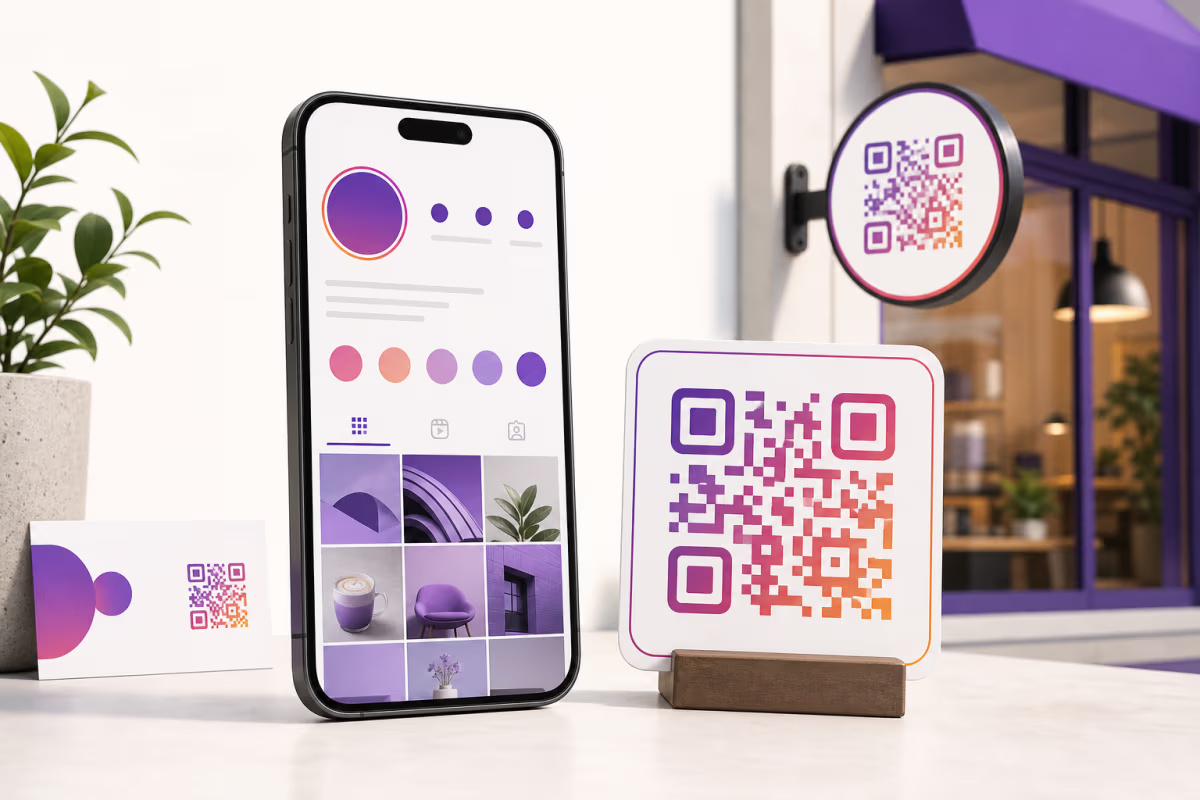
An Instagram QR code is a scannable graphic that opens a specific Instagram destination when someone points their phone camera at it. That destination might be your profile page, a single post, a Reel, a Story highlight, or even a curated bio link page. Instead of telling someone to search your handle letter by letter — a process that leads to typos, wrong accounts, and lost followers — you give them a single scan that takes less than two seconds.
The math is compelling. A 2025 Juniper Research report estimated that QR code interactions will exceed 5.3 billion globally by the end of 2026, up from 2.2 billion in 2023. Meanwhile, Instagram's own business blog has highlighted that accounts adding QR codes to physical marketing materials see an average 22 percent lift in profile visits compared to text-only calls to action. When a potential follower can skip the search step entirely, conversion rates climb.
This guide walks you through every aspect of creating an Instagram QR code — from choosing the right QR type and destination to designing a code that matches your brand, tracking scan analytics, and deploying codes across business cards, storefronts, events, product packaging, and influencer merchandise. Whether you are a solo creator or a marketing team managing dozens of campaigns, you will find actionable steps and real-world examples throughout.
Instagram Profile QR vs Post QR vs Reels QR: Choosing the Right Destination
Not all Instagram QR codes point to the same place, and choosing the wrong destination is one of the most common mistakes. Each destination type serves a different marketing goal, so it pays to understand the differences before you create your code.
Profile QR codes are the most popular option. They link directly to your Instagram profile page — instagram.com/yourusername — and prompt the visitor to follow you. Use a profile QR code when your primary goal is follower growth: on business cards, conference badges, storefront signage, or packaging inserts. The visitor lands on your profile, sees your bio, recent posts, and follower count, and decides whether to tap Follow.
Post QR codes link to a specific Instagram post. They are ideal for campaigns tied to a single piece of content — a product launch photo, a giveaway announcement, a customer testimonial carousel, or a collaborator tag. Because the destination is a single post rather than a profile, the call to action is usually engagement (likes, comments, shares) rather than follows. Post QR codes work well on event signage where you want attendees to interact with a specific contest or announcement.
Reels QR codes link to a specific Instagram Reel. Short-form video is Instagram's fastest-growing content format, and Reels consistently generate higher reach than static posts according to Later's 2025 Instagram Engagement Report. If you have a viral Reel, a product demo Reel, or a behind-the-scenes Reel that represents your brand well, linking a QR code directly to it can drive thousands of views from offline touchpoints. Reels QR codes are especially effective on product packaging and in-store displays where customers want to see the product in action.
Story Highlight QR codes point to a specific Story Highlight album on your profile. They work well for restaurants (link to a Menu highlight), travel brands (link to a Destinations highlight), or service businesses (link to a Testimonials highlight). Because Story Highlights persist indefinitely, the QR code remains valid as long as the highlight exists.
Bio link page QR codes are the most versatile option. Instead of linking to Instagram directly, you create a bio link page — a single landing page that contains links to your Instagram profile, your website, your latest offer, your email signup, and any other destination you choose. This approach is increasingly popular because it gives the visitor multiple paths to engage with you. We will compare QRLynx bio pages to Linktree and other alternatives in detail in the next section.
QRLynx Bio Pages vs Linktree: Which Link-in-Bio Solution Pairs Best with QR Codes
If your goal is to convert offline traffic into followers, customers, and subscribers simultaneously, a single Instagram profile link may not be enough. That is why link-in-bio solutions exist — and why pairing one with a QR code is so effective. The two leading approaches are standalone services like Linktree and integrated platforms like QRLynx that combine QR code creation with a built-in bio page.
Linktree is the most recognized link-in-bio tool, with over 50 million users according to its own marketing materials. It creates a simple page at linktr.ee/yourusername with a vertical list of buttons. The free tier offers basic customization, while paid plans ($5 to $24 per month) add analytics, email capture, scheduling, and custom themes. However, Linktree does not generate QR codes natively — you need a separate QR code generator to create a code pointing to your Linktree URL, and you lose the ability to track scans as a distinct traffic source.
QRLynx bio pages are built directly into the QR code platform. When you create a dynamic QR code on QRLynx, you can set the destination to a bio link page hosted at qrlynx.com/@yourusername. The page is fully customizable with your brand colors, profile image, and an unlimited list of links. Because the QR code and the landing page live on the same platform, every scan is tracked in your QRLynx analytics dashboard — including device type, location, time of scan, and which link on the bio page the visitor clicked. That level of attribution is impossible when you use a separate QR generator plus a separate link-in-bio tool.
Here is a practical comparison:
- Analytics depth: Linktree shows page views and clicks on its paid plans. QRLynx shows scan-level analytics (device, location, time) plus click-through data on the bio page — all on a single dashboard.
- QR code editing: If you create a QR code pointing to a Linktree URL and later want to change the Linktree URL, you must reprint the QR code. With QRLynx, you can change the bio page content or swap the entire destination URL without reprinting because the QR code is dynamic.
- Cost: Using Linktree Pro ($5/mo) plus a third-party dynamic QR tool ($10-20/mo) costs more than a single QRLynx plan that includes both. QRLynx's Starter+ plan costs $5 per month and includes 15 dynamic QR codes plus bio pages.
- Branding: Linktree free plans display the Linktree logo prominently. QRLynx bio pages on paid plans are white-labeled with your brand only.
- Lead capture: QRLynx Pro and above include lead form capture — you can gate the bio page behind an email or phone number collection form, turning every scan into a lead. Linktree requires a third-party integration for the same functionality.
For users who already have a Linktree and do not want to migrate, QRLynx works perfectly as a QR code generator pointed at your existing Linktree URL. You still get scan-level analytics from QRLynx even though the destination is a Linktree page. But for users starting fresh, consolidating both tools into QRLynx is simpler, cheaper, and provides deeper data.
Static vs Dynamic Instagram QR Codes: Why It Matters
Before you create your first Instagram QR code, you need to make a fundamental decision: static or dynamic. This choice affects everything from how flexible your code is to whether you can track scans.
A static QR code encodes the destination URL directly into the dot pattern. When someone scans it, their phone decodes the URL from the pattern itself — no server lookup is involved. The advantages are simplicity and permanence: the code works forever, does not depend on any service being online, and is completely free to generate. The disadvantage is that the URL is permanently baked in. If your Instagram handle changes, if you want to redirect scans to a Reel instead of your profile, or if you want to switch from Instagram to TikTok for a campaign, you must generate and reprint an entirely new QR code.
A dynamic QR code encodes a short redirect URL — for example, r.qrlynx.com/abc123 — instead of the final destination. When someone scans it, the redirect service looks up the current destination in a database and sends the visitor there in real time. This architecture provides three critical benefits:
- Editable destinations: You can change where the QR code points at any time from your QRLynx dashboard without reprinting. Launching a new Reel? Update the destination in two clicks. Switching from a profile link to a bio page? Done instantly.
- Scan analytics: Because every scan passes through the redirect server, QRLynx records the device type, operating system, approximate location, and timestamp of each scan. This data appears in your analytics dashboard in real time.
- Advanced features: Dynamic codes unlock features like password protection, expiry rules, smart redirect rules (send iPhone users to the App Store and Android users to Google Play), and lead form capture.
For one-time personal use — say, printing a QR code on a wedding invitation that links to your Instagram photo album — a static code is perfectly fine. For any business or marketing use where you might change the destination, want analytics, or plan to reuse the code across campaigns, a dynamic code is worth the small investment. QRLynx's free Starter plan includes three dynamic QR codes, which is enough to test the workflow before committing to a paid tier.
According to a Grand View Research market analysis, dynamic QR codes now account for over 65 percent of all commercially deployed QR codes, up from roughly 40 percent in 2021. The trend is clear: businesses want the flexibility and data that only dynamic codes provide.
How to Create an Instagram QR Code with QRLynx in 5 Steps
Seven High-Impact Use Cases for Instagram QR Codes
Creating the QR code is only half the battle. Where you place it determines how many scans — and followers — you actually get. Here are seven proven deployment strategies, each tied to a specific business context.
1. Business Cards and Networking Materials
The classic use case. Print your Instagram QR code on the back of your business card alongside a short call to action like Follow us for daily design tips. At conferences and networking events, recipients can scan instantly instead of trying to remember your handle. According to a Vistaprint survey, 72 percent of professionals judge a business by the quality of its card — a well-designed QR code signals that you are tech-forward and easy to connect with.
2. Storefront and Window Signage
Place a large QR code on your shop window, front door, or point-of-sale counter. Pair it with a clear call to action: Scan to follow us on Instagram — get 10% off your next order. This converts foot traffic into followers even when the store is closed. Restaurants, cafes, salons, and retail boutiques see strong results here because passersby can engage without entering the store. For best practices on print sizing and placement, see our comprehensive QR code guide.
3. Events, Trade Shows, and Pop-Ups
Events are high-density follower acquisition environments. Print your QR code on banners, table tents, lanyards, and badge inserts. At trade shows, place a large QR poster at your booth entrance. At pop-up shops, print it on receipts and bags. The key is visibility: attendees should be able to scan from at least three feet away, which means the code should be at least 2 inches (5 cm) on each side. For large banners viewed from ten feet or more, scale to 8 inches or larger. Our QR code print size guide has detailed sizing tables.
4. Product Packaging and Inserts
E-commerce brands increasingly print QR codes inside packaging — on tissue paper, packing slips, or small insert cards. The message is usually Loved your order? Follow us on Instagram for exclusive drops and giveaways. Because the customer is already in a positive post-purchase moment, conversion rates are high. Dynamic QR codes shine here because you can rotate the destination — point to your profile for three months, then switch to a seasonal Reel or a new product launch page without reprinting inserts. For more ideas on using QR codes on product packaging, see our dedicated guide.
5. Influencer and Creator Merchandise
Creators selling branded merchandise — T-shirts, hoodies, stickers, tote bags, phone cases — can print a QR code directly on the product or its tag. Fans wearing the merch become walking billboards: anyone who notices the item can scan the code and follow the creator. This is especially effective for YouTube creators and podcasters who are cross-promoting their Instagram. Use a bio link page as the destination so the scanner can choose to follow on Instagram, subscribe on YouTube, or join a Discord community.
6. Print Advertising and Flyers
If you run print ads in magazines, newspapers, or local circulars, adding an Instagram QR code bridges the gap between print and digital. Track scans by using a unique QR code for each publication — QRLynx lets you create multiple codes pointing to the same destination, each with its own analytics, so you can measure which publication drives the most followers. See our flyer and poster QR code guide for layout tips.
7. Email Signatures and Digital Footprints
Not all QR code placements are physical. Adding a small QR code to your email signature, your Zoom virtual background, your presentation slides, or your PDF invoices puts your Instagram link in front of people who interact with you digitally but may not know your social handles. The QR code acts as a visual shortcut that is faster to scan than typing a URL, especially on mobile devices where recipients can point one phone at another screen.
Designing an Instagram QR Code That Gets Scanned
A QR code that blends into the background or looks like an afterthought will not get scanned. Design matters — both for brand alignment and for scan reliability. Here are the principles that separate high-performing Instagram QR codes from forgotten ones.
Contrast is non-negotiable. The foreground dots must contrast sharply against the background. Dark dots on a light background is the safest combination. Avoid light-on-light or dark-on-dark patterns. If your brand colors are pastel, use a darker shade for the dots and white for the background. QRLynx's built-in Readability Score warns you in real time if your color combination will cause scanning problems.
Add your logo, but keep it small. A centered logo makes the code recognizable and branded, but if the logo covers too much of the data area the code becomes unscannable. QRLynx automatically sizes the logo to stay within the safe zone — typically 20 to 25 percent of the code area. Upload your Instagram icon or a simplified version of your brand mark. Avoid detailed photographs or text-heavy logos that lose clarity at small sizes.
Choose the right dot style. Rounded dots look modern and friendly, making them popular for consumer-facing brands. Square dots look more corporate and technical. The choice is aesthetic — both scan equally well. QRLynx offers rounded, dot, and square styles in the Customize panel.
Include a call to action. The QR code itself should never stand alone. Always pair it with a short instruction: Scan to follow us on Instagram, Scan for exclusive content, or Scan to see our latest Reel. Research from Mobile Marketer found that QR codes with a visible call to action receive 30 percent more scans than codes without one.
Mind the quiet zone. Every QR code needs a margin of white space — called the quiet zone — around its edges. The minimum is four modules wide (the small squares that make up the code). QRLynx adds this automatically, but if you are placing the code in a tight layout, make sure your graphic designer does not crop into the quiet zone. Violating it causes scanning failures, especially on older phone cameras.
Test before you print. Scan the code with at least three different phones: an iPhone, a recent Android, and an older or budget Android device. Test in different lighting conditions — bright daylight, dim indoor lighting, and fluorescent overhead. If any test fails, increase the contrast, reduce the logo size, or simplify the dot style. Reprinting a thousand business cards because the QR code does not scan is an expensive mistake.
Tracking Scan Analytics: Measuring Your Instagram QR Code Performance
One of the biggest advantages of using a dynamic QR code platform like QRLynx instead of Instagram's built-in Nametag (which Instagram retired in 2023) or a free static generator is the analytics layer. Every scan of a dynamic QRLynx code is logged with metadata that helps you understand who is scanning, where, and when.
Your QRLynx analytics dashboard shows:
- Total scans over time: A line chart showing daily, weekly, or monthly scan volume. Use this to correlate scan spikes with specific campaigns, events, or content drops.
- Device breakdown: See the split between iOS and Android scanners. This is useful for creators who want to tailor content — if 80 percent of your scanners are on iPhone, your Instagram Stories and Reels should be optimized for iOS rendering.
- Geographic data: Approximate city and country of each scan based on IP geolocation. If you distribute QR codes at multiple locations (e.g., five retail stores), you can compare which location generates the most engagement.
- Time-of-day patterns: See when scans peak. If most scans happen between 6 PM and 9 PM, you know your audience is engaging after work — schedule your Instagram posts accordingly to catch them when they are already on the platform.
- Unique vs repeat scans: Understand whether you are reaching new people or seeing the same users scan repeatedly. High unique scan rates indicate broad reach; high repeat rates suggest loyal fans returning to your content.
For advanced users, QRLynx supports UTM parameters appended to the destination URL. By adding ?utm_source=qrcode&utm_medium=businesscard&utm_campaign=q2launch to your Instagram link, you can track QR code traffic separately in Google Analytics 4 or your preferred web analytics tool. This is especially valuable if you are running multiple QR code placements simultaneously and want to attribute followers to specific touchpoints.
If you are managing QR codes for a team, QRLynx's workspace features on Business and Enterprise plans let multiple team members view the same analytics dashboard, ensuring everyone from the social media manager to the CMO has visibility into QR code performance.
Advanced Strategies: Smart Rules, Expiry, and Lead Capture
Beyond basic profile linking and analytics, QRLynx offers several advanced features that can supercharge your Instagram QR code campaigns.
Smart redirect rules let you send different users to different destinations based on device type, operating system, or location. For example, you could configure a single QR code to send iPhone users to your Instagram profile and Android users to your TikTok profile — useful for creators who maintain a presence on both platforms and want to direct users to the app they are most likely to already have installed. Set up rules in your redirect rules dashboard.
Expiry rules automatically disable a QR code after a certain date or after a certain number of scans. This is perfect for limited-time Instagram promotions: create a QR code that links to a giveaway post, set it to expire after the contest ends, and expired scanners see a friendly message instead of a dead page. Configure expiry in the expire rules section.
Lead form capture places a form in front of the Instagram destination. Before the visitor reaches your profile, they enter their name and email address. This converts anonymous QR code scanners into identifiable leads in your CRM or email marketing platform. Brands use this for VIP access campaigns — Enter your email to unlock our exclusive Instagram content — and it is remarkably effective at events where attendees are willing to trade contact information for value. Manage lead forms from the leads dashboard.
Password protection adds a password gate to the QR code. Only people who know the password can reach the Instagram destination. Use this for exclusive fan clubs, private community invites, or gated brand ambassador programs. It pairs well with lead forms: collect the email first, then require the password, creating a two-step verification that ensures only serious prospects get through.
Email scan summaries send you a daily or weekly email summarizing how many times each QR code was scanned. This is useful for busy marketers who do not want to log into the dashboard every day but still want to stay informed about campaign performance. Enable summaries from your email summary settings.
Instagram QR Codes for Different Business Types
The strategy for deploying an Instagram QR code varies by industry. Here are tailored recommendations for the most common business types.
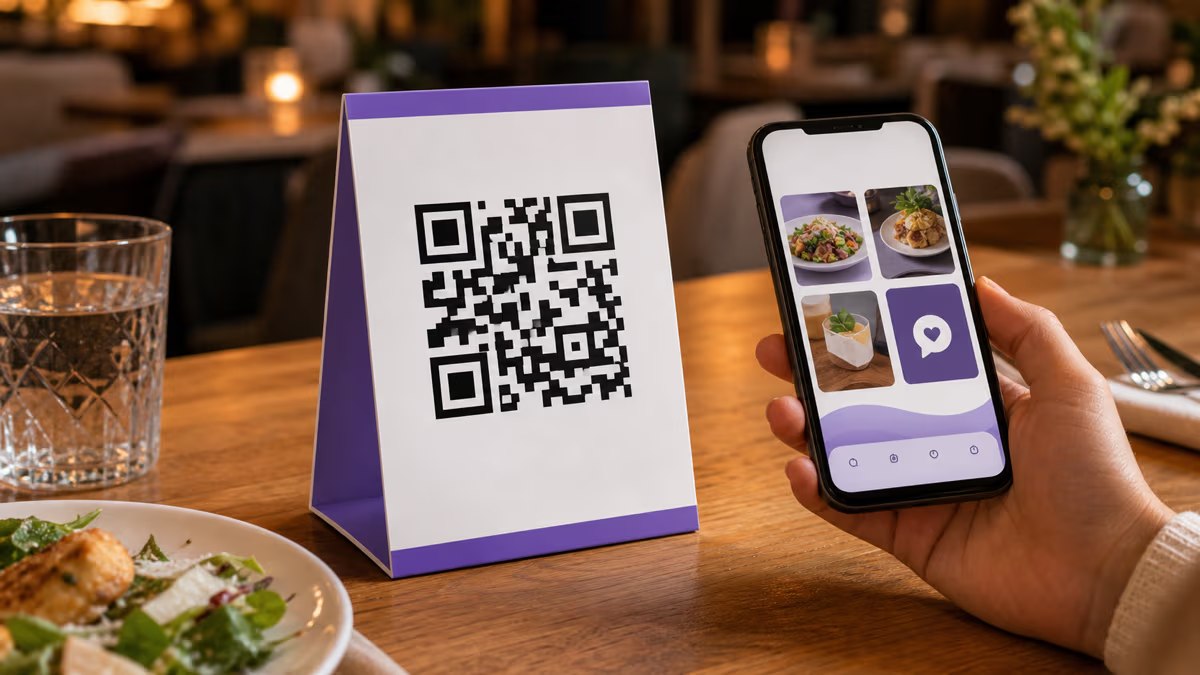
Restaurants and cafes: Print QR codes on table tents, menus, and receipts. Link to your Instagram profile where you post daily specials, behind-the-scenes kitchen content, and customer-submitted food photos. Pair with a WiFi QR code on the same tent so customers can connect to WiFi and follow you in one sitting. Use a bio page as the destination to include both your Instagram and your Google Review link — see our Google Review QR code guide for that setup.
Retail stores: Place QR codes on shelf tags, window displays, and shopping bags. Link to your Instagram shop or a specific product showcase Reel. Dynamic codes let you rotate the destination to match seasonal collections without reprinting.
Real estate agents: Print QR codes on yard signs, open house flyers, and listing brochures. Link to your Instagram where you post property tours, market updates, and client testimonials. For more real estate QR code strategies, see our real estate QR code guide.
Fitness studios and gyms: Print QR codes on class schedules, membership cards, and locker room signage. Link to your Instagram where you post workout tips, transformation stories, and class schedules. A bio page works well here to include booking links alongside Instagram.
Event planners and venues: Print QR codes on invitations, programs, and table cards. Link to an event-specific Instagram account or hashtag page. For weddings specifically, see our wedding photo QR code guide for detailed placement tips.
E-commerce and DTC brands: Include QR codes on packing slips, insert cards, and product labels. Link to your Instagram for unboxing content, styling ideas, and community reposts. The post-purchase moment is prime time for follower conversion because the customer is already excited about your brand.
Educators and coaches: Print QR codes on course materials, handouts, and certificates. Link to your Instagram where you share tips, student success stories, and course previews. For more education use cases, see our classroom QR code guide.
Common Mistakes to Avoid with Instagram QR Codes
Even experienced marketers make errors that reduce scan rates or break the user experience. Here are the most frequent mistakes and how to avoid them.
Using a static code for a changeable destination. If there is any chance you will want to change the Instagram URL — say, switching from a profile link to a Reel or from one account to another — use a dynamic code from the start. The cost difference is negligible, and the flexibility is worth it.
Linking to a desktop-only URL. Instagram profile URLs like instagram.com/username work on both desktop and mobile, but some Instagram links (particularly those copied from desktop browsers with tracking parameters) can behave unexpectedly on mobile. Always test the URL on a phone before encoding it.
Forgetting the call to action. A QR code without context looks like a random barcode. Always include text explaining what the scanner will get: Follow us on Instagram, Watch our latest Reel, or Scan for a discount code.
Printing too small. A QR code smaller than 0.8 inches (2 cm) per side will not scan reliably, especially in low light. For business cards, 1 inch is the minimum. For posters and banners, scale proportionally to the expected scanning distance. Our size guide has a complete reference table.
Using too many colors. Brand colors are great, but rainbow gradients across the dot pattern destroy readability. Stick to one foreground color and one background color. If you want visual flair, use a colored border or frame around the code rather than coloring the dots themselves.
Not testing across devices. What scans perfectly on a new iPhone may fail on a three-year-old Android. Always test with at least two different devices before printing at scale.
Ignoring analytics. If you are using a dynamic code but never check the analytics dashboard, you are wasting half the value. Set a weekly reminder to review scan data and adjust your placement strategy based on what is working.
Frequently Asked Questions About Instagram QR Codes
Does Instagram have a built-in QR code feature?
Instagram retired its Nametag feature in 2023 and replaced it with a basic QR code accessible from Settings > QR Code. However, this built-in code only links to your profile, offers no customization, provides no scan analytics, and cannot be changed to a different destination. For any business or marketing use, a dedicated QR code platform like QRLynx provides far more functionality.
Can I create an Instagram QR code for free?
Yes. QRLynx's free Starter plan includes three dynamic QR codes with full analytics. You can also create unlimited static QR codes for free. A static code links permanently to one Instagram URL, while a dynamic code lets you change the destination and track scans over time.
What is the best QR code type for growing Instagram followers?
A dynamic URL QR code pointing to your Instagram profile is the simplest option for follower growth. For maximum versatility, use a QRLynx bio page as the destination — it lets you include your Instagram, website, and other links on a single branded page, giving scanners multiple ways to connect with you.
Should I link to my Instagram profile or a specific post?
Link to your profile if your goal is follower growth. Link to a specific post or Reel if your goal is engagement on a particular piece of content, such as a giveaway, product launch, or collaboration. You can always change the destination later if you use a dynamic QR code.
How do I track how many people scan my Instagram QR code?
Dynamic QR codes created with QRLynx automatically log every scan with metadata including device type, operating system, approximate location, and timestamp. View this data in your QRLynx analytics dashboard. For additional tracking, append UTM parameters to your Instagram URL and monitor the traffic in Google Analytics 4.
Can I change where my Instagram QR code points after printing?
Yes, if you use a dynamic QR code. Dynamic codes redirect through a server, so you can update the destination URL at any time from your QRLynx dashboard without reprinting. Static codes cannot be changed after creation — the URL is encoded directly in the dot pattern.
What size should an Instagram QR code be for a business card?
At least 1 inch (2.5 cm) per side on a business card. This provides enough resolution for reliable scanning even in dim lighting. If your card design allows it, 1.2 inches is better. Always leave a white quiet zone of at least 2-3 mm around the code.
Can I put my logo or the Instagram icon in the QR code?
Yes. QRLynx supports logo placement in the center of the QR code. The platform automatically sizes the logo to maintain scannability — typically 20-25 percent of the code area. You can upload the Instagram glyph icon, your brand logo, or any image. Test the code after adding a logo to confirm it still scans reliably.
What is the difference between an Instagram QR code and a Linktree QR code?
An Instagram QR code links directly to your Instagram profile, post, or Reel. A Linktree QR code links to a Linktree page that contains multiple links. QRLynx offers built-in bio pages that combine both functions: a scannable QR code with an integrated multi-link landing page, so you do not need two separate services.
Do Instagram QR codes work with Instagram Stories?
You can create a QR code linking to a Story Highlight (which persists indefinitely), but not to a regular Story (which disappears after 24 hours). If you link to a regular Story, the QR code will lead to a dead page after the Story expires. For temporary content, use expiry rules on a dynamic QR code so scanners see a friendly message after the Story is gone.
Can I use an Instagram QR code on digital screens and presentations?
Absolutely. QR codes work on any surface a phone camera can see, including TV screens, projector slides, digital signage, and laptop screens. Download the PNG format for digital use. Make sure the display brightness is adequate and the code is large enough on screen — at least 200 pixels per side for nearby viewing.
How do I create separate QR codes for different Instagram campaigns?
Create a separate dynamic QR code in QRLynx for each campaign and give each a descriptive name (e.g., Instagram - Summer Sale, Instagram - Trade Show NYC). Each code gets its own analytics, so you can compare scan volume across campaigns. You can point multiple codes to the same Instagram URL and still track each placement independently.