QR Codes in the Classroom: A Teacher's Guide to Interactive Learning (2026)

Key Takeaway
Learn how teachers use QR codes for interactive lessons, scavenger hunts, homework, and parent communication. Free and low-cost strategies for every grade level.
QR Codes Are Transforming Education
Walk into a modern classroom in 2026 and you will notice something that was not there a decade ago: QR codes on worksheets, bulletin boards, lab stations, and hallway displays. Teachers across every grade level are discovering that these simple square barcodes can turn passive learning materials into interactive, multimedia experiences — without requiring expensive hardware or complicated software.
According to a 2025 survey by the International Society for Technology in Education (ISTE), 68 percent of K-12 teachers reported using QR codes in their instruction at least once per month, up from just 23 percent in 2020. The reason is straightforward: nearly every student from middle school onward carries a smartphone with a built-in QR scanner, and younger students can use classroom tablets. QR codes bridge the gap between physical materials and digital resources at essentially zero cost.
This guide covers everything educators need to know — from specific activities by grade level to budget-friendly implementation strategies. Whether you teach kindergarten art or university-level organic chemistry, you will find practical, ready-to-use ideas that make your classroom more engaging. We will also walk through exactly how to create QR codes using free tools so you can start building interactive lessons today.
QR Code Use Cases by Grade Level
Different age groups interact with QR codes in different ways. The key is matching the complexity of the activity to the developmental stage of your students.
Elementary School (K-5)
Young learners respond enthusiastically to the novelty of scanning a code and seeing something appear on a screen. At this level, keep activities simple and visually rich.
- Read-aloud stations: Place QR codes on books in your classroom library. Each code links to an audio recording of you (or a student volunteer) reading the first chapter aloud. Reluctant readers hear a hook that draws them into the story.
- Vocabulary walls: Print QR codes next to vocabulary words on your word wall. Students scan to see a short video, an image, or hear the pronunciation. This multi-sensory approach supports English language learners especially well.
- Math fact practice: Create QR codes that link to short multiplication or addition drill games. Tape them to desks or stations and let students rotate through during centers time.
- Art gallery walks: After a class art project, display student work with QR codes that link to each student explaining their piece in a 30-second video recorded on a classroom tablet.
- Nature scavenger hunts: Hide QR codes around the schoolyard. Each scan reveals a clue about local plants or animals, turning a science lesson into an outdoor adventure.
Middle School (6-8)
Middle schoolers are comfortable with technology and crave autonomy. QR codes let you create self-paced, station-based learning that keeps them moving and engaged.
- Lab station instructions: Replace paper instruction sheets with QR codes at each science lab station. Link to a short video demonstrating the procedure — students can re-watch steps without raising their hand and waiting.
- History primary sources: Print QR codes on a timeline worksheet. Each code links to a digitized primary source document, a museum exhibit page, or a short documentary clip related to that era.
- Book report alternatives: Students create their own QR codes linking to a video book review, a podcast episode they recorded, or a digital poster. The QR code gets displayed in the hallway for other students to scan.
- Exit ticket stations: Post a QR code on the door that links to a Google Form exit ticket. Students scan on the way out and answer three quick reflection questions about the day's lesson.
High School (9-12)
High school students benefit from QR codes that connect classroom content to real-world applications and college-prep resources.
- Career exploration boards: Create a bulletin board with QR codes linking to career profiles, salary data, and college program information for each subject area. A chemistry classroom might link to pharmaceutical research careers, chemical engineering programs, and internship databases.
- Flipped classroom videos: Print QR codes on homework handouts that link directly to the instructional video students should watch before the next class. No need to type long URLs or search through a learning management system.
- AP exam prep: Post QR codes around the room linking to practice problems, scoring rubrics, and College Board resources for the specific AP course.
- Peer tutoring sign-ups: A QR code on the classroom door links to a scheduling form where students can book time with peer tutors.
College and University
Higher education instructors use QR codes to supplement lectures, streamline administrative tasks, and support large class sizes where individual attention is limited.
- Lecture slide supplements: Embed QR codes in presentation slides that link to the research paper, dataset, or interactive simulation being discussed. Students scan during the lecture to follow along with source material.
- Office hours scheduling: A QR code on the office door links to a Calendly or booking page, eliminating the back-and-forth of email scheduling.
- Anonymous feedback: Mid-semester, post a QR code that links to an anonymous feedback form. Response rates are dramatically higher than emailed surveys because the physical presence of the code serves as a reminder.
- Campus resource guides: Print QR codes on course syllabi linking to the writing center, tutoring services, mental health resources, and library research guides.
| Grade Level | Best QR Activities | Recommended QR Type | Device Strategy |
|---|---|---|---|
| Elementary (K-5) | Read-alouds, vocabulary walls, scavenger hunts | Static (free, no tracking needed) | Classroom tablets, teacher device |
| Middle (6-8) | Lab stations, exit tickets, book reviews | Mix of static and 1 dynamic | Student phones (BYOD policy) |
| High School (9-12) | Flipped classroom, AP prep, career boards | Dynamic for changing content | Student phones (1:1 common) |
| College/University | Lecture supplements, office hours, feedback | Dynamic with analytics | Student laptops and phones |
QR Scavenger Hunts: The Most Popular Classroom Activity
If there is one QR code activity that works across every grade level and subject area, it is the scavenger hunt. Teachers consistently rank QR scavenger hunts as their most engaging technology-integrated lesson, according to a 2024 EdTech Magazine survey of 1,200 educators.
The concept is simple: hide QR codes around the classroom, library, gymnasium, or schoolyard. Each code reveals a clue, a question, or a piece of information that leads students to the next station. The learning happens as students solve problems, discuss with partners, and physically move through the space.
How to Design an Effective QR Scavenger Hunt
Step 1: Define your learning objective. A scavenger hunt is not just a game — tie each station to a specific concept or skill. For a 7th-grade life science unit, each QR code might link to a question about a different organ system. For a high school literature class, each code might contain a passage from a novel that students must identify and analyze.
Step 2: Create 8-12 stations. Fewer than 8 feels too short; more than 12 becomes logistically difficult. Each station should take 2-3 minutes, making the total activity 20-35 minutes including transitions.
Step 3: Build in checkpoints. At every third station, require students to show their answer sheet to you or a classroom aide before continuing. This prevents groups from racing through without actually learning.
Step 4: Use static QR codes for simplicity. Since scavenger hunt content rarely changes, static codes are perfect — they are free, work offline after scanning, and never expire. Generate them in seconds with QRLynx's free tier.
Step 5: Print on colored cardstock. White QR codes on white paper blend into walls. Print each station on a different color of cardstock for visibility and to help students navigate. Laminate them for reuse across classes and school years.
One high school math teacher in Austin, Texas shared her experience: she created a geometry scavenger hunt where each QR code linked to a real-world photo (a bridge truss, a tiled floor, a soccer ball) and students had to identify the geometric principles at work. Engagement scores on her post-lesson survey jumped 40 percent compared to the textbook version of the same lesson.
Homework, Worksheets, and Printed Materials
QR codes on homework assignments and worksheets eliminate the most common friction points: students losing URLs, mistyping web addresses, or claiming they could not find the resource. A printed QR code is scannable in under two seconds and takes students exactly where they need to go.
Practical Applications for Printed Materials
- Video tutorials on homework: Assign a math worksheet with a QR code at the top that links to a 5-minute video walkthrough of the first problem. Students who are stuck at home have immediate access to help without waiting for the next class period.
- Answer keys for self-checking: Place a QR code at the bottom of a practice worksheet that links to the answer key. Students complete the work, then scan to check their answers and identify where they went wrong.
- Differentiated instruction: Print three versions of a worksheet — standard, challenge, and support. Each has a different QR code linking to resources matched to that level. The support version links to a vocabulary guide and worked examples. The challenge version links to extension problems and enrichment articles.
- Parent letters and newsletters: Include a QR code on printed parent communication that links to a translated version, a video summary, or a sign-up form for conferences. This is especially valuable in multilingual school communities.
- Permission slips and forms: Instead of collecting paper, add a QR code to the permission slip that links to a digital form parents can complete on their phone in 30 seconds.
For print materials, getting the QR code size right is essential. On a standard letter-size worksheet, a QR code of 2 x 2 centimeters (about 0.8 x 0.8 inches) works reliably. If students will be scanning from arm's length at a bulletin board or poster, increase to at least 5 x 5 centimeters. Always print a test copy and scan it with your own phone before distributing to the class.
How Teachers Can Create Classroom QR Codes in Minutes
Choose your QR code content type
Go to QRLynx's free QR generator and select the content type. For most classroom uses, choose "Website/Link" to point to a Google Doc, YouTube video, Google Form, or any web resource. If you want to share plain text (like a vocabulary definition or a clue for a scavenger hunt), select "Text." For sharing your classroom WiFi password with substitute teachers or parent volunteers, choose "WiFi."
Enter the destination URL or content
Paste the URL of the resource students should access. For a homework help video, paste the YouTube link. For an exit ticket, paste the Google Form URL. If you chose Text, type your clue or message directly. Double-check the URL by opening it in a new tab — a broken link printed on 30 worksheets is a frustrating mistake to fix.
Customize for your classroom (optional)
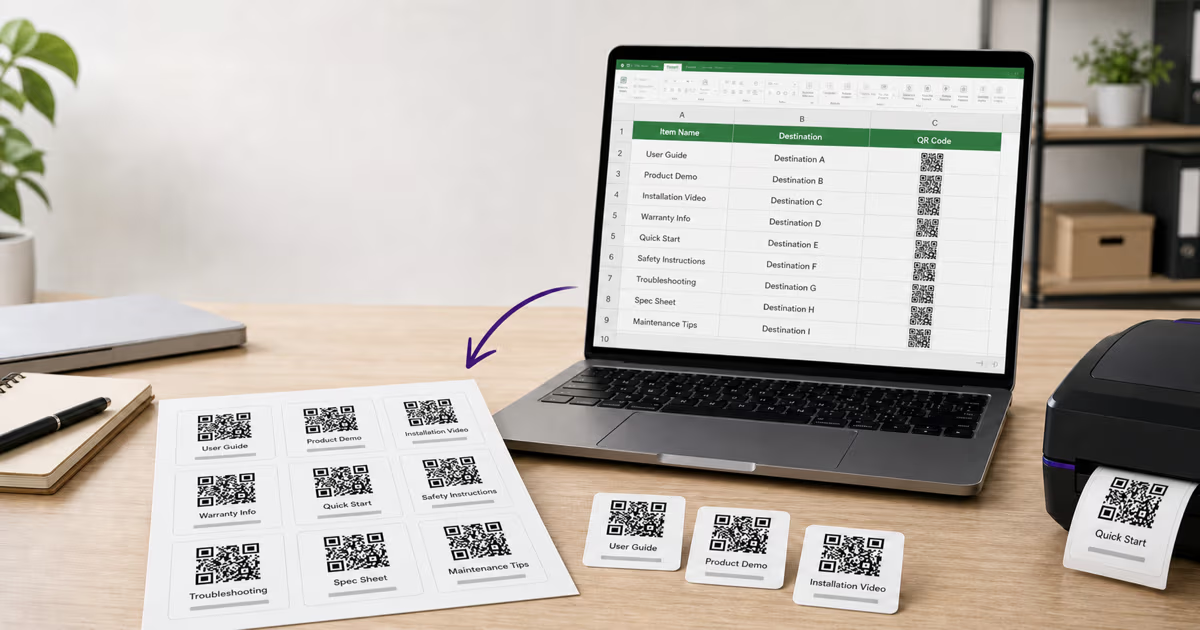
Add a short label below the QR code like "Scan for video tutorial" or "Scan for answer key" so students know what to expect before scanning. You can change the QR code color to match your classroom theme or subject area color coding. Keep the foreground dark and the background light for maximum scannability.
Download, print, and test
Download the QR code as a PNG file for digital worksheets or an SVG/PDF for print materials that need to stay crisp at any size. Before printing a full class set, print one copy and scan it with your phone from the distance students will actually use. Tape it to a worksheet, hold it at arm's length, and confirm it loads correctly. Then print your class set and laminate any codes that will be reused across periods or semesters.
Track engagement with a dynamic QR code (optional)
If you want to know how many students actually scanned the code — and when — use a dynamic QR code instead of static. QRLynx's free Starter plan includes 1 dynamic QR code, which is perfect for a class homepage or a frequently updated resource link. Dynamic codes let you change the destination URL without reprinting, so you can reuse the same printed worksheet and just update where the code points each week. For detailed scan analytics, see our guide on how to track QR code scans.
QR Codes for Parent Communication
Communication between teachers and parents is one of the most time-consuming parts of the job. QR codes streamline several common parent-facing tasks and reduce the back-and-forth of emails, missed notes, and unanswered phone calls.
Back-to-School Night and Open House
Set up QR codes at stations around your classroom during open house. One code links to your class syllabus. Another links to a sign-up form for parent volunteers. A third links to your preferred communication channel (Remind app, ClassDojo, email list). Parents scan as they walk around the room, completing sign-ups on their phones instead of passing around a paper clipboard that gets lost by the third period.
Report Card Supplements
Include a QR code on report cards or progress reports that links to a short video you recorded explaining the grading rubric, common areas where students struggled, and resources for home practice. This is far more effective than a printed paragraph that most parents skim.
Multilingual Access
In schools with diverse language communities, a single QR code can link to a Google Doc that contains the same information in multiple languages — or to Google Translate's page with the content pre-loaded. This removes the delay of waiting for translated documents to be printed and sent home.
Field Trip and Event Information
Add QR codes to field trip permission slips linking to a detailed itinerary, a map of the destination, emergency contact information, and a digital payment form for trip fees. Parents get all the information they need from a single scan instead of a crumpled paper at the bottom of a backpack.
Accessibility and Inclusion Benefits
One of the most compelling reasons to adopt QR codes in education is their potential to support students with diverse learning needs. When used thoughtfully, QR codes create multiple pathways to the same content.
Supporting Students with Disabilities
- Visual impairments: A QR code on a worksheet can link to an audio version of the text, read aloud by the teacher or generated by text-to-speech software. The student scans with an accessible device and listens rather than reads.
- Dyslexia and reading difficulties: Link QR codes to video explanations of written instructions. A student who struggles to parse a paragraph of lab procedures can watch a 60-second demonstration instead.
- Motor impairments: For students who find typing URLs difficult, a QR scan replaces keyboard input entirely. One tap of the camera opens the resource.
- Attention challenges: QR-based station rotations give students with ADHD a reason to move physically between activities, which research from the Journal of Attention Disorders (2023) suggests improves focus and task completion rates by up to 25 percent.
English Language Learners (ELL)
QR codes can link to the same content in different languages, link to visual dictionaries, or connect to translated instructions. A teacher can create one worksheet with two QR codes: one for English instructions and one for Spanish (or any other language). This supports ELL students without singling them out — every student sees the same worksheet with the same codes.
Universal Design for Learning (UDL)
The UDL framework, developed by CAST and widely adopted in education policy, emphasizes providing multiple means of engagement, representation, and action/expression. QR codes are a natural fit. A single lesson handout can include QR codes linking to a video version (representation), an interactive quiz (engagement), and a choice board for demonstrating mastery (action/expression) — all without additional paper, devices, or class time for setup.
Classroom Management with QR Codes
Beyond instruction, QR codes can simplify the administrative tasks that eat into teaching time.
Attendance and Check-Ins
Post a QR code at the classroom entrance that links to a Google Form. Students scan as they walk in and submit their name — a digital attendance system that takes zero class time. For younger students, the teacher can scan a QR badge on each student's lanyard instead.
Behavior and Reward Systems
Some teachers use QR codes as part of a points-based reward system. When a student demonstrates positive behavior, they scan a QR code that adds points to a class leaderboard (via a Google Sheet or ClassDojo). The gamification element resonates particularly well with elementary and middle school students.
Substitute Teacher Packets
Create a laminated QR code sheet for substitute teachers. One code links to the day's lesson plans. Another links to the seating chart. A third links to emergency procedures. A fourth shares the classroom WiFi password. The substitute has everything they need on their phone without searching through filing cabinets or emailing you during your absence.
Classroom Library Management
Tape a QR code inside the front cover of every classroom library book. The code links to a Google Form where students log the book title and their name when they check it out. When they return it, they scan again. This simple system replaces paper sign-out sheets that get lost and is far cheaper than purchasing library management software.
| Subject Area | QR Use Case | Links To | QR Type |
|---|---|---|---|
| Math | Homework help videos | YouTube tutorial or Khan Academy | Static (free) |
| Science | Lab station instructions | Video demo or safety data sheet | Static (free) |
| English/LA | Author bios and book trailers | Publisher page or Goodreads | Static (free) |
| Social Studies | Primary source documents | National Archives or museum | Static (free) |
| Art / Music | Student portfolio gallery | Google Slides or Padlet | Dynamic (updateable) |
| PE / Health | Exercise demo videos | YouTube fitness channel | Static (free) |
| Foreign Language | Pronunciation audio clips | Forvo or recorded audio file | Static (free) |
Cost and Budget Considerations for Teachers
Teacher budgets are notoriously tight. The average U.S. teacher spends $479 of their own money on classroom supplies each year, according to the National Center for Education Statistics (2024). QR codes are one of the few educational technology tools that cost almost nothing to implement.
What You Get for Free
With QRLynx's free Starter plan — or any reputable QR generator — you can create unlimited static QR codes at no cost. Static codes cover the vast majority of classroom needs: linking to videos, websites, documents, Google Forms, and any other URL. They never expire and work forever once printed. You also get 1 free dynamic QR code, which is ideal for a class homepage, a weekly resource link, or any URL that changes regularly.
The only supplies you need are a printer (which your school already has) and paper or cardstock. For lamination, many school libraries and media centers offer free lamination services. Total out-of-pocket cost for most teachers: zero.
When the Free Tier Is Not Enough
If you want to track how many students scan each code, you will need dynamic QR codes — and the free tier only includes one. QRLynx's Pro plan at $14 per month gives you 50 dynamic QR codes with full scan analytics, which is more than enough for a department or grade-level team to share. Some teachers split the cost among their team or request it through their school's professional development budget.
For district-wide rollouts, the Business plan at $49 per month supports 250 dynamic codes — enough for an entire building. Many districts classify QR code platforms under their existing EdTech software budget since it replaces the cost of printed supplementary materials.
| Feature | Free (Starter) | Pro ($14/mo) | Business ($49/mo) |
|---|---|---|---|
| Static QR codes | Unlimited | Unlimited | Unlimited |
| Dynamic QR codes | 1 | 50 | 250 |
| Scan tracking & analytics | 1 code only | All codes | All codes |
| Custom colors & branding | Yes | Yes | Yes |
| SVG/PDF download (print) | No | Yes | Yes |
| Bulk QR generation | No | No | 100 per batch |
| Best for | Individual teachers | Departments / teams | District-wide rollout |
Getting Started: Tips for Your First Classroom QR Project
If you have never used QR codes in your classroom before, start small. Pick one lesson next week and add a single QR code to an existing worksheet or handout. Link it to something valuable — a video explanation, an interactive quiz, or a supplementary reading. Watch how students respond. You will almost certainly see higher engagement with the linked resource than you would with a typed URL or a verbal instruction to search for it.
From there, expand gradually. Create a set of station rotation QR codes for a unit review. Build a scavenger hunt for an end-of-chapter activity. Add QR codes to your parent newsletter. Each small addition builds your comfort level and your library of reusable QR materials.
Remember these principles as you scale up:
- Always test before printing. Scan every QR code with your own phone before distributing to students. Check that the link loads, the content is correct, and the QR code is large enough to scan reliably.
- Label every QR code. Print a short description next to or below each code: "Scan for video tutorial," "Scan for answer key," "Scan for homework help." Students should know what they are getting before they scan.
- Use static codes for permanent content. If the linked resource will not change, static QR codes are free, simple, and permanent. Save your dynamic codes for resources that need to be updated regularly.
- Laminate for reuse. A laminated QR code on cardstock can last for years. Build a library of reusable QR materials that you and your colleagues can share.
- Respect student privacy. Never link QR codes to resources that require students to create accounts or share personal information without parent consent. Stick to publicly accessible resources or school-managed platforms.
QR codes are not a replacement for good teaching — they are a tool that makes good teaching more efficient, more interactive, and more accessible. The teachers who get the most value from them are the ones who start simple, iterate based on student feedback, and build QR integration into their workflow one lesson at a time.
Frequently Asked Questions About QR Codes in Education
Are QR codes safe for students to scan?
Yes, QR codes themselves are safe — they simply encode text or a URL. The safety depends on where the QR code links to. As a teacher, you control the destination, so always link to trusted educational resources, school-managed platforms, or well-known sites like YouTube, Google Docs, and Khan Academy. Teach students never to scan random QR codes from unknown sources, just as you would teach them not to click unknown links online.
Do students need a special app to scan QR codes?
No. Every modern smartphone — iPhone and Android — has a built-in QR scanner in the default camera app. Students simply open their camera, point it at the QR code, and tap the notification that appears. No app download is required. For classroom tablets, the built-in camera app works the same way on iPads and most Android tablets.
What is the difference between a static and dynamic QR code for classroom use?
A static QR code permanently encodes a URL or text directly into the pattern. It is free, works forever, and cannot be changed after creation. A dynamic QR code routes through a short URL that can be redirected to any destination at any time. For classrooms, static codes are ideal for content that does not change (video links, document URLs), while dynamic codes are better for resources you update weekly, like a class agenda or rotating assignment. Learn more in our guide on static vs. dynamic QR codes.
How many QR codes can I create for free?
With QRLynx, you can create unlimited static QR codes at no cost — enough for every worksheet, poster, and scavenger hunt in your career. The free Starter plan also includes 1 dynamic QR code with scan tracking and the ability to change the destination URL anytime. Most individual teachers find the free tier covers all of their needs.
Can I track which students scanned a QR code?
QR codes do not identify individual scanners by default — they track total scan counts, device types, and general location data. If you need to know which specific students scanned, link the QR code to a Google Form that asks for the student's name. This approach respects privacy while giving you the engagement data you need for participation grades or formative assessment.
What size should QR codes be on worksheets and posters?
For worksheets held at arm's length (about 25-30 cm), a QR code of 2 x 2 centimeters works reliably. For classroom posters scanned from 1-2 meters away, use at least 5 x 5 centimeters. For hallway displays scanned from 3+ meters, go to 10 x 10 centimeters or larger. The general rule is the scanning distance divided by 10 equals the minimum QR code width. See our complete QR code size guide for detailed sizing tables.
Do QR codes work without internet access?
It depends on the QR code type. A text QR code works completely offline — the text is encoded directly in the pattern and displays immediately after scanning. A URL QR code requires internet access to load the linked webpage. If your school has unreliable WiFi, consider using text QR codes for clues and instructions, and URL codes only for video or interactive content where connectivity is available.
Can I put a QR code in a Google Doc or digital worksheet?
Yes. Download the QR code as a PNG image and insert it into any document — Google Docs, Google Slides, Microsoft Word, PowerPoint, Canva, or PDF editors. Students can scan the QR code directly from their screen (laptop, tablet, or projected onto a whiteboard) using their phone camera. This works well for flipped classroom models where students access digital handouts at home.
How do I create a QR scavenger hunt for my class?
Start by deciding on 8-12 stations with one question or clue per station. Create a static QR code for each station using QRLynx's free generator, linking to a Google Doc, image, or video with the clue content. Print each code on colored cardstock, laminate for durability, and hide them around your classroom or school. Give students an answer sheet to record their responses at each station. Build in 2-3 checkpoints where they must show progress to a teacher before continuing.
Are there FERPA or privacy concerns with using QR codes in school?
QR codes themselves do not collect student data — they are simply a way to encode a link or text. Privacy concerns arise from the destination, not the QR code. Ensure that any linked resource complies with your district's approved EdTech vendor list and does not require students to create accounts or share personally identifiable information. QRLynx's scan analytics track aggregate data (total scans, device type, general location) and do not collect student names, emails, or any personally identifiable information.
Can I reuse QR codes from year to year?
Absolutely — this is one of the biggest advantages. Static QR codes link to a fixed URL, so as long as that URL remains active, the code works forever. Print your QR codes on laminated cardstock and store them in labeled envelopes by unit or lesson. A well-maintained QR code library can serve you for years. If you use dynamic QR codes, you can even change where the code points each semester without reprinting.
What if a student's phone cannot scan the QR code?
First, ensure the QR code is printed large enough and with sufficient contrast (dark on light background). If a specific phone still struggles, the student can try increasing screen brightness, cleaning the camera lens, or using a free QR scanner app from the app store. As a backup, always provide the URL in text below the QR code for manual entry. In group activities, pair students so that at least one device per group can scan reliably.