QR Code Business Card: vCard vs URL vs Link-in-Bio — Which Is Best?

Key Takeaway
Compare vCard, URL, and Link-in-Bio QR codes for business cards. Detailed breakdown of editability, analytics, contact saving, offline access, and best use cases for each type. Includes step-by-step guide and FAQ.
The Business Card QR Code Dilemma: Three Options, One Choice
You have decided to put a QR code on your business card. Smart move. Wave Connect research shows that business card QR codes achieve a 34 percent scan rate — nearly three times higher than advertising QR codes — and Research Nester projects the digital business card market will surpass 242 million dollars in 2026, growing at 12.2 percent annually. The question is no longer whether to add a QR code. The question is which type.
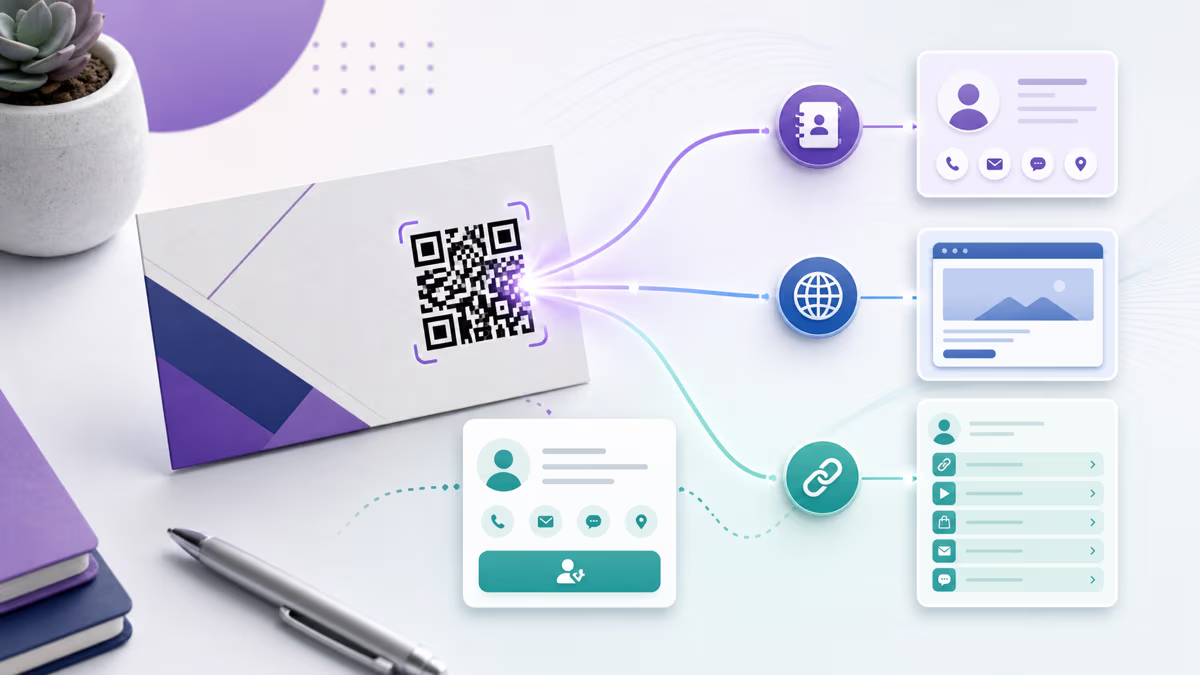
Three options dominate the business card landscape in 2026: vCard QR codes that save contact information directly to a phone, URL QR codes that open a single web page, and Link-in-Bio QR codes that open a mini landing page with multiple destinations. Each has genuine strengths. Each has real limitations. And choosing the wrong one means reprinting hundreds of cards or living with a suboptimal networking tool for months.
This guide puts all three head-to-head across every dimension that matters: editability after printing, scan analytics, contact-saving behavior, rich media support, offline functionality, complexity, and ideal use cases. By the end you will know exactly which type fits your networking style, your industry, and your goals. If you are completely new to business card QR codes, our complete business card QR code guide covers the fundamentals of creation, sizing, and print specifications.
The stakes are higher than they appear. QRCode Tiger's statistics report that 88 percent of paper business cards are discarded within a week, and 40 percent of manually typed contact details contain errors. A QR code eliminates both problems — but only if you choose the right type for your situation. A vCard code on a creative director's card wastes the opportunity to showcase a portfolio. A URL code on a sales rep's card adds friction to the contact-saving process. The wrong choice does not just underperform — it actively works against your networking goals.
vCard QR Code: The Contact-Saving Powerhouse
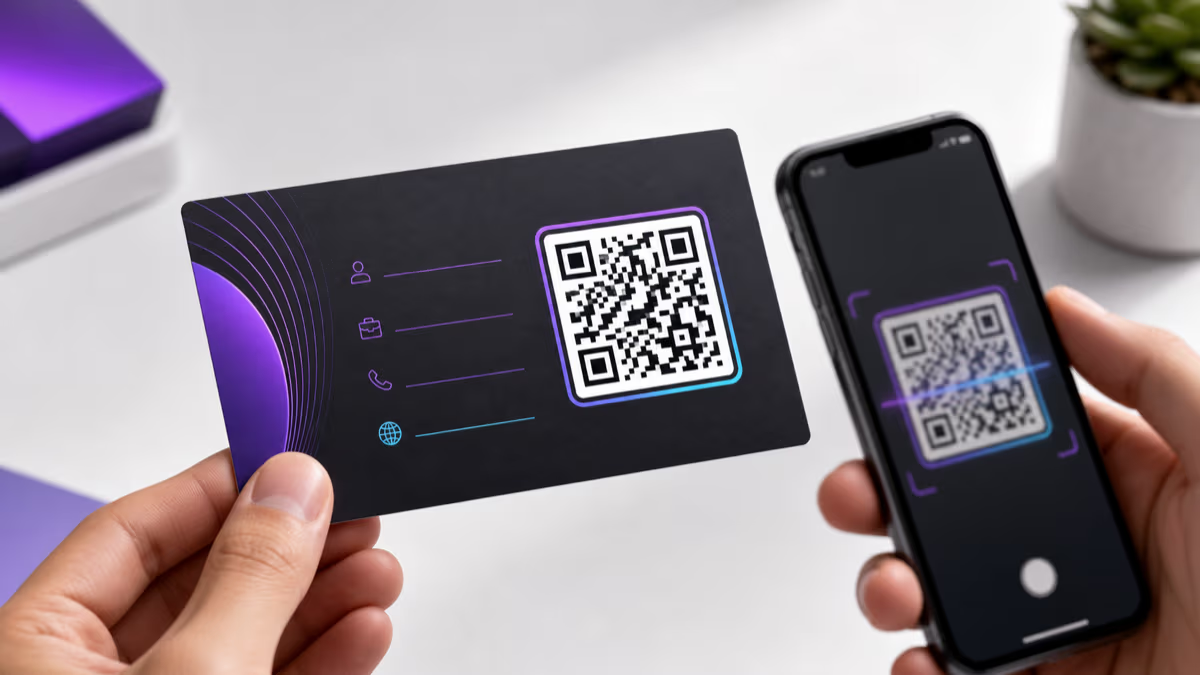
A vCard QR code encodes your contact information directly into the QR pattern itself using the vCard 3.0 or 4.0 standard. When someone scans it, their smartphone reads the embedded data and immediately offers to save the contact to their address book. No website loads. No app opens. No internet connection required. The entire transaction happens between the QR code and the phone's native contacts application.
This directness is the vCard's greatest strength. The recipient scans your card, taps Save Contact, and your name, phone number, email, title, company, website, and even a profile photo land in their address book in under three seconds. There is zero friction in the process — no page to scroll, no button to find, no cookie banner to dismiss. For professionals whose primary goal is ensuring their contact details are saved accurately and instantly, nothing else comes close.
The vCard standard supports a comprehensive set of fields: first name, last name, prefix, suffix, organization, title, phone numbers (work, mobile, home, fax), email addresses (work, personal), website URLs, physical address, birthday, and notes. You can include multiple phone numbers and email addresses in a single vCard. The more fields you populate, the denser the QR pattern becomes, which matters for small print sizes on business cards. A vCard with five core fields (name, title, company, phone, email) produces a compact, easily scannable code. A vCard with twelve fields including a photo URL generates a much denser pattern that requires a larger print size — at least 1.2 inches on a side.
The critical limitation of vCard QR codes is that they are inherently static. The contact data is literally encoded in the arrangement of black and white modules. Once printed, the information cannot be changed. If you switch jobs, change your phone number, or update your email address, every card in circulation displays the old information. You must generate a new QR code and reprint your cards. For professionals with stable contact details — established attorneys, medical practitioners, tenured academics, long-term corporate employees — this limitation rarely matters. For people in transitional phases — job seekers, startup founders pivoting, contractors changing business names — it can be a dealbreaker.
Because vCard codes are static, they provide no scan analytics. When someone scans your card, no server is contacted, no event is logged, no data is collected. You have no way to know how many people scanned your card, when they scanned, or what devices they used. For professionals who distribute hundreds of cards at conferences and want to measure which events generate the most connections, this absence of data is a meaningful drawback. However, for professionals who prioritize privacy — both their own and their contacts' — the lack of tracking is actually a feature, not a bug.
Offline functionality is another genuine advantage. vCard QR codes work in airplane mode, in basements with no cell signal, in foreign countries without roaming data, and in any other situation where internet access is unavailable. The data is self-contained in the QR pattern. This reliability makes vCard codes particularly valuable for international networking, trade shows in convention centers with overloaded WiFi, and any situation where you cannot guarantee the scanner has internet access at the moment of scanning.
URL QR Code: The Flexible Web Gateway
A URL QR code encodes a web address — and nothing else. When scanned, the phone's browser opens and navigates to that URL. The destination can be anything: your company website, a LinkedIn profile, a portfolio page, a Calendly booking link, a Google Reviews page, or a custom landing page you built specifically for business card recipients.
The defining advantage of URL QR codes is that they can be dynamic. A dynamic URL QR code does not encode the final destination directly. Instead, it encodes a short redirect URL (like r.qrlynx.com/abc123) that points to your chosen destination. You can change that destination at any time from your QRLynx dashboard without altering the QR pattern. Change jobs? Update the redirect to your new company page. Redesign your website? Point the code to the new URL. Launch a seasonal promotion? Temporarily redirect your business card QR code to a special offer page. The printed card stays the same. The destination changes in seconds.
Dynamic URL codes also provide full scan analytics. Every scan is logged with a timestamp, device type (iPhone, Android, tablet), operating system version, approximate geographic location (city-level, anonymized), and whether it is a first-time or repeat scan. You can see exactly how many people scanned your card after a specific conference, which days of the week generate the most scans, and whether your networking is concentrated in your home city or distributed globally. This data is invaluable for professionals who treat networking as a measurable activity — particularly sales teams, business development managers, and founders tracking investor meeting follow-through.
The trade-off is user experience. When someone scans a URL QR code on your business card, they do not get a native contact-save prompt. They get a web page. If that page is your company's homepage — with navigation menus, product descriptions, blog links, and footer content — the recipient has to hunt for your contact information. Even if the page prominently displays your details, saving them to the phone's address book requires the recipient to manually copy and paste each field: name, phone, email, title. This friction is real and measurable. Many people will browse the page and close it without saving your contact, intending to return later — and never do.
You can mitigate this by linking to a purpose-built landing page that includes a prominent Save Contact button generating a downloadable vCard file. This gives you the best of both worlds — a web page you control with a one-tap contact save — but it requires building and maintaining that landing page. It also requires the recipient to have internet access at the time of scanning, which is not always guaranteed at trade shows, international events, or locations with poor connectivity.
Static URL QR codes also exist. These encode the full destination URL directly in the QR pattern, similar to how vCard codes embed contact data. Static URL codes are free, never expire, and do not depend on any service remaining operational. However, they cannot be updated after printing and provide no scan tracking. For business cards, static URL codes make sense only if you are linking to a URL that will never change — a personal domain you own and control indefinitely.
Link-in-Bio QR Code: The Multi-Destination Hub
A Link-in-Bio QR code opens a customizable mini landing page that presents multiple links in an organized layout. Instead of choosing between your LinkedIn, your portfolio, your booking calendar, and your company website, you offer all of them. The recipient scans once and chooses which destination to visit. One scan, multiple options, zero compromise.
Link-in-Bio pages are inherently dynamic. You can add, remove, reorder, and restyle links at any time without touching the QR code or reprinting cards. Start a podcast? Add the link. Leave a company? Remove their website and add your new one. Launch a side project? Feature it prominently for a month, then move it down the list. The QR code on your business card always opens the latest version of your link page. This flexibility makes Link-in-Bio codes the most future-proof option for professionals whose online presence evolves frequently.
The customization options are extensive. With QRLynx, you can match the Link-in-Bio page to your personal brand: custom colors, profile photo, bio text, social media icons, and themed layouts. The page looks professional and intentional, not like a generic link directory. You can organize links by category — Professional, Social, Projects — or present them in priority order with your most important link at the top. The result is a digital business card that goes far beyond what any physical card can communicate.
Analytics on Link-in-Bio pages are granular. You see not only how many people scanned the QR code but which specific links they clicked, how long they stayed on the page, and which links get the most engagement. This tells you what your network actually cares about. If 80 percent of scanners click your portfolio link and only 5 percent click your Twitter, you know where to invest your time online. If your booking calendar link gets consistent clicks after trade shows but not after local meetups, you learn which events attract people ready to take the next step.
The primary disadvantage is that Link-in-Bio codes do not save contact information to the phone natively. The recipient lands on a web page with links — not a contact-save prompt. You can include a Save Contact button on your Link-in-Bio page that triggers a vCard download, but it requires an extra tap compared to a pure vCard QR code. Some recipients will browse your links, find value, and still not save your contact because the save action is one step removed from the initial scan.
Link-in-Bio pages also require internet access to load. In offline scenarios — airplane mode, poor connectivity, international roaming without data — the scan fails. This is the same limitation as URL QR codes, but it matters more for Link-in-Bio because the entire value proposition depends on the page loading successfully. A URL code that fails to load still communicates the URL itself (visible in the phone's browser bar). A Link-in-Bio code that fails to load communicates nothing.
The complexity factor is worth considering. vCard codes require filling out contact fields. URL codes require choosing a single URL. Link-in-Bio codes require curating a collection of links, writing a bio, choosing a layout, selecting colors, and maintaining the page over time. For professionals who enjoy crafting their digital presence, this is an opportunity. For those who want a set-and-forget solution, it is overhead.
Head-to-Head Comparison: vCard vs URL vs Link-in-Bio
The following table compares all three QR code types across the seven dimensions that matter most for business cards. Use it as a decision matrix — identify which rows matter most to your situation and let those drive your choice.
| Dimension | vCard | URL (Dynamic) | Link-in-Bio |
|---|---|---|---|
| Editable after print | No — data baked into the QR pattern | Yes — change destination URL anytime | Yes — add, remove, reorder links anytime |
| Scan analytics | None — no server involved | Full — scans, devices, locations, timestamps | Full — plus per-link click tracking |
| Contact save to phone | Yes — native one-tap save | No — requires manual copy or custom landing page | No — optional Save Contact button adds one extra tap |
| Rich media support | Text fields only — no images, video, or formatting | Full — whatever the destination page contains | Full — profile photo, branded layout, social icons |
| Offline access | Yes — works without internet | No — requires internet to load page | No — requires internet to load page |
| Setup complexity | Low — fill in contact fields, download | Low — enter one URL, download | Medium — curate links, write bio, choose design |
| Cost | Free forever | Free (static) or paid plan (dynamic) | Paid plan for full features |
| Best for | Contact exchange — sales reps, consultants, attorneys, doctors | Web traffic — designers, speakers, founders linking to one key page | Multi-platform presence — creators, marketers, anyone with 3+ online profiles |
Reading this table: If the rows that matter most to you are Contact Save and Offline Access, vCard wins decisively. If Editable After Print and Scan Analytics are your priorities, URL and Link-in-Bio pull ahead. If you need Rich Media and multiple destinations, Link-in-Bio is the clear choice. Most professionals find that two or three rows dominate their decision — focus on those and the answer becomes obvious.
One pattern worth noting: vCard excels at the initial contact exchange (saving details to the phone), while URL and Link-in-Bio excel at the ongoing relationship (driving engagement with your web presence). Your choice depends on whether you optimize for the first three seconds after a scan or the weeks and months that follow.
Choosing the Right Type: A Decision Framework
After comparing hundreds of business card QR code implementations, clear patterns emerge about which type works best in specific situations. Here is a practical decision framework based on profession, networking style, and priorities.
Choose vCard If...
- Your primary goal is contact saving. You want your phone number, email, and details in the recipient's address book — not a website visit. Sales professionals, account managers, consultants, attorneys, physicians, and financial advisors typically fall here.
- Your contact details are stable. You have had the same phone number and email for years and do not anticipate changing them. Established professionals at larger companies fit this profile.
- You network in low-connectivity environments. International conferences, convention centers with overloaded WiFi, outdoor events, or any situation where internet access is unreliable.
- You value simplicity. Create the code once, print it, and never think about it again. No dashboard to maintain, no links to curate, no analytics to review.
- Privacy matters to you and your contacts. No data is collected, no servers are contacted, no tracking occurs. The transaction is entirely between the QR code and the scanning phone.
Choose URL (Dynamic) If...
- You want to drive traffic to one specific destination. A portfolio, a booking calendar, a product page, a LinkedIn profile, or a custom landing page. The destination is singular and clear.
- You anticipate changes. New job, new website, new LinkedIn URL — dynamic URL codes let you update the destination without reprinting cards.
- You want scan analytics. Measuring which conferences, events, or meetings generate the most card scans helps you allocate networking time and budget.
- You want a contact-save landing page. Build a custom page that combines your web presence with a prominent Save Contact button for the best hybrid experience.
Choose Link-in-Bio If...
- You have multiple online presences that matter. LinkedIn, portfolio, GitHub, YouTube channel, podcast, booking page — and you want recipients to choose which to explore.
- Your online presence evolves frequently. You launch projects, change platforms, add and remove social profiles regularly. Link-in-Bio pages adapt without reprinting.
- You want granular engagement data. Per-link click analytics show you exactly what your network finds most interesting about your professional presence.
- You are building a personal brand. A branded Link-in-Bio page with your photo, bio, and curated links communicates more personality and professionalism than a raw URL or plain contact card.
- You work in creative, tech, or media industries. Designers, developers, content creators, marketers, journalists, and other professionals whose work lives across multiple platforms benefit most from the multi-destination format.
The Hybrid Approach
Some professionals print two QR codes on their card — a small vCard code for instant contact saving and a larger Link-in-Bio or URL code for their digital presence. This approach uses both sides of the card effectively: vCard on the back for practical contact exchange, Link-in-Bio on the front as a conversation starter. It is more complex to design but eliminates the compromise of choosing just one type. If your card design can accommodate two codes without feeling cluttered, this is the power-user strategy.
How to Add a QR Code to Your Business Card in 4 Steps
Real-World Scenarios: Which Type Wins?
Scenario 1: Sales rep at a trade show. You are distributing 200 cards over three days. Your goal is maximum contact saves so you can follow up next week. Winner: vCard. The instant contact save means recipients do not need to take any action beyond scanning — your details are in their phone before the next conversation starts. At a busy trade show, nobody has time to browse a landing page. Speed and reliability matter most.
Scenario 2: Freelance designer meeting potential clients. You want prospects to see your work before they hire you. Contact details are secondary — your portfolio is the selling point. Winner: URL (dynamic), pointing to your portfolio. A beautiful portfolio page communicates your skills far more effectively than a contact card. Use a dynamic code so you can update the portfolio URL as you refresh your work samples.
Scenario 3: Startup founder networking with investors. You want investors to see your pitch deck, your LinkedIn, your company website, and your calendar for booking follow-up meetings. Winner: Link-in-Bio. Investors evaluate founders across multiple dimensions. A Link-in-Bio page lets them choose their path — some check LinkedIn first, others go straight to the product, and the most interested book a meeting immediately. The per-link analytics tell you which investors engaged deeply versus those who glanced and moved on.
Scenario 4: Attorney at a bar association event. You are networking with other attorneys and potential referral partners. Professionalism and reliability matter above all. Winner: vCard. Legal professionals expect formal, straightforward contact exchange. A vCard code saves your name, credentials, firm, phone, and email cleanly. No flashy landing pages needed — just reliable contact information that works even in the ballroom where WiFi is spotty.
Scenario 5: Marketing manager at a conference. You want to measure which events generate the most connections and track follow-up rates. Winner: URL (dynamic) or Link-in-Bio. The scan analytics let you compare networking ROI across events. Create separate QR codes for different conferences (or use UTM parameters) to attribute connections to specific events. If 50 people scan your card at Conference A but only 10 at Conference B, you know where to invest your networking budget next year.
Scenario 6: Recent graduate entering the job market. Your contact details, employer, and title will likely change within months. You want a business card that survives career transitions. Winner: Link-in-Bio. Update your links as your career evolves — add new employers, remove old ones, feature projects relevant to your current job search. The same printed cards work through multiple job changes. Include a vCard download button on the Link-in-Bio page so people can still save your (current) contact details.
Design and Print Best Practices for Any QR Type
Regardless of which QR code type you choose, these design and print rules apply universally to business cards.
Size matters more than anything. The minimum scannable size for a QR code on a business card is 20x20mm (0.8x0.8 inches), but 25x25mm (1x1 inch) is recommended for consistent scanning across all phone cameras. vCard codes with many fields produce denser patterns that need larger sizes — test your specific code at the intended print size. For detailed sizing calculations, see our QR code size guide.
Contrast is non-negotiable. Use dark QR patterns on light backgrounds. Black on white is the gold standard, but dark brand colors (navy, forest green, burgundy) on white work equally well. Never invert colors — white patterns on dark backgrounds fail on many older phone cameras. Test with QRLynx's readability score before committing to any color scheme.
The quiet zone protects scannability. Leave at least 3mm of clear space around the entire QR code — no text, no borders, no design elements encroaching on this margin. The quiet zone helps phone cameras isolate the QR code from the rest of the card design. On cards with dark or busy backgrounds, the quiet zone is the difference between a scan that works and one that fails.
Vector formats for print, always. Export your QR code as SVG or PDF for professional printing. These vector formats maintain perfect sharpness at any print size. PNG works if exported at 1024 pixels or higher, but avoid JPG entirely — the lossy compression blurs the edges of QR modules and can cause scanning failures. Most print shops prefer SVG or high-resolution PDF.
Paper finish affects scanning. Matte and uncoated papers scan most reliably because they do not produce glare under direct lighting. Glossy and UV-coated finishes can create reflections that interfere with phone cameras, especially under overhead fluorescent lights common at conferences and networking events. If your design requires a glossy finish, test scanning under multiple lighting conditions before ordering.
Every QR code needs a call-to-action. Never print a QR code in isolation. Include text that tells the recipient what happens when they scan: Scan to save my contact for vCard, Scan to visit my portfolio for URL, Scan to connect with me for Link-in-Bio. Without context, many people will not scan an unlabeled QR code — they have no way to know whether it opens a website, saves a contact, or downloads a file. The CTA sets expectations and increases scan rates significantly.
Error correction protects your investment. QRLynx uses high error correction (30 percent redundancy) by default, meaning up to 30 percent of the QR code can be obscured — by a logo overlay, printing imperfection, slight damage, or coffee stain — and the code still scans correctly. This is why adding a company logo to the center of the QR code works reliably. Do not reduce error correction below the default level for business cards.
Frequently Asked Questions
What type of QR code is best for a business card?
It depends on your primary goal. vCard is best if you want recipients to save your contact details instantly to their phone — it works offline, requires no app, and produces a native contact-save prompt. URL (dynamic) is best if you want to drive traffic to one specific web page like a portfolio or booking link. Link-in-Bio is best if you have multiple online profiles and want recipients to choose which to explore. For most professionals focused on contact exchange, vCard is the strongest choice.
What is the difference between vCard and URL QR codes?
A vCard QR code embeds your contact information (name, phone, email, title) directly in the QR pattern. Scanning it triggers the phone to save a new contact — no internet needed. A URL QR code contains a web address. Scanning it opens a browser to that page. vCard excels at contact saving but cannot be updated after printing. URL (dynamic) can be updated and tracked but requires internet access and does not automatically save contact details.
Should I use a static or dynamic QR code on my business card?
Use static (vCard) if your contact details are stable and your goal is instant contact saving. vCard codes are free, work offline, and never expire. Use dynamic (URL or Link-in-Bio) if you anticipate changes to your information, want scan analytics, or need to drive traffic to a web page. Dynamic codes require a paid plan but offer editability and tracking. See our static vs dynamic comparison for the full breakdown.
What information should a business card QR code contain?
For vCard: include name, job title, company, phone number (mobile preferred), email, and website at minimum. Add a physical address only if clients visit your location. Keep it to 5-8 fields for optimal scannability at business card sizes. For URL: one destination link. For Link-in-Bio: curate 4-6 of your most important links (website, LinkedIn, portfolio, booking calendar) plus a short bio and profile photo.
How small can a QR code be on a business card?
The absolute minimum is 20x20mm (0.8x0.8 inches), but 25x25mm (1x1 inch) is recommended for reliable scanning across all phone cameras. vCard codes with many fields produce denser patterns that need more space. Always maintain at least 3mm of quiet zone (clear space) around the code. Test at your intended print size with multiple phones before ordering a full batch.
Can I change my QR code after printing business cards?
Only if you used a dynamic QR code type. vCard codes are static — the contact data is permanently encoded in the QR pattern. Dynamic URL codes let you change the destination web page anytime from your QRLynx dashboard. Link-in-Bio codes let you add, remove, and reorder links freely. If you anticipate career changes, a dynamic code saves you from reprinting cards.
Is vCard better than a link-in-bio page?
Neither is universally better — they serve different purposes. vCard is better for instant, frictionless contact saving with offline reliability. Link-in-Bio is better for showcasing a multi-platform online presence with analytics and ongoing editability. vCard wins when the goal is getting into someone's address book. Link-in-Bio wins when the goal is engaging someone with your digital presence. Some professionals print both on opposite sides of their card.
How do I create a free QR code for my business card?
Go to QRLynx and select the vCard / Contact Card type. Fill in your contact details and customize the design with your brand colors and logo. Download for free in PNG, JPG, or WEBP format. For vector formats (SVG, PDF) needed for professional printing, or for dynamic URL and Link-in-Bio codes with tracking and editability, a paid plan is required. The free vCard option covers most business card needs.
What is a digital business card?
A digital business card is a contactless way to share professional information using technology instead of (or alongside) printed cards. It can take several forms: a vCard QR code that saves contact details to a phone, a Link-in-Bio landing page with your professional links, an NFC-enabled card or tag, or a dedicated app. QR code business cards are the most practical form because they work with any smartphone camera and require no special hardware or app on the recipient end.
Can a QR code save a contact directly to phone?
Yes, but only a vCard QR code does this natively. When scanned, a vCard code triggers the phone's built-in contacts app to offer saving the embedded contact information — name, phone, email, title, company — with a single tap. URL and Link-in-Bio codes open web pages instead. You can add a Save Contact button to a Link-in-Bio page or landing page, but it adds an extra tap compared to vCard's native experience.
What is the best QR code generator for business cards?
Look for a generator that supports vCard, URL, and Link-in-Bio types, offers design customization (brand colors, logo overlay, pattern styles), provides vector export formats (SVG, PDF) for professional printing, includes a readability score to verify scannability, and offers dynamic codes with analytics if you need tracking. QRLynx covers all of these with free vCard generation and paid plans for dynamic features.
How do I design a business card with a QR code?
Place the QR code at minimum 25x25mm (1x1 inch) with 3mm quiet zone on all sides. The back of the card is the most common placement. Use dark QR patterns on a light background with high contrast. Add a call-to-action below the code explaining what it does. Export as SVG or PDF for print. Match the QR code colors to your brand and add your logo to the center. Test with multiple phones before ordering. See our full business card QR code guide for detailed design specifications.