How to Use QR Codes for Attendance & Check-In (Schools, Events, Offices)

Key Takeaway
The complete guide to using QR codes for attendance tracking and check-in. Covers three use cases in detail: school classroom attendance, event and conference check-in, and office visitor management. Includes step-by-step setup with Google Forms, QRLynx analytics for scan tracking, and a 12-question FAQ based on People Also Ask data.
Taking attendance and managing check-ins should not consume valuable time that could be spent teaching, running an event, or welcoming visitors. Yet most organizations still rely on paper sign-in sheets, manual roll calls, or clunky badge-scanning hardware that costs thousands of dollars and breaks at the worst possible moment. QR codes offer a faster, cheaper, and more accurate alternative that works with the smartphones people already carry.
According to a Statista report, over 102 million Americans scanned a QR code in 2025, and that number continues to grow year over year. The technology is mainstream, the user behavior is established, and the infrastructure cost is essentially zero. A single printed QR code or a screen displaying one can replace an entire sign-in station.
This guide walks through three detailed use cases for QR code attendance: schools and classrooms, events and conferences, and offices and visitor management. For each use case, you will learn the setup process, the tools involved, how to track and export attendance data, and the specific advantages over traditional methods. Whether you are a teacher tracking daily classroom attendance, an event organizer managing conference check-in for 5,000 attendees, or a facilities manager building a visitor log for your office lobby, this guide gives you a practical, step-by-step system you can implement today.
How QR Code Attendance Works: The Core Mechanism
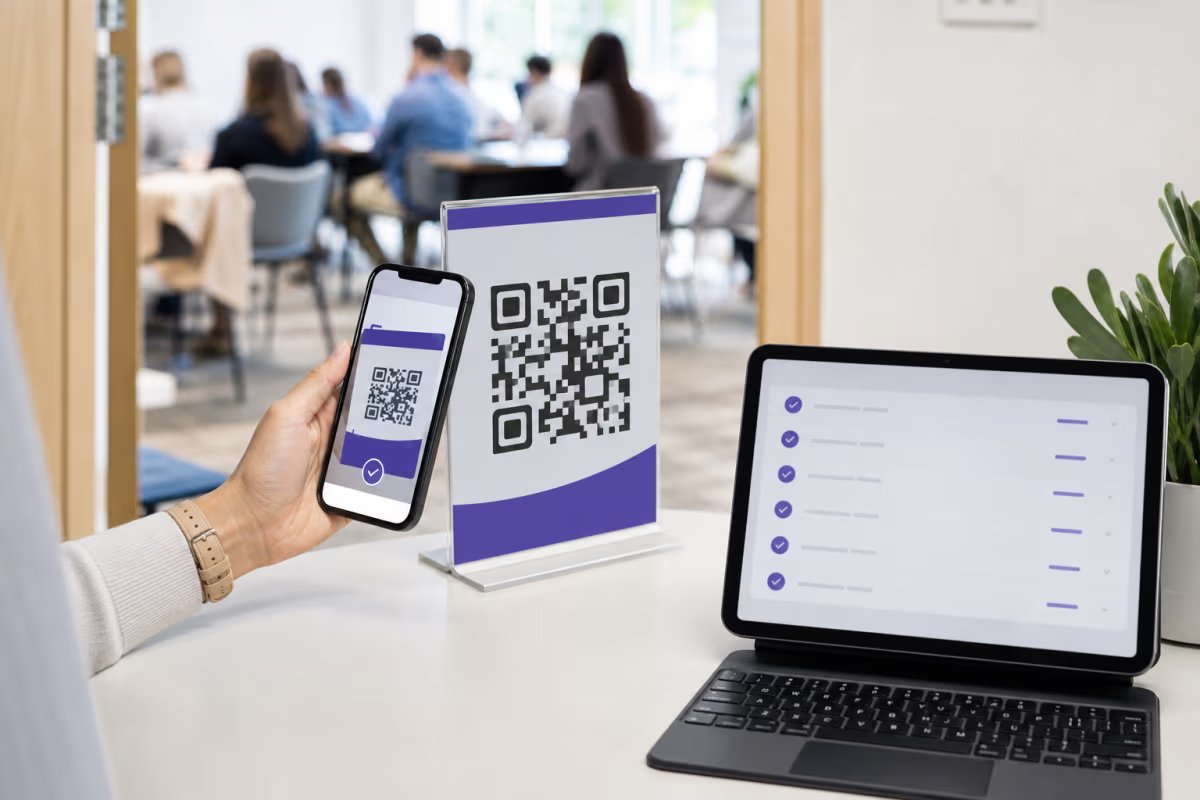
A QR code attendance system works by linking a scannable QR code to a form, database, or landing page that records who scanned it, when, and optionally where. The attendee opens their phone camera, points it at the code, and taps the link that appears. That link leads to a check-in form (such as Google Forms), a custom attendance page, or a simple confirmation screen that logs the scan on the back end.
There are two fundamental approaches to building a QR code attendance system:
Approach 1: QR Code Linked to a Google Form
The simplest method. You create a Google Form with fields for name, email, student ID, or whatever identifier you need. Then you generate a QR code that points to that form's URL. When someone scans the code, Google Forms opens in their mobile browser, they fill in their details, and the submission lands in a Google Sheet that serves as your attendance log. This approach is free, requires no coding, and scales from 5 people to 5,000. We cover this method in depth in our QR code for Google Forms guide.
Approach 2: Dynamic QR Code with Scan Analytics
For organizations that want automatic tracking without requiring attendees to fill out a form, a dynamic QR code is the better choice. With a platform like QRLynx, every scan is automatically logged with a timestamp, device type, operating system, and approximate geographic location. There is no form to fill out. The attendee scans, arrives at a confirmation page or redirect URL, and the scan event is recorded in the analytics dashboard. You can export scan data as CSV for integration with your existing attendance or HR system.
Which approach is right for you?
If you need to collect specific identifying information (name, student ID, employee number), use the Google Forms approach. If you simply need to count how many people checked in and when, or if each person has a unique QR code assigned to them, the dynamic QR code with analytics approach is faster and requires less effort from the person checking in. Many organizations use a hybrid: a dynamic QR code that redirects to a short Google Form, giving you both automatic scan analytics and named attendance records.
Use Case 1: QR Codes for School and Classroom Attendance
Schools are among the biggest beneficiaries of QR code attendance systems because they eliminate the two to five minutes of roll-call time that eats into every class period. According to research published by the International Journal of Educational Technology in Higher Education, universities that adopted QR-based attendance saw a measurable increase in instructional time and a decrease in manual recording errors compared to paper-based systems.
How it works in a classroom
The teacher displays a QR code at the start of class, either on a projector screen, a printed poster near the door, or a tablet at the entrance. Students scan the code with their phones as they walk in. The code links to a Google Form pre-filled with the class name and date, where the student enters their name or student ID and taps submit. The response is instantly logged in a Google Sheet that the teacher can review at any time.
For schools that want to prevent students from sharing the QR code with absent classmates, the teacher can regenerate a new dynamic QR code for each class session using QRLynx. Because QRLynx tracks the timestamp and approximate location of each scan, the teacher can verify that scans originated from the classroom during class time rather than from a dorm room across campus.
Elementary and middle school variation
Younger students may not have smartphones. In this case, the system works in reverse: each student wears a badge or lanyard with their own unique QR code. The teacher uses a tablet or phone to scan each badge as students enter, logging the scan in a spreadsheet or attendance app. This approach is fast, taking roughly one second per student, and eliminates the need for students to interact with any technology. For more on how QR codes integrate into classroom workflows, see our comprehensive QR codes in education guide.
Benefits over traditional roll call
- Time savings -- Roll call for a 30-student class takes 2-3 minutes. QR scanning takes under 15 seconds per student with zero teacher effort.
- Accuracy -- No mishearing names, no marking the wrong box, no students answering for absent friends (when location and time validation are enabled).
- Automatic record-keeping -- Attendance data flows directly into a spreadsheet. No transcription from paper to digital at the end of the week.
- Reduced disruption -- Students check in silently as they enter. There is no interruption to the start of the lesson.
- Data analysis -- Over time, the spreadsheet reveals attendance patterns: which students are chronically late, which days have the lowest attendance, and whether attendance correlates with grade performance.
Implementation tips for schools
- Laminate a printed QR code poster for each classroom to survive daily handling. Replace it monthly or when the dynamic link is rotated.
- Set a form close time using Google Forms settings or a QRLynx expiry rule so students cannot check in after class has started.
- Use conditional formatting in Google Sheets to highlight students with more than 3 absences in a month.
- Share the attendance sheet with the school administration office for centralized tracking across all classes.
- Brief students on the process during the first class of the semester. Most adapt within a single session.
Use Case 2: QR Codes for Event and Conference Check-In
For events ranging from 50-person workshops to multi-thousand-attendee conferences, QR code check-in eliminates registration bottlenecks and provides real-time attendance data that paper sign-in sheets cannot match. According to Bizzabo's event industry report, events that use digital check-in systems process attendees 60 percent faster than those relying on printed guest lists and manual name lookups.
Pre-event: Unique QR codes in confirmation emails
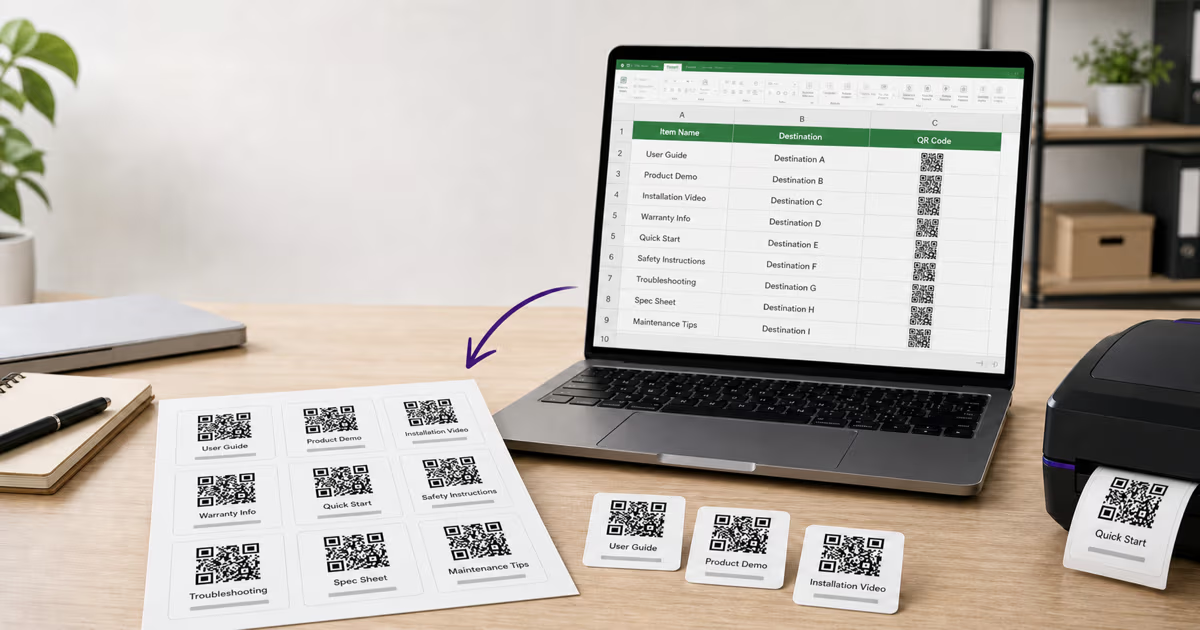
The most sophisticated approach is to generate a unique QR code for each registrant and include it in their confirmation email. When the attendee arrives, they show the QR code on their phone screen (or a printed copy) to a check-in volunteer who scans it. The system instantly matches the code to the registration record, marks the person as checked in, and optionally triggers a badge printer to produce their name tag. This is the approach used by major conference platforms like Eventbrite, Hopin, and Cvent.
For smaller events that do not need per-person codes, a single QR code displayed at the entrance works just as well. Attendees scan the code, which opens a short check-in form (name and email), and the submission is logged in real time. This method is free to implement with a QR code from QRLynx linked to a Google Form.
Multi-session tracking at conferences
Large conferences often need to track not just who arrived at the venue but who attended each specific session. Place a unique QR code at the entrance to each breakout room or workshop. Attendees scan as they enter each session, building an individualized attendance record across the entire conference. This data is invaluable for issuing continuing education credits, measuring session popularity, and planning future event programming. For more on creating event-specific QR codes, see our event calendar QR code guide.
Speed comparison: QR vs. traditional check-in
| Method | Avg. Time per Person | 500-Person Event Total | Error Rate |
|---|---|---|---|
| Paper guest list | 45-90 seconds | 6-12 hours (1 line) | 5-10% misspellings |
| Manual name search (tablet) | 15-30 seconds | 2-4 hours (1 line) | 2-5% lookup errors |
| QR code self-scan | 5-10 seconds | 40-80 minutes (1 station) | Near zero |
| QR code staff-scan (unique codes) | 3-5 seconds | 25-40 minutes (1 station) | Near zero |
Event check-in best practices
- Print the QR code large -- at least 20 cm for a sign that attendees scan from 1-2 meters away. Use the 10:1 scanning distance rule.
- Place multiple check-in stations to prevent queues. For events over 200 people, have at least 2-3 QR code stations.
- Add clear signage: "Scan here to check in" with an arrow pointing at the code.
- Have a manual backup -- a tablet with the guest list for attendees whose phones are dead or who cannot scan.
- Test the WiFi at the venue beforehand. QR check-in requires internet access for form submission or scan logging.
- Use QRLynx's real-time analytics to monitor check-in progress. You can see a live count of scans on the dashboard, giving you an accurate headcount at any moment during the event.
Use Case 3: QR Codes for Office and Visitor Check-In
Office visitor management is a compliance requirement in many industries and a security best practice in all of them. QR code check-in replaces paper visitor logs with a digital system that is faster, more legible, searchable, and auditable. The Occupational Safety and Health Administration (OSHA) requires employers to maintain accurate records of who is present in a facility for emergency evacuation purposes. A digital visitor log powered by QR codes satisfies this requirement while also improving the visitor experience.
Lobby kiosk setup
The simplest implementation places a printed QR code on a stand or screen in the reception area. Visitors scan the code on arrival, which opens a check-in form asking for their name, company, the person they are visiting, and the purpose of the visit. The form submission triggers an email or Slack notification to the host employee, who comes to the lobby to greet their guest. The entire process takes under 30 seconds and requires no dedicated hardware beyond a printed QR code and the visitor's own phone.
Pre-registered visitor flow
For offices that schedule meetings in advance, the host can send the visitor a unique QR code before they arrive. The visitor shows the code to the receptionist or scans it at a self-service kiosk. The system matches the code to the pre-registration record, verifies the appointment, and notifies the host. This eliminates the need for the visitor to fill out any forms at all, reducing lobby wait times to under 10 seconds.
Contractor and delivery management
Construction sites, warehouses, and manufacturing facilities use QR codes to track contractor and delivery personnel. Each contractor receives a QR badge that they scan on entry and exit. The system records time in and time out, creating an automatic timesheet and ensuring that fire marshals have an accurate headcount in case of emergency evacuation. Delivery drivers scan a separate code that logs their company, truck number, and delivery purpose.
Compliance and data retention
Digital visitor logs stored in Google Sheets or exported from QRLynx analytics are easier to retain, search, and audit than paper logs. For organizations subject to regulations like SOC 2, ISO 27001, or HIPAA, a searchable digital visitor log demonstrates proper access control. Set a data retention policy (e.g., 90 days) and use QRLynx's scan analytics export to archive records before they age out.
Integration with access control systems
Advanced implementations connect QR code check-in to physical access control. After scanning the check-in QR code and completing the form, the system issues a temporary digital pass or triggers a door unlock for the visitor. While this requires integration development, the QR code serves as the first step in the identity verification chain, replacing the legacy approach of handing out physical visitor badges that are rarely returned.
Setting Up QR Code Attendance with Google Forms
Google Forms is the most accessible tool for building a QR code attendance system because it is free, requires no technical skills, and automatically stores responses in Google Sheets. Here is the complete setup process for all three use cases.
Step 1: Create the form
Go to forms.google.com and create a new form. For a school attendance form, add these fields: Class Name (dropdown or pre-filled), Date (auto-filled using the form's response timestamp), Student Name (short answer, required), Student ID (short answer, required). For an event check-in form: Event Name (pre-filled in the description), Full Name (short answer, required), Email Address (email validation, required), Organization (short answer, optional). For a visitor log: Visitor Name, Company, Person Visiting, Purpose of Visit, Time In (auto-captured via timestamp).
Step 2: Generate a QR code for the form URL
Copy the form's shareable link. Go to the QRLynx QR code generator and create a URL QR code with that link. Choose a dynamic QR code if you want scan analytics alongside the form responses, or a static code if you only need the form data. Customize the design to match your school, event, or company branding.
Step 3: Configure response settings
In Google Forms settings, consider: enabling "Limit to 1 response" if you want to prevent duplicate check-ins (requires Google account sign-in), setting a response acceptance window using add-ons like formLimiter to auto-close the form after class ends, and enabling email notifications so you receive an alert each time someone checks in.
Step 4: Deploy and monitor
Print the QR code or display it on a screen. Open the linked Google Sheet to monitor responses in real time. Use Google Sheets filters and pivot tables to generate daily, weekly, or monthly attendance reports. For a deeper walkthrough of the Google Forms integration, including advanced features like conditional logic and response validation, see our dedicated QR code for Google Forms guide.
Using QRLynx Analytics for Attendance Tracking
If you do not need named attendance records but want to know how many people checked in, when they checked in, and what devices they used, QRLynx's built-in scan analytics provides all of this without requiring attendees to fill out any form.
Every dynamic QR code created with QRLynx automatically tracks scan events. Each scan record includes: the exact timestamp (date and time to the second), the device operating system (iOS, Android, Windows, Mac), the browser or camera app used, the approximate city-level geographic location, and whether the scan is a first-time or repeat scan from the same device.
How to use analytics for attendance
Create a dynamic URL QR code that redirects to a confirmation page, a landing page, or any relevant URL. Display the code at your entrance. Each person who scans is logged as a unique scan event. Open the QRLynx dashboard to see a real-time count of scans, a timeline chart showing when people arrived, and a geographic breakdown if your event draws from multiple locations.
Exporting attendance data
QRLynx allows you to export scan data as CSV, which you can open in Excel or Google Sheets for further analysis. The export includes all scan metadata, making it easy to generate attendance reports, calculate peak arrival times, or cross-reference with registration lists. For recurring events, compare scan counts across dates to identify attendance trends.
Combining QRLynx analytics with Google Forms
The most powerful setup uses both tools together. Create a dynamic QR code in QRLynx that redirects to a Google Form. You get two layers of data: QRLynx analytics capture every scan attempt (including people who scanned but did not complete the form), and Google Forms capture the actual named check-in submissions. Comparing the two reveals your form completion rate and helps you identify friction in the check-in process.
How to Set Up a QR Code Attendance System in 4 Steps
Security, Privacy, and Accuracy Considerations
Any attendance system that collects personal information must address privacy and data security. QR code attendance is no exception.
Preventing proxy check-ins
The most common concern with QR code attendance in schools is students sharing the code with friends who are not actually present. Several countermeasures mitigate this risk:
- Rotate the QR code -- Generate a new dynamic QR code for each class session. Share it only during the first five minutes of class.
- Location validation -- QRLynx logs the approximate location of each scan. If a scan originates from outside the building, it is flagged.
- Time windows -- Set the QR code to expire 10 minutes after class starts using QRLynx's expiry rules. Late scans are rejected.
- Device fingerprinting -- QRLynx tracks unique devices. If the same device submits check-ins for multiple students, the pattern is visible in analytics.
- Combine with visual verification -- The teacher can glance at the room while the code is active. A scan count that exceeds the visible headcount indicates proxy scanning.
Data privacy and FERPA compliance
In the United States, student attendance data is protected under the Family Educational Rights and Privacy Act (FERPA). Schools using Google Forms for attendance should ensure that the Google Workspace account is covered under the school's FERPA-compliant Google Workspace for Education agreement. Attendance data should not be shared beyond authorized school personnel. When using QRLynx, scan analytics are visible only to the account holder and do not include personally identifiable information unless the scanned form collects it.
GDPR considerations for European organizations
Organizations in the EU or those serving EU residents must comply with the General Data Protection Regulation. QR code attendance systems that collect names, emails, or device data are processing personal data and require a lawful basis (typically legitimate interest or consent). Post a privacy notice near the QR code explaining what data is collected, why, and how long it is retained. Provide a way for individuals to request deletion of their check-in records.
Accuracy vs. manual methods
QR code attendance systems are significantly more accurate than manual roll call or paper sign-in sheets. Manual transcription errors, illegible handwriting, missed names, and duplicate entries are eliminated entirely. The only accuracy risk unique to QR systems is proxy scanning, which the countermeasures above address effectively. For environments where absolute identity verification is required (high-security offices, exam rooms), combine QR code check-in with photo ID verification by a staff member.
Cost Comparison: QR Code Attendance vs. Traditional Systems
One of the strongest arguments for QR code attendance is cost. Traditional attendance and check-in solutions range from moderately expensive to very expensive, while QR code systems can be built for free or at minimal cost.
| System | Setup Cost | Monthly Cost | Hardware Needed |
|---|---|---|---|
| Paper sign-in sheets | $0 | $5-20 (printing) | None |
| RFID badge system | $2,000-10,000 | $50-200 | Readers + badges |
| Biometric (fingerprint/face) | $5,000-25,000 | $100-500 | Scanners + servers |
| Dedicated event check-in app | $0-500 | $50-300 | Tablets + WiFi |
| QR code + Google Forms | $0 | $0 | None (uses phones) |
| QR code + QRLynx analytics | $0 | $0-19 | None (uses phones) |
The cost advantage is overwhelming. A QR code attendance system built with Google Forms and a free QRLynx QR code has zero setup cost and zero monthly cost. Even with a paid QRLynx plan for advanced analytics and dynamic code management, the total cost is a fraction of traditional systems. The only ongoing cost is printing replacement QR codes when they wear out, which costs pennies.
Beyond direct costs, QR code attendance saves staff time. A school administrator who spends 30 minutes per day entering paper attendance into the school information system saves 10 hours per month. At an average administrative salary, that time savings alone justifies even a premium QR code platform subscription within the first month.
QR Code Attendance FAQ
How do I create a QR code for attendance?
Create a Google Form with fields for name and ID (or whatever identifiers you need), copy the form URL, and generate a QR code for that URL using a platform like QRLynx. Display or print the QR code at your check-in point. Attendees scan the code with their phone camera, fill in the form, and the response is automatically logged in a Google Sheet. For anonymous headcount tracking without a form, create a dynamic QR code in QRLynx and use the built-in scan analytics.
Can QR codes be used for event check-in?
Yes. QR codes are widely used for event check-in at conferences, workshops, seminars, and festivals. You can either display a single QR code at the entrance that links to a check-in form, or generate unique QR codes for each registrant and scan them individually at the door. QR check-in processes attendees 60 percent faster than manual guest list lookups and produces a digital record with zero transcription errors.
How do schools use QR codes for attendance?
Schools display a QR code in the classroom at the start of each period. Students scan with their phones and submit a short form with their name and student ID. The responses are collected in a Google Sheet that serves as the attendance log. For younger students without phones, the teacher scans a QR badge on each student's lanyard using a tablet. Some schools rotate the QR code daily to prevent proxy check-ins by absent students.
What is the best QR code attendance system?
The best system depends on your needs. For free and simple setups, combine a QRLynx dynamic QR code with a Google Form. For attendance tracking without requiring attendees to fill out forms, use QRLynx scan analytics which automatically logs every scan with a timestamp and device information. For large enterprises needing integration with HR or student information systems, use QRLynx's CSV export to feed data into your existing platform.
Can I track who scanned my attendance QR code?
With a dynamic QR code from QRLynx, every scan is automatically logged with a timestamp, device type, operating system, and approximate geographic location. However, QR scan analytics alone do not identify individuals by name. To track named attendance, link your QR code to a Google Form that collects the person's name and ID. The combination of QRLynx analytics and Google Form responses gives you both aggregate scan data and individual identification.
How do I create a QR code for a sign-in sheet?
Create a Google Form with the fields you want on your sign-in sheet: name, email, organization, purpose of visit, etc. Copy the form's share link and generate a QR code for it using QRLynx. Print the QR code and place it at your sign-in location with a label like 'Scan to sign in.' Every form submission becomes a row in a Google Sheet, creating a searchable digital sign-in log that replaces the paper sheet entirely.
Can QR codes replace manual attendance?
Yes. QR codes can fully replace manual roll call and paper sign-in sheets for most use cases. They are faster (5-10 seconds vs. 45-90 seconds per person for manual check-in), more accurate (no handwriting errors or missed names), and automatically create digital records. The only scenario where QR codes alone may not suffice is when strict identity verification is required, such as exam rooms, where photo ID checks should be combined with QR code scanning.
How do I set up QR code check-in for events?
Create a Google Form or landing page for your event check-in. Generate a dynamic URL QR code with QRLynx pointing to that form. Print the code at 20+ cm for entrance signage that attendees scan from 1-2 meters away. Add clear signage reading 'Scan here to check in.' Set up multiple stations for events over 200 people. Monitor real-time scan counts on the QRLynx analytics dashboard. Export the data after the event for your records.
Is QR code attendance accurate?
QR code attendance is more accurate than manual methods because it eliminates handwriting errors, mishearing names, and transcription mistakes. The primary accuracy concern is proxy scanning, where someone scans on behalf of an absent person. This is mitigated by rotating QR codes for each session, using time-window expiry rules, checking scan location data, and combining QR scanning with visual headcount verification.
Can I use Google Forms for QR code attendance?
Yes, Google Forms is the most popular free tool for QR code attendance. Create a form with your required fields, generate a QR code for the form URL, and display it at your check-in point. Responses are automatically collected in a Google Sheet. Google Forms is free, requires no coding, supports response validation, and works on any smartphone with a browser. For added analytics, use a QRLynx dynamic QR code as the entry point to your Google Form.
How do offices use QR codes for visitor check-in?
Offices place a QR code in the reception area, either printed on a stand or displayed on a screen. Visitors scan the code on arrival, which opens a check-in form asking for their name, company, the person they are visiting, and purpose. The form submission triggers a notification to the host employee. The digital visitor log satisfies OSHA requirements for knowing who is in the building and provides a searchable, auditable record for compliance purposes.
Can I create a QR code attendance system for free?
Yes. Combine a free QRLynx QR code with a Google Form and you have a fully functional attendance system at zero cost. QRLynx's free tier lets you create customized QR codes with branding, and Google Forms handles data collection and storage in Google Sheets. The only costs are printing the QR code, which is pennies. For advanced features like scan analytics, dynamic URL updates, and expiry rules, QRLynx paid plans start at a few dollars per month.