How to Create an Email QR Code: Mailto Links with a Scan (2026 Guide)

Ahmad Tayyem
Founder & QR Code Technology Specialist
· 23 min read
How to Create an Email QR Code: Mailto Links with a Scan (2026 Guide)

Key Takeaway

Learn how to create an email QR code that opens a pre-filled compose window when scanned. Covers mailto link syntax, pre-populated subject lines and body text, dynamic QR codes, design tips, business use cases, and step-by-step instructions using QRLynx.

Why Email QR Codes Are Essential for Modern Communication

Email remains the backbone of professional communication. According to The Radicati Group, there will be over 4.6 billion email users worldwide by 2026, sending roughly 392 billion emails every day. Despite the rise of messaging apps and social platforms, email continues to dominate business correspondence, customer support workflows, feedback collection, and transactional communications.

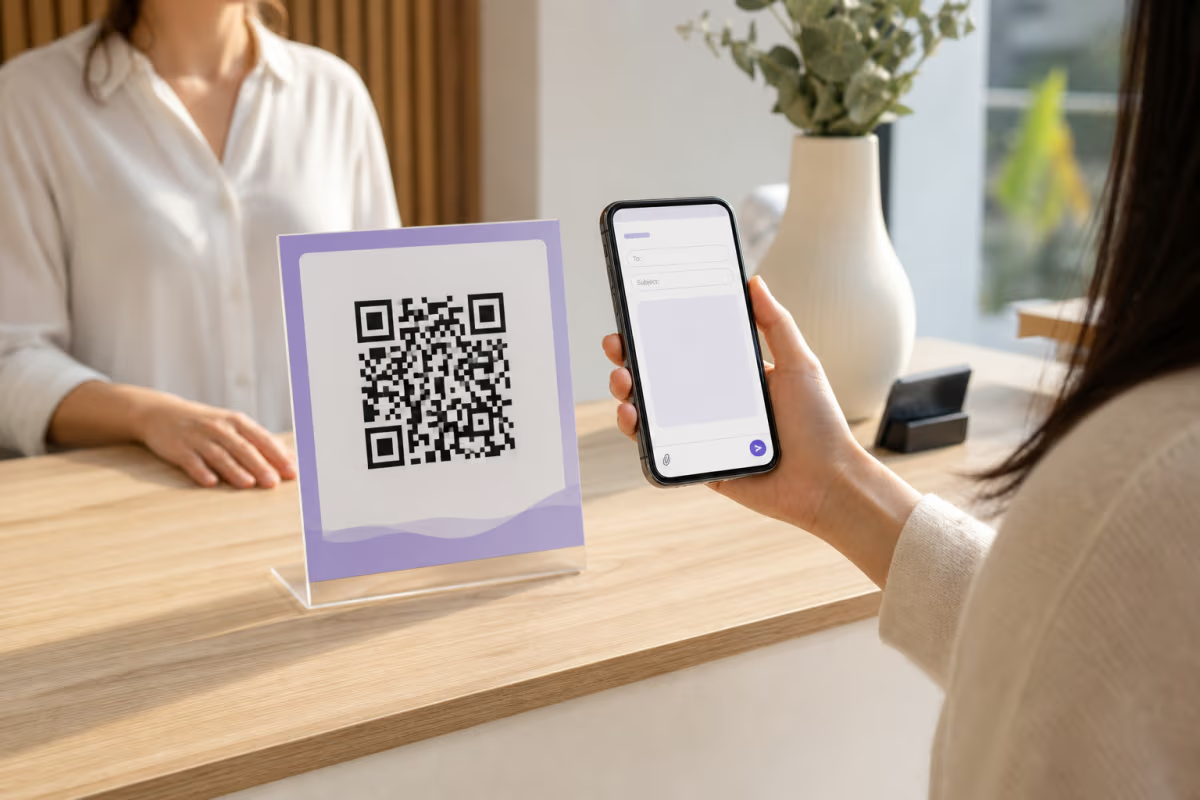
The challenge has always been bridging the physical and digital worlds. When a customer picks up a business card, reads a printed flyer, or visits a tradeshow booth, how do they reach you by email? They could memorize or type out your address — but that introduces friction, typos, and abandoned attempts. An email QR code solves this problem completely. One scan from a smartphone camera opens a pre-filled compose window with the recipient address, subject line, and even body text already populated. The sender taps one button and the message is on its way.

The Statista projection of 102.6 million QR code scanners in the United States alone in 2026 demonstrates that QR literacy is no longer a barrier. Consumers expect to scan codes on packaging, signage, business cards, and event materials. By combining the ubiquity of email with the convenience of QR technology, you create a frictionless contact channel that works across every device and every email client.

In this guide, you will learn exactly how email QR codes work under the hood, how to create one with pre-filled fields, when to use static versus dynamic codes, design best practices for print and digital placement, and real-world use cases that drive measurable results. Whether you are a solo freelancer, a growing startup, or an enterprise marketing team, this guide covers everything you need to deploy email QR codes effectively.

How Email QR Codes Work: The Mailto Protocol Explained

Every email QR code is built on the mailto: URI scheme, a standard defined in RFC 6068 and supported by virtually every operating system and email client since the early days of the web. When a QR scanner reads a mailto link, the device's default mail application opens a new compose window with the fields pre-populated from the URL parameters.

The basic syntax is straightforward: mailto:hello@example.com opens a blank compose window addressed to that recipient. Add query parameters to pre-fill additional fields: mailto:hello@example.com?subject=Inquiry&body=Hello%20there sets both the subject line and the body text. You can also specify CC and BCC recipients using cc= and bcc= parameters, and chain multiple recipients with commas.

Here is the full anatomy of a mailto URL that you might encode into a QR code:

  • Recipient: The email address immediately after mailto:
  • Subject: Added via ?subject=Your+Subject+Here with spaces encoded as %20 or +
  • Body: Added via &body=Your+message+text with line breaks encoded as %0A
  • CC: Added via &cc=another@example.com
  • BCC: Added via &bcc=hidden@example.com

The key advantage of the mailto protocol is universality. It works on iOS, Android, Windows, macOS, and Linux. Gmail, Outlook, Apple Mail, Yahoo Mail, Thunderbird, and virtually every email client recognizes it. There is no app to install, no account to create, and no compatibility to worry about. When the QR code is scanned, the phone's default mail handler takes over — which is exactly the behavior your users expect.

One important caveat: the total length of the mailto URL matters. Most QR code generators can handle URLs up to roughly 4,296 characters, but longer URLs produce denser QR patterns that are harder to scan from a distance or at small sizes. Keep your pre-filled body text concise — a sentence or two is ideal. If you need to convey more context, use a dynamic QR code that redirects through a short URL before reaching the mailto destination.

Static vs. Dynamic Email QR Codes: Which Should You Choose?

Before you create your first email QR code, you need to decide between a static and a dynamic approach. The difference has significant implications for flexibility, analytics, and long-term management.

A static email QR code encodes the full mailto link directly into the QR pattern. Once generated, the destination cannot be changed without reprinting the code. Static codes are free to create, work offline, and never expire. They are a good fit for personal business cards, permanent signage, or scenarios where the recipient address will never change.

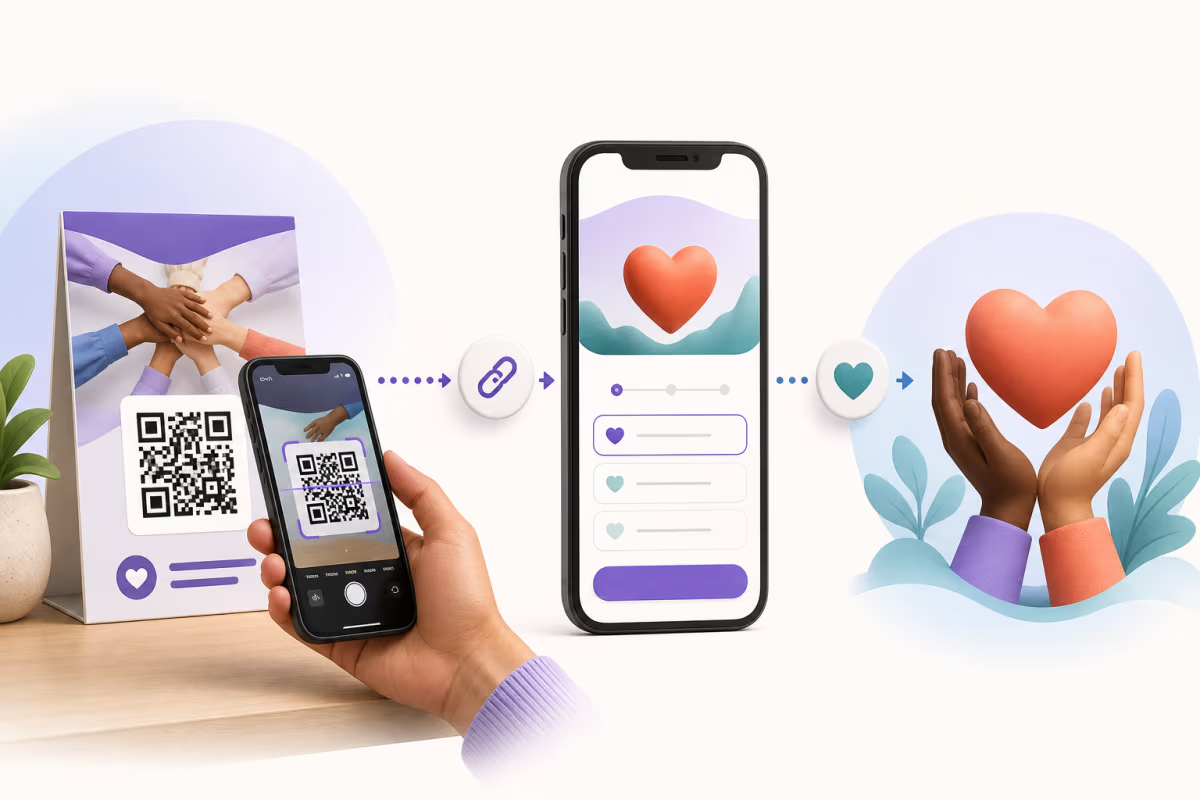
A dynamic email QR code encodes a short redirect URL (such as r.qrlynx.com/abc123) that points to your mailto link on the server side. This gives you several powerful advantages:

  • Edit anytime: Change the recipient address, subject line, or body text without reprinting the QR code. Moved to a new support email? Update it in your dashboard in seconds.
  • Scan analytics: Track how many times the code was scanned, when, where (city and country), and on which device type. This data is invaluable for measuring the effectiveness of print campaigns.
  • A/B testing: Test different subject lines or body text to see which version generates more replies.
  • Scheduling and expiry: Set the code to activate on a specific date or expire after an event ends.
  • Smart rules: Route scans to different email addresses based on time of day, location, or device type — for example, sending after-hours scans to a different support queue.

The trade-off is that dynamic codes require an active subscription and depend on the redirect server being online. For most business use cases, the flexibility and analytics of dynamic codes far outweigh the simplicity of static ones. If you are printing codes on materials that will be in circulation for months or years, dynamic is almost always the right choice because it lets you update the destination without any physical reprinting.

For a deeper comparison of static and dynamic QR codes across all types, see our comprehensive QR code guide.

How to Create an Email QR Code in 5 Steps

Pre-Filling Subject Lines and Body Text: Best Practices

The real power of an email QR code lies in the pre-filled fields. A well-crafted subject line and body template dramatically increase the likelihood that a scanner will actually send the email rather than abandoning the compose window.

Subject line tips:

  • Keep it under 60 characters so it displays fully on mobile devices
  • Include context about where the scan happened — for example, 'Question from Trade Show Booth' or 'Feedback: Hotel Room 412'
  • Avoid spam trigger words like 'free,' 'urgent,' or 'act now' that could cause the reply to land in your own spam filter
  • Use title case for readability: 'Product Inquiry from QR Scan' not 'product inquiry from qr scan'

Body text tips:

  • Provide a brief template that the sender can personalize — something like 'Hi, I scanned your QR code at [location/event]. I'm interested in learning more about [topic]. Please get back to me at your convenience.'
  • Keep it under 200 characters to avoid a dense QR pattern
  • Include line breaks using %0A encoding for readability
  • Do not pre-fill the entire message — leave room for the sender to add their own context

Multiple recipients: If you want the scan to address more than one person, separate addresses with commas in the recipient field. Use CC for visible secondary recipients and BCC for internal tracking addresses that the sender should not see. A common pattern is to BCC your CRM intake address so every inbound email is automatically logged.

Remember that the scanner can always edit any pre-filled field before sending. The pre-fill is a convenience and a conversion booster, not a constraint. Your goal is to reduce the cognitive load of composing a message from scratch so the user's path from scan to send is as short as possible.

Design and Placement Guidelines for Email QR Codes

Creating the QR code is only half the battle. Where and how you display it determines whether people actually scan it. Follow these guidelines to maximize scan rates and ensure reliability.

Size matters: The minimum recommended size for a printed QR code is 2 x 2 centimeters (roughly 0.8 x 0.8 inches) for close-range scanning such as business cards. For posters and signage scanned from a distance, use the 10:1 rule — the code should be at least one-tenth the scanning distance. A code scanned from 1 meter away should be at least 10 cm wide. For a deeper dive into sizing, see our QR code size guide for print.

Contrast is critical: Dark foreground on a light background is the universal standard. Black on white provides the highest scan reliability, but you can use branded colors as long as the contrast ratio stays above 4:1. Never invert the pattern (light on dark) without thorough testing, and avoid gradients that reduce edge definition.

Add a call to action: A QR code by itself is a mystery. Always include a short instruction near the code: 'Scan to email us,' 'Scan to send feedback,' or 'Scan to request a quote.' According to QR Tiger's research, adding a clear call-to-action near the QR code can increase scan rates by up to 80 percent.

Logo integration: Adding a recognizable logo to the center of the QR code improves brand trust and scan intent. QR codes have built-in error correction (up to 30 percent with level H) that allows a portion of the pattern to be obscured. QRLynx automatically adjusts error correction when you upload a logo so the code remains fully functional.

Quiet zone: Maintain a white border (quiet zone) of at least four modules around the QR code. Butting the code directly against other design elements or the edge of a card can prevent scanners from detecting the boundaries. Most generators including QRLynx add this automatically, but double-check when integrating the code into a print layout.

Material considerations: Avoid placing QR codes on highly reflective surfaces (glossy laminate, metallic foil) that cause glare under lighting. Matte finishes scan most reliably. If the code will be outdoors, use UV-resistant inks and weatherproof materials. For product packaging guidance, see our QR code product packaging guide.

Business Use Cases for Email QR Codes

Email QR codes are remarkably versatile. Here are the most impactful use cases across industries, each with practical implementation advice.

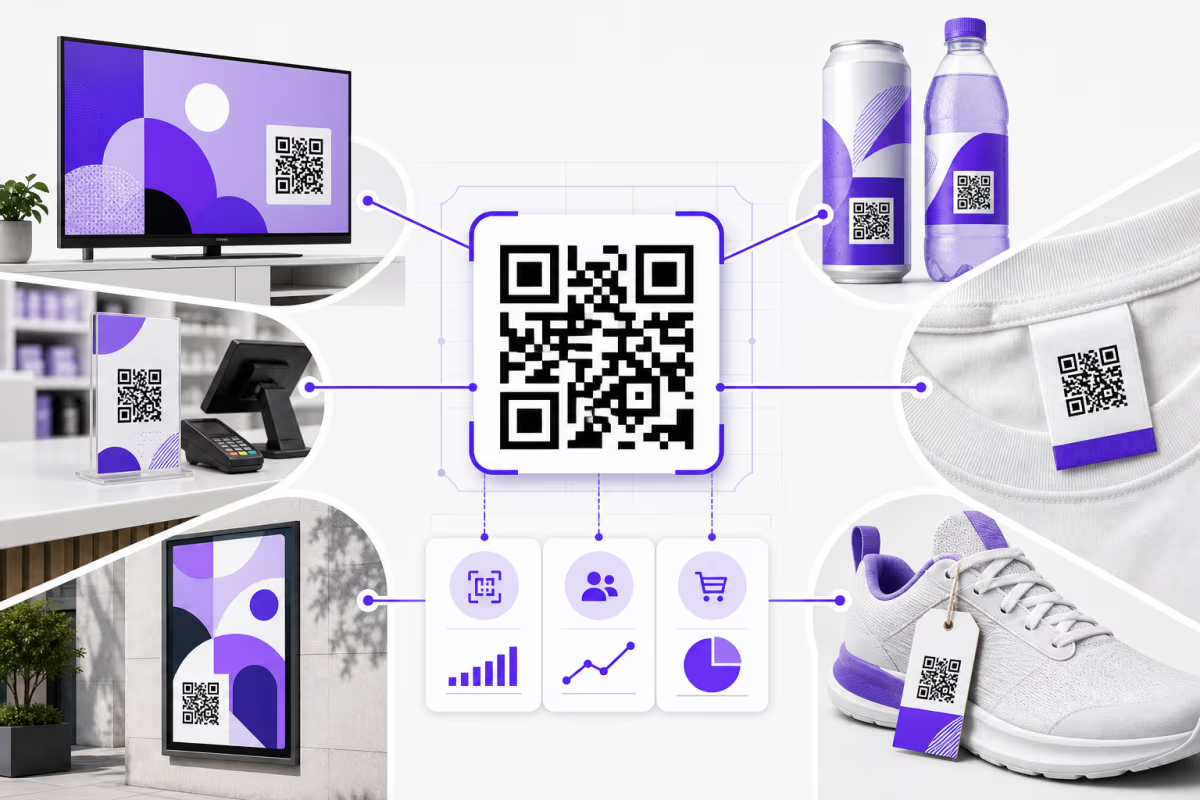
Business cards and networking: Replace or supplement the printed email address on your business card with a QR code. When someone scans it, a compose window opens with your address pre-filled and a subject line like 'Met at [Event Name].' This eliminates typos and makes follow-up effortless. For digital-first professionals, a QR code on a virtual business card or email signature serves the same purpose.

Customer feedback collection: Place email QR codes on receipts, product packaging, or table tents in restaurants. Pre-fill the subject with 'Feedback: [Location/Product]' and the body with a short prompt like 'Tell us about your experience.' This is simpler than directing customers to a web form and captures feedback in a channel they already trust. For restaurant-specific ideas, see our WiFi QR code guide for restaurants.

Support and helpdesk: Embed email QR codes on product manuals, warranty cards, or hardware devices themselves. When a customer needs help, they scan the code and a support ticket email is created with the product name and serial number already in the subject line. This routes the request to the correct support queue and reduces the information-gathering step for your agents.

Event registration and RSVP: Print email QR codes on event invitations or posters. The pre-filled subject says 'RSVP: [Event Name]' and the body includes the attendee's response options. While dedicated RSVP platforms exist, email-based RSVPs work universally without requiring the recipient to create an account. For wedding-specific applications, see our wedding RSVP QR code guide.

Real estate inquiries: Place email QR codes on property listing signs, brochures, and open house flyers. The subject line includes the property address and MLS number, making it easy for the agent to track which listing generated the inquiry. Combined with a dynamic code, you can track scan volume per property to gauge interest levels. For more real estate strategies, see our QR codes for real estate guide.

Education and classrooms: Teachers can place email QR codes on assignment sheets, classroom posters, or study guides. Students scan to submit questions or request help with a pre-filled subject line referencing the class and assignment. This is particularly effective for younger students who may not have the teacher's email address memorized. For more classroom QR ideas, see our QR codes in education guide.

Marketing campaigns: Add email QR codes to print advertisements, direct mail pieces, and outdoor billboards. Pre-fill the subject with a campaign identifier so your marketing team can attribute inbound emails to specific channels. A dynamic code lets you swap the destination email seasonally or route scans to different regional offices based on the scanner's location.

Resume and job applications: Include an email QR code on your printed resume or portfolio. The pre-filled subject line says 'Application: [Your Name] — [Position Title]' and the body includes a brief introduction. Recruiters scan once and have a ready-to-send reply thread. For more resume QR strategies, see our QR code resume guide.

Tracking and Analytics for Email QR Code Campaigns

If you are deploying email QR codes as part of a marketing or operational strategy, measuring performance is non-negotiable. Dynamic email QR codes give you access to detailed scan analytics that help you optimize placement, timing, and messaging.

Key metrics to track:

  • Total scans: The number of times the QR code was scanned over a given period. This is your top-of-funnel metric for reach.
  • Unique scans: The number of distinct devices that scanned the code, filtering out repeated scans by the same person.
  • Scan-to-email conversion rate: Compare QR scan volume (from your dashboard) against the number of emails actually received at the destination address. The gap represents drop-off — people who scanned but did not send. A high drop-off rate suggests your pre-filled content needs improvement.
  • Geographic distribution: See which cities and countries generate the most scans. This is invaluable for multi-location businesses deciding where to invest in more print materials.
  • Device and OS breakdown: Know whether your scanners are on iOS or Android, which affects how the mailto link is handled (Apple Mail vs. Gmail vs. other defaults).
  • Time-of-day patterns: Identify peak scanning hours to optimize staffing for email response times.

Campaign attribution: Use distinct QR codes for each placement channel — one for business cards, one for flyers, one for product packaging. Even though they all point to the same email address, separate dynamic codes give you per-channel analytics. You can also include a channel identifier in the pre-filled subject line ('Inquiry via Brochure' vs. 'Inquiry via Trade Show Badge') so your email team can attribute responses even without checking the QR dashboard.

QRLynx provides all of these analytics in a visual dashboard with CSV export for deeper analysis. For businesses on the Pro plan and above, analytics data is retained for 60 to 90 days depending on your tier, giving you ample time to assess campaign performance across seasonal cycles.

Advanced Techniques: Smart Rules, Scheduling, and Multi-Language Support

Beyond basic email QR codes, dynamic codes unlock advanced capabilities that sophisticated teams can leverage for more targeted communication.

Smart redirect rules: Route scans to different email addresses based on contextual signals. For example, a multinational company could route scans originating in Europe to support-eu@company.com and scans from North America to support-na@company.com. Time-based rules can send after-hours scans to an on-call team or a different subject line indicating that a response will come during business hours.

Scheduling and expiry: Set a QR code to activate on the first day of a conference and expire when the event ends. After expiry, scanners see a custom landing page explaining that the event has concluded, with a link to your main contact page. This prevents stale codes on discarded event materials from generating confusing emails months later.

Multi-language body text: If your audience spans multiple languages, use smart rules based on device language or geographic location to serve different pre-filled body text. A scanner in France sees a French greeting template, while a scanner in the United States sees English. This requires a Business plan or above on QRLynx but dramatically improves response rates in international campaigns.

Integration with CRM systems: By BCC-ing your CRM's email intake address on every QR-generated email, you can automatically create contacts and log interactions without any manual data entry. Salesforce, HubSpot, Pipedrive, and most modern CRMs support this pattern. The pre-filled subject line acts as a categorization tag that your CRM can parse for automated workflow triggers.

QR code templates: If you create email QR codes frequently — for example, a new one for every property listing or every event — save a design template in QRLynx. Templates preserve your brand colors, logo, corner style, and error correction settings so you only need to update the recipient address and subject line for each new code.

Common Mistakes to Avoid with Email QR Codes

Even experienced marketers make errors that reduce the effectiveness of their email QR codes. Here are the most common pitfalls and how to avoid them.

1. Using a personal email address on public materials. Printing a QR code linked to your personal Gmail on a flyer distributed to thousands of people is a recipe for inbox overload and a privacy risk. Use a dedicated business address with proper filtering and auto-responder rules.

2. Writing excessively long body text. Every additional character in the mailto URL increases QR code density. Dense codes are harder to scan, especially at small sizes or from a distance. Keep the pre-filled body under 200 characters and let the sender add their own details.

3. Forgetting to test across email clients. The mailto protocol is universal, but client behavior varies. Gmail on Android might handle URL encoding differently from Apple Mail on iOS. Test your QR code on at least three devices before deploying at scale.

4. No call to action near the code. A bare QR code with no context gets ignored. Always include text explaining what happens when someone scans it. 'Scan to email us' is more effective than a code sitting alone in a corner.

5. Using static codes for long-lived materials. Business cards, product packaging, and signage stay in circulation for months or years. If you change your email address, every static code becomes a dead end. Dynamic codes let you update the destination without reprinting.

6. Poor contrast or tiny size. Faded colors, glossy surfaces, and undersized codes are the top causes of scan failure. Follow the design guidelines earlier in this article and always test in the actual deployment environment — under the lighting, at the distance, and on the surface where the code will live.

7. Not tracking results. If you are spending money to print and distribute QR codes, you need to know whether they are working. Always use dynamic codes for paid campaigns so you can measure scan volume and optimize accordingly.

Email QR Codes vs. Contact Form QR Codes: When to Use Each

A common question is whether to use an email QR code or a QR code that links to a web-based contact form. Both approaches have their place, and the right choice depends on your goals and audience.

Email QR codes are better when:

  • You want the interaction to happen in the user's own email client, creating a natural reply thread
  • The user needs to attach files (photos, documents) that are easier to send via email than a web form
  • You want the communication to feel personal and direct rather than transactional
  • Your audience includes less tech-savvy users who are more comfortable with email than web forms
  • You need the sender's email address captured automatically (it's the From field)

Contact form QR codes are better when:

  • You need structured data — specific fields like order number, product SKU, or dropdown selections that email cannot enforce
  • You want to integrate with a ticketing system that ingests form submissions via API
  • You need to collect consent checkboxes (GDPR, marketing opt-in) as part of the submission
  • You want to present conditional logic — showing different fields based on previous answers
  • You need to rate-limit or spam-filter submissions (email QR codes rely on the sender's mail server, not your own)

Many businesses use both. A product might have an email QR code for quick support requests and a form QR code for detailed warranty claims. The key is matching the tool to the interaction complexity. For simple, one-to-one communication, email QR codes are faster and more personal. For structured data collection, web forms win.

Frequently Asked Questions About Email QR Codes

What is an email QR code?

An email QR code is a scannable barcode that encodes a mailto link. When someone scans it with their smartphone camera, it opens their default email app with the recipient address, subject line, and optionally body text already filled in. The scanner simply taps Send to deliver the message.

How do I create an email QR code for free?

You can create a static email QR code for free using QRLynx or similar generators. Enter the recipient email address and optional subject line, generate the code, and download it. Free static codes do not include analytics or editing capabilities. For tracking and the ability to change the destination later, you need a dynamic QR code which requires a paid plan.

Can I pre-fill the subject line and body text?

Yes. The mailto protocol supports query parameters for subject, body, CC, and BCC fields. When you create an email QR code with QRLynx, you enter these fields in the form and the generator encodes them into the URL automatically. Spaces and special characters are URL-encoded so they display correctly in the compose window.

What is the difference between a static and dynamic email QR code?

A static email QR code embeds the mailto link directly in the QR pattern and cannot be changed after printing. A dynamic email QR code uses a short redirect URL that points to your mailto link on a server. Dynamic codes can be edited, tracked with analytics, scheduled, and enhanced with smart redirect rules — all without reprinting the physical code.

Do email QR codes work on all smartphones?

Yes. The mailto protocol is supported by iOS, Android, and virtually every modern smartphone operating system. When scanned, the device opens whichever email app the user has set as their default — Apple Mail, Gmail, Outlook, Yahoo Mail, or others. No special app is required beyond the built-in camera or a QR scanner.

Can I track how many people scan my email QR code?

Only with dynamic QR codes. Since the scan passes through a redirect server, you can track total scans, unique scans, geographic location, device type, and time of day. Static codes are read directly by the phone with no server involved, so there is no way to collect analytics data.

How many characters can I put in the email body?

Technically, QR codes can encode up to about 4,296 alphanumeric characters, but long URLs produce denser patterns that are harder to scan. For email QR codes, keep the total mailto URL under 300 characters for reliable scanning at typical business card sizes. This usually means limiting the body text to one or two short sentences.

Can I include CC or BCC recipients in the QR code?

Yes. The mailto URL format supports cc and bcc parameters. For example, adding cc=manager@company.com to the URL will automatically populate the CC field when the compose window opens. This is useful for ensuring a supervisor or CRM intake address receives a copy of every inbound message.

Will the email go to spam if someone scans my QR code?

No. The email is sent from the scanner's own email account through their own mail server, not from a third-party service. This means deliverability depends on the sender's reputation, not yours. The email will appear in your inbox like any other message from that sender. However, avoid spam trigger words in the pre-filled subject line to prevent issues with your own filters.

Can I use an email QR code on a business card?

Absolutely. Business cards are one of the most popular placements for email QR codes. At the recommended minimum size of 2 x 2 cm, the code fits comfortably on a standard business card. When scanned, it opens a compose window addressed to you with a contextual subject line — far more convenient than asking someone to manually type your email address.

How do I change the email address after printing the QR code?

If you used a dynamic QR code, simply log into your QRLynx dashboard, find the code, and update the destination email address. The change takes effect immediately for all future scans without reprinting. If you used a static code, the address is permanently encoded in the QR pattern and cannot be changed — you would need to generate and print a new code.

Are email QR codes GDPR compliant?

The QR code itself does not collect personal data — it simply encodes a mailto link. However, when someone sends you an email, you receive their email address and any information they include in the message. You should handle this data according to GDPR and other applicable privacy regulations, including having a lawful basis for processing, providing a privacy notice, and honoring data subject requests. If you use dynamic QR codes, scan analytics (location, device type) are aggregated and do not identify individual users.

Getting Started with Email QR Codes on QRLynx

QRLynx makes it straightforward to create, customize, and manage email QR codes for any use case. The free Starter plan lets you generate up to three dynamic QR codes with basic analytics. For businesses that need more capacity, the Starter+ and Pro plans offer 15 and 50 dynamic codes respectively, with extended analytics retention and advanced features like scheduling and smart redirect rules.

To create your first email QR code, visit the QR code generator, select the Email type, enter your recipient address and optional pre-fill fields, customize the design to match your brand, and download in SVG or PNG format. The entire process takes under two minutes.

For teams managing large-scale deployments — franchise networks, real estate agencies, event management companies — the Business and Enterprise plans support bulk creation of up to 100 or 500 codes per batch, team workspaces with role-based access, and up to 90 days of analytics retention. Create a consistent template once and generate hundreds of codes with unique recipient addresses in a single operation.

Email remains the most reliable professional communication channel in 2026. Combining it with QR code technology removes the friction between physical touchpoints and digital conversations. Whether you are collecting feedback on a restaurant receipt, generating leads at a trade show, or simply making it easier for new contacts to reach you, an email QR code is one of the highest-ROI tools you can deploy — and it takes less than two minutes to set up.

Ready to create your first email QR code? Get started with QRLynx and bridge the gap between the physical world and your inbox.

Enjoyed this article? Share it!

Ready to Create Your Own QR Codes?

Start for free and upgrade as you grow. All plans include dynamic QR codes, analytics, and custom branding.

All plans include Unlimited Static QR Codes 39 QR Code Types Unbranded QR Codes Email Support
Starter
For personal projects
Free
No card required
  • 3 Dynamic QR Codes Editable QR codes — change the destination URL anytime
  • 1,000 Scans / Month Soft limit — QR codes keep working
  • 30-Day Analytics View scan data from the last 30 days
  • 1 Folder Organize your QR codes into a folder
  • JPG, PNG, WEBP Downloads
  • Pause & Activate QR Codes Pause QR codes to stop scans, reactivate anytime within your plan limit
Starter+
For more personal projects
$5.83 /mo
$70 billed yearly
  • 15 Dynamic QR Codes
  • Unlimited Scans
  • 30-Day Analytics
  • Custom Logo Upload
  • SVG / PDF Downloads
  • 3 Folders
  • 5 MB PDF Upload
  • JPG, PNG, WEBP Downloads
Most Popular
Pro
Best for marketers
Everything you need for QR campaigns
$11.67 /mo
$140 billed yearly
  • 50 Dynamic QR Codes
  • Unlimited Scans
  • 60-Day Analytics Upgraded from 30 days
  • Password Protected QRs Require a password before showing QR content
  • Smart Redirect Rules Redirect by device, country, or time
  • Access Consent Screens Age verification, terms, disclaimers
  • Expiry Rules Auto-expire by date or scan count
  • QR Scheduling Set start/end times for QR activity
  • 5 Folders
  • 10 MB PDF Upload
Business
For teams & agencies
$24.17 /mo
$290 billed yearly
  • 250 Dynamic QR Codes
  • Unlimited Scans
  • 90-Day Analytics Upgraded from 60 days
  • Bulk QR (100/batch)
  • Team Management (3 Members) Invite team members to collaborate on QR codes, analytics, and folders
  • Lead Capture Forms Collect leads directly from QR code scans
  • 25 Folders
  • 20 MB PDF Upload
  • CSV Report Export
Enterprise
For large organizations
$82.50 /mo
$990 billed yearly
  • 1,000 Dynamic QR Codes
  • Unlimited Scans
  • Bulk QR (500/batch)
  • Retargeting Pixels Add Facebook, Google, GTM tracking pixels to QR landing pages
  • Team Management (10 Members) Invite up to 10 team members with role-based access control
  • White Label Domains Use your own domain for QR redirects (e.g. qr.yourbrand.com)
  • 100 Folders
  • 50 MB PDF Upload
  • Dedicated Success Manager

Why businesses choose QRLynx

Features most competitors charge extra for — included in every plan

39
QR Code Types
URL, WiFi, vCard, PDF & more
Bio Pages
Built-in Landing Pages
No Linktree needed
Unbranded
No Watermark on Free
Even on the Starter plan
Unlimited
Scans on All Paid Plans
No scan caps, no surprises
275+
Edge Locations
Sub-50ms redirects globally
Lead Forms
Capture Contacts
Built-in lead gen from scans
Smart Rules
Conditional Redirects
By device, location, or time
PDF QR
Upload & Share PDFs
Menus, flyers, documents

Ready to Transform Your QR Code Experience?

Join thousands of businesses already using QRLynx to create, customize, and track their QR codes with ease.

No credit card required
Free forever Starter plan
Cancel anytime