QR Codes for Employee Onboarding: Streamline HR Processes with a Scan (2026 Guide)

Key Takeaway
Learn how to use QR codes to transform employee onboarding. Covers welcome packets, office tours, IT setup, training materials, policy distribution, badge integration, new hire surveys, buddy systems, and compliance verification. Step-by-step guide with enterprise HR best practices.
Why QR Codes Are Transforming Employee Onboarding in 2026
Employee onboarding is broken at most organizations. Despite being one of the most critical phases of the employee lifecycle, onboarding remains a chaotic mix of paper forms, scattered emails, forgotten logins, and orientation sessions that overwhelm new hires with information they cannot possibly retain. The numbers tell the story: according to Gallup research, only 12 percent of employees strongly agree their organization does a great job of onboarding new employees. That means 88 percent of companies are failing at the very first impression they make on their workforce.
The cost of poor onboarding is staggering. SHRM (Society for Human Resource Management) reports that organizations with a standardized onboarding process experience 50 percent greater new-hire productivity and 62 percent greater new-hire retention. Yet the average company spends just 15 minutes of structured onboarding time per new employee beyond basic paperwork. The gap between best practice and reality is enormous — and it is costing businesses billions in turnover, lost productivity, and disengagement.
QR codes offer an elegant solution to the onboarding chaos. Instead of burying critical information in email threads, shared drives, and printed binders that end up in desk drawers, you encode direct access to every resource a new hire needs into scannable codes placed exactly where and when they need them. A QR code on the welcome packet links to the employee handbook. A code on the desk phone connects to the IT setup guide. A code on the break room wall opens the office map. A code on the badge holder links to the org chart. Each scan is instant, frictionless, and trackable — you know exactly which resources new hires are accessing and which ones they are ignoring.
This is not a theoretical concept. BambooHR's onboarding research found that companies with strong onboarding programs improve new hire retention by 82 percent and productivity by over 70 percent. QR codes are the connective tissue that makes those strong programs operationally feasible — especially for organizations onboarding dozens or hundreds of employees each month across multiple locations. This guide covers every practical application of QR codes in employee onboarding, from the offer letter to the 90-day review, with step-by-step implementation instructions using QRLynx.
Welcome Packet QR Codes: The New Hire's First Scan
The welcome packet is the new hire's first tangible interaction with your company. Traditionally, it is a folder stuffed with printed documents — tax forms, benefits enrollment guides, employee handbooks, parking instructions, and a letter from the CEO that nobody reads twice. Most of this paper ends up recycled within a week, and the important information it contained is lost.
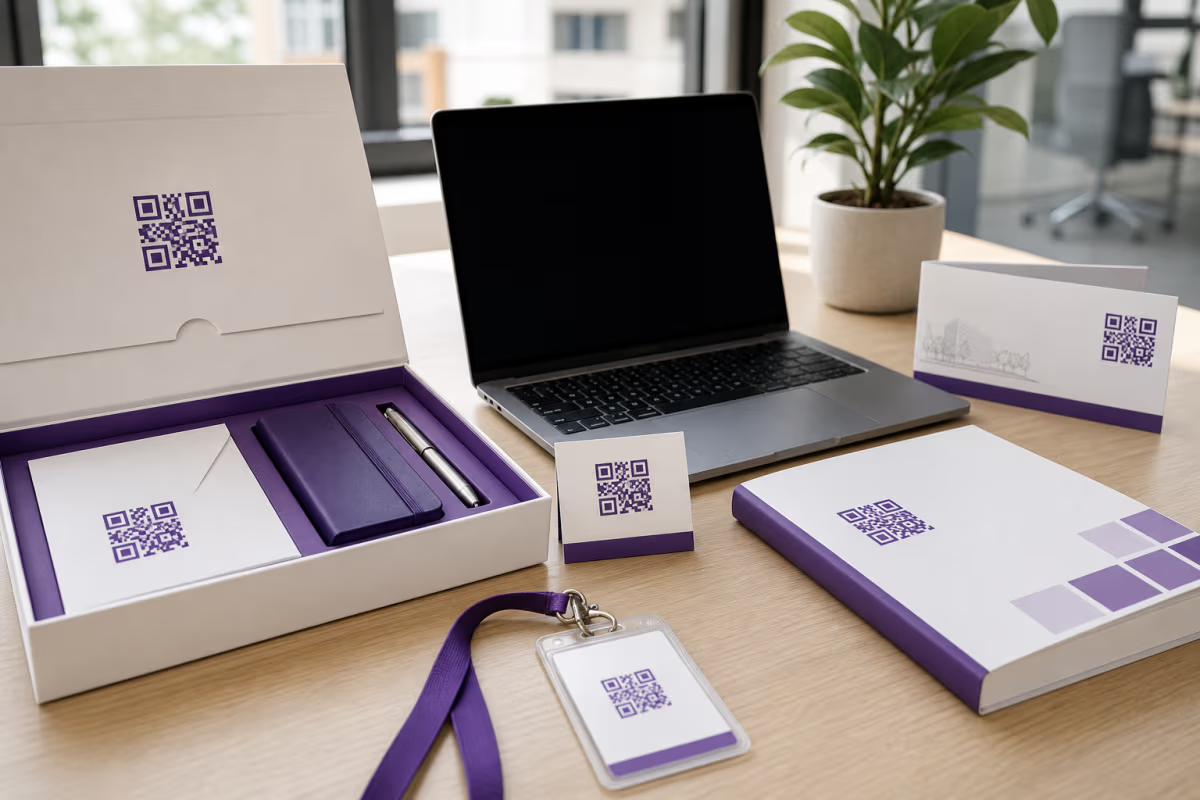
Replace the paper avalanche with a single welcome card that contains three or four strategically placed QR codes. The first code links to a digital welcome video from the CEO or team lead — a two-minute personal message that sets the tone far better than a printed letter. The second code opens the complete employee handbook in a mobile-friendly PDF or web page. The third links to the benefits enrollment portal with pre-filled employee information. The fourth opens a digital checklist of everything the new hire needs to complete in their first week.
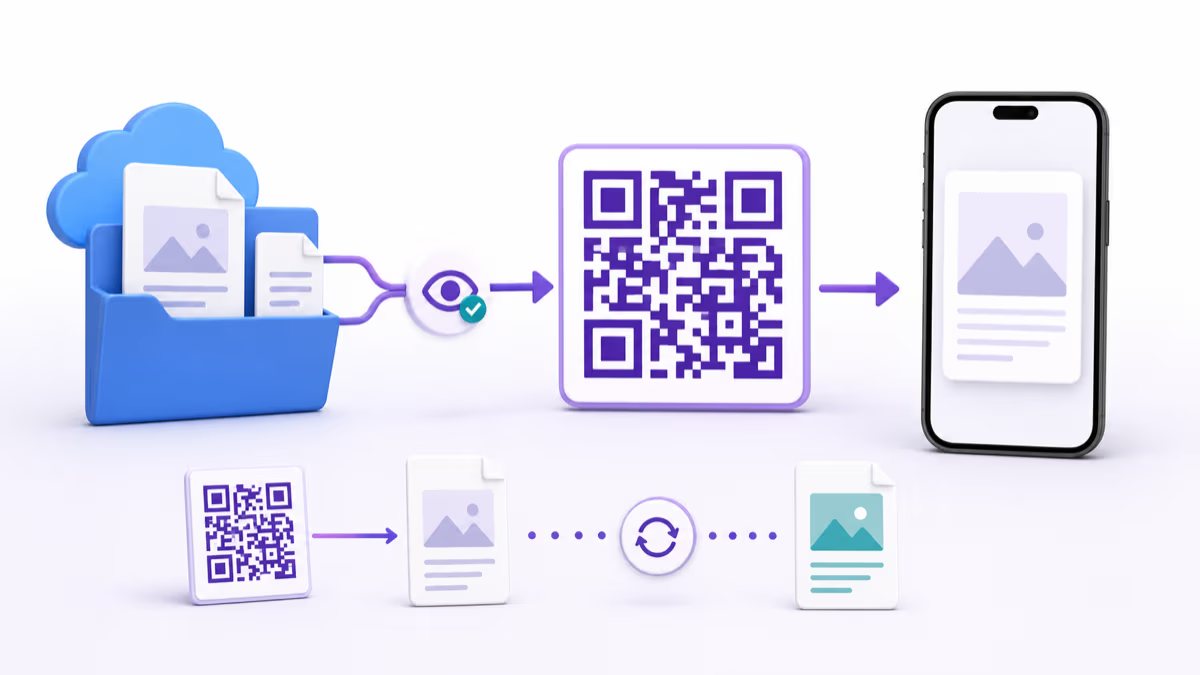
The beauty of using dynamic QR codes here is that you can update the destinations without reprinting the welcome cards. When the benefits portal URL changes during annual enrollment, you update the QR code's destination in your QRLynx dashboard and every welcome card ever printed now points to the correct page. When the CEO records a new welcome video, swap the link. When the handbook gets revised, update the PDF. The physical welcome card becomes a permanent asset rather than something that goes stale after every policy change.
For organizations onboarding remote employees, mail the welcome card along with company swag. The QR codes work identically whether the new hire is sitting at a desk in headquarters or unpacking a box at their home office. This consistency is critical for hybrid and distributed teams where the onboarding experience must be equivalent regardless of location. Track scan analytics to confirm that remote hires are engaging with the same resources as in-office hires — if remote scan rates are lower, it signals that your remote onboarding communication needs improvement.
SHRM data shows that 69 percent of employees are more likely to stay with a company for three years if they experienced great onboarding. A thoughtfully designed welcome packet with QR codes signals to the new hire that this is a company that values their experience and invests in modern, efficient processes. First impressions matter, and a QR-enabled welcome packet makes a strong one.
Office Tour and Facility Navigation with QR Codes
New hires universally dread the first-day office tour. It is a 30-minute whirlwind of hallways, introductions to people whose names they will immediately forget, and directions to rooms they cannot yet locate on their own. By lunchtime, most new employees cannot find the supply closet, the wellness room, or the correct conference room for their afternoon meeting.
QR codes placed throughout the facility solve this problem permanently. Print weather-resistant QR code stickers and place them at key locations: the main entrance, each floor's elevator lobby, the cafeteria, conference rooms, the IT help desk, restrooms, parking garage entrances, mail rooms, and emergency exits. Each code links to a digital floor map with the scanner's current location highlighted, or to a short video walkthrough of that specific area. Conference room QR codes can link directly to the room's booking calendar so new hires can see availability and reserve the space without asking a colleague how the system works.
This approach benefits more than just new hires. Visitors, contractors, temporary employees, and even long-tenured staff who rarely visit other floors all benefit from having navigation information accessible via a quick scan. For multi-building campuses, QR codes at shuttle stops can link to real-time shuttle schedules. Codes at parking garage entrances can display available spots by level. Codes at building entrances can show the day's event schedule and room assignments.
For organizations with multiple office locations, create location-specific QR codes that share a consistent design language. Each office gets its own set of codes linked to that location's specific maps and resources, but the visual treatment and placement are identical so employees transferring between offices know exactly what to expect. Use dynamic QR codes so you can update floor maps when offices are reconfigured without replacing the physical stickers.
Accessibility is a natural benefit of this system. Employees with mobility limitations can scan a code at any entrance to get detailed information about accessible routes, elevator locations, accessible restroom locations, and emergency evacuation procedures for their specific area. This is information that is often buried in a facilities PDF that nobody can find when they actually need it. A QR code mounted at wheelchair height near every entrance makes it instantly available.
IT Setup Guides: From Unboxing to Productive in One Hour
The IT onboarding bottleneck is one of the most expensive delays in the new hire process. Gallup's workplace research notes that new employees who wait more than a day for their technology setup report significantly lower engagement in their first 90 days. Yet many organizations take two to five business days to fully provision a new hire's accounts, software, and hardware — days of lost productivity that add up to thousands of dollars per employee.
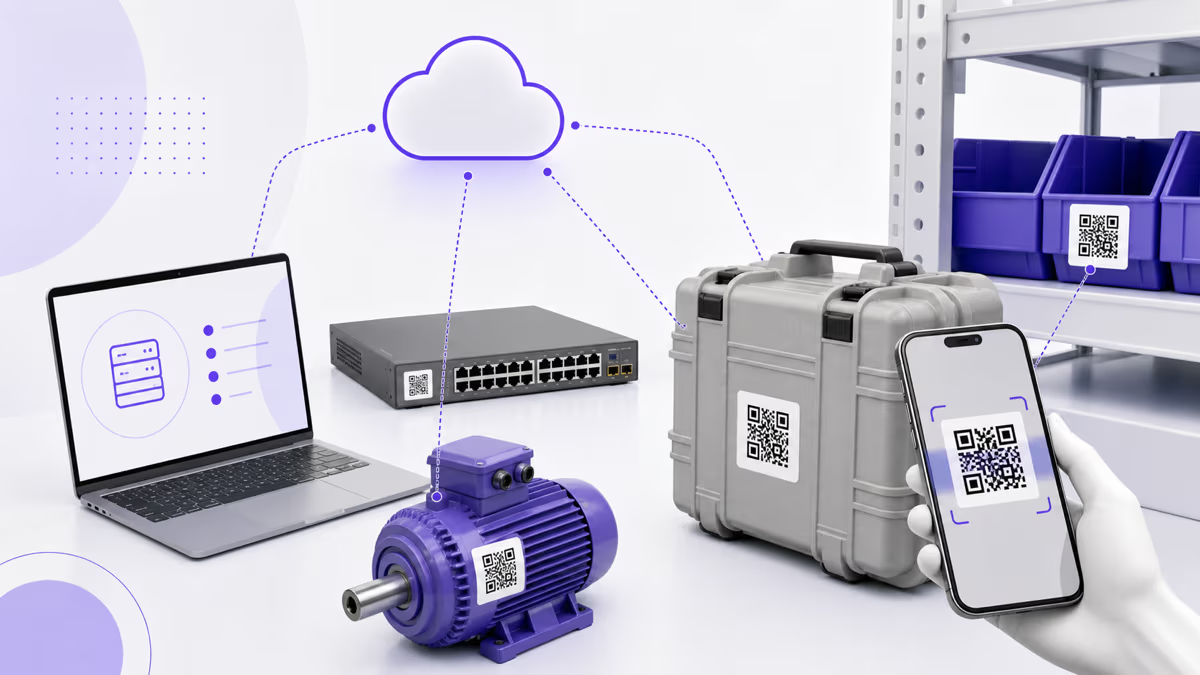
QR codes streamline IT onboarding by delivering step-by-step setup instructions exactly when and where the new hire needs them. Affix a QR code sticker directly to the laptop box or shipping container that links to a device-specific setup guide: how to power on, connect to WiFi, sign into the company domain, configure email, install required software, set up multi-factor authentication, connect to the VPN, and join the relevant Slack channels or Microsoft Teams groups. The guide should be a mobile-friendly web page — not a PDF — so the new hire can follow it on their phone while setting up the laptop.
Each peripheral gets its own QR code too. The monitor box has a code linking to display configuration instructions (resolution settings, dual-monitor setup, cable connections). The desk phone has a code linking to voicemail setup and extension directory. The badge reader at the office door has a code explaining how to register the access badge. The printer on each floor has a code linking to driver installation instructions specific to that printer model and the company's print management system.
For software-specific onboarding, create QR codes for each critical application. A code on the new hire's desk or in their digital checklist links to a guided walkthrough of the company's project management tool (Jira, Asana, Monday). Another code covers the time tracking system. Another covers the expense reporting tool. Each guide is a five-minute tutorial focused on the three or four things a new hire actually needs to know in their first week — not a comprehensive manual they will never read.
The IT help desk benefits enormously from this system. Instead of fielding the same WiFi setup and VPN configuration questions from every new hire, they can point to the QR code on the device. Track scan analytics to identify which guides get the most views — those represent the most confusing setup steps and are candidates for simplification or automation. If the VPN guide gets scanned three times per new hire on average, the VPN setup process itself needs to be made easier. For creating QR codes that link to detailed technical documentation, our complete QR code creation guide covers the fundamentals.
Training Materials Access and Compliance Verification
Corporate training is notoriously ineffective. Employees sit through hours of mandatory presentations, retain almost nothing, and the company has no way to verify comprehension beyond a checkbox that says the training was completed. QR codes do not magically fix bad training content, but they solve two critical problems: access and verification.
Instant access to training materials. Instead of emailing links to training videos that get buried in inbox clutter, place QR codes in the physical locations where the training is relevant. Safety training QR codes go in the warehouse, the lab, and near heavy machinery. Data security training codes go on server room doors and near shared workstations. Customer service training codes go in the call center and at the front desk. When a new hire scans the code, they get the training module specific to that area — not a generic portal where they have to search for the right course.
This context-aware placement has a measurable impact on training completion rates. SHRM's toolkit on onboarding recommends distributing training over the first 90 days rather than cramming it into the first week. QR codes enable this naturally — the new hire encounters the safety training code when they first visit the warehouse in week two, not during an information-overloaded first day. The training arrives at the moment of relevance, which cognitive science consistently shows improves retention.
Compliance verification. For regulated industries — healthcare, finance, manufacturing, food service, transportation — documenting that each employee completed specific training modules is a legal requirement. QR codes provide a traceable verification mechanism. When a new hire scans the compliance training QR code and completes the module, the system logs the completion with a timestamp, device identifier, and location data. During an audit, you can produce a report showing exactly when each employee completed each required training module.
Take this a step further by placing QR codes on physical compliance checklists posted in work areas. A restaurant kitchen might have a food safety checklist with a QR code that workers scan at the start of each shift to confirm they have reviewed the day's protocols. A manufacturing floor might have a machinery safety QR code that operators scan before starting their shift to acknowledge they have reviewed the safety procedures. These scans create an auditable digital trail that paper sign-off sheets cannot match.
Policy document distribution. The employee handbook, code of conduct, anti-harassment policy, intellectual property agreement, and other policy documents are among the most important yet least-read materials in any organization. Instead of printing 50-page handbooks or sending PDF attachments, create a QR code for each major policy document and include them in the new hire's onboarding checklist. When policies are updated — which happens frequently in fast-growing companies — update the QR code's destination to point to the new version. Every employee who scans the code from that point forward gets the current version, eliminating the problem of outdated printed policies circulating through the organization.
Badge Integration, Buddy System, and New Hire Surveys
Badge and ID card integration. The employee badge is the one item every worker carries every day. It is the perfect vehicle for a personalized QR code that serves multiple onboarding functions. Print a small QR code on the back of each employee's badge that links to their digital profile — a page showing their name, photo, department, role, start date, and a brief bio they can customize. When a colleague scans a new hire's badge, they instantly see who this person is and what they do. This solves the universal problem of forgetting names and roles during the first weeks of introductions.
For the new hire themselves, the badge QR code can link to a personalized onboarding dashboard: their checklist progress, upcoming orientation sessions, assigned mentor contact information, and quick links to the resources they access most frequently. Because badge QR codes are inherently one-per-person, you can use them for personalized tracking — the system knows which specific employee scanned which resource and can tailor follow-up content accordingly.
Badge QR codes also serve practical security functions. Visitors and contractors can be issued temporary badges with QR codes that expire after a set period. When scanned by security or reception staff, the code shows the visitor's approved areas, escort requirements, and check-out time. This is significantly more secure and informative than a paper visitor log. For more on using QR codes for identity and contact information, see our business card QR code guide.
Buddy system introductions. Most effective onboarding programs pair new hires with an experienced employee — a buddy or mentor — who answers questions, provides context, and helps the new person navigate the social landscape of the organization. QR codes make this pairing more actionable. When the buddy assignment is made, generate a QR code that the new hire scans to view their buddy's profile, including their photo, contact information, availability calendar, and a brief message of introduction. Include a direct link to start a chat or schedule a coffee meeting.
Place a QR code on the new hire's desk on their first day that says Scan to meet your onboarding buddy. This immediate personal connection sets a welcoming tone and gives the new hire a specific person to turn to with questions. Harvard Business Review research found that new hires with onboarding buddies were 23 percent more satisfied with their onboarding experience and reported being more productive after their first 90 days. The QR code simply removes the friction of making that initial connection happen.
New hire survey collection. Gathering feedback from new hires about the onboarding experience is essential for continuous improvement, but survey response rates for email-based surveys are notoriously low — often below 30 percent. QR codes placed at strategic touchpoints dramatically increase response rates. Place a survey QR code at the exit of the orientation room, on the desk at the end of the first week, in the break room during the second week, and in a follow-up card at the 30-day mark. Each code links to a short, focused survey (three to five questions maximum) relevant to that stage of onboarding.
The timing matters. A survey at the end of day one asks about the welcome experience and first impressions. A survey at the end of week one asks about IT setup, workspace comfort, and manager accessibility. A survey at the 30-day mark asks about role clarity, team integration, and training effectiveness. By distributing shorter surveys across the onboarding timeline — delivered via QR codes at the moment they are most relevant — you get higher response rates and more actionable feedback than a single comprehensive survey sent via email at the 90-day mark.
Enterprise Implementation Strategy and Scalability
Implementing QR codes across an enterprise onboarding program requires planning beyond simply generating codes and printing stickers. Here is a structured approach for organizations onboarding 50 or more employees per month.
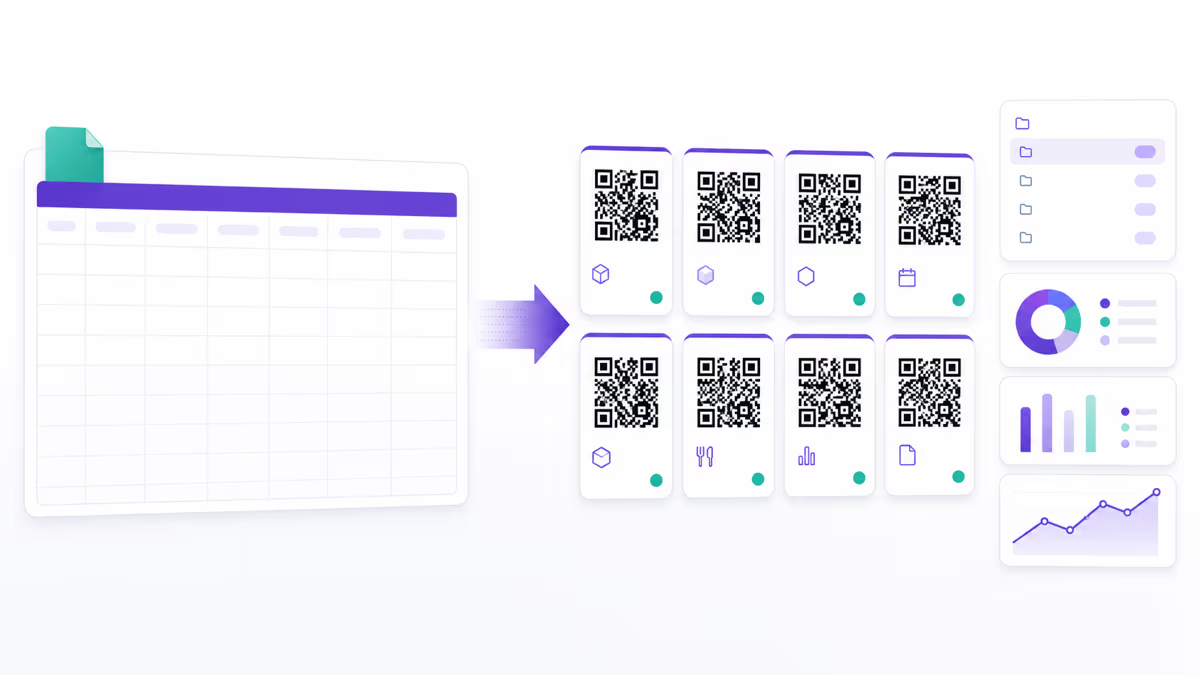
Centralized QR code management. Create a dedicated folder in your QRLynx dashboard for onboarding QR codes. Organize by category: Welcome Materials, Facility Navigation, IT Setup, Training and Compliance, HR Policies, and Surveys. Use consistent naming conventions so any HR team member can identify and manage codes without tribal knowledge. QRLynx's scan analytics let you monitor engagement across all onboarding codes from a single dashboard.
Template standardization. Design a visual template for all onboarding QR codes: consistent colors (match your employer brand), a small company logo in the center, and standardized call-to-action text formatting. This visual consistency helps new hires recognize onboarding QR codes versus other QR codes they might encounter in the office (marketing materials, cafeteria menus, event registrations). Use QRLynx's design customization to set brand colors and logo placement.
Multi-location deployment. For organizations with multiple offices, create location-specific versions of facility navigation and IT setup codes, but keep training, policy, and survey codes universal. Use QRLynx's folder system to organize codes by location. Each office's facilities team owns their navigation codes, the central IT team owns setup codes, and the HR team owns training and policy codes. This distributed ownership model prevents bottlenecks while maintaining consistency.
Integration with HRIS systems. Connect your QR code analytics with your Human Resources Information System (Workday, BambooHR, ADP, or similar) to correlate scan data with employee outcomes. Track whether new hires who engage more with onboarding QR codes show higher 90-day retention rates, faster time-to-productivity, or higher engagement scores. This data justifies continued investment in the program and identifies which specific resources have the highest impact on employee success.
Accessibility and language considerations. For global organizations, create QR codes that link to onboarding materials in the new hire's preferred language. A dynamic QR code can detect the scanning device's language setting and redirect to the appropriate version automatically if you set up language-based redirect rules. Ensure all linked content meets WCAG 2.1 accessibility standards — screen reader compatibility, sufficient color contrast, keyboard navigation, and alt text for images. QR codes themselves are inherently accessible as long as the linked content is accessible.
Security and privacy. Onboarding materials often contain sensitive information: salary structures, proprietary processes, internal org charts, and security protocols. Use QRLynx's password protection feature for codes linking to confidential resources — the new hire receives the password through a separate channel (their hiring manager or a secure onboarding portal). For highly sensitive content, set expiration dates on QR codes so they automatically deactivate after the onboarding period ends. Monitor scan analytics for unusual patterns that might indicate unauthorized access — a code intended for new hires should not show hundreds of scans from the same device.
Measuring ROI. Track three categories of metrics. First, engagement metrics: scan rates per code, time-to-first-scan after start date, and completion rates for multi-step onboarding checklists. Second, efficiency metrics: reduction in IT help desk tickets from new hires, decrease in HR time spent answering repetitive questions, and reduction in onboarding material printing costs. Third, outcome metrics: 90-day retention rate before and after QR implementation, time-to-productivity (measured by manager assessments), and new hire satisfaction scores. BambooHR estimates that the average cost of onboarding a new employee is $4,100 — even modest efficiency gains through QR code automation represent significant savings at scale.
Real-World Use Cases Across Industries
Healthcare. Hospitals and clinics onboard nurses, physicians, technicians, and administrative staff who each need different training tracks and facility access. QR codes on department-specific orientation packets link to HIPAA training modules, electronic health record (EHR) system tutorials, department-specific safety protocols, and credentialing verification portals. Place QR codes on medication storage areas linking to handling procedures, on medical equipment linking to operation manuals, and on patient care areas linking to infection control guidelines. For healthcare organizations that already use QR codes for patient-facing functions, onboarding codes create a familiar interaction pattern for clinical staff.
Manufacturing and warehousing. Safety training is non-negotiable in industrial settings. Place QR codes on every piece of heavy machinery linking to its specific safety training module and operating manual. New warehouse employees scan codes at each workstation to access training for that specific task — pick-and-pack procedures, forklift operation, hazardous materials handling, or quality inspection checklists. OSHA compliance documentation becomes instantly accessible via QR codes posted in required locations rather than buried in a binder in the supervisor's office.
Retail and hospitality. High-turnover industries like retail and hospitality onboard new employees constantly, often with minimal HR infrastructure at individual locations. QR codes standardize the onboarding experience across hundreds of stores or hotel properties. A QR code in the back room links to the POS system tutorial. A code by the register links to return policy procedures. A code in the kitchen links to food safety certification training. Store managers spend less time on repetitive training tasks and more time on coaching and development.
Technology companies. Tech companies often have complex onboarding that involves setting up development environments, accessing code repositories, configuring CI/CD pipelines, and understanding architectural decisions. QR codes on engineering onboarding checklists link to repository access requests, development environment setup scripts, architecture decision records, and team-specific wiki pages. A QR code in each conference room links to the video conferencing setup guide — saving everyone (not just new hires) the frustration of figuring out a new AV system.
Financial services. Banks, insurance companies, and investment firms have extensive compliance and regulatory training requirements. QR codes on compliance checklists link to specific training modules for anti-money laundering (AML), know-your-customer (KYC), insider trading prevention, and data privacy regulations. Completion scans create timestamped audit trails that satisfy regulatory examination requirements. Place codes in trading floors, client meeting rooms, and document storage areas linking to relevant compliance procedures for each space.
Education. Schools and universities onboard new teachers, professors, and administrative staff each semester. QR codes on campus maps link to department-specific resources, classroom technology guides, student information system tutorials, and academic calendar details. For adjunct faculty who may teach at multiple institutions, QR codes provide quick access to institution-specific policies and procedures without requiring them to navigate an unfamiliar intranet. Our classroom QR code guide covers additional education applications that overlap with staff onboarding.
How to Build a QR Code Onboarding Program with QRLynx
Common Mistakes to Avoid in Onboarding QR Programs
Linking to non-mobile-friendly content. If a new hire scans a QR code on their phone and lands on a desktop-only PDF or an intranet page that requires VPN access they have not yet configured, the experience fails immediately. Every QR code destination must be mobile-responsive and accessible without special network configurations. For content that requires authentication, link to the login page with clear instructions rather than to a page that throws an access denied error.
Creating too many codes at once. Start with 5-10 high-impact QR codes and expand based on data. An office plastered with 50 QR codes on day one overwhelms new hires rather than helping them. Prioritize the touchpoints where new hires currently experience the most friction or where HR spends the most repetitive time. Add codes incrementally as each wave of new hires provides feedback.
Neglecting to update linked content. A QR code is only as good as the content it links to. Establish a quarterly review process where the HR team verifies that every onboarding QR code links to current, accurate content. Flag any code whose destination has not been updated in six months for review. Dynamic QR codes make the link update easy — the hard part is maintaining the content itself.
Skipping analytics review. If you are not reviewing scan analytics, you are missing the primary advantage of QR codes over printed materials. Set a calendar reminder to review onboarding QR analytics after each new hire cohort completes their first month. Look for trends: are scan rates declining (indicating QR fatigue or poor placement), are certain codes never scanned (indicating irrelevant content or invisible placement), and are scan times clustering at specific hours (indicating when new hires actually engage with onboarding materials).
Forgetting accessibility. Not all employees can easily scan QR codes. Employees with visual impairments, older employees unfamiliar with QR scanning, and employees without personal smartphones need alternative access paths. Always provide a text URL or short link alongside every QR code, and ensure all linked content is screen-reader compatible. The QR code should be the fastest path, not the only path.
Frequently Asked Questions About QR Codes for Employee Onboarding
How many QR codes should we include in a new hire welcome packet?
Three to five codes is the sweet spot for a welcome packet. Include one for the welcome video or CEO message, one for the employee handbook, one for benefits enrollment, and one for the first-week checklist. More than five codes in a single packet creates decision paralysis. Additional codes should be distributed throughout the physical workspace and onboarding timeline rather than concentrated in one document.
Do we need a paid QR code plan for onboarding?
For a meaningful onboarding program, yes. You need dynamic QR codes so you can update destinations when content changes and track scan analytics to measure engagement. QRLynx's Starter+ plan supports 15 dynamic codes which covers a basic onboarding program. Organizations with multiple locations or extensive training libraries should consider the Pro or Business plan for higher limits and advanced features like password protection and redirect rules.
How do we handle onboarding for remote employees?
Mail physical welcome cards with QR codes along with equipment shipments. The codes work identically regardless of location since they link to web-based resources. For facility-specific codes that remote employees will not encounter in person, include a digital version in the onboarding email sequence. Track remote versus in-office scan patterns separately to ensure both groups receive equivalent onboarding quality.
Can QR codes replace our entire onboarding process?
QR codes are a delivery mechanism, not a replacement for onboarding strategy. They make existing resources more accessible and trackable, but you still need well-designed content, structured timelines, manager involvement, and human connection. Think of QR codes as the infrastructure that makes a great onboarding program operationally scalable — not as the program itself.
How do we ensure QR code security for sensitive HR documents?
Use QRLynx's password protection feature for codes linking to confidential materials like salary structures, equity details, or proprietary processes. Distribute passwords through a separate secure channel such as the hiring manager or a secure portal. Set expiration dates on codes for time-sensitive documents. Monitor scan analytics for unusual access patterns. For highly regulated content, ensure the linked destination has its own authentication layer in addition to QR code protection.
What if employees do not know how to scan QR codes?
Include a brief visual instruction on your first QR code placement: Open your phone camera and point it at this code. Modern smartphones with iOS 11 or later and Android 9 or later scan QR codes natively through the camera app — no special app is needed. For employees with older devices, recommend a free QR scanner app. Always provide a text URL as an alternative for anyone who cannot or prefers not to scan.
How do we measure the ROI of QR codes in onboarding?
Track three metric categories. Engagement: scan rates, time-to-first-scan, and resource access completion rates. Efficiency: reduction in IT help desk tickets, HR time savings on repetitive questions, and printing cost reduction. Outcomes: compare 90-day retention rates, time-to-productivity scores, and new hire satisfaction surveys before and after QR implementation. Most organizations see measurable results within two onboarding cohorts.
Should we use static or dynamic QR codes for onboarding?
Dynamic codes for everything. Onboarding content changes frequently — policy updates, new training modules, revised benefits information, updated office maps. Dynamic codes let you update destinations without reprinting. They also provide scan analytics that are essential for measuring program effectiveness. The only scenario where static codes make sense is a permanent, never-changing resource, which is rare in onboarding. See our static vs dynamic comparison for the full breakdown.
Can we integrate QR code scan data with our HRIS?
Yes. Export scan analytics from QRLynx and correlate with employee records in your HRIS (Workday, BambooHR, ADP, or similar). Map scan timestamps to employee start dates to track onboarding engagement timelines. Organizations with technical teams can build automated integrations using QRLynx's analytics export and their HRIS API to flag new hires who have not engaged with critical onboarding resources within expected timeframes.
How do we handle onboarding in multiple languages?
Create separate QR codes for each language version of critical resources, and include the appropriate language code on materials distributed to each location. Alternatively, use a single dynamic QR code with language-based redirect rules that detect the scanning device's language setting and route to the correct version automatically. QRLynx supports redirect rules that can route based on device characteristics and location.
What size should onboarding QR codes be?
For welcome packet cards held at reading distance: 1 to 1.5 inches. For desk-mounted cards and equipment labels: 1.5 to 2 inches. For wall-mounted stickers in hallways and common areas: 3 to 4 inches. For large hallway signage: 6 inches or more. The general rule is one-tenth of the expected scanning distance. Always test at the actual placement before committing to a final size. Our QR code size guide provides detailed calculations for every format.
How often should we update our onboarding QR code destinations?
Review all onboarding QR code destinations quarterly. Update immediately when linked content changes — policy revisions, benefits portal URL changes, training module updates, or office reconfigurations. Set calendar reminders for seasonal updates like annual benefits enrollment periods. Dynamic QR codes make the URL update instant through your QRLynx dashboard, but the content at the destination needs its own maintenance schedule.