Skip to content

QR Codes for Enterprise Asset Tracking: IT Equipment, Inventory & Maintenance (2026 Guide)

Ahmad Tayyem
Founder & QR Code Technology Specialist
· 29 min read
QR Codes for Enterprise Asset Tracking: IT Equipment, Inventory & Maintenance (2026 Guide)

Key Takeaway

Learn how to use QR codes for enterprise asset tracking across IT equipment, warehouse inventory, and maintenance scheduling. Covers ROI calculations, RFID vs QR comparison, compliance auditing, bulk generation, and integration with asset management software like ServiceNow, Snipe-IT, and SAP.

Why QR Codes Are Replacing Spreadsheets for Enterprise Asset Management

Every enterprise manages physical assets. Laptops, monitors, servers, networking gear, warehouse inventory, vehicles, furniture, medical equipment — the list grows with every purchase order. Yet a staggering number of organizations still track these assets with spreadsheets, handwritten logs, or fragmented systems that nobody trusts. Gartner estimates that 30 percent of enterprise IT assets are underutilized or completely untracked, representing billions of dollars in wasted capital annually across global organizations. The problem is not a lack of awareness — it is a lack of practical, low-friction tooling that frontline employees will actually use.

Traditional asset tracking approaches fall into two camps. On one end, you have manual processes: someone walks around with a clipboard, writes down serial numbers, and enters them into a spreadsheet later. Data is stale before the ink dries. On the other end, you have heavyweight enterprise solutions that cost six or seven figures to implement, require months of integration work, and still depend on employees consistently scanning RFID tags or barcodes with specialized hardware. Both approaches share the same fatal flaw — they create friction at the point of interaction, which means compliance drops over time.

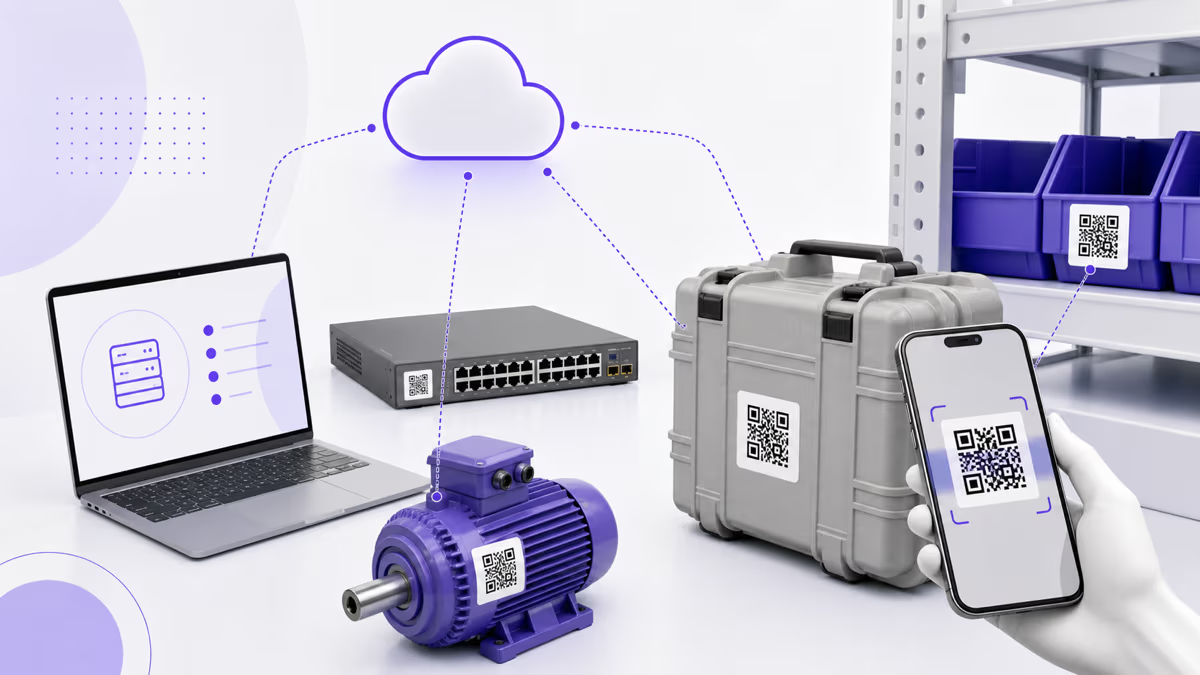
QR codes eliminate that friction. Every employee already carries a QR scanner in their pocket: their smartphone. No specialized hardware. No training on proprietary devices. No waiting for IT to provision scanners. A maintenance technician can scan a QR code on a server rack, instantly see the asset's full history, log a maintenance event, and move on — all in under 15 seconds. An IT administrator can stick QR labels on 500 laptops in an afternoon and have a fully searchable digital inventory by end of day.

The economics are compelling. Aberdeen Group research found that organizations using mobile-enabled asset tracking reduced asset search time by 75 percent and cut inventory audit duration by 60 percent compared to manual methods. IDC reports that companies with mature IT asset management practices save an average of 30 percent on hardware procurement by accurately tracking utilization and lifecycle data, enabling better reuse and right-sizing decisions. QR codes are not the entire solution — they are the interface layer that makes every other part of asset management actually work in practice.

This guide covers everything enterprises need to know about deploying QR codes for asset tracking: IT equipment management, warehouse inventory, maintenance scheduling, compliance auditing, ROI modeling, technology comparisons (RFID, NFC, barcodes), software integration, and bulk QR generation strategies. Whether you manage 500 assets or 500,000, the principles and workflows described here will help you build a tracking system that employees actually use. If you are new to QR codes in general, start with our complete QR code creation guide for the fundamentals.

IT Equipment Tracking: Laptops, Monitors, Servers, and Network Gear

IT departments are the most natural starting point for QR-based asset tracking because they manage high-value, frequently-moved equipment with strict lifecycle requirements. A single enterprise laptop costs between $800 and $2,500. Multiply that by thousands of devices across multiple offices, remote workers, and storage depots, and the financial exposure of poor tracking becomes enormous.

Laptop and endpoint tracking. Every laptop, desktop, tablet, and mobile device should receive a QR code label at the point of procurement or provisioning. The QR code links to a digital asset record containing the device serial number, model, purchase date, warranty expiration, assigned user, department, operating system version, installed software licenses, and maintenance history. When an employee returns a device, the IT technician scans the QR code to update its status from 'assigned' to 'available' or 'needs repair.' When a new employee starts, scanning the QR code during provisioning automatically updates the assignment record. This eliminates the manual data entry that causes 40 percent of asset record errors according to Gartner's IT asset management research.

Monitor and peripheral tracking. Monitors, docking stations, keyboards, and webcams are lower in individual value but higher in total volume. They also move between desks frequently, especially in hot-desking and hybrid work environments. QR codes on peripherals enable quick check-in and check-out workflows. An employee arriving at a hot desk scans the monitor's QR code to claim it for the day, and the system logs which peripherals are at which location. When peripherals go missing — and they always do — the last-scanned location provides an immediate starting point for recovery.

Server and data center equipment. Server racks, switches, routers, UPS units, and storage arrays require meticulous tracking for both operational and compliance reasons. A QR code on each piece of rack-mounted equipment links to its configuration details, firmware version, warranty status, support contract information, and complete maintenance log. Data center technicians performing routine checks can scan each device to confirm it has been inspected, log any issues, and timestamp the visit. This creates an auditable trail that satisfies SOC 2, ISO 27001, and PCI DSS requirements for physical asset documentation. For organizations with multiple data centers, QR codes also streamline equipment transfers — scan at the origin, update the location, scan again at the destination to confirm arrival.

Network infrastructure. Cables, patch panels, access points, and network closet equipment are notoriously difficult to track because they are installed once and then forgotten until something breaks. QR codes on network jacks, cable runs, and access points provide instant identification during troubleshooting. A network engineer responding to a connectivity issue can scan the nearest access point's QR code to see its IP address, VLAN configuration, connected switch port, and last maintenance date — information that would otherwise require a trip back to the NOC or a VPN session to the management console.

Remote worker equipment. With hybrid and remote work now standard, enterprises ship equipment to employees' homes and need to track it across dozens or hundreds of locations. QR codes enable self-service inventory verification: the company sends a periodic email asking remote employees to scan the QR codes on their assigned equipment, which automatically confirms possession and logs the check. This replaces the labor-intensive process of calling each employee or sending physical inventory forms. IDC estimates that remote equipment tracking costs 3-5x more per device than on-premises tracking when done manually; QR-based self-service audits bring that cost ratio close to parity.

Warehouse Inventory and Supply Chain Tracking

Warehouse inventory management is where QR code tracking delivers some of its most dramatic efficiency gains. Traditional warehouse operations rely on barcodes, but barcodes have significant limitations: they require line-of-sight scanning at close range, they degrade in dirty or wet environments, and they store only a small amount of data (typically just a product SKU). QR codes store up to 4,296 alphanumeric characters, can be scanned from multiple angles, and include built-in error correction that allows successful reads even when up to 30 percent of the code is damaged or obscured.

Receiving and inbound processing. When inventory arrives at the warehouse dock, each pallet, case, or individual item receives a QR code label that links to its digital record: purchase order number, supplier, quantity, lot number, expiration date (for perishables), and designated storage location. Warehouse workers scan the QR code with their phone to confirm receipt, which automatically updates the inventory management system and triggers accounts payable workflows. This eliminates the paper-based receiving process that Aberdeen Group found causes a 4.7 percent error rate in manual data entry — a small percentage that compounds into significant discrepancies across thousands of daily receiving transactions.

Location tracking and slotting. Each storage location in the warehouse — shelf, bin, pallet position, or floor zone — gets its own QR code. When a worker places inventory in a location, they scan the item QR code followed by the location QR code, creating a digital link between the two. When someone needs to find an item, they search the system, get the location code, and navigate directly to it. This is the same principle behind sophisticated warehouse management systems (WMS), but QR codes make it accessible without the six-figure WMS implementation cost. Small and mid-size warehouses can implement this system in a single weekend using QRLynx for code generation and a simple database or even Google Sheets for the backend.

Picking and packing. Order pickers can scan location QR codes to confirm they are pulling from the correct bin, then scan item QR codes to verify the correct product and quantity. This two-scan verification process reduces picking errors from the industry average of 1-3 percent down to below 0.1 percent according to warehouse operations benchmarks published by the Warehousing Education and Research Council (WERC). For high-volume operations, this error reduction translates directly to fewer returns, fewer customer complaints, and lower reshipping costs.

Cycle counting and physical inventory. Instead of shutting down operations for an annual wall-to-wall inventory count, QR codes enable rolling cycle counts. A small team scans through one section of the warehouse each day, verifying that physical inventory matches system records. Discrepancies are flagged immediately for investigation rather than discovered months later during the annual count. Organizations using continuous cycle counting with mobile scanning report 99.5 percent or higher inventory accuracy compared to 93-95 percent accuracy with annual counts alone.

Shipping and outbound logistics. QR codes on outbound shipments can encode tracking numbers, destination addresses, carrier information, and handling instructions. Scanning the QR code at the loading dock confirms the shipment was dispatched and timestamps the departure. If you use dynamic QR codes, the shipping QR can later be repurposed as a delivery confirmation tool — the recipient scans it to confirm arrival, which updates your system automatically.

Maintenance Scheduling and Compliance Auditing

Preventive maintenance is one of the highest-ROI applications of QR code asset tracking. Equipment failures are expensive — not just the repair cost, but the downtime, lost productivity, emergency service premiums, and potential safety incidents. Gartner research indicates that preventive maintenance costs 3-5x less than reactive (break-fix) maintenance, yet many organizations still operate in reactive mode because scheduling and tracking preventive maintenance manually is cumbersome and falls through the cracks.

Maintenance logging via QR scan. Attach a QR code to every piece of equipment that requires regular maintenance: HVAC units, elevators, fire extinguishers, generators, manufacturing equipment, fleet vehicles, medical devices, and commercial kitchen appliances. When a technician performs maintenance, they scan the QR code, which opens a mobile-friendly form pre-populated with the asset's details. The technician logs what was done (filter changed, oil level checked, calibration performed), notes any issues found, and submits. The record is timestamped, geotagged, and attributed to the specific technician — creating an audit trail that no paper log can match.

Scheduled maintenance alerts. When QR codes are integrated with a computerized maintenance management system (CMMS) or even a simple scheduling tool, the system can track time since last maintenance for each asset. When an HVAC unit hits its 90-day filter change interval, the system generates a work order and notifies the assigned technician. The technician scans the QR code when they arrive at the unit, which confirms they are servicing the correct equipment and starts the maintenance timer. This prevents the common problem of technicians mistakenly servicing the wrong unit — a real issue in facilities with dozens of identical-looking HVAC units on a rooftop.

Safety equipment compliance. Fire extinguishers, AED units, emergency lighting, eye wash stations, and first aid kits all require regular inspection to meet OSHA, NFPA, and local fire code requirements. QR codes turn these inspections from paper-based checkbox exercises into verifiable digital records. The inspector scans each unit's QR code, confirms it passes inspection, and the system logs the event with a timestamp and the inspector's identity. If a fire marshal or safety auditor asks for inspection records, the organization can pull a complete digital history in seconds rather than digging through filing cabinets of paper logs.

Regulatory compliance and audit readiness. Industries with strict regulatory requirements — healthcare (Joint Commission, HIPAA), finance (SOX, PCI DSS), manufacturing (ISO 9001, FDA 21 CFR Part 11), and government (FISMA, FedRAMP) — need comprehensive asset tracking documentation. QR code-based tracking creates immutable digital records that satisfy auditor requirements for asset identification, chain of custody, maintenance history, and disposition tracking. The key advantage over paper records is searchability and completeness: an auditor can request all maintenance records for a specific device class across all locations for the past three years, and the system returns results in seconds. This audit readiness alone justifies the QR code tracking investment for regulated industries.

Depreciation and lifecycle management. QR codes enable accurate tracking of asset age, condition, and utilization — the three factors that determine optimal replacement timing. By scanning assets during regular rounds, facilities teams build a real-time picture of equipment condition that feeds into depreciation calculations, capital planning budgets, and replacement forecasts. An asset that shows declining performance through maintenance logs can be scheduled for replacement before it fails catastrophically, while an asset that's aging but performing well can be kept in service longer, avoiding unnecessary capital expenditure.

ROI Calculations: The Business Case for QR-Based Asset Tracking

Enterprise decision-makers need numbers, not just concepts. Here is a framework for calculating the return on investment for QR code-based asset tracking, along with industry benchmarks to populate the model.

Cost reduction from eliminated ghost assets. Ghost assets are items that exist in your accounting system (and depreciation schedule) but no longer exist physically — lost, stolen, disposed of without record, or never received in the first place. Aberdeen Group found that the average organization has 15-30 percent ghost assets on its books. For a company with $10 million in fixed assets, that represents $1.5-3 million in phantom assets generating incorrect depreciation expenses, inflated insurance premiums, and inaccurate financial statements. QR code tracking with regular scan-based audits eliminates ghost assets within the first audit cycle, providing an immediate and verifiable financial correction.

Time savings in asset location and auditing. Without a tracking system, finding a specific asset requires asking around, checking spreadsheets, and physically searching locations. IDC research shows that IT staff spend an average of 2.5 hours per week searching for assets. For a 10-person IT team at an average fully-loaded cost of $75 per hour, that is $97,500 per year in wasted labor. QR code tracking reduces asset search time to under 30 seconds — scan the QR code or search the system and get the current location instantly. Annual physical inventory audits that take 2-3 weeks with manual processes can be completed in 2-3 days with scan-based verification, freeing staff for higher-value work.

Reduced equipment loss and theft. Visible QR code labels with asset IDs act as a deterrent against theft — employees are less likely to walk off with equipment that is clearly tagged and tracked. More importantly, QR-based check-in/check-out workflows create accountability: the last person who scanned the asset is the last known custodian. Organizations implementing QR asset tracking typically see a 40-60 percent reduction in equipment loss within the first year, according to asset management industry surveys. For a company losing $200,000 per year in equipment, that's an $80,000-$120,000 annual recovery.

Maintenance cost optimization. Shifting from reactive to preventive maintenance through QR-tracked scheduling reduces overall maintenance costs by 25-30 percent according to Gartner facilities management research. The savings come from fewer emergency repairs (which carry premium labor rates), extended equipment lifespan (preventive maintenance adds 20-40 percent to useful life), and reduced downtime (preventive maintenance is scheduled during low-impact periods, unlike reactive repairs that happen at the worst possible time).

Implementation cost model. QR code labels cost $0.02-$0.15 each depending on material (paper, polyester, aluminum, or tamper-evident). A QRLynx Business plan supports up to 250 dynamic QR codes with full analytics — enough for a mid-size deployment. For large enterprises needing thousands of codes, the Enterprise plan supports 1,000 dynamic codes with bulk generation capabilities. Label printers capable of producing durable asset tags start at $200-$500 for thermal transfer models. Total first-year cost for a 1,000-asset deployment: approximately $1,500-$3,000 in labels, printing, and software — a fraction of the cost savings from even one of the categories above.

Payback period. Most organizations achieve full payback on QR asset tracking within 2-4 months based on the combined value of ghost asset elimination, time savings, loss reduction, and maintenance optimization. The ongoing annual cost is minimal (label replacement for damaged tags plus the software subscription), while the benefits compound as the asset database grows more complete and the maintenance history deepens.

QR Codes vs RFID vs NFC vs Barcodes: Choosing the Right Technology

QR codes are not the only option for asset identification. Understanding the tradeoffs between QR codes, RFID, NFC, and traditional barcodes helps you choose the right technology — or the right combination — for your specific environment.

QR codes. Cost per tag: $0.02-$0.15. Read range: camera-dependent, typically 2 inches to 15 feet. Reader hardware: any smartphone (zero cost). Data capacity: 4,296 alphanumeric characters. Pros: universal reader availability, no specialized hardware, easy to generate and print in-house, works on any surface that accepts a label or laser engraving, supports both static and dynamic modes. Cons: requires line-of-sight (cannot scan through packaging), manual one-at-a-time scanning, can be damaged by surface wear. Best for: IT equipment, office assets, maintenance tracking, small to medium inventories, organizations that want low upfront cost and maximum flexibility.

RFID (Radio Frequency Identification). Cost per tag: $0.10-$5.00 depending on type (passive UHF, passive HF, active). Read range: passive UHF 10-30 feet, active RFID 100+ feet. Reader hardware: $1,000-$5,000 per handheld reader, $3,000-$15,000 per portal reader. Data capacity: 96-256 bits typical (just an ID number). Pros: bulk scanning (read hundreds of tags simultaneously), no line-of-sight required, can scan through packaging and pallets, very fast inventory counts. Cons: high hardware cost, interference from metal and liquids, requires specialized readers, tag cost 10-50x higher than QR codes, complex infrastructure. Best for: large warehouses, distribution centers, retail stores with thousands of SKUs, environments needing automated bulk scanning.

NFC (Near Field Communication). Cost per tag: $0.10-$1.00. Read range: 1-4 inches (intentionally short for security). Reader hardware: most modern smartphones. Data capacity: 137 bytes to 8 KB depending on tag type. Pros: tap-to-read simplicity, built into most smartphones, difficult to counterfeit, rewritable tags available. Cons: extremely short range requires physical proximity, one tag at a time, higher tag cost than QR, not all phones support NFC writing. Best for: high-security asset tracking, tool check-out systems where physical proximity confirms possession, environments where visual codes would be impractical (metal surfaces, outdoor exposure).

Traditional barcodes (Code 128, Code 39, UPC/EAN). Cost per tag: $0.01-$0.05. Read range: 6 inches to 2 feet with standard scanners. Reader hardware: $50-$300 for dedicated scanners, some smartphone apps. Data capacity: 20-50 characters typical. Pros: extremely low cost, universal in retail and logistics, robust scanning infrastructure already deployed. Cons: very limited data capacity (usually just an ID), requires line-of-sight, single-angle scanning (alignment matters), no native smartphone scanning without apps, no error correction. Best for: retail point-of-sale, existing logistics systems that already use barcodes, high-volume environments with dedicated scanning stations.

The hybrid approach. Many enterprises use a combination. QR codes on IT equipment and office assets (leveraging smartphone ubiquity), RFID on warehouse pallets and high-volume retail inventory (leveraging bulk scanning speed), and NFC on high-value portable tools (leveraging short-range security). The asset management software serves as the unifying layer, accepting input from all three technologies and maintaining a single source of truth. QR codes are the ideal starting point because they require zero hardware investment and can be deployed incrementally — start with one department, prove the value, then expand.

Integration with Asset Management Software

QR codes are the physical interface; asset management software is the brain. The QR code links to a record in your system, and the system provides the context, history, and automation that make tracking valuable. Here is how QR codes integrate with popular asset management platforms.

ServiceNow ITAM. ServiceNow's IT Asset Management module is the enterprise standard for large organizations. QR codes can link directly to ServiceNow CMDB (Configuration Management Database) records via the instance URL pattern: https://instance.service-now.com/nav_to.do?uri=alm_asset.do?sys_id=ASSET_ID. When a technician scans the QR code, they see the full asset record in ServiceNow — assignment, location, contracts, relationships to other CIs, and complete history. ServiceNow also supports inbound REST API calls, so a custom scanning app can push updates directly to ServiceNow without opening the browser interface.

Snipe-IT. Snipe-IT is the leading open-source IT asset management platform, widely used by small and mid-size organizations. It has built-in QR code and barcode generation for every asset, with native support for scanning via the companion mobile app. QR codes generated by Snipe-IT link to the asset's detail page, and the mobile app supports check-in, check-out, and audit operations via scan. For organizations that want more customized QR code designs (branded codes with logos, custom colors), generating codes in QRLynx and linking them to Snipe-IT asset URLs provides the best of both worlds.

SAP EAM (Enterprise Asset Management). SAP's asset management module within S/4HANA uses equipment master records identified by equipment numbers. QR codes encoding the SAP equipment number or a direct Fiori launchpad URL enable field technicians to access work orders, maintenance history, and spare parts lists by scanning. SAP also offers its own Asset Intelligence Network (AIN) for inter-company asset tracking, which supports QR and barcode scanning natively. For organizations already invested in the SAP ecosystem, integrating QR codes is straightforward through SAP Fiori apps or custom SAPUI5 applications.

Freshservice. Freshworks' ITSM platform includes asset management with QR code support. Each asset in Freshservice can display a QR code linking to its detail page, and the Freshservice mobile app supports scan-to-view and scan-to-update workflows. The platform's API allows external QR scanning apps to create and update assets programmatically.

Custom solutions and spreadsheet-based tracking. Not every organization needs enterprise software. For smaller deployments (under 1,000 assets), QR codes linking to records in Google Sheets, Airtable, or Notion can be remarkably effective. Each QR code encodes a URL like https://airtable.com/appXXXXX/tblXXXXX/recXXXXX that opens the specific asset record. The person scanning can view and edit the record directly. For even simpler setups, dynamic QR codes from QRLynx can redirect to any URL, so you can start with a spreadsheet and upgrade to dedicated software later without reprinting a single label.

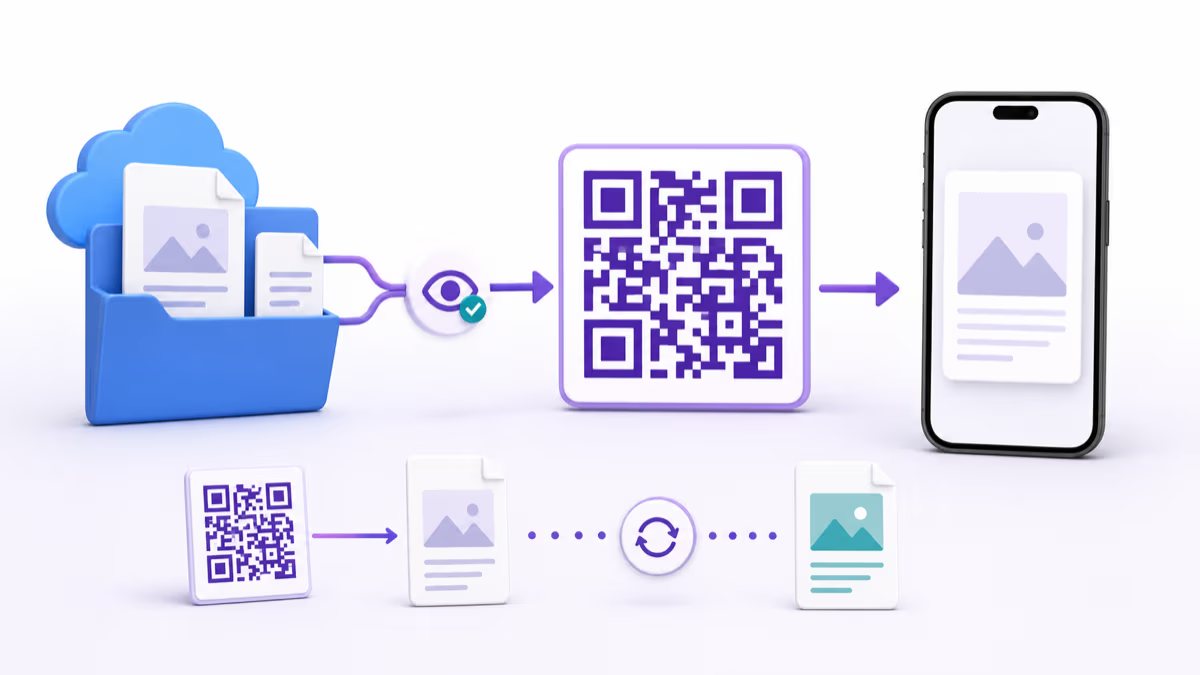
API-driven workflows. For maximum flexibility, use dynamic QR codes that redirect to a lightweight web application (or even a serverless function) that accepts the asset ID as a parameter, queries your asset database via API, and presents a mobile-optimized interface for viewing and updating the record. This decouples the QR code from any specific software vendor — if you switch from Snipe-IT to ServiceNow, you update the redirect destination in QRLynx and every existing QR label points to the new system. Our guide on tracking QR code scans explains how dynamic redirect analytics work.

Bulk QR Generation for Large Enterprise Inventories

Enterprise asset tracking often requires generating hundreds or thousands of QR codes simultaneously. Generating them one at a time is not practical when you are tagging an entire data center, onboarding a warehouse full of inventory, or rolling out asset labels across multiple office locations.

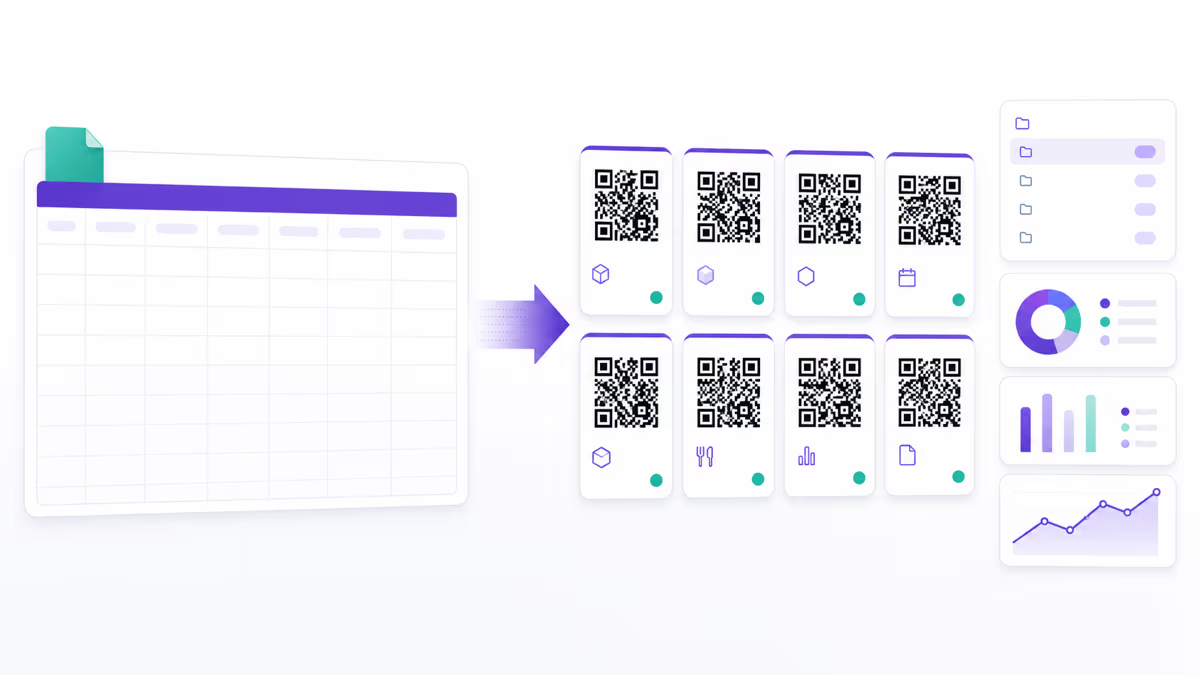
Bulk generation workflow. QRLynx's Business and Enterprise plans include bulk QR code generation. You upload a CSV file containing your asset data — one row per asset with columns for asset ID, name, description, destination URL, and any other metadata. QRLynx processes the CSV and generates a unique QR code for each row, with each code linking to the specified URL or configured destination. The output is a downloadable archive of individual QR code image files (SVG or PNG), named by asset ID for easy identification. For organizations needing even higher volume, the Enterprise plan supports batches of up to 500 codes per operation. Refer to our best QR code generators comparison for details on bulk capabilities across platforms.

Label design and printing. Once QR codes are generated, they need to be printed on durable labels suitable for the deployment environment. For office equipment, standard thermal transfer labels (polyester or polypropylene) withstand normal handling and cleaning. For warehouse and industrial environments, choose chemical-resistant and UV-resistant materials. For outdoor assets and vehicles, use aluminum or ceramic-coated labels rated for weather exposure. Label printers from manufacturers like Zebra, Brady, and Brother support direct printing from CSV-merged templates, allowing you to print QR codes alongside human-readable text (asset ID, department, contact number) in a single pass.

Naming conventions and URL structure. Before generating codes in bulk, establish a consistent naming and URL scheme. A common pattern is https://assets.yourcompany.com/{asset-id} where the asset ID follows a structured format: IT-LAP-2026-00142 (category-type-year-sequence). This makes QR codes self-documenting — even if the digital system is temporarily unavailable, the human-readable label text provides enough information for basic identification. When using dynamic QR codes through QRLynx, each code gets a short URL like r.qrlynx.com/abc123 that redirects to your asset management system URL. This means you can change the destination system without regenerating or reprinting labels.

Phased rollout strategy. Trying to tag every asset in the organization simultaneously is a recipe for project failure. Start with a pilot department — typically IT or facilities — and tag 100-200 assets. Run the pilot for 30 days, measure adoption and identify workflow issues, then refine the process before scaling. Phase two expands to the full IT inventory and one warehouse. Phase three covers remaining departments and locations. Each phase builds institutional knowledge and process documentation that makes subsequent phases faster and smoother. Organizations that attempt a big-bang rollout consistently report lower data quality and user adoption compared to phased approaches.

Data quality and verification. After bulk label application, run a verification scan to confirm every label is readable and links to the correct asset record. Assign a small team to scan through the newly labeled assets, comparing the QR code destination to the physical asset in front of them. This verification step catches misapplied labels, printing defects, and data mismatches before they propagate through the system. A 2 percent error rate during initial labeling is normal and easily corrected during verification — but left unchecked, those errors compound and erode trust in the entire tracking system.

How to Implement QR Code Asset Tracking in Your Enterprise

Security Considerations for Enterprise QR Asset Tracking

Deploying QR codes across an enterprise introduces security considerations that must be addressed at the planning stage, not as an afterthought.

Access control on asset records. QR codes that link to asset management systems should not expose sensitive information to unauthorized scanners. Ensure that the destination system requires authentication before displaying asset details. If you need unauthenticated access (for example, allowing any employee to report a found item), limit the publicly visible information to the asset ID and a contact form — do not expose financial data, network configurations, or assigned user details without authentication.

Tamper-evident labels. For high-value assets and regulated environments, use tamper-evident QR code labels that show visible damage if someone attempts to remove and reattach them to a different asset. These labels use destructible vinyl or VOID-pattern adhesive that leaves a mark on both the label and the surface if peeled. This prevents asset swapping fraud where someone moves a label from a new device to an old one before returning the new device for personal use.

Dynamic code security. Dynamic QR codes route through a redirect server (like QRLynx's r.qrlynx.com), which means the redirect destination can be changed. Secure your QRLynx account with a strong password and two-factor authentication to prevent unauthorized destination changes. For enterprise deployments, use password-protected QR codes on assets containing sensitive data. QRLynx supports password protection that requires the scanner to enter a PIN before seeing the destination content.

QR code spoofing prevention. An attacker could print a malicious QR code and place it over a legitimate one, redirecting scanners to a phishing site. Mitigate this by using tamper-evident labels (which show if overlaid), training employees to verify the destination URL before entering any credentials, and periodically inspecting high-profile QR codes for overlay tampering. Our QR code security guide covers these threats and countermeasures in comprehensive detail.

Data privacy and compliance. Asset records may contain personally identifiable information (PII) — the name and department of the assigned user, for example. Ensure your asset tracking system complies with applicable data privacy regulations (GDPR if you operate in the EU, CCPA in California, etc.). Implement data retention policies that automatically purge personal assignment data for departed employees, and ensure that QR code scan logs (which may include scanner location and device information) are stored and processed in compliance with your organization's privacy policies.

Frequently Asked Questions About Enterprise QR Asset Tracking

How much does it cost to implement QR code asset tracking?

The direct costs are minimal: QR code labels cost $0.02-$0.15 each, a label printer costs $200-$500, and QRLynx plans start at free for 3 dynamic codes (Starter), with Business at $29/month for 250 codes and Enterprise for 1,000+ codes. Total first-year cost for a 1,000-asset deployment typically runs $1,500-$3,000. Most organizations achieve full payback within 2-4 months through ghost asset elimination, reduced search time, and lower equipment loss.

Can QR codes replace RFID for enterprise asset tracking?

QR codes can replace RFID in many scenarios, especially for IT equipment, office assets, and maintenance tracking where assets are scanned individually. However, RFID is superior for high-volume warehouse operations requiring bulk scanning (hundreds of items simultaneously) or environments where line-of-sight is impractical (scanning through pallets or packaging). Many enterprises use both: QR codes for IT and office assets, RFID for warehouse inventory.

How durable are QR code labels in industrial environments?

Durability depends on the label material. Standard paper labels last 1-2 years indoors. Polyester labels withstand moisture, chemicals, and UV exposure for 5-10 years. Aluminum and ceramic-coated labels are rated for outdoor and extreme industrial environments lasting 10-20 years. Choose the material based on your environment — office equipment needs polyester at minimum, warehouse assets need industrial-grade materials.

What happens if a QR code label gets damaged or becomes unreadable?

QR codes include built-in error correction that allows successful scanning even when up to 30 percent of the code is damaged. For labels damaged beyond readability, the human-readable text printed alongside the QR code (asset ID number) allows manual lookup in the system. Replace damaged labels promptly during routine inspections to maintain scanning efficiency.

How do QR codes integrate with our existing IT asset management system?

QR codes link to URLs, so they integrate with any web-accessible system. For ServiceNow, Snipe-IT, SAP, or Freshservice, each QR code encodes the direct URL to that asset's record. Dynamic QR codes from QRLynx add a redirect layer, allowing you to change the destination system without reprinting labels. Most ITSM platforms also offer REST APIs for deeper integration where scanning triggers automated workflows.

Can we track assets across multiple office locations and warehouses?

Yes. Each QR code is globally unique and links to a central asset record. When an asset moves between locations, the person receiving it scans the QR code and updates the location field. For automated location tracking, pair QR codes with location-specific check-in points: scan the asset QR code and then scan a location QR code posted at each site entrance to log the transfer.

How do we handle QR codes for assets assigned to remote workers?

Generate QR codes for all remote-assigned equipment before shipping. Include the QR label on the asset and a quick-reference card in the shipping box explaining how to scan. Conduct periodic remote audits by emailing employees a request to scan their assigned equipment QR codes, which automatically confirms possession and updates the asset record with a verification timestamp.

What is the minimum QR code size for reliable scanning on asset labels?

For close-range scanning typical of asset tracking (6 inches to 3 feet), the minimum QR code size is 0.6 inches (15mm) square. For better usability, use 0.8-1.0 inch codes that scan quickly at arm's length. Always include a quiet zone (white border) of at least 4 modules around the QR code. Our print sizing guide has detailed specifications for every use case.

How many QR codes can we generate in bulk for a large deployment?

QRLynx's Business plan supports bulk generation of up to 100 codes per batch, and the Enterprise plan supports up to 500 per batch. For very large deployments (10,000+ assets), generate codes in multiple batches using CSV upload. Each batch takes seconds to generate and downloads as an archive of individual image files named by your asset IDs for easy label printing.

Do QR codes work for tracking assets that move frequently, like shared laptops or tools?

Absolutely. Dynamic QR codes are ideal for frequently-moved assets because every scan is logged with a timestamp and location. Create a check-in/check-out workflow where the user scans the QR code to claim the asset and scans again to return it. The system maintains a complete custody chain showing who had the asset, when, and where — essential for shared equipment pools, tool cribs, and hot-desking environments.

Can we use QR codes for warranty and service contract tracking?

Yes. Include warranty expiration dates and service contract details in the asset record linked by the QR code. When a technician scans an asset needing repair, they immediately see whether it is under warranty, which vendor to contact, the support contract number, and any previous service history. This prevents paying for repairs covered under warranty and ensures service requests reference the correct contract.

How do we ensure employees actually adopt the QR scanning process?

Adoption depends on three factors: making scanning faster than the alternative, embedding it into existing workflows, and measuring compliance. If scanning a QR code to log maintenance takes 15 seconds versus 5 minutes to fill out a paper form, adoption follows naturally. Assign departmental champions, include QR scanning in onboarding training, and track scan metrics by team to identify departments that need additional support or process adjustments.

Enjoyed this article? Share it!

Ready to Create Your Own QR Codes?

Start for free and upgrade as you grow. All plans include dynamic QR codes, analytics, and custom branding.

All plans include Unlimited Static QR Codes 39 QR Code Types Unbranded QR Codes Email Support
Starter
For personal projects
Free
No card required
  • 3 Dynamic QR Codes Editable QR codes — change the destination URL anytime
  • 1,000 Scans / Month Soft limit — QR codes keep working
  • 30-Day Analytics View scan data from the last 30 days
  • 1 Folder Organize your QR codes into a folder
  • JPG, PNG, WEBP Downloads
  • Pause & Activate QR Codes Pause QR codes to stop scans, reactivate anytime within your plan limit
Starter+
For more personal projects
$5.83 /mo
$70 billed yearly
  • 15 Dynamic QR Codes
  • Unlimited Scans
  • 30-Day Analytics
  • Custom Logo Upload
  • SVG / PDF Downloads
  • 3 Folders
  • 5 MB PDF Upload
  • JPG, PNG, WEBP Downloads
Most Popular
Pro
Best for marketers
Everything you need for QR campaigns
$11.67 /mo
$140 billed yearly
  • 50 Dynamic QR Codes
  • Unlimited Scans
  • 60-Day Analytics Upgraded from 30 days
  • Password Protected QRs Require a password before showing QR content
  • Smart Redirect Rules Redirect by device, country, or time
  • Access Consent Screens Age verification, terms, disclaimers
  • Expiry Rules Auto-expire by date or scan count
  • QR Scheduling Set start/end times for QR activity
  • 5 Folders
  • 10 MB PDF Upload
Business
For teams & agencies
$24.17 /mo
$290 billed yearly
  • 250 Dynamic QR Codes
  • Unlimited Scans
  • 90-Day Analytics Upgraded from 60 days
  • Bulk QR (100/batch)
  • Team Management (3 Members) Invite team members to collaborate on QR codes, analytics, and folders
  • Lead Capture Forms Collect leads directly from QR code scans
  • 25 Folders
  • 20 MB PDF Upload
  • CSV Report Export
Enterprise
For large organizations
$82.50 /mo
$990 billed yearly
  • 1,000 Dynamic QR Codes
  • Unlimited Scans
  • Bulk QR (500/batch)
  • Retargeting Pixels Add Facebook, Google, GTM tracking pixels to QR landing pages
  • Team Management (10 Members) Invite up to 10 team members with role-based access control
  • White Label Domains Use your own domain for QR redirects (e.g. qr.yourbrand.com)
  • 100 Folders
  • 50 MB PDF Upload
  • Dedicated Success Manager

Why businesses choose QRLynx

Features most competitors charge extra for — included in every plan

39
QR Code Types
URL, WiFi, vCard, PDF & more
Bio Pages
Built-in Landing Pages
No Linktree needed
Unbranded
No Watermark on Free
Even on the Starter plan
Unlimited
Scans on All Paid Plans
No scan caps, no surprises
275+
Edge Locations
Sub-50ms redirects globally
Lead Forms
Capture Contacts
Built-in lead gen from scans
Smart Rules
Conditional Redirects
By device, location, or time
PDF QR
Upload & Share PDFs
Menus, flyers, documents

Ready to Transform Your QR Code Experience?

Join thousands of businesses already using QRLynx to create, customize, and track their QR codes with ease.

No credit card required
Free forever Starter plan
Cancel anytime