How to Create an SMS QR Code: Send Text Messages with a Scan (2026 Guide)

Key Takeaway
Learn how to create an SMS QR code that lets people send a text message with a single scan. Covers pre-filled messages, marketing campaigns, customer feedback, appointment confirmations, two-way SMS workflows, and step-by-step instructions using QRLynx.
Why SMS QR Codes Are the Fastest Path from Print to Conversation
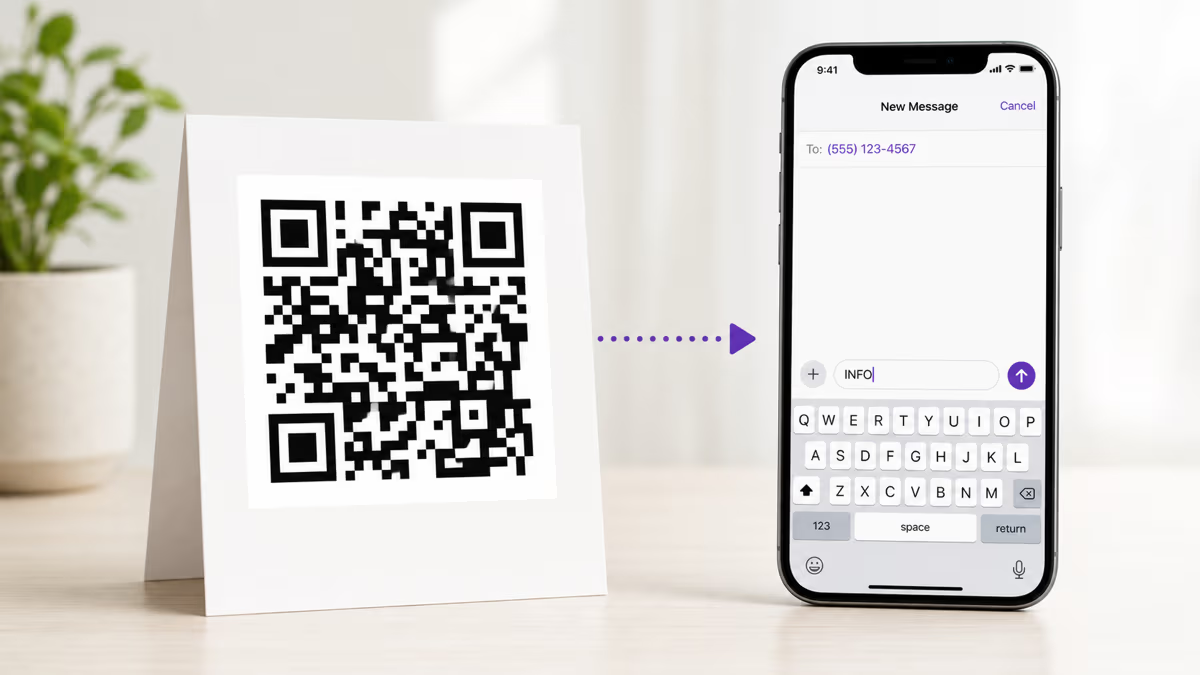
Every business wants to start conversations with customers. Email has open rates hovering around 20 percent. Social media algorithms filter out organic reach. But SMS? Text messages have a 98 percent open rate and 90 percent of those messages are read within three minutes of delivery. The problem has always been getting people to actually send that first text. Typing a phone number from a poster, flyer, or product label is tedious. Saving a contact first is even worse. An SMS QR code removes all of that friction — the customer scans, their messaging app opens with the number and message already filled in, and they tap send. One scan, one tap, conversation started.
The adoption numbers back this up. Statista projects 102.6 million QR code scanners in the United States in 2026, and Juniper Research estimates that global business-to-person SMS traffic will exceed 3.5 trillion messages annually by 2027. Meanwhile, QR Tiger reports that QR code scans grew 57 percent year-over-year in 2025. SMS QR codes sit at the intersection of two massive trends: QR code ubiquity and SMS marketing dominance.
This guide covers everything you need to know about SMS QR codes — how they work technically, when to use static versus dynamic codes, pre-filled message strategies, real-world use cases across industries, analytics tracking, compliance considerations, and step-by-step creation instructions using QRLynx. If you are new to QR codes in general, start with our complete QR code creation guide first.
How SMS QR Codes Work: The Technical Foundation
An SMS QR code encodes a URI that tells the scanning device to open the default messaging application with a pre-populated recipient number and, optionally, a pre-filled message body. The two most common URI formats are sms:+15551234567 for number-only codes and sms:+15551234567?body=Hello%20I%20am%20interested for codes that include a pre-written message. When a smartphone camera reads this QR pattern, the operating system recognizes the sms: protocol and routes the action to the messaging app — iMessage on iOS, Google Messages on Android, or whatever the user has set as their default.
There is an important cross-platform nuance. Apple devices historically used sms:+number&body=text with an ampersand separator, while Android devices expected sms:+number?body=text with a question mark. As of iOS 16 and Android 12, both platforms support the question mark format, which is now the recommended standard per RFC 5724. QRLynx automatically generates the universally compatible format so your codes work on every device.
The message body must be URL-encoded. Spaces become %20, line breaks become %0A, and special characters like ampersands become %26. This encoding happens behind the scenes when you use a QR code generator, but it matters if you are building codes programmatically or debugging why a message body appears garbled on certain devices.
One critical distinction: the QR code only opens the messaging app and pre-fills the fields. The user still has to tap send. This is by design — mobile operating systems do not allow applications to send SMS messages without explicit user action, which is both a security feature and a compliance requirement under regulations like the Telephone Consumer Protection Act (TCPA).
Static vs Dynamic SMS QR Codes: Which Should You Choose?
A static SMS QR code embeds the phone number and message directly into the QR pattern. Once printed, it cannot be changed. If you need to update the phone number or message body, you must generate and print an entirely new code. Static codes work well for permanent installations — a restaurant table tent that always texts the same reservation line, or a real estate sign that always reaches the listing agent's direct number.
A dynamic SMS QR code, on the other hand, encodes a short redirect URL (like r.qrlynx.com/abc123) that points to your SMS destination. When someone scans the code, QRLynx's redirect server resolves the short URL and sends the user to the sms: URI. The massive advantage is flexibility: you can change the destination phone number, update the pre-filled message, or even switch to an entirely different URL type — all without reprinting the physical code. Dynamic codes also unlock scan analytics, so you can track how many people scanned, when they scanned, where they were, and what device they used.
For marketing campaigns, event promotions, and any scenario where the message or number might change, dynamic codes are the clear winner. For permanent installations with a fixed number that will never change, static codes are simpler and slightly faster to scan because they skip the redirect step. Our static vs dynamic QR code comparison goes deeper on the tradeoffs if you want the full picture.
Cost is another factor. Static QR codes are free to generate on virtually every platform. Dynamic QR codes require a subscription because they use server infrastructure for redirects and analytics. QRLynx's Starter plan includes 3 dynamic QR codes, which is enough to test SMS campaigns before scaling up.
Pre-Filled Message Strategies That Drive Action
The pre-filled message body is where SMS QR codes become a powerful marketing tool rather than just a phone number shortcut. A well-crafted default message reduces the cognitive load on the customer and increases the likelihood they actually tap send. Here are proven strategies organized by intent.
Opt-in keyword campaigns. The most common SMS marketing pattern is the keyword opt-in. Your QR code pre-fills a message like JOIN or DEALS sent to a short code or business number. When the customer sends the keyword, your SMS platform (Twilio, Klaviyo, Attentive, or similar) automatically adds them to your subscriber list and sends a confirmation. This is the same mechanic behind the television ads that say text PIZZA to 12345 — the QR code just eliminates the manual typing. According to Attentive, keyword-based opt-in campaigns see conversion rates 2-3x higher than web form signups because the friction is so low.
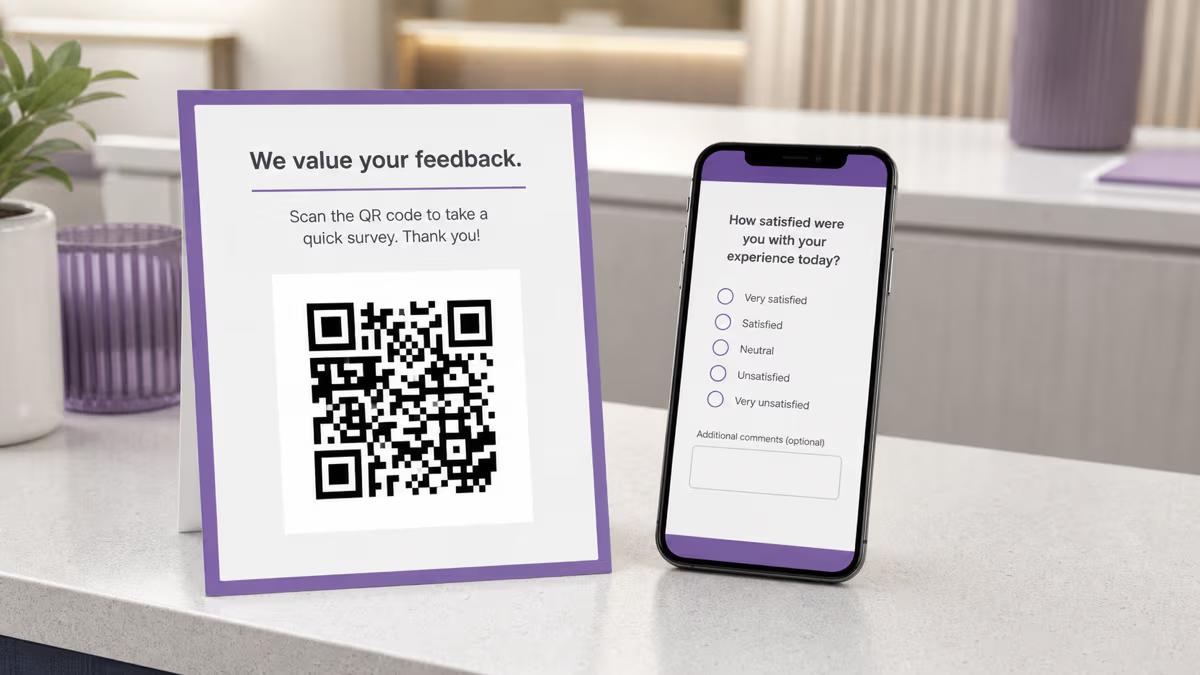
Customer feedback collection. Pre-fill the message with a prompt like Feedback for Order #[ORDER]: and let the customer type their response. This works exceptionally well on receipts, delivery packaging, and in-store signage. The customer doesn't need to find a survey link, open a browser, or navigate a form — they just type their thoughts in their native messaging app and hit send. Restaurants using this approach report 4-5x more feedback responses compared to email surveys.
Appointment confirmations and reminders. Healthcare offices, salons, auto shops, and service businesses can place QR codes on appointment cards that pre-fill a confirmation message like CONFIRM appointment on [DATE] at [TIME]. The business receives the text and knows the appointment is confirmed without needing expensive automated calling systems.
Lead qualification. Real estate agents can place QR codes on yard signs with a pre-filled message like INFO 123 Main Street. When the prospect texts, the agent instantly has their phone number and knows exactly which property they are interested in. This is significantly more effective than the old approach of directing people to a website — you now have a direct SMS conversation with a qualified lead. See our real estate QR code guide for more property marketing strategies.
Event check-ins and RSVPs. Conference organizers, wedding planners, and community event hosts can use SMS QR codes on invitations or at the venue entrance. The pre-filled message might be RSVP YES Jane Smith or CHECKIN VIP. Combined with an SMS automation platform, this creates a frictionless check-in flow that works even in areas with poor WiFi — text messages go over the cellular network, not the internet.
Product registration and warranty activation. Include an SMS QR code inside product packaging with a pre-filled message like REGISTER SKU-12345. The customer texts to register their purchase and activate the warranty. Your system logs the registration and can follow up with care instructions, accessory recommendations, or satisfaction surveys. This approach captures phone numbers that would otherwise be lost — most customers never fill out paper warranty cards.
SMS QR Code Use Cases Across Industries
Retail and e-commerce. Print SMS QR codes on shopping bags, receipts, and product tags to drive SMS list signups. A fashion retailer might use a pre-filled message STYLE to enroll shoppers in a text-based personal styling service. According to Omnisend, SMS drives 2.5x more revenue per campaign than email for retail brands, making the QR-to-SMS pipeline extremely valuable for customer lifetime value.
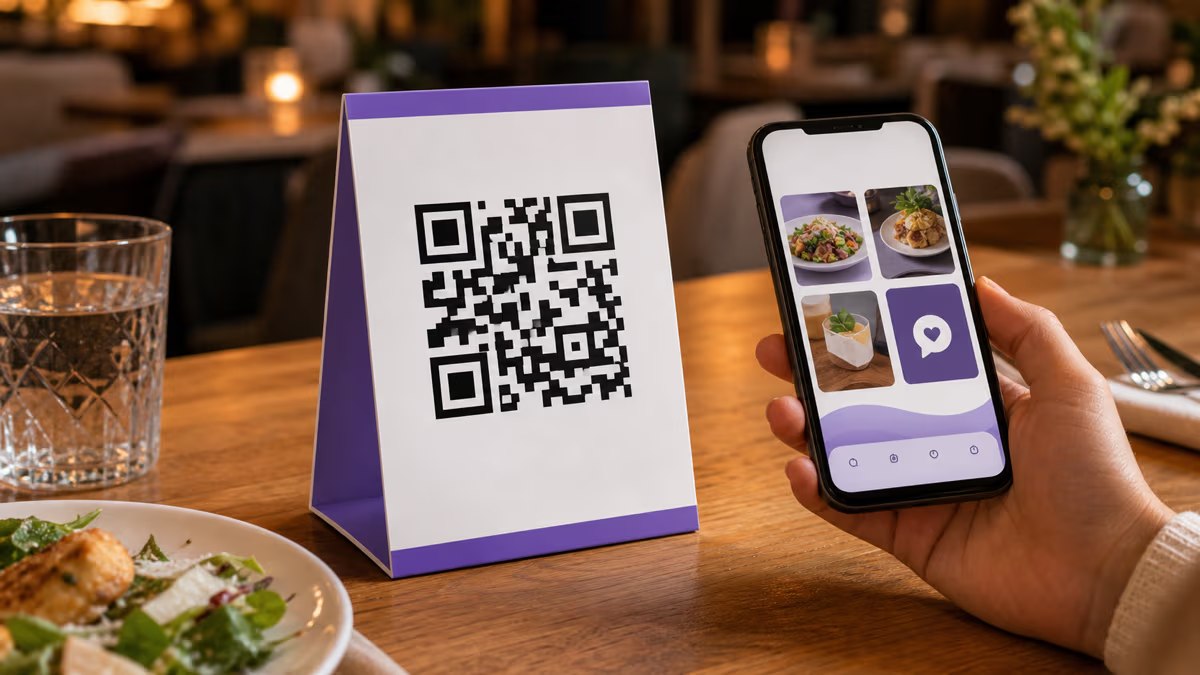
Restaurants and hospitality. Table tents, menus, and check presenters can feature SMS QR codes for reservation confirmations, loyalty program enrollment, or feedback collection. A hotel room card might include a QR code that pre-fills HOUSEKEEPING Room 412 for service requests. For menu-specific QR code strategies, see our restaurant WiFi and QR code guide.
Healthcare. Appointment reminder cards, prescription labels, and waiting room signage can use SMS QR codes for appointment confirmations, prescription refill requests, and patient satisfaction surveys. The simplicity matters here — many healthcare patients are older adults who are comfortable with text messaging but may struggle with apps or web forms. HIPAA compliance requires that no protected health information be included in the pre-filled message body, so keep the default text to generic confirmations or keywords.
Education. Teachers and school administrators can use SMS QR codes for parent communication enrollment, event RSVPs, and emergency notification signups. A school open house flyer might include a QR code that pre-fills ENROLL [SchoolName] to add the parent to the school's SMS notification list. Our classroom QR code guide covers additional education use cases.
Real estate. Beyond the yard sign example above, real estate agents can print SMS QR codes on brochures, open house flyers, and business cards. A pre-filled message like SCHEDULE TOUR 456 Oak Ave lets prospects request a showing without a phone call. The agent gets a text thread they can respond to immediately, which is critical in competitive markets where response time determines who gets the listing.
Events and entertainment. Concert posters, festival wristbands, conference badges, and trade show booths can all use SMS QR codes. A music venue might print a QR code on the ticket that pre-fills FAN [Artist Name] to sign up for artist-specific text alerts about future shows, merchandise drops, and meet-and-greet opportunities.
Nonprofits and fundraising. Donation mailers, event programs, and volunteer signup sheets can use SMS QR codes with a pre-filled GIVE keyword that triggers a text-to-donate flow. Mobile Commons research found that text-to-donate campaigns raised 37 percent more per donor when QR codes were included on printed materials versus keyword-only prompts.
Automotive. Dealerships can place SMS QR codes on vehicle window stickers with a pre-filled message like INFO 2026 Honda CR-V Stock #H2847. The salesperson receives the text and can send back photos, pricing, and financing options — all through a channel the buyer is already engaged in. Service departments can use similar codes on maintenance reminder stickers for easy appointment booking.
How to Create an SMS QR Code with QRLynx
Tracking SMS QR Code Performance with Analytics
If you created a dynamic SMS QR code, QRLynx's analytics dashboard gives you detailed scan data: total scans, unique scanners, scan timestamps, geographic location (city and country), device type (iOS vs Android), and referring source if available. This data is essential for measuring the ROI of your SMS campaigns.
Here is how to use the data strategically. Compare scan rates across different physical placements — a poster in the checkout line versus a table tent versus a receipt footer. If the checkout poster gets 10x more scans, you know where to concentrate your printing budget. Track day-of-week and time-of-day patterns to understand when your audience is most likely to engage. Monitor the iOS-to-Android ratio to ensure your pre-filled message format works correctly on both platforms.
For advanced tracking, use UTM parameters in your dynamic redirect URL. While the final destination is an sms: URI (which doesn't support UTM parameters directly), QRLynx logs the scan event with full attribution data before redirecting. You can also create separate QR codes for each placement and compare them head-to-head. Our QR code scan tracking guide explains the full analytics workflow in detail.
On the SMS platform side (Twilio, Klaviyo, Attentive, SimpleTexting, or similar), track inbound message volume correlated with QR code scan times. If you see a spike in scans at 2 PM on a Saturday but no corresponding spike in inbound texts, the pre-filled message might be confusing or the user experience has a friction point that needs investigation. Cross-referencing QR analytics with SMS platform data gives you a complete funnel view from scan to conversation.
SMS Compliance and Legal Considerations
SMS marketing is one of the most heavily regulated digital channels. Before deploying SMS QR codes at scale, understand the legal requirements in your jurisdiction.
United States — TCPA and CTIA. The Telephone Consumer Protection Act requires prior express written consent before sending marketing text messages. An SMS QR code where the user initiates the text satisfies the consent requirement for that initial message, but you need additional opt-in before sending follow-up marketing messages. The CTIA (Cellular Telecommunications Industry Association) requires that all SMS campaigns include opt-out instructions (typically reply STOP to unsubscribe), your business name, message frequency disclosure, and a link to your privacy policy. Place these disclosures near the QR code on your printed materials or in the automated reply after the first inbound text.
European Union — GDPR. Under the General Data Protection Regulation, collecting a phone number via SMS constitutes processing personal data. You need a lawful basis (typically consent), must provide clear information about how the number will be used, and must honor the right to erasure. If your QR code is deployed in an EU country, include a brief privacy notice near the code or in your automated reply message.
Canada — CASL. Canada's Anti-Spam Legislation applies to commercial electronic messages including SMS. You need either express or implied consent, and every message must include sender identification and an unsubscribe mechanism.
Carrier registration. In the United States, sending business SMS through 10-digit long codes (standard phone numbers) now requires registration through The Campaign Registry (TCR) as mandated by all major carriers. Unregistered numbers face severe filtering and may have messages silently blocked. If you are using SMS QR codes for marketing, register your phone number and use case with TCR through your SMS provider before launching your campaign.
Short codes vs long codes vs toll-free. Short codes (5-6 digit numbers like 12345) have the highest deliverability and throughput but cost $500-$1,000 per month to lease. Toll-free numbers are cheaper and support higher volume than local numbers. Standard 10-digit numbers are cheapest but have the lowest throughput and require TCR registration. For most small businesses starting with SMS QR codes, a toll-free number through Twilio or a similar provider offers the best balance of cost, deliverability, and trust.
Design and Placement Best Practices for SMS QR Codes
Always include a call-to-action. A QR code without context is just a square of dots. Print clear instructional text next to the code: Scan to text us for a 15% discount, Scan to confirm your appointment, or Scan to join our VIP text list. Be specific about the value the customer gets for scanning. Vague prompts like scan me or learn more perform poorly compared to benefit-driven CTAs.
Size the code for the scanning distance. The general rule is that a QR code should be at least one-tenth the scanning distance. For a poster viewed from 10 feet away, the code needs to be at least 1 foot (12 inches) wide. For a business card held at arm's length, 0.8 inches is the minimum. Our print sizing guide has detailed calculations for every common format.
Test on multiple devices before printing. Always scan your SMS QR code with at least one iPhone and one Android phone before sending anything to print. Check that the messaging app opens, the correct number appears, and the pre-filled message body displays properly. Pay special attention to special characters, emojis, and line breaks in the message body — these are the most common sources of cross-platform formatting issues.
Use high contrast colors. The QR code's foreground must be significantly darker than its background for reliable scanning. Dark blue, black, or dark green on white is ideal. Avoid light-on-light combinations (yellow on white), inverted codes (white on black can work but reduces scan distance by 20-30 percent), or codes with busy background images. If you are adding a logo to the center of the QR code, keep it under 30 percent of the total code area to maintain error correction integrity.
Place codes where people have phone access and time to scan. Waiting areas, checkout lines, restaurant tables, transit stops, elevator lobbies, and restroom mirrors are high-conversion placements because people have their phones out and have idle time. Billboards and vehicle wraps get high visibility but low scan rates because people are moving too quickly to scan. For flyer and poster placement strategies, see our flyer and poster QR code guide.
Consider the message app experience. When the user's messaging app opens, they see the phone number and the pre-filled text. If the number looks unfamiliar or the message seems spammy, they will not tap send. Use a recognizable business number (preferably toll-free for trust), keep the pre-filled message natural and conversational, and make sure the number is consistent with what is displayed on your other marketing materials. Include your business name near the QR code so the customer knows who they are texting before they scan.
Advanced SMS QR Code Strategies
A/B testing with dynamic codes. Create two dynamic SMS QR codes with different pre-filled messages — one with a discount offer and one with a free shipping offer — and place them in similar locations. After a week, compare scan rates and inbound text volumes to determine which offer drives more engagement. Because the codes are dynamic, you can swap the messages without reprinting anything. This is one of the highest-ROI experiments you can run in physical marketing.
Seasonal message rotation. For permanent installations like store windows or product packaging, use dynamic codes and update the pre-filled message seasonally. In December, the message might be HOLIDAY DEALS. In February, switch to VALENTINE GIFT IDEAS. The physical code stays the same, but the campaign refreshes automatically. This keeps your printed materials perpetually relevant.
Multi-location tracking. Create a unique dynamic QR code for each store location, branch, or event venue. Even though the destination phone number is the same, the different QR codes let you track which locations drive the most engagement. A franchise with 50 locations can quickly identify which ones need more prominent QR code placement and which ones are already performing well.
Integration with CRM and automation. When a customer texts your business number, your SMS platform can automatically create a contact record in your CRM (Salesforce, HubSpot, or similar), trigger a welcome automation sequence, assign the lead to a salesperson based on the keyword or location, and log the source as QR code for attribution reporting. This transforms a simple QR scan into a fully tracked, automated lead capture system.
Combining SMS with other QR code types. For complex customer journeys, consider using a WhatsApp QR code for markets where WhatsApp is dominant (Latin America, Europe, South Asia), a Google Maps QR code for location-based campaigns, or a standard URL QR code that lands on a page with both SMS opt-in and email signup options. The best channel depends on your audience's communication preferences.
Frequently Asked Questions About SMS QR Codes
What is an SMS QR code?
An SMS QR code is a QR code that, when scanned, opens the user's default messaging app with a pre-filled phone number and optional message body. The user only needs to tap send to complete the action. It uses the <code>sms:</code> URI protocol standardized in RFC 5724.
Does the user's phone automatically send the text message?
No. For security and compliance reasons, mobile operating systems require the user to manually tap send. The QR code opens the messaging app and pre-fills the fields, but the actual sending is always a deliberate user action. This protects both the user and the business from unauthorized messaging.
Do SMS QR codes work on both iPhone and Android?
Yes. Both iOS and Android support the <code>sms:</code> URI protocol. QRLynx generates the universally compatible format (<code>sms:+number?body=message</code>) that works on all modern smartphones including iPhones, Samsung Galaxy, Google Pixel, and other Android devices.
Can I include a pre-filled message in the QR code?
Absolutely. You can set any text as the default message body. Popular approaches include opt-in keywords (<code>JOIN</code>), order numbers (<code>Feedback for Order #1234</code>), appointment confirmations (<code>CONFIRM Tuesday 3 PM</code>), and lead qualification prompts (<code>INFO 123 Main Street</code>). Keep the message under 160 characters for best compatibility.
What is the difference between a static and dynamic SMS QR code?
A static SMS QR code permanently encodes the phone number and message into the QR pattern — it cannot be changed after printing. A dynamic code uses a short redirect URL that you can update anytime through your QRLynx dashboard, plus it includes scan analytics. For marketing campaigns, dynamic is recommended. For permanent installations with a fixed number, static works fine.
How do I track how many people scan my SMS QR code?
Create a dynamic SMS QR code on QRLynx. The analytics dashboard shows total scans, unique scanners, timestamps, geographic locations, and device types. For complete funnel tracking, cross-reference QRLynx scan data with your SMS platform's inbound message logs to see the conversion rate from scan to actual text sent.
Is SMS marketing legal? Do I need consent?
Yes, SMS marketing is legal but heavily regulated. In the US, the TCPA requires prior express written consent before sending marketing texts. When a customer initiates contact by scanning your QR code and sending a text, that initial message constitutes consent for a response, but you need additional opt-in before sending ongoing marketing messages. Always include opt-out instructions (reply STOP) and check your local regulations.
What phone number format should I use?
Always use international format with the country code: <code>+15551234567</code> for US numbers, <code>+447911123456</code> for UK numbers. This ensures the QR code works for scanners in any country. Omitting the country code may cause failures for international users or users with different default country settings on their devices.
Can I change the phone number or message after printing the QR code?
Only if you created a dynamic QR code. With a dynamic code, log into your QRLynx dashboard and update the destination number, message body, or both. The printed QR code pattern remains the same but the redirect destination changes. With a static code, the information is permanently encoded in the pattern and cannot be modified.
How small can I print an SMS QR code?
The minimum recommended size is 0.8 inches (2 cm) for close-range scanning like business cards and product labels. For posters and signage, follow the one-tenth rule: the QR code width should be at least one-tenth the expected scanning distance. A poster viewed from 6 feet away needs a code at least 7 inches wide. See our <a href="/blog/qr-code-size-guide-print">print sizing guide</a> for detailed calculations.
Can I use an SMS QR code for two-factor authentication?
While technically possible, it is not recommended. SMS-based 2FA has known security vulnerabilities including SIM swapping and SS7 protocol exploits. For authentication purposes, use dedicated authenticator apps (Google Authenticator, Authy) or hardware security keys. SMS QR codes are best suited for marketing, customer communication, and lead capture.
How do SMS QR codes compare to WhatsApp QR codes?
SMS QR codes use the phone's native messaging app and work universally on every phone with a SIM card — no app download required. WhatsApp QR codes require the user to have WhatsApp installed but offer richer features like images, documents, and group chats. In markets where WhatsApp dominates (most of Europe, Latin America, and South Asia), WhatsApp QR codes may get higher engagement. In the US and markets with strong SMS culture, SMS QR codes are more reliable. See our <a href="/blog/whatsapp-qr-code-tracking-guide">WhatsApp QR code guide</a> for a detailed comparison.