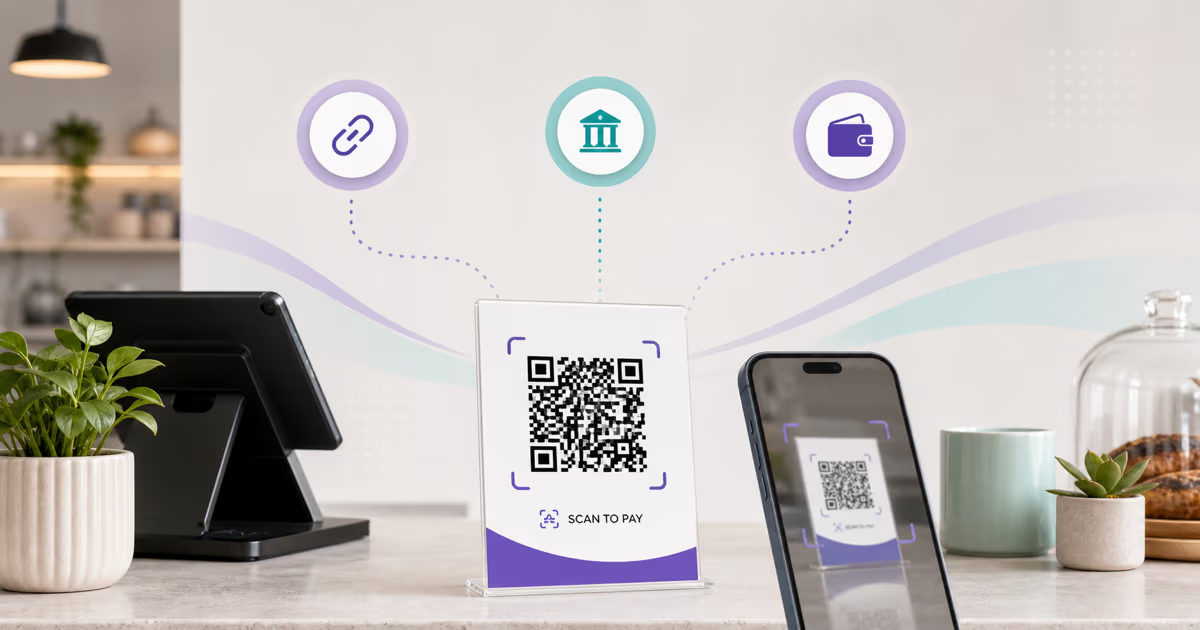
QR Code vs NFC: Choose the Right Interaction

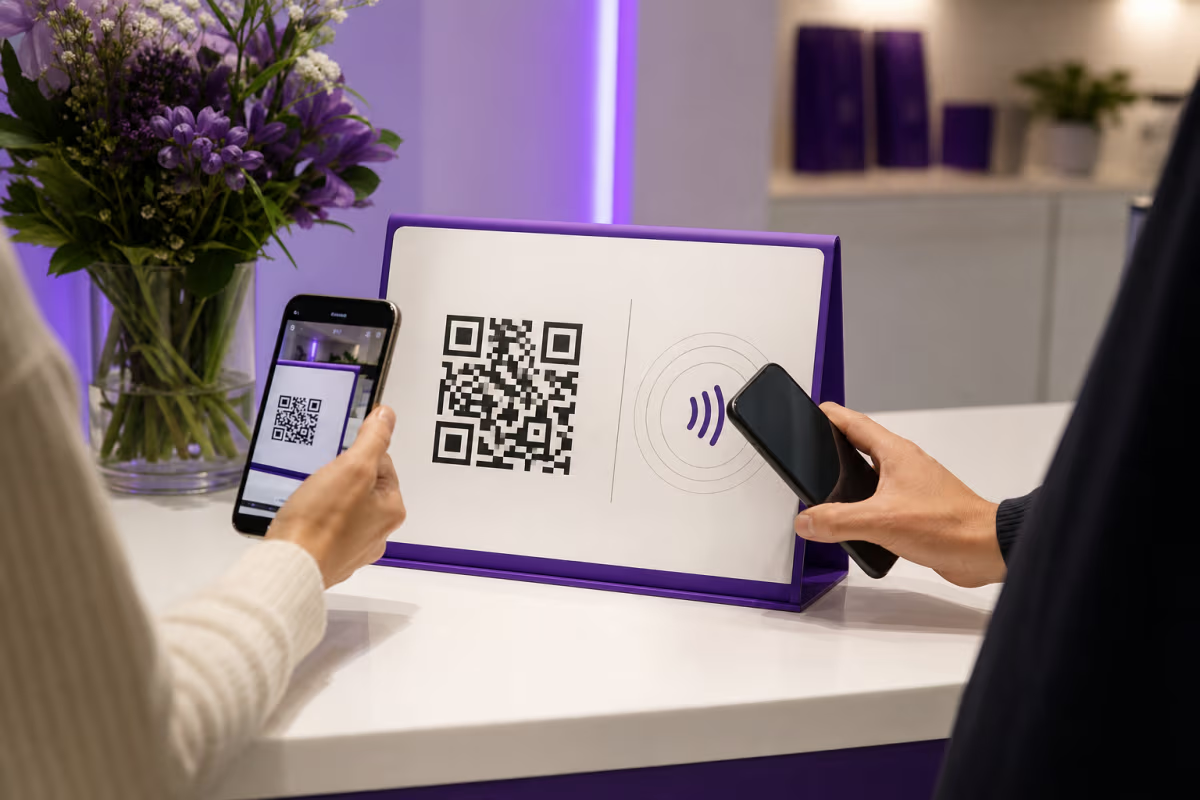
Key Takeaway
Compare QR Code and NFC by interaction, range, hardware, compatibility, security, cost, analytics, and maintenance. Build the QR or hybrid path with QRLynx.
The direct answer
QR Code and near-field communication can both connect a physical object to digital content, but they use different mechanisms. A QR Code is an optical matrix symbol. A camera or imaging reader captures its modules and decodes the payload. NFC uses short-range radio communication between compatible devices or between a device and a tag.
That difference changes more than the gesture. QR requires a visible, readable symbol and line of sight. NFC requires supported hardware, an appropriate tag or peer, correct encoding, and operating-system behavior that can process the record. Apple describes NFC interaction as occurring within a few centimetres and recommends supporting both background and in-app tag reading because device behavior varies.
QR Code and NFC compared
| Decision point | QR Code | NFC |
|---|---|---|
| Carrier | Printed or displayed two-dimensional optical symbol | Radio-capable device, tag, card, or embedded component |
| Interaction | Aim a camera or imager at the complete symbol | Bring compatible devices into the supported operating volume |
| Line of sight | Required for the reader to see the symbol | Not required, but material and antenna placement affect coupling |
| Visible affordance | The symbol is visible and can carry a nearby action label | The tag can be hidden, so the placement needs a clear tap cue |
| Hardware | Print or display surface plus a compatible camera or imager | NFC-capable device plus a compatible tag, reader, or peer |
| Payload | Data encoded under QR Code rules, often a URL for phone workflows | Tag and protocol dependent; NDEF commonly carries standardized records such as URLs |
| Distance | Varies with symbol size, density, optics, lighting, motion, and print | Very close range, with exact performance depending on antenna, tag, reader, material, and environment |
| Maintenance | Replace a static print or update a managed dynamic destination | Rewrite an eligible tag or update a managed URL stored on it |
| Measurement | A managed redirect can record eligible visits | A URL redirect can record resulting visits; the passive tap itself needs separate instrumentation to be observed |
| QRLynx scope | Creates supported static and dynamic QR workflows | Does not program, provision, or certify NFC hardware |
Range is a system result, not one universal number
A QR can be read from close range or farther away when its physical size, module grid, camera, lighting, angle, and motion support it. A large sign and a small product label therefore have different usable distances even if both encode the same URL.
NFC is designed for near-field interaction. Apple describes devices exchanging information within a few centimetres. Real performance depends on the reader antenna, tag antenna, tag type, orientation, enclosure, nearby metal or liquid, device model, and power state. A fixed 1 to 4 cm promise is not a substitute for testing the actual object and audience device.
Use the QRLynx print-size guide for QR module and physical proof planning. For NFC, follow the selected tag and device specifications and test through the final enclosure.
Choose from the operating constraint
| Situation | Useful starting point | Reason |
|---|---|---|
| Poster, flyer, menu, or distant sign | QR Code | A visible target can be sized for the intended camera distance. |
| Close tap on a durable object | Evaluate NFC | A tag can be embedded and used without camera framing when devices support it. |
| Broad mixed-device audience | QR first, then test NFC as an option | QR phone-camera behavior is familiar, while NFC hardware and background behavior vary. |
| Controlled app and device fleet | Evaluate either or both | The organization can verify supported hardware, app behavior, and maintenance. |
| Payment or access credential | Use the governing scheme | Security and acceptance come from the payment, wallet, credential, reader, and backend protocols, not the carrier label alone. |
| Editable public web destination | Managed URL with QR, NFC, or both | The physical carrier can stay in place while an authorized owner changes the redirect destination. |
Compare total deployment cost, not a universal tag price
A static QR image can be generated without electronic hardware, but the deployment still has artwork, printing, installation, inspection, replacement, destination, analytics, and support costs. NFC adds tags or embedded components, encoding, placement, testing, inventory, and possible app or reader work.
There is no responsible universal per-tag price for every NFC project. Tag type, memory, security features, form factor, volume, supplier, certification, enclosure, and encoding process all change the cost. Likewise, a dynamic QR service is not priced per printed touchpoint in one universal way.
Build the estimate around the actual quantity, materials, labor, software, receiving systems, replacement rate, security requirements, and support plan. A hybrid deployment should earn its extra complexity through a documented audience or operational need.
Security belongs to the complete transaction
Neither a visible QR pattern nor an NFC radio interaction proves that the content is trustworthy. A copied QR can be placed over an authorized one. An NFC tag can be replaced, reprogrammed when writable and insufficiently protected, or direct a device to an unexpected record.
Payment-grade contactless systems can use cryptography, secure hardware, tokenization, authentication, and scheme controls. Those properties do not apply automatically to every NFC tag. QR payment systems can also use signed or scheme-controlled payloads. Compare the exact payment or access protocol rather than saying NFC or QR is inherently secure.
For ordinary web links, verify the source, domain, requested action, destination ownership, update authority, and incident path. QRLynx evaluates URL destinations at save time for managed QR workflows, but that control does not authenticate unrelated NFC hardware or physical placements.
Compatibility depends on the receiving behavior
Common phones can scan QR Codes through camera or system-scanner workflows, but behavior still varies by device, operating system, camera, settings, payload, and application. Avoid claiming 100% compatibility.
Apple's Core NFC requires a supported NFC device. Background tag reading is available only in supported states and is unavailable in conditions such as active camera use, Wallet or Apple Pay use, Airplane Mode, or certain post-restart lock states. Apple recommends an in-app scan path for devices that do not support background reading.
Android supports NFC through device hardware and platform APIs, including NDEF-based records, but applications should check whether the device exposes the required adapter and feature. For both carriers, test the exact payload on representative audience devices rather than inferring support from the presence of a camera or NFC logo.
Analytics measure the managed journey, not the physical gesture
A dynamic QRLynx QR opens a managed redirect, so eligible redirect activity can be measured according to the account's analytics access. That does not prove attention, intent, purchase, or identity.
An NFC tag that stores the same managed URL can send a compatible device through the same redirect. In that design, QRLynx can measure the resulting redirect request, not the radio tap itself. A tap that never opens the URL is outside that measurement.
Give QR and NFC placements separate campaign URLs or identifiers when the business needs to compare them. Keep web analytics, checkout, CRM, app events, or operational systems as the source of truth for outcomes after the visit.
How to build a QR or hybrid QR and NFC journey with QRLynx
Use QRLynx for the QR and managed URL layer, then use an appropriate external NFC workflow when a tested tap option adds value.
Define the user action
Choose the exact page, document, contact path, form, menu, payment scheme, or application action the physical touchpoint should start.
Document the audience devices
Identify whether people use general phones, a controlled fleet, a purpose-built app, payment terminals, or another reader. Record accessibility and fallback needs.
Choose QR, NFC, or both
Use QR for a visible camera target, NFC for a verified close-range hardware interaction, or both only when each serves a real audience or operational need.
Select the matching QRLynx QR type
Create the relevant supported QR type in QRLynx. Use a dynamic QR when the destination may change or eligible redirect analytics are useful.
Create separate managed paths when comparing carriers
Give the QR and NFC placements distinct QRLynx-managed URLs or campaign identities so resulting redirect activity can be separated without claiming the physical gesture itself was measured.
Program NFC outside QRLynx when needed
Use a compatible NFC tag, writer, encoding tool, and record format. QRLynx does not write or certify the tag. Encode the verified managed URL only after confirming the tag and device requirements.
Design clear physical cues
Label the QR scan action and the NFC tap area accurately. Keep the QR quiet zone clear and position the NFC antenna away from materials that interfere with the chosen tag.
Test both complete journeys
Use representative phones, operating-system states, angles, lighting, enclosures, and network conditions. Confirm the expected destination, app behavior, fallback, and post-visit outcome tracking.
Assign maintenance ownership
Record the installed artwork, tag type, encoded URL, destination owner, inspection schedule, replacement process, and incident response for every placement.
Start with the managed destination
Create the QR journey in QRLynx
Build the visible QR path first, then reuse a separately tracked managed URL for NFC only when a tested close-range option serves the audience.
Hybrid deployment acceptance checklist
| Check | QR path | NFC path |
|---|---|---|
| Physical cue | Visible scan target and accurate label | Visible tap cue aligned with the antenna |
| Device support | Representative camera and scanner behavior | Representative NFC hardware, OS state, and app behavior |
| Destination | Verified QR payload or managed URL | Verified NDEF record or protocol-specific payload |
| Measurement | QR-specific managed path | NFC-specific managed path if web redirect comparison is needed |
| Fallback | Readable URL or alternate accessible action | QR or readable URL for unsupported or failed taps |
| Maintenance | Artwork, print, destination, and inspection owner | Tag, encoding, enclosure, destination, and inspection owner |
QRLynx QR Code and NFC questions
Is QR Code or NFC better?
Neither is universally better. QR suits visible camera interactions across variable distances. NFC suits tested close-range interactions with compatible hardware. Choose from the audience devices, physical placement, payload, security protocol, maintenance, and receiving system.
Does QRLynx create NFC tags?
No. QRLynx creates supported QR workflows and managed QR destinations. NFC tags require compatible hardware, an external writer or provisioning process, an appropriate record format, and separate testing.
Can QR Code and NFC open the same destination?
Yes. A QR and an NFC tag can each carry a URL that ultimately reaches the same destination. Use separate managed paths when you need to compare redirect activity from the two placements.
Can QRLynx track an NFC tap?
QRLynx can record an eligible request when an NFC tag opens a QRLynx-managed URL. It does not observe the radio tap itself, and a tap that does not open the URL is outside that measurement.
Does NFC always work at 1 to 4 centimetres?
No single range applies to every deployment. NFC is a very close-range technology, but actual performance depends on the reader, tag, antenna, orientation, enclosure, nearby materials, device, and operating state.
Do QR Codes work on every phone?
Common smartphones support QR scanning through camera or system workflows, but behavior varies by device, operating system, settings, payload, camera, and application. Test representative audience devices and provide a fallback.
Is NFC more secure than QR Code?
Security depends on the exact protocol and system. Payment-grade NFC can use strong scheme and hardware controls, but those do not apply to every tag. QR systems can also use signed or controlled payloads. Compare the transaction architecture, not only the carrier.
Which costs less, QR Code or NFC?
A QR does not require an electronic tag, while NFC adds hardware and encoding. Total cost still depends on quantity, print, tags, materials, installation, software, testing, replacement, security, and support. Price the real deployment rather than using a universal per-touchpoint figure.
When is a hybrid QR and NFC placement worthwhile?
Use both when the audience or operating environment has a documented need for both camera and tap interactions, and when the team can test and maintain both. A hybrid adds little value when the second carrier only duplicates a journey without serving a real constraint.
What fallback should an NFC placement provide?
Provide a visible QR Code or readable official URL when practical. The fallback should work for devices or states that do not support the intended NFC behavior and should communicate the same promised action.
Choose the interaction the whole system can support
QR Code is a strong choice when the audience needs a visible, camera-readable path. NFC is a strong choice when close-range hardware interaction is useful and the devices, tag, encoding, enclosure, and software are controlled or thoroughly tested.
QRLynx provides the QR creation and managed destination layer. For a hybrid project, let one verified destination strategy serve both carriers, keep their measurement paths distinct, and treat NFC provisioning as its own hardware workflow.